Appointment Analytics

Stop guessing how your clinic performed today

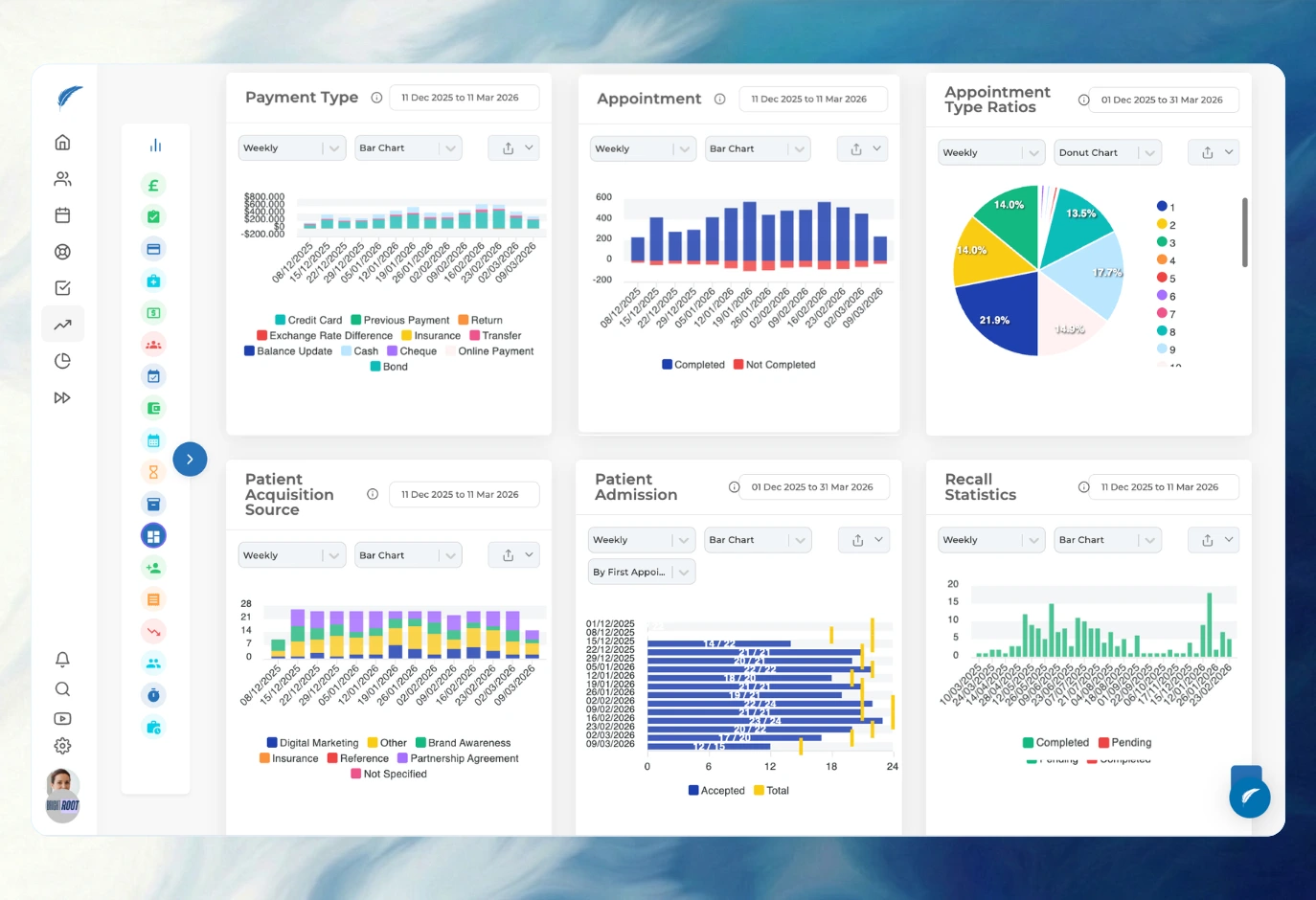
A packed waiting room doesn't mean a well-run day. Track no-shows, cancellation patterns, actual completion rates, and daily delays without asking the front desk to rebuild the story in Excel.
Medicasimple feature overview interface

Backed by Innovative Clinics and Healthcare Teams Everywhere

From dental to physio, dietetics to aesthetics. One platform, every specialty. Built for clinics that want less admin and more time with patients.
Maxident logo
Dentapoint logo
Natürel Diş Logo
Antlara logo
Maxident logo
Dentapoint logo
Natürel Diş logo
Natürel Diş logo
Dentakay logo
Aliadent logo
Skala Dental logo
Dentakay logo
Aliadent logo
Skala Dental logo
Alpi Diş logo
Alpi Diş logo
Dentapoint logo
See your real no-show rate
Stop wondering if cancelled patients ever rebooked. Review every missed, cancelled, or postponed appointment in one place so your team knows exactly who to call.
Find the hidden gaps in your diary
A full diary can still hide operational leaks. Spot delayed starts, excessive waiting times, and actual completion signals to see how your clinic really runs.
Audit schedule changes instantly
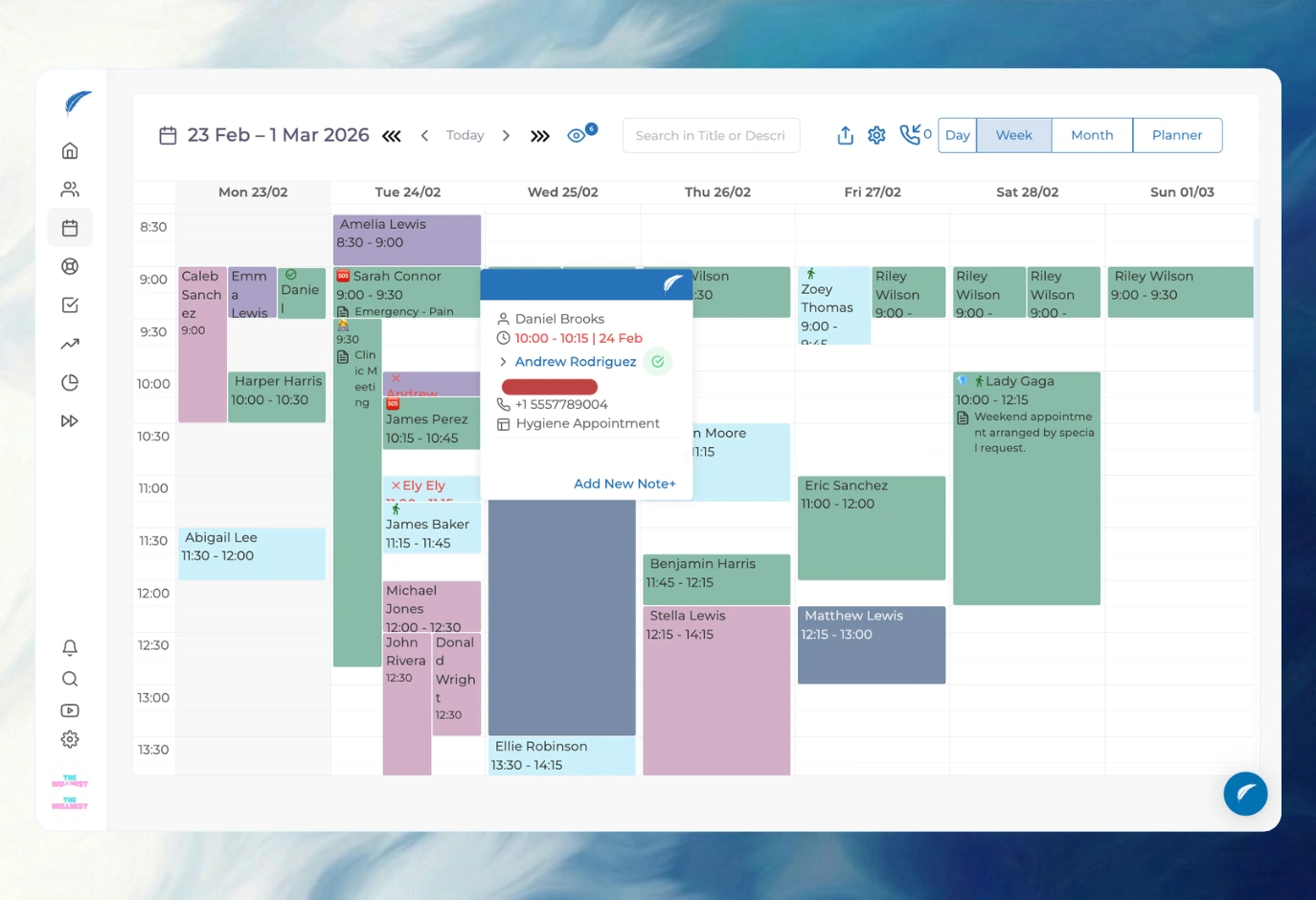
When an appointment is moved or removed, the activity log records the change. Keep your front desk accountable and avoid mysteries in the diary.
Turn missed visits into recovery work
Don't let no-shows drop off your radar. Filter for patients whose last appointment failed and who haven't booked a new one, turning lost revenue into a clear callback list.
01No-shows

Turn disrupted appointments into follow-up work

Filter your diary by cancellations and no-shows. Instantly see who has a future booking and who fell through the cracks, giving reception a clear call list.

02Utilization

See the operational signals behind the calendar

Compare booked times against actual start and completion signals. Spot exactly where delays happen and adjust your scheduling to keep the day on track.

Appointment analytics filters for doctor date and status review
03Audit Log

Keep schedule changes explainable

Appointments don't just disappear. If a booking is deleted or shifted, the activity log records the change so managers know exactly what happened.

04Patient Insights

Review the patient context behind the signal

Don't just look at aggregate numbers. Check the patient context behind your recovery lists and daily monitoring to make immediate follow-up decisions.

Patient profile context connected to appointment analytics
Get started

Stop losing patients to diary gaps

See how Medicasimple turns your daily schedule into clear signals. Track no-shows, spot delays, and give your front desk a reliable follow-up list without touching a spreadsheet.

No more guessworkReal clinic signals
Operational wins
What you get

Track every cancelled, missed, and postponed visit

See which disrupted patients still need a new booking

Spot start delays and actual wait times

Audit your diary for moved or deleted appointments

FAQ

Status

How do I know if my no-show rate is getting worse?

Track your exact appointment statuses. Filter by missed, cancelled, or postponed visits across any date range or doctor to see exactly where your schedule is leaking.

Can I see whether cancelled patients received a new appointment?

Yes. Our lost-patient logic automatically highlights people whose last appointment failed and who do not have a newer booking in the system.

FAQ

Workflow

Can I compare doctor utilization?

You can review provider hours and booked time. While it won't give you perfect capacity accounting, it provides a strong operational signal of how busy each chair really is.

Can I see my actual daily completions?

Yes. As long as your team updates the diary statuses, you can track exactly how many treatments were completed today without waiting for a manual end-of-day report.

FAQ

Controls

Do deleted appointments skew my data?

Deleted appointments are removed from standard active reporting. You can check the activity log to see what changed, but deletion is not treated as a reversible report entry.

Can staff access be limited?

Yes. You can restrict analytics access so only authorized managers or owners can see clinic performance data and sensitive reports.

Related features

Explore the workflows behind better appointment analytics

Get started

Take control of your clinic diary

Stop managing your clinic on feelings and Excel sheets. Book a demo to see how Medicasimple turns your daily schedule into actionable follow-up lists.