

Patient Portal

Give your patients self-service, keep your control

Let patients book appointments, fill out medical history, and check their balances from their phone. Stop answering the same repetitive questions at the front desk.
Medicasimple feature overview interface

The practice management platform behind 1,300+ healthcare clinics

From dental to physio, dietetics to aesthetics. One platform, every specialty. Built for clinics that want less admin and more time with patients.
Maxident logo
Dentapoint logo
Natürel Diş Logo
Antlara logo
Maxident logo
Dentapoint logo
Natürel Diş logo
Natürel Diş logo
Dentakay logo
Aliadent logo
Skala Dental logo
Dentakay logo
Aliadent logo
Skala Dental logo
Alpi Diş logo
Alpi Diş logo
Dentapoint logo
Stop the clipboards
Patients fill out their intake and consent forms online before they arrive. The data flows straight into their profile.
Answer fewer calls
Let patients check their upcoming appointments and outstanding balances online instead of calling your reception.
Share documents securely
Send X-rays, treatment plans, and invoices directly to the portal instead of using insecure email attachments.
You set the rules
Patients only see what you let them see. Keep your clinical notes strictly hidden and control exact booking availability.
Problem

If the patient can't do it, your front desk has to

Every missing signature, every re-sent invoice, and every phone call to check a balance is time your receptionists aren't spending on the people actually standing in the clinic.
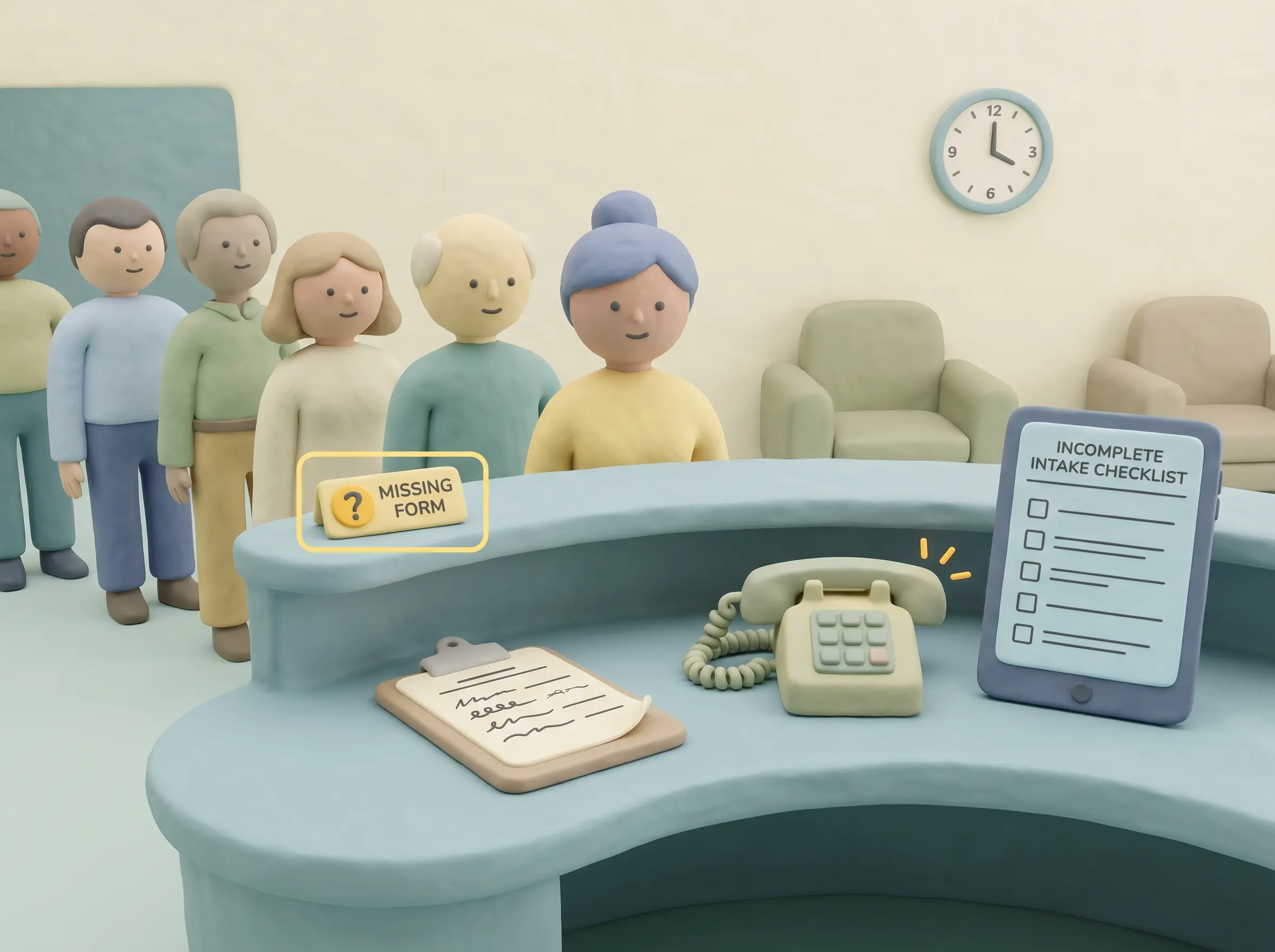
Front desk collecting dental intake details manually while a digital form remains incomplete.
Intake arrives too late
When patients arrive and have to fill out five pages of medical history on paper, the dentist waits, the schedule slips, and the front desk loses time doing data entry.
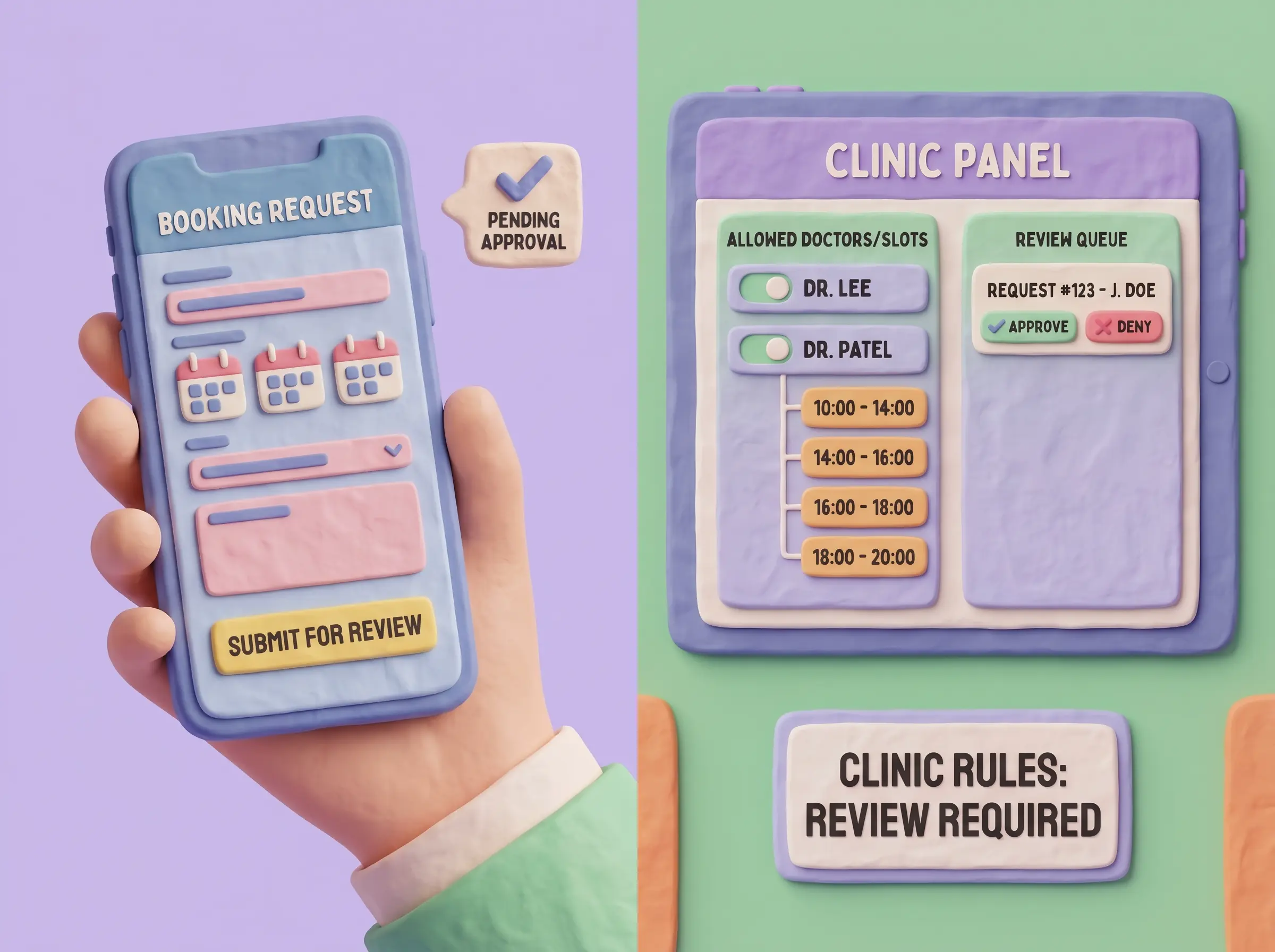
Clinic-controlled online booking options connected to a dental patient portal request.
Self-service without rules creates diary noise
'Can I get a copy of my invoice?', 'When is my next appointment?', 'What was my remaining balance?'. Your front desk spends hours answering questions patients could answer themselves.
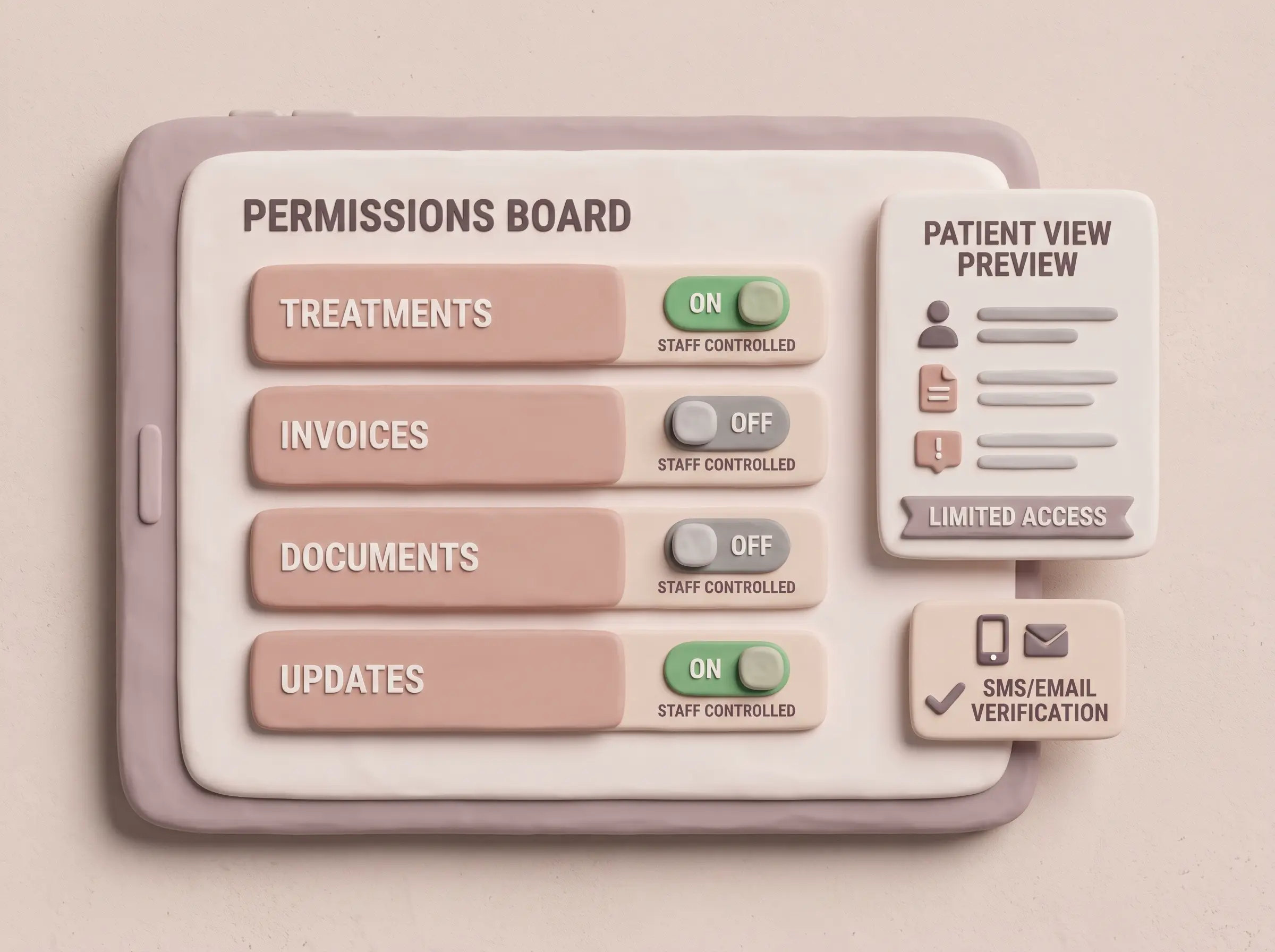
Clinic staff setting patient portal permissions for documents, invoices, and treatment visibility.
Permissions are hard to explain
Emailing X-rays, treatment plans, and post-op instructions securely takes too much time. Patients lose the emails and call back asking for them again.
How it works

From portal access to reviewed patient updates.

Follow a patient portal action end-to-end. The patient sees only the access, forms, booking options, and documents your clinic has allowed, while the team keeps the review step.

PatientPortalSystemStaff
🔗
Staff
Open portal link
The clinic sends the correct portal access path.
✉️
Patient
Verify access
SMS or email check confirms the patient.
📋
Patient
Open patient task list
Allowed forms and actions are shown.
🔐
Rules · Portal logic
Shows only allowed actions
Matches the patient action to clinic-controlled visibility.
visibility → forms, invoices, documents
booking sets filtered by clinic rules
forms → structured answers ready
patient fields → review before update
Allowed view ready · clinic rules applied
🧾
Patient
Configured forms
Intake answers arrive in a structured format.
📅
Patient
Booking option selected
Only the clinic-approved booking set, doctors, and slots are exposed.
📁
Patient
Documents and invoices visible
The patient sees the records your team allows.
READY
System
Team review
Submitted forms and access events wait for staff review before the record changes.
RULE NEEDED
⚙️
Staff
Resolve before acting
The team adjusts visibility before the patient continues.
👀
Staff
Team checks the update
The clinic keeps the final review step.
ACCEPTED
🟢
System
Profile update accepted
Structured answers can continue into the daily clinic workflow.
FOLLOW UP
🔔
Staff
Follow-up reminder
The team follows up when a task needs attention.
Portal features

Patient self-service with permissions, forms, booking rules, and clinic review in one flow

Give patients a cleaner online starting point while your team keeps control over access, visibility, intake updates, booking follow-through, and final review.

Clinic-controlled portal access

Give patients useful self-service while the clinic decides which areas are visible, updateable, or staff-review only.

Portal permissions
TreatmentsAllowed
InvoicesVisible
DocumentsSelected
Access check
Clinic portal code in the access link
SMS/email login verification before entry
Login verification
Patients verify access with the configured SMS or email template before continuing.
Portal link sent
Clinic-specific URL starts the patient flow.
SMS/email login verification
Access proceeds after the configured message check.
Visibility

Payment and document visibility

Show balances, invoices, documents, and selected treatment information only where permissions allow it.

Booking connection

Expose a selected booking set while your team controls doctors, slots, request rules, and the review path.

Selected booking setEnabled
Doctor availabilityLimited
Slot rulesControlled
Request reviewQueued
Forms

Configured dental forms

Use anamnesis, intake, customer experience, or other configured forms with the question types your team needs.

Digital forms and intake

Collect configured anamnesis and intake details before the visit, then review structured updates with patient profile context before staff act.

Form intake
Submitted
Anamnesis formComplete
Consent detailsReady
Reason for visitUpdated
Patient fields
Review
Profile updatefill if empty
Email, address, profession, patient group, and visit reason can follow form configuration.
Follow-up workflowvisible
Staff can review what changed before the patient reaches reception.
01Forms

No more waiting room clipboards

Patients fill out their intake, medical history, and consent forms on their phone before they leave the house. The data flows directly into their clinic profile.

02Booking

Convenience with clinic control

Let patients book their own follow-ups and hygiene visits, but keep strict control over which slots, doctors, and appointment types are actually available online.

03Permissions

Share exactly what you want

Give patients instant access to their invoices, before-and-after photos, and specific treatment plans, while keeping your internal clinical notes strictly hidden.

Get started

Ready to automate your front desk?

Let patients handle their own data entry and appointment requests, while you keep full control over what goes into the calendar.

Patient self-serviceFull clinic control
Operational wins
What you get

Patients fill medical history before they arrive

Share X-rays and invoices securely without email

Let patients view and settle outstanding balances online

Control exactly what clinical data patients can access

FAQ

Access

Quick answers about patient portal access, forms, permissions, and booking follow-through in Medicasimple.

Can patients update their medical history before arriving?

Yes. They log into the portal, update their anamnesis, and sign their forms on their phone. When they walk in, your front desk doesn't have to hand them a clipboard.

Is this the same as online booking?

No. The portal is an entire self-service account where patients can see their upcoming appointments, check outstanding balances, and securely download their X-rays or invoices.

FAQ

Forms & Booking

Will patients see sensitive clinical notes?

No. You have absolute control. Patients can only see the documents and X-rays you explicitly choose to share with them.

How do patients log in?

They use a secure, one-time login link sent via SMS or email. There are no complicated passwords for them to forget.

FAQ

Clinic Control

Can patients pay their balances through the portal?

Yes. If online payments are configured, patients can view their outstanding debt and settle it directly from their phone.

Does the front desk still have control?

Absolutely. The portal handles the data entry, but your team still reviews forms and approves booking requests before they hit your live schedule.

Related Features

Related Features

Get started

Give your reception their time back

Stop asking your front desk to act as human data-entry machines. Let your patients use the portal, and let your team focus on the people in the clinic.