
In April, we released a broad set of updates that strengthen communication, finance workflows, reporting, API infrastructure, and the mobile experience. WhatsApp Co-existence infrastructure, invoice integrations, session tracking, multi-currency management, and mobile widget support were among this month’s key improvements.
🚀 New Features
🎉 WhatsApp Coexistence
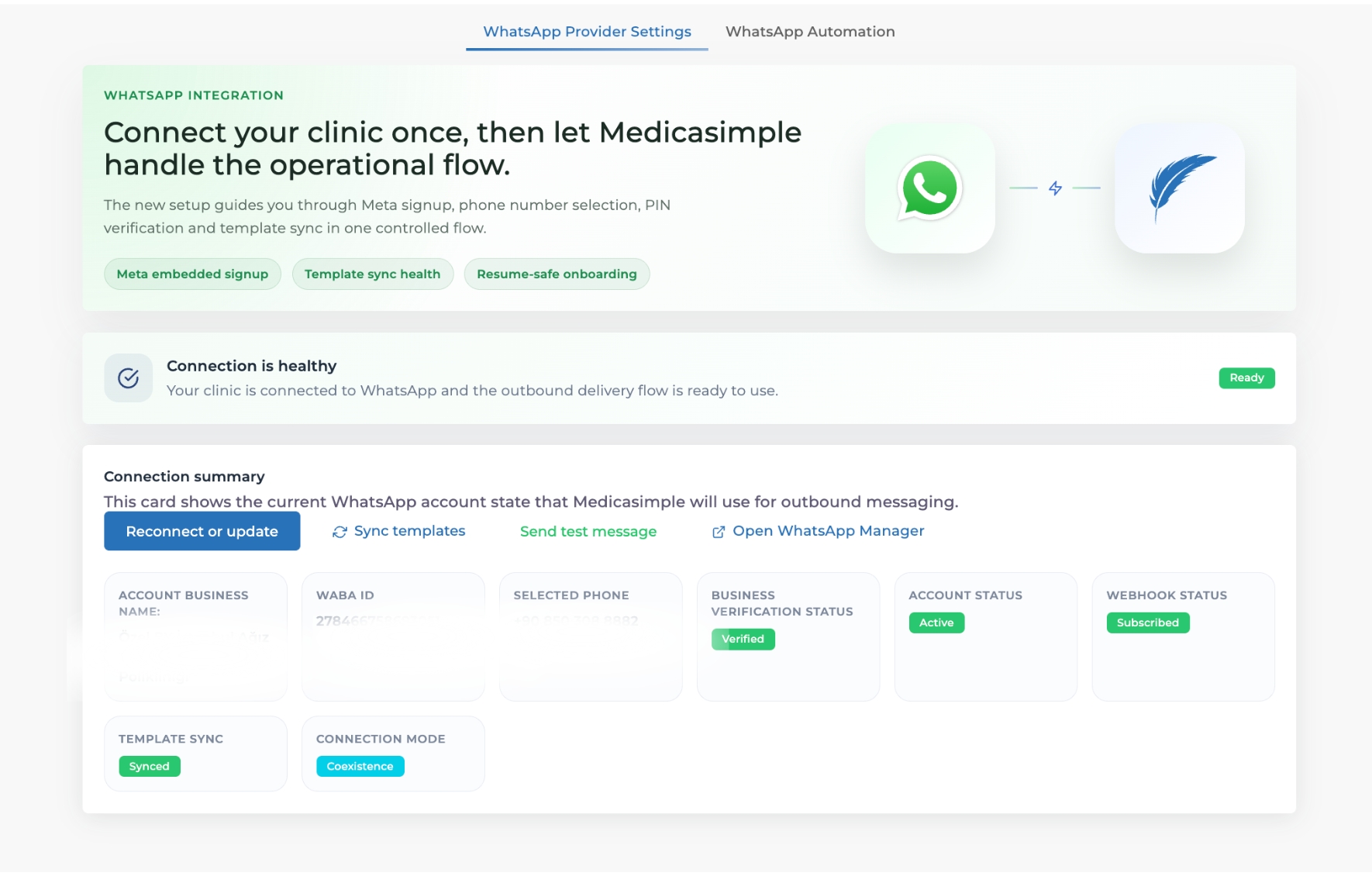
We added WhatsApp Coexistence support to Medicasimple. With this improvement, clinics can keep their existing WhatsApp Business workflows while building a more integrated WhatsApp communication setup through Medicasimple. We also improved the setup guidance to make the integration easier, clearer, and easier to follow.
This helps you manage WhatsApp communication more smoothly with Medicasimple and build a stronger communication infrastructure without disrupting your existing clinic workflows.
🎉 Custom Invoice Integration
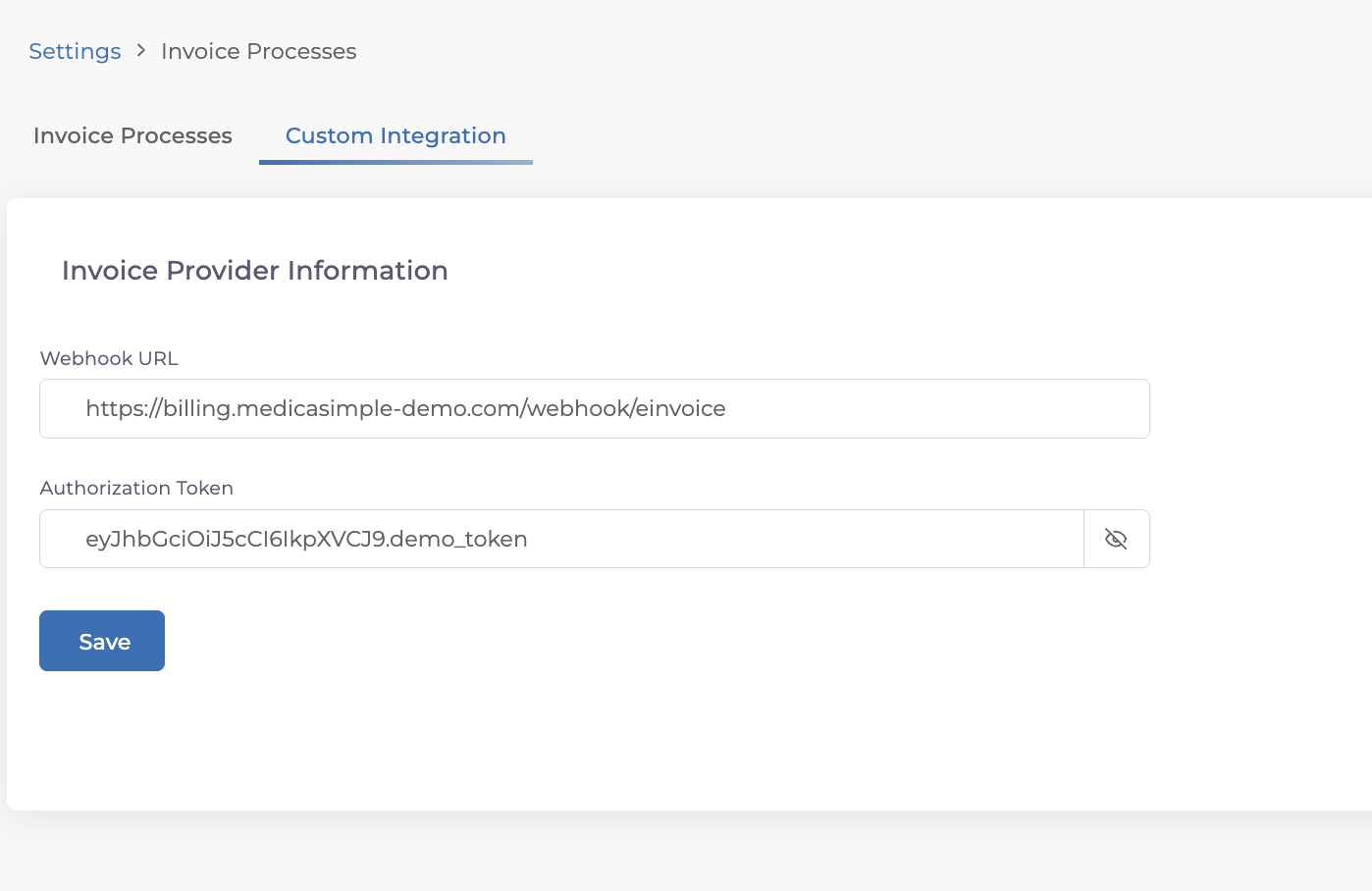
Custom webhook support was added for invoice workflows. Invoice information created in Medicasimple can now be sent to the systems your clinic needs, without being limited only to the invoice providers already available inside Medicasimple. Clinics can send invoice data to their own accounting software, reporting setup, custom integration layer, or a different invoice provider they prefer to work with.
This means invoice data no longer has to stay inside a closed workflow. Once an invoice is created, the relevant information can be sent automatically to external systems, synchronized with the tools used by the finance team, and managed around the clinic’s own operating model.
🎉 Unfinished Sessions Report
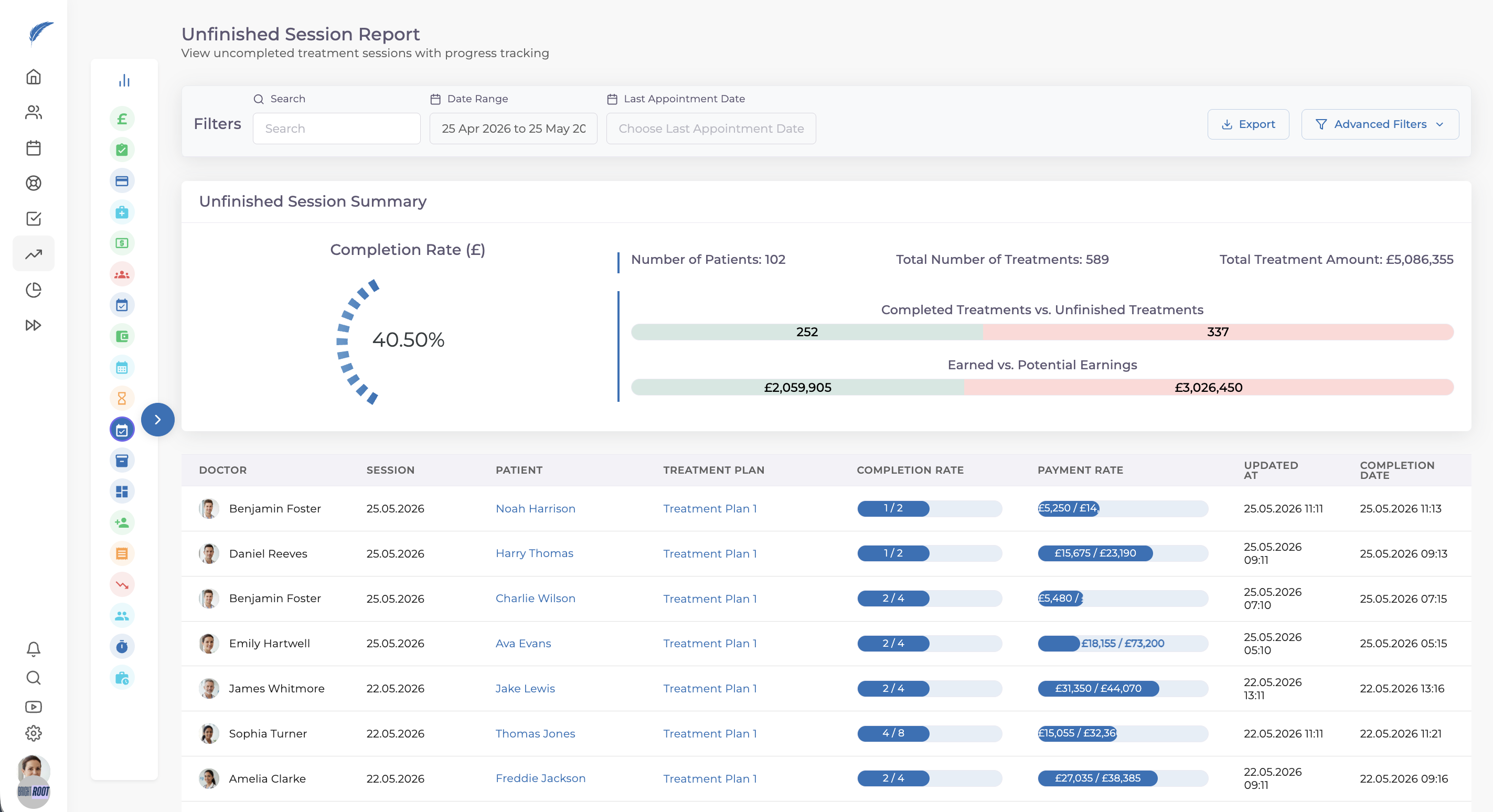
In addition to unfinished treatment tracking, a new session-based report was released. You can follow incomplete sessions in more detail and manage ongoing treatment processes more clearly at the session level.
You can also break treatment sessions down by doctor and follow individual progress more clearly, making it easier to see which sessions are waiting to be completed. This makes treatment plan follow-up more visible operationally.
🎉 Media Download API
The API infrastructure for media download workflows was improved.
With Media APIs, you can send files into a patient record from an external system and pull files from the patient record into your external application. Media files can now be accessed more flexibly through the API, giving clinics that work with custom integrations and external systems a stronger technical foundation.
🎉 Proforma Display Options
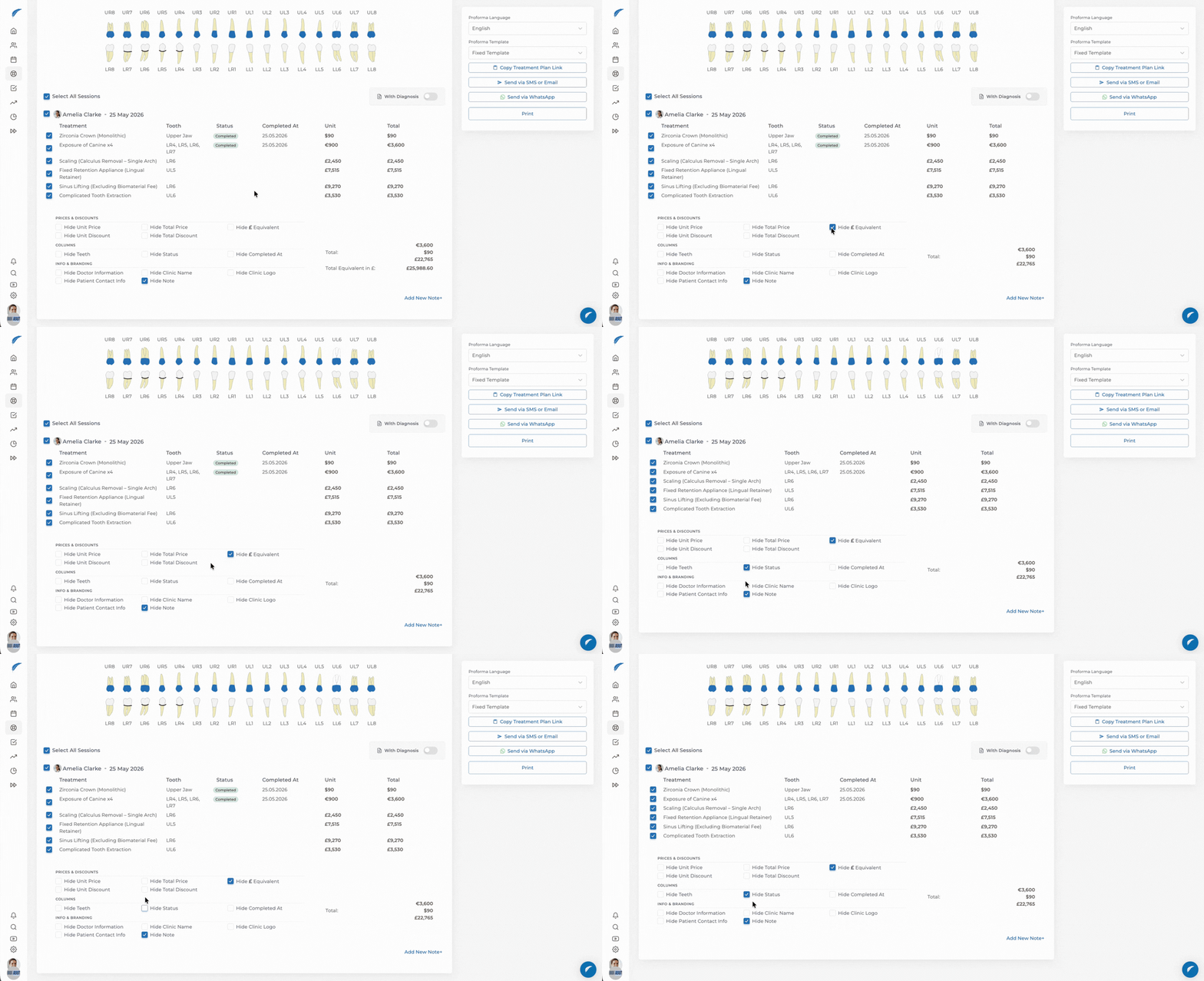
New display options were added for proforma documents, including:
An option to show the clinic currency equivalent on proformas
An option to hide status information on proformas
These options help you prepare proforma documents more flexibly based on patient and clinic needs. Document presentation becomes more controlled, especially for clinics working with different currencies.
🎉 Multi-Currency Balance View in Payments
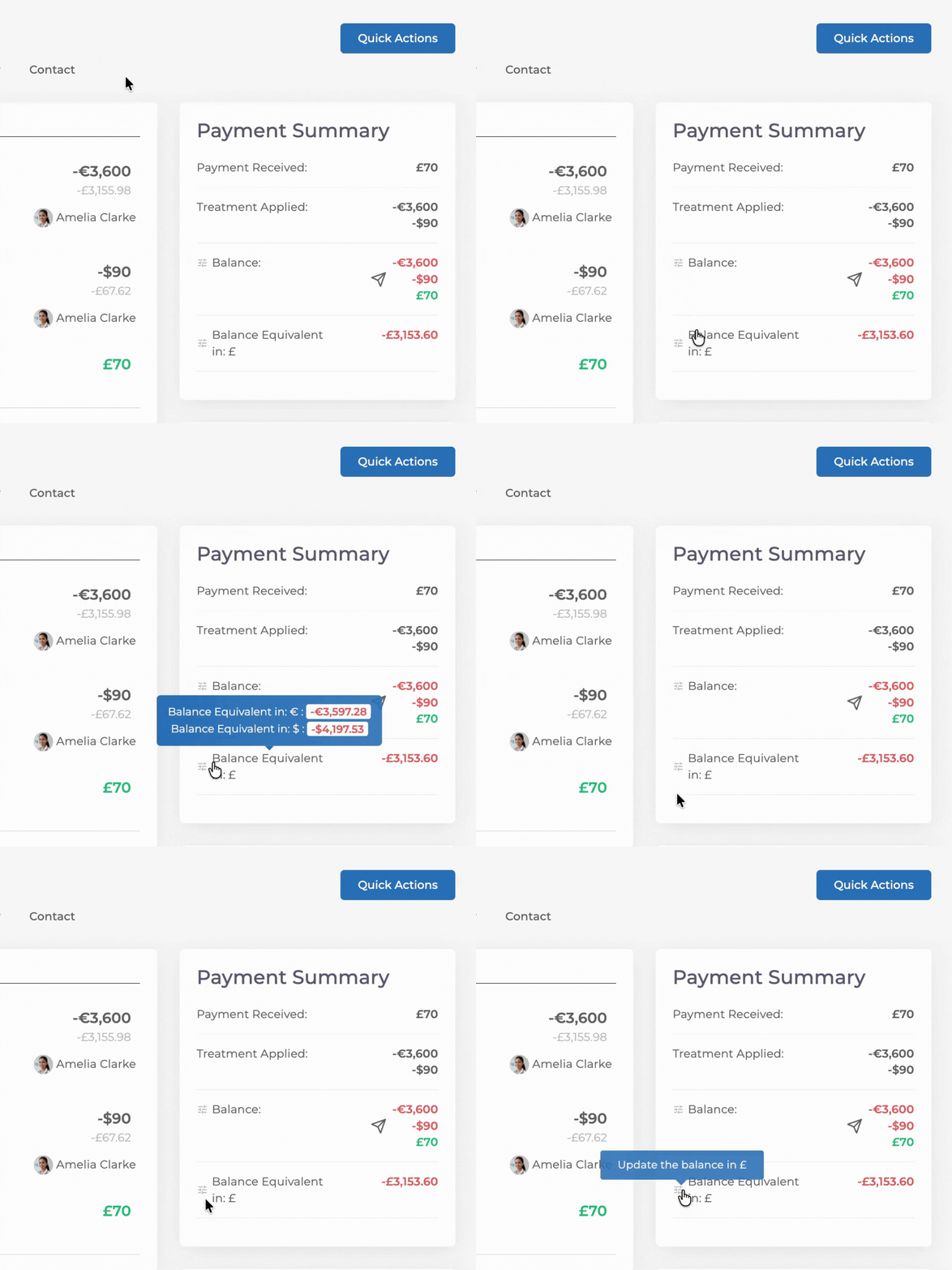
The balance area on the Payments page was improved. If a patient has records in different currencies, those currencies are shown in the balance detail view. For example, when a patient has Euro, Dollar, and GBP records, the clinic currency amount can be shown directly while other currencies can be followed in the detail area.
This helps clinics working with multiple currencies follow patient balances more clearly from a single screen.
🎉 Expanded Activity Feed
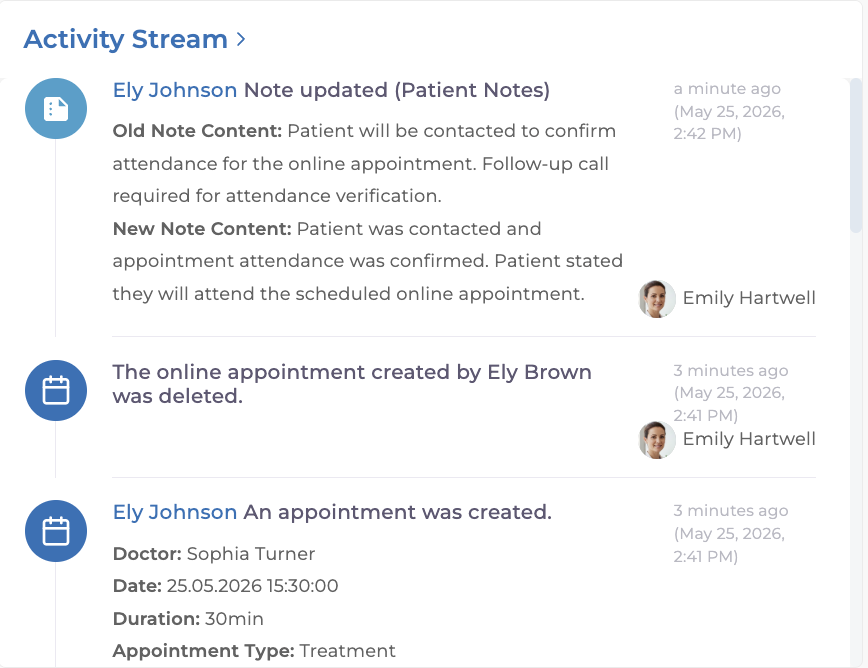
The activity feed was expanded to cover more clinic actions. The following actions can now be shown in the activity feed:
Adding and deleting laboratory operations
Deleting online appointments
Note updates
What it helps with:
Important clinic actions become more visible. Teams can follow patient and operational history more easily.
🎉 Created By Filter for Tasks
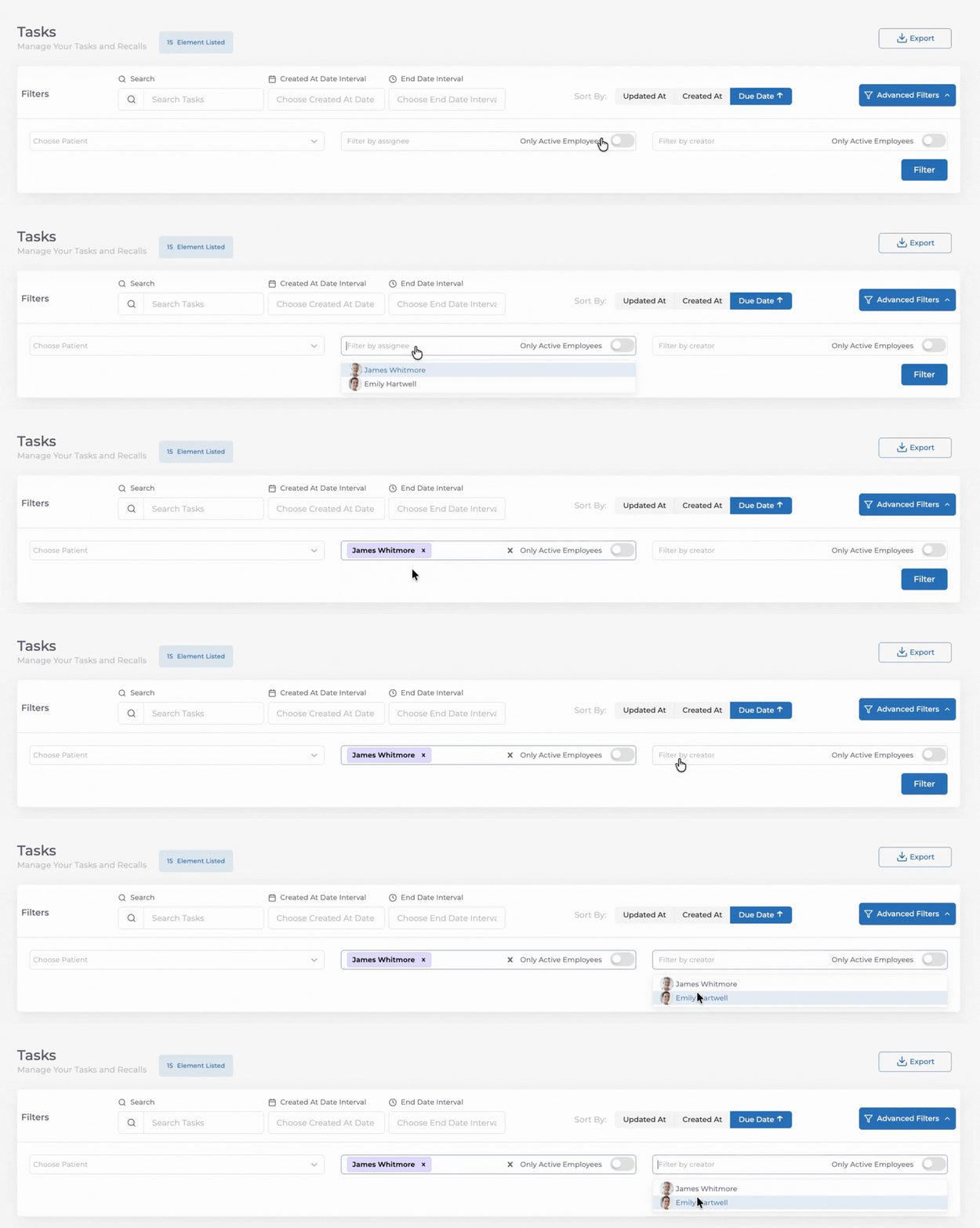
A “created by” filter was added to Tasks.
Teams can now filter tasks by who created them. Separating the person who opened the task from the person assigned to it makes responsibilities clearer and helps daily operations stay more organized.
✨ Improvements
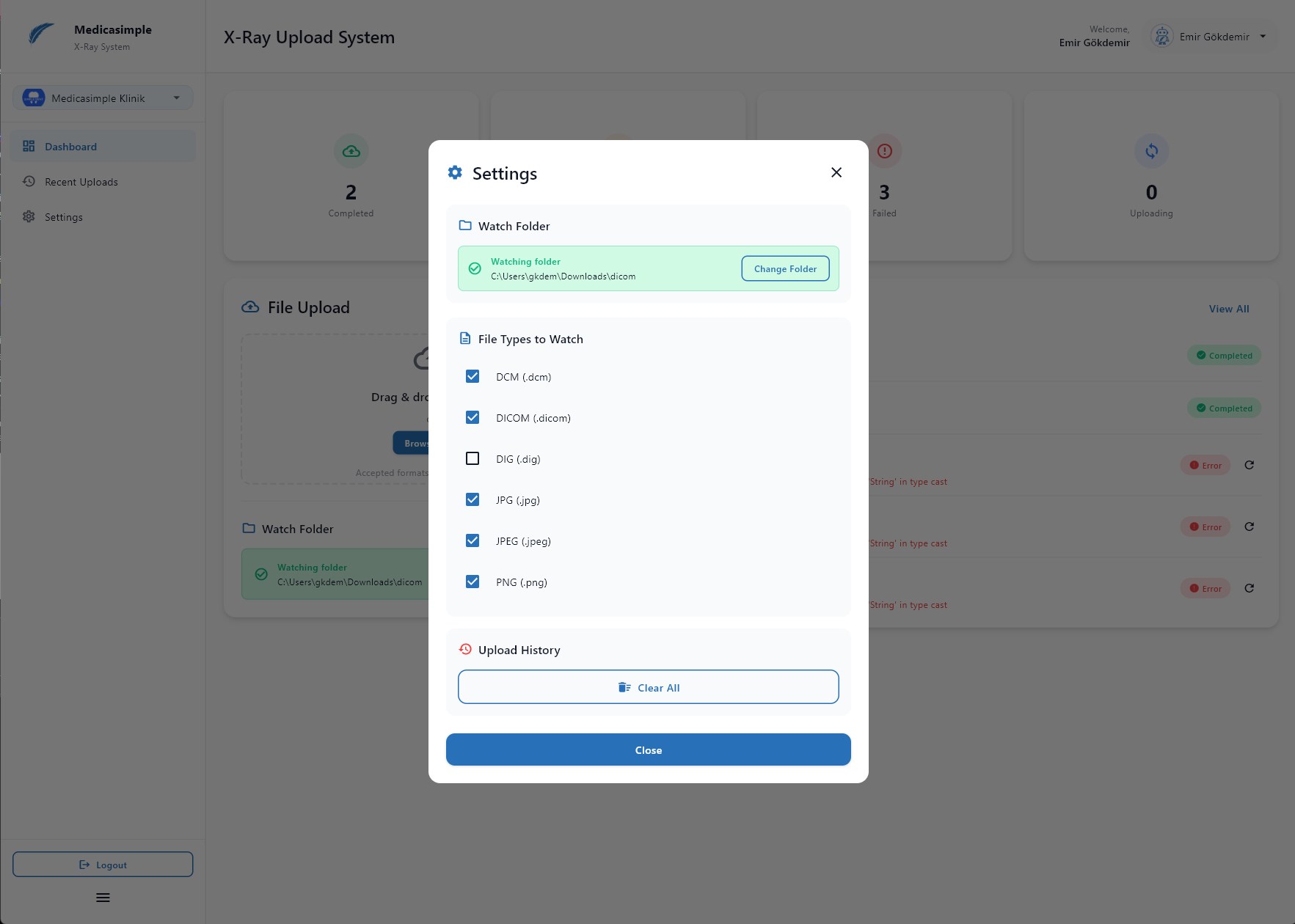
✨ Renewed X-ray Application
The X-ray application was fully renewed. We made broad performance improvements so images captured from X-ray devices can be transferred to Medicasimple much faster and more reliably. Clinics that are not using the integration yet can enable the X-ray add-on from the app store.
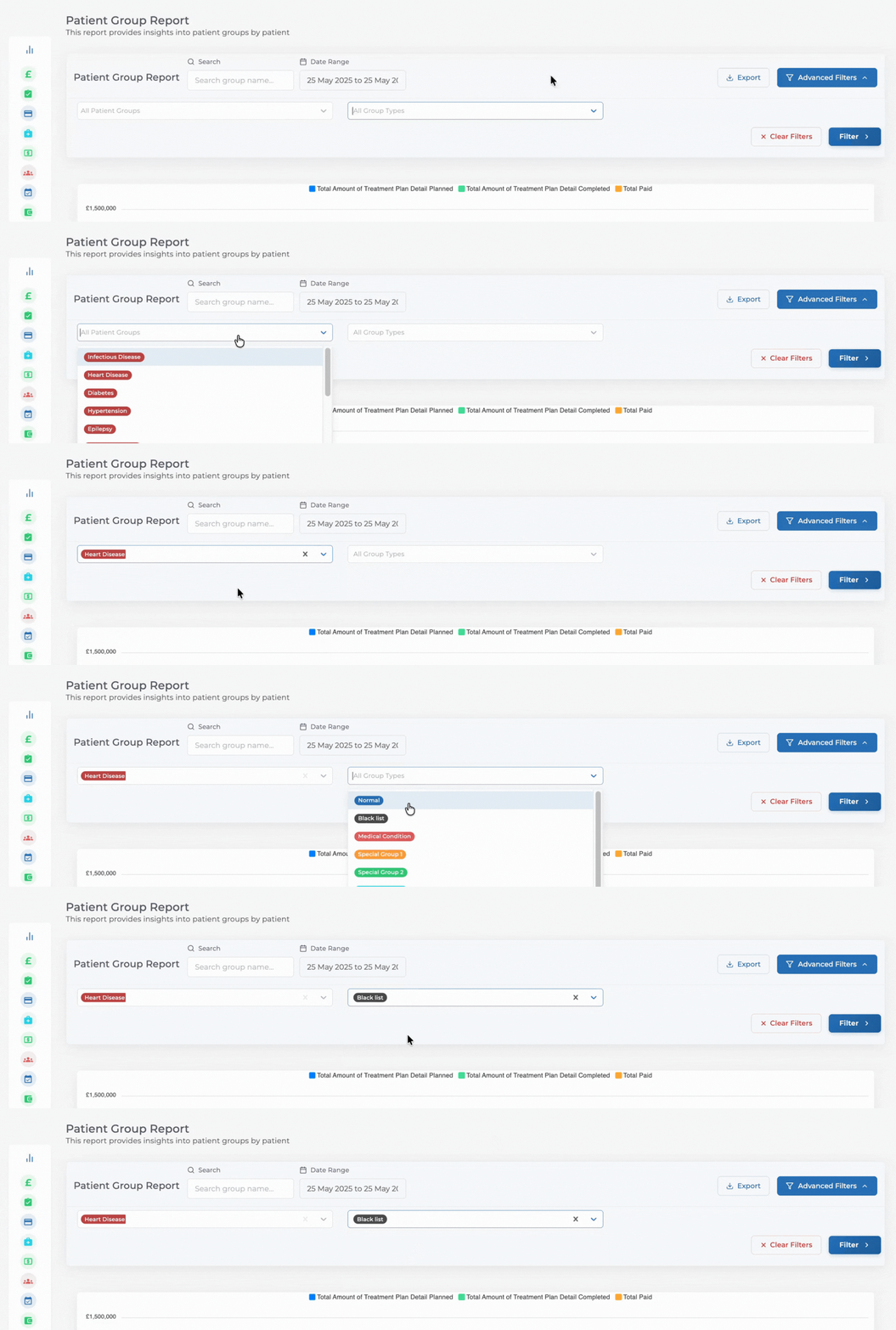
✨ Patient Group Report Filters
New filters were added to the Patient Group Report, including:
Patient group filter
Patient group type filter
You can analyze patient groups in more detail and create more targeted reports based on different group types.
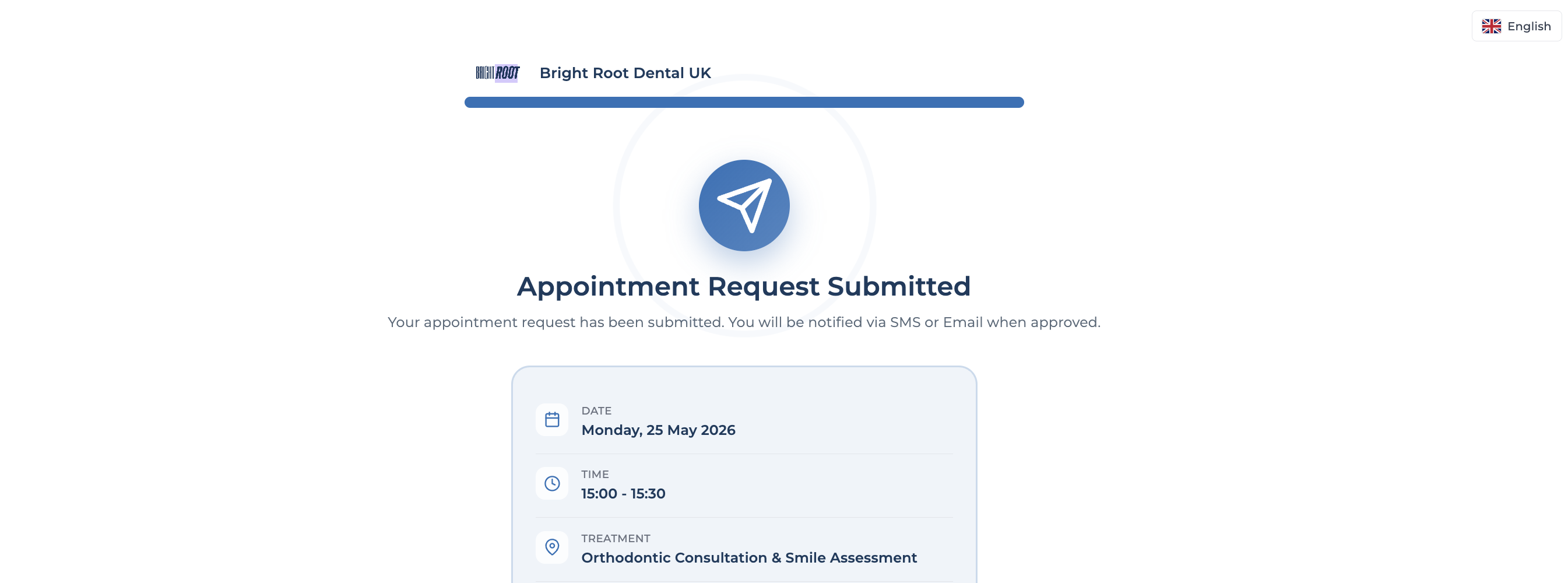
✨ Online Appointment Experience
The online appointment flow is now more consistent with clinic calendar hours. The clinic logo upload experience on the online appointment screen was also improved.
✨ Locked Treatment Plan Controls
Active / inactive status changes in locked treatment plans are now more controlled. This helps treatment plan approval and follow-up processes move forward in a more controlled way.
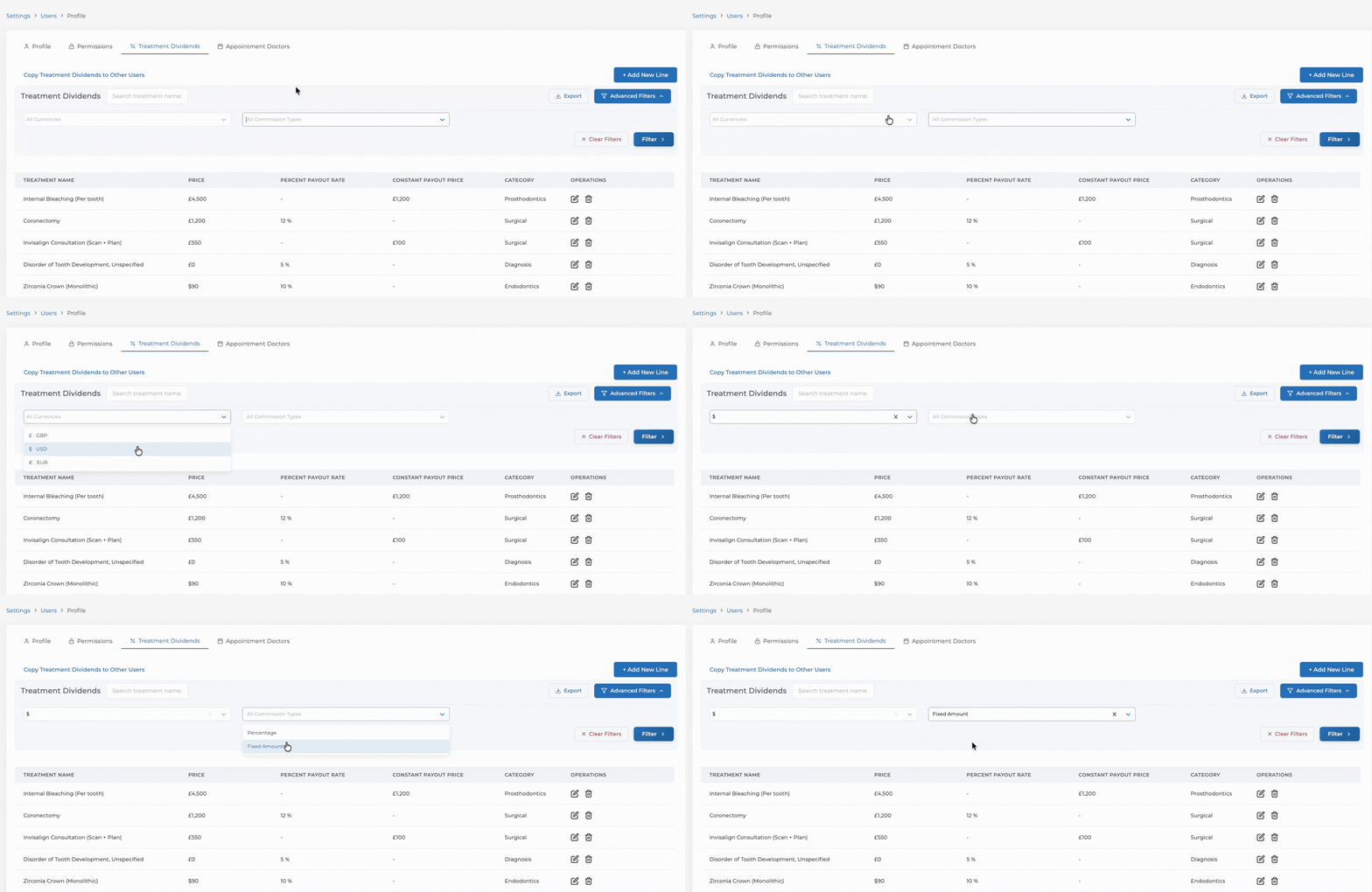
✨ Doctor Treatment Commission Filters
New filters were added to the Doctor Treatment Commissions report, including:
Commission type filter
Currency filter
You can analyze doctor commissions in more detail and follow different commission models and currencies more easily.
✨ Multi-Clinic Treatment Screens
Treatment screens for multi-clinic structures are now smoother and easier to understand.
This helps teams working across multiple clinics follow treatment processes more comfortably and manage multi-clinic operations with more control.
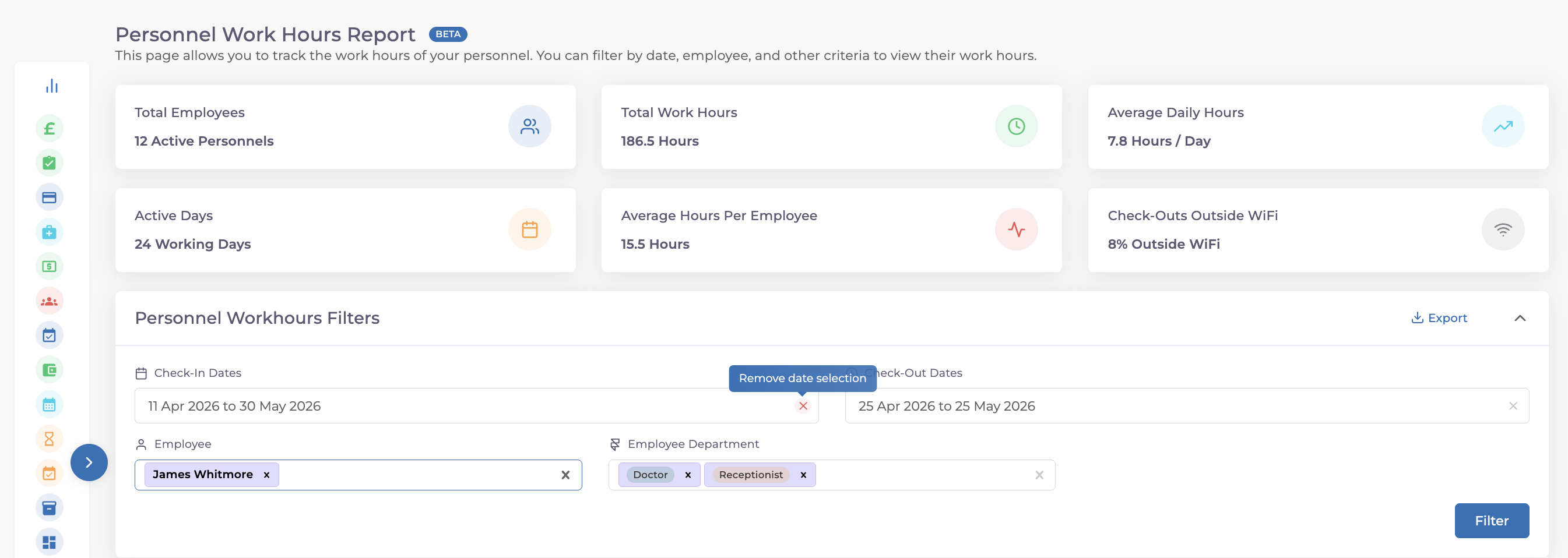
✨ Staff and Doctor Reports
Clearable date fields were added to Staff Working Hours and Debt per Doctor reports.
You can reset date filters more easily and review different periods faster.
✨ Patient Merge Flow
Recall record transfer is now supported in the patient merge flow.
When patient records are merged, follow-up and reminder workflows continue more completely. This helps preserve patient history and follow-up flow after merging.
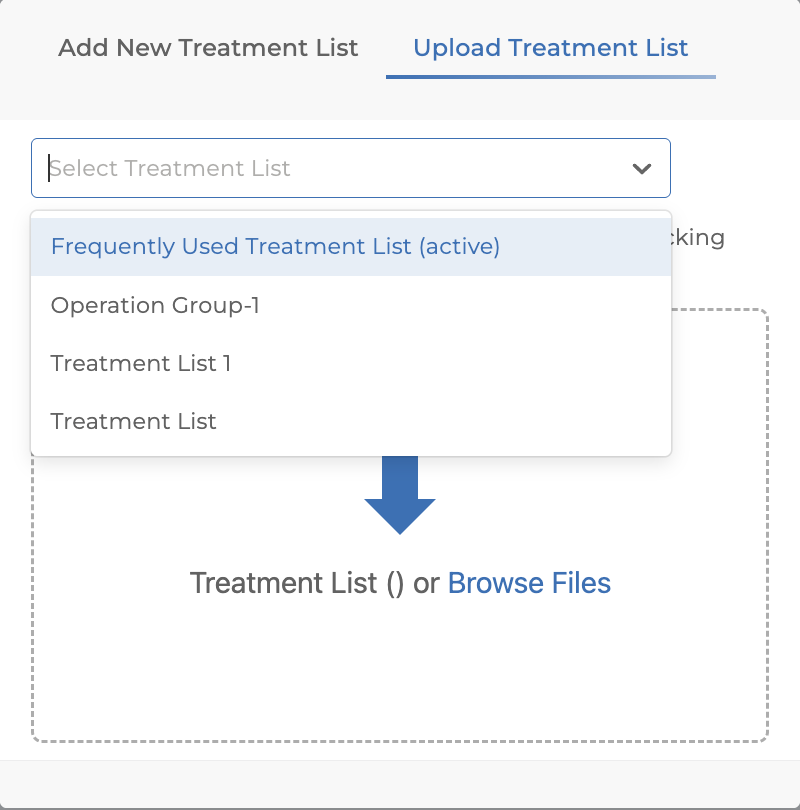
✨ Treatment List Import
Treatment list selection was added to the treatment list upload process. Users can now choose which treatment list imported treatments should be added to.
✨ Finance Export Improvement
Finance export files now include + and - signs to make income and expense direction clearer.
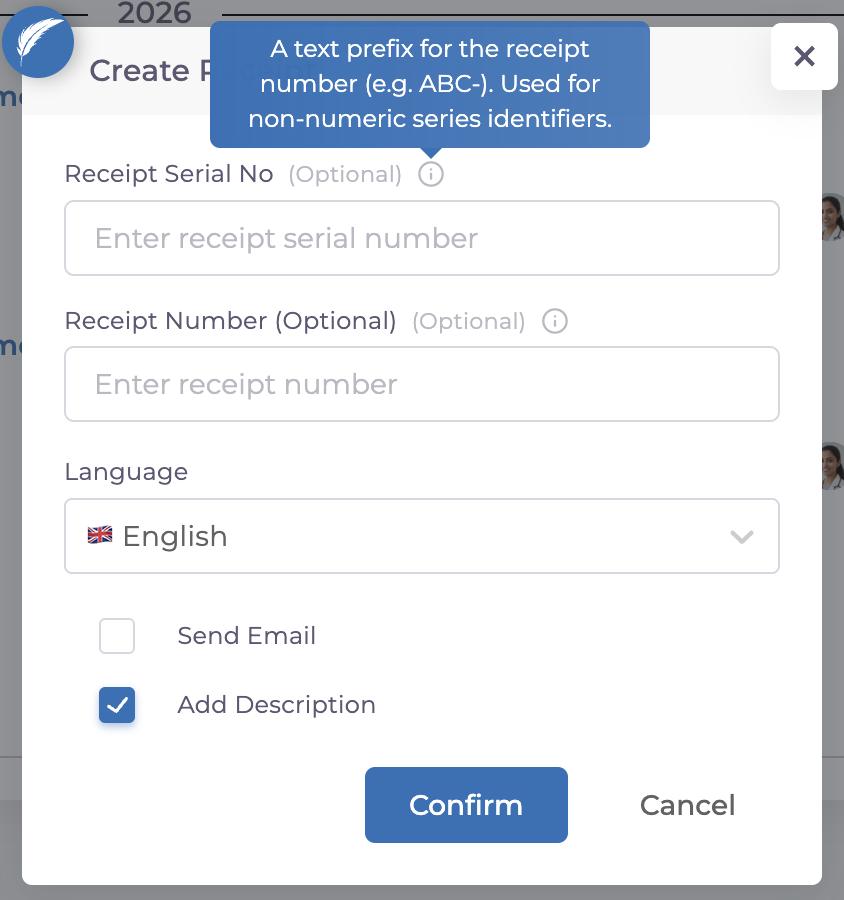
✨ Receipt Serial Number
A serial number field was added for receipts. This makes receipt tracking more organized and easier to follow on financial documents.
✨ Gender Support in API Responses
The genderId field was added to appointment webhooks and API responses that return patient information. This allows patient data to be used more comprehensively in API integrations and increases integration flexibility for clinics working with external systems.
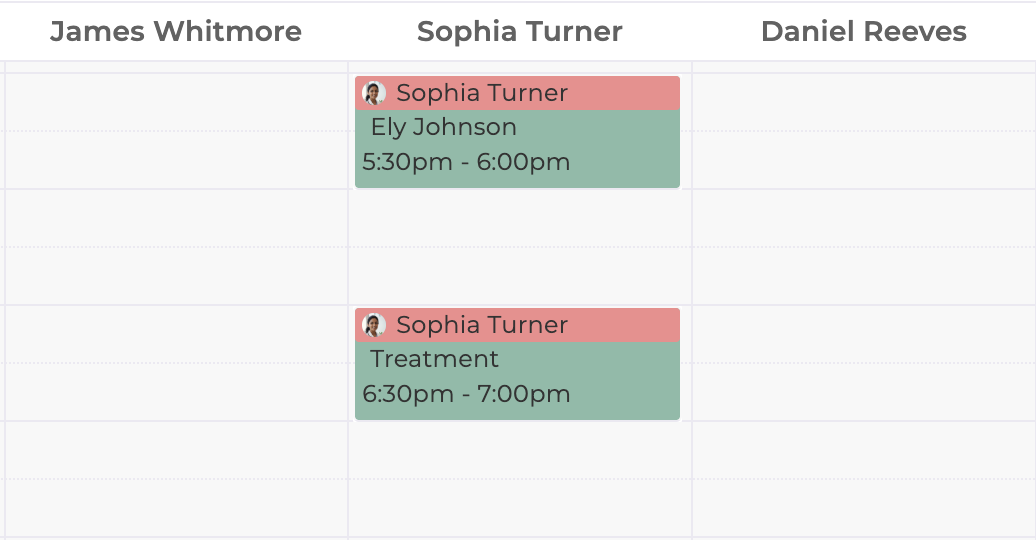
✨ Patientless Appointment View
Appointment type was added to the calendar view for patientless appointments, making them easier to understand. The activity feed experience for patientless appointments was also improved.
📱 Mobile Updates
We released many improvements for the mobile app to make the user experience faster, smoother, and more efficient. From widget support and AI Note flows to task, calendar, and media upload improvements, updates that make daily mobile workflows easier are now active.
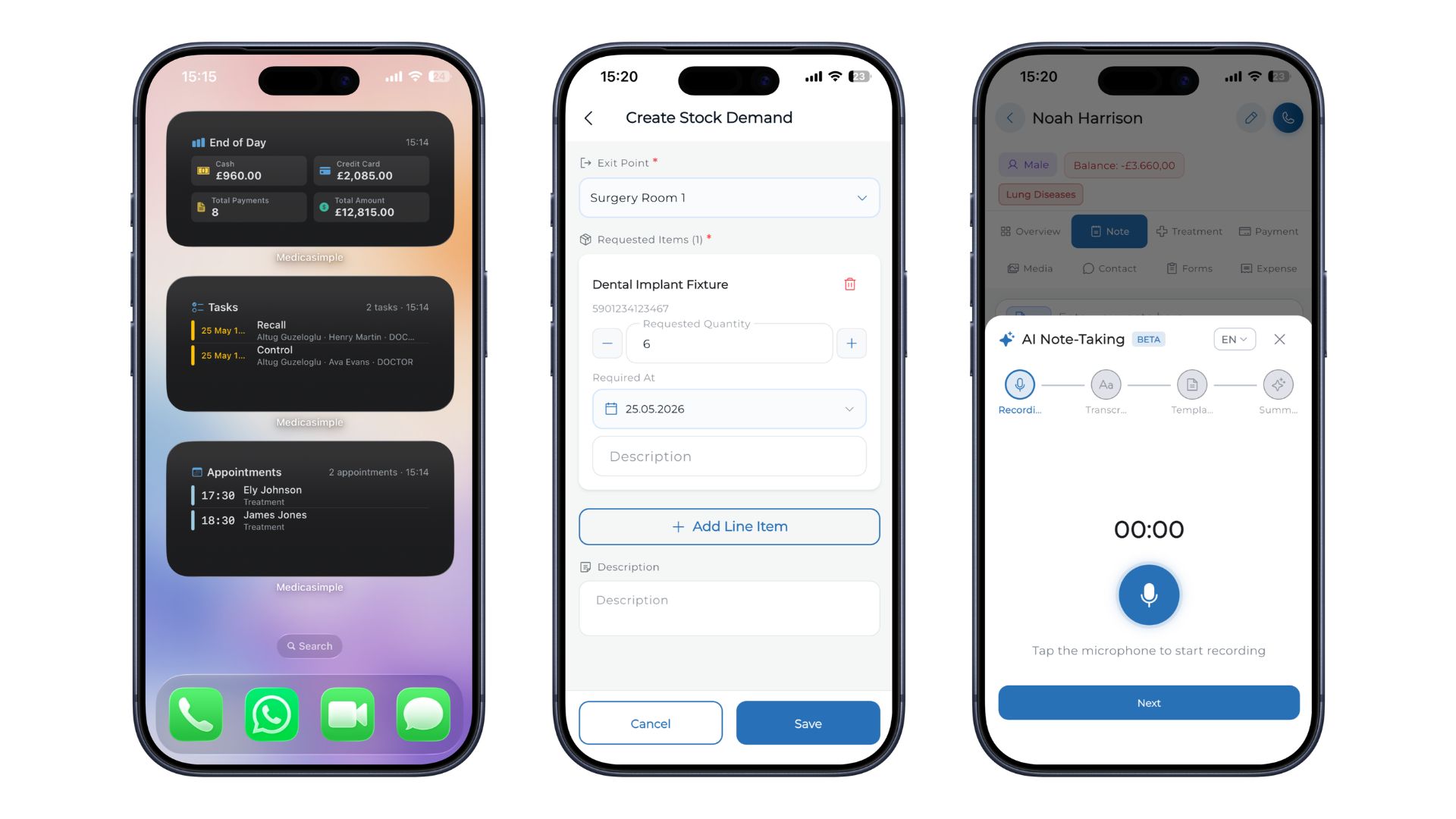
📱 Widget
A widget was released for the mobile app. The widget can show:
The next 4 appointments
The next 4 tasks
End-of-day report summary
The last 4 end-of-day items
This helps you follow your daily clinic flow faster, even before opening the app.
📱 AI Voice Notes
AI Note support was added to the mobile app. Template selection in the AI Note flow is now handled as a separate step.
Creating notes on mobile is now more practical and controlled. You can move faster by selecting the right template for AI-supported notes.
📱 Stock Requests Page
The Stock Requests page was added to the mobile app. You can now follow stock requests more easily on mobile and manage stock workflows without relying on desktop.
📱 Quick Action Button in Patient Tabs
Tab-based quick action support was expanded and improved on patient detail screens.
For example:
Uploading media from the Media tab
Adding a treatment plan from the Treatment Plan tab
These actions can now be started directly from the relevant screen.
📱 Media Upload Limit
The mobile media upload limit was increased to 20. You can upload more media at once and complete the process of adding media to patient files faster.
📱 Created By Filter on Mobile Tasks
The created-by filter was added to mobile tasks. You can filter tasks by who created them on mobile and follow team responsibilities more easily.
📱 Calendar and Agenda Experience
Calendar and agenda screens are now smoother and more comfortable to use. The experience when moving between patient details was improved, list flow feels more natural, and refresh behavior when switching days or clinics was optimized for faster use.
📱 Treatment Plan Item Entry Experience
When adding items to a treatment plan, the selected treatment list is now preserved within the same plan. This means you do not need to choose the list again for each new item. When you switch to a different patient or plan, the system automatically returns to the default list.
📱 Treatment Item Completion Date
Completion dates for treatment items can now be edited on mobile.
📱 Login and Password Management
The mobile login experience was improved. This includes:
A more stable biometric login / Face ID flow
Login support compatible with the device password manager
📱 Doctor Notification Settings
The doctor notification settings screen is now more consistent across different user roles.
Have feedback on this update?
Tell us what would make this product change more useful for your clinic. We route feedback to the product team and use it to shape upcoming improvements.
Share feedback →More product updates
March '26
March 2026 Product Updates
March updates focused on stronger appointment flows, clearer finance workflows, treatment planning controls, inventory reporting, and the renewed Medicasimple Mobile 2.0 experience.
February '26
February'26
View the product updates and changes for February 2026.
January '26
January'26
View the product updates and changes for January 2026.