


January'26
View the product updates and changes for January 2026.
🚀 New Developments
🎉 DICOM X-ray Viewer
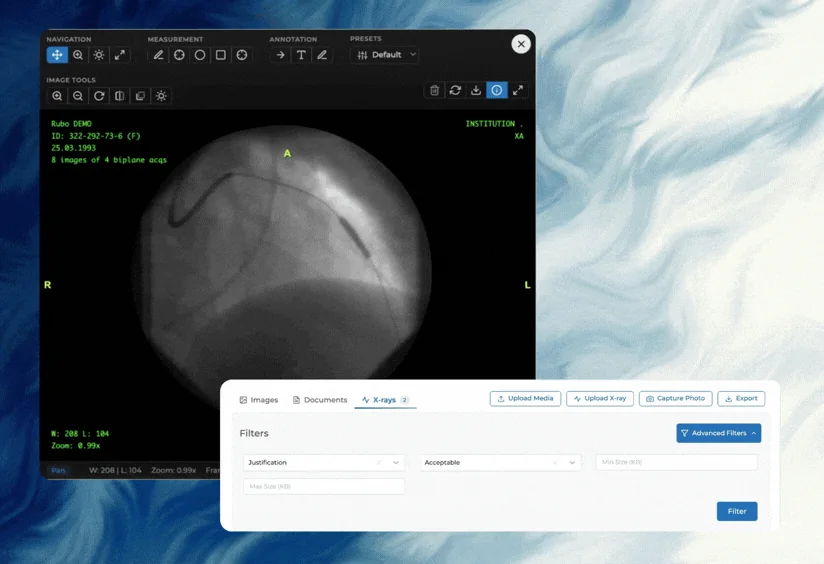
In Medicasimple, the X-ray infrastructure has been taken beyond a standard image viewing approach and transformed into a full-featured DICOM viewer and X-ray evaluation tool. With this development, X-ray files are no longer just images that are opened and viewed; they are now treated as medical data that can be measured, analyzed, and directly integrated into clinical decision-making processes.
The new DICOM viewer provides advanced tools tailored for clinical use:
Free navigation, panning, and zooming directly on the image
Brightness and contrast adjustments (Window / Level) to enhance different tissues and details
Measurement tools for performing distance, area, and reference measurements directly on the X-ray image
Annotation and marking tools to add clinical notes, arrows, and reference points onto the image
Predefined Window / Level presets that allow different tissue-specific viewing modes to be applied with a single click
Frame and multi-image support for reviewing DICOM series in alignment with clinical workflows
With these tools, clinical staff can analyze X-ray images in detail directly within Medicasimple, without the need for external software.
What does this bring?
With this development, Medicasimple evolves from a system that merely stores X-rays into a true DICOM imaging platform that supports measurement, evaluation, and clinical decision-making processes. Clinical teams can conduct diagnosis and treatment planning faster and more reliably within a single system.
🎉 Hidden Media and Permission-Based Image Access
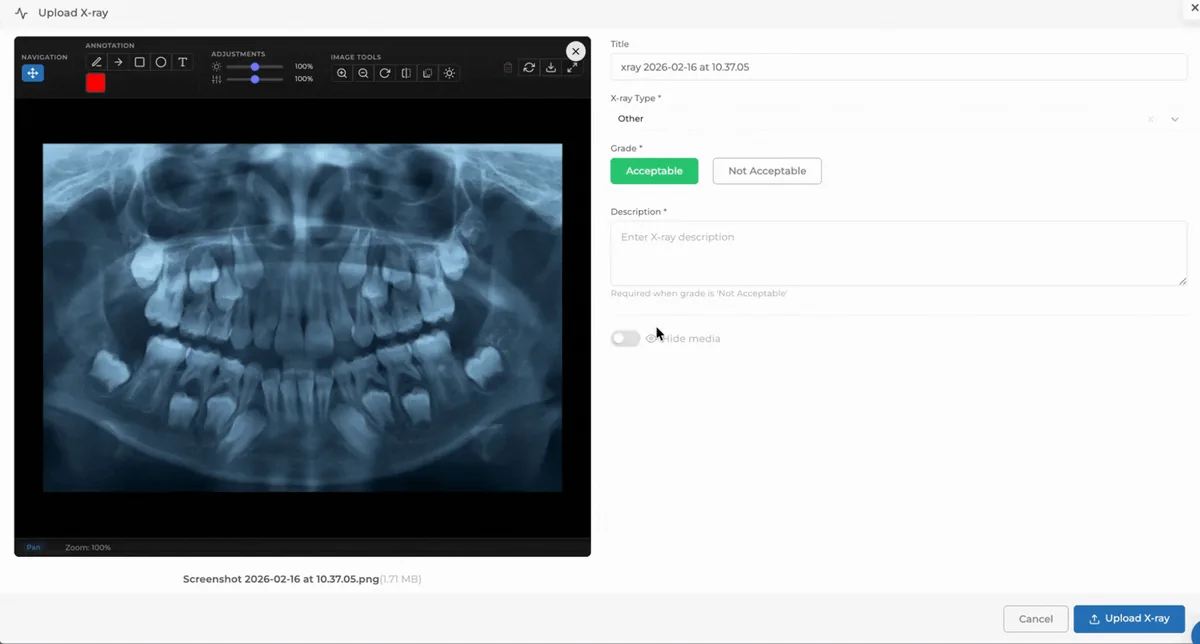
A significant improvement has been made on the media security and access side. With this update, the concept of hidden media has been introduced, and media access has been tied to user permissions.
Within this scope:
Media can be marked as “hidden.”
Hidden media can only be viewed by users with hidden media permissions.
Unauthorized users cannot view these media files.
What does this bring?
Access control for sensitive patient images (special cases, legal documents, restricted content, etc.) becomes clearly defined. Data privacy within the clinic is strengthened, and media management becomes more secure and aligned with user permission structures.
🎉 Media Quality and Upload Settings via Clinic Configurations
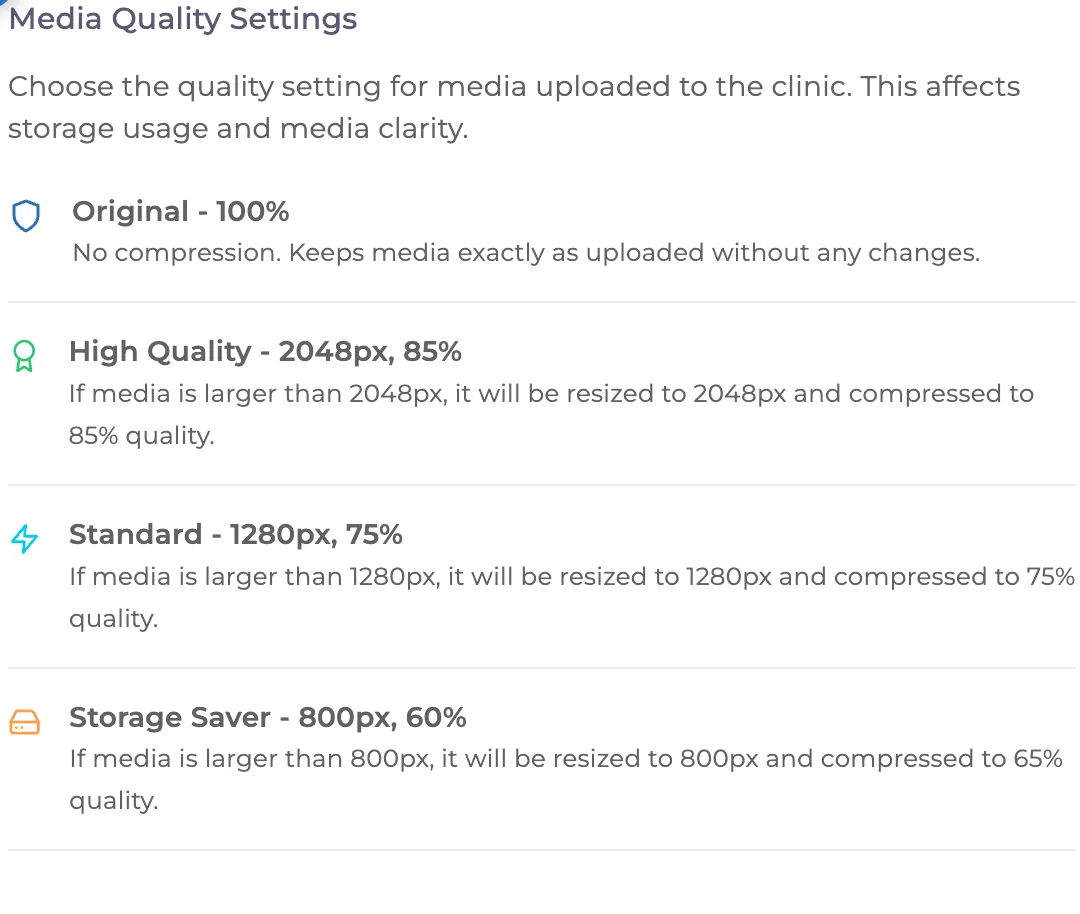
Media management can now be controlled through Clinic Configurations. Clinics can centrally define how images are uploaded and stored.
With this development:
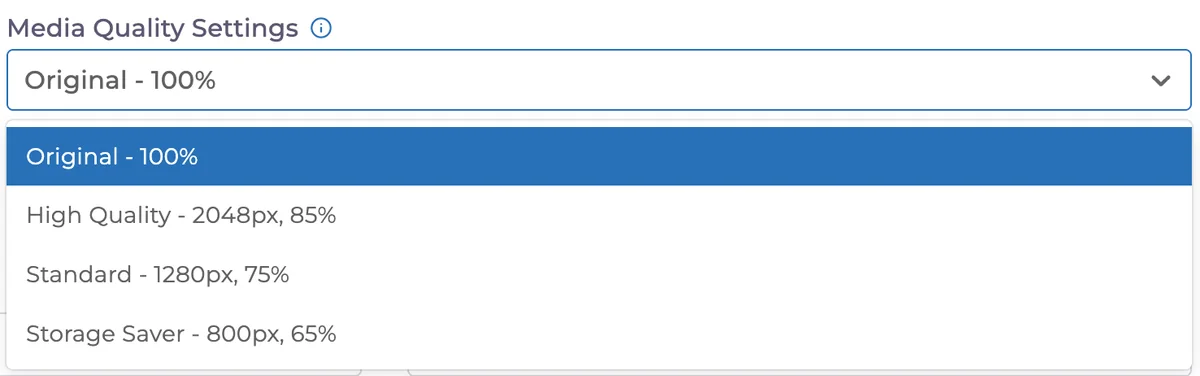
Media quality levels can now be selected:
Original
High Quality
Standard
Storage Optimized
What does this bring?
Clinics gain full control over the balance between image quality and storage usage. Infrastructure costs become more predictable, while a consistent and clinic-appropriate media standard is established.
🎉 Multi-Clinic Support in Media Management
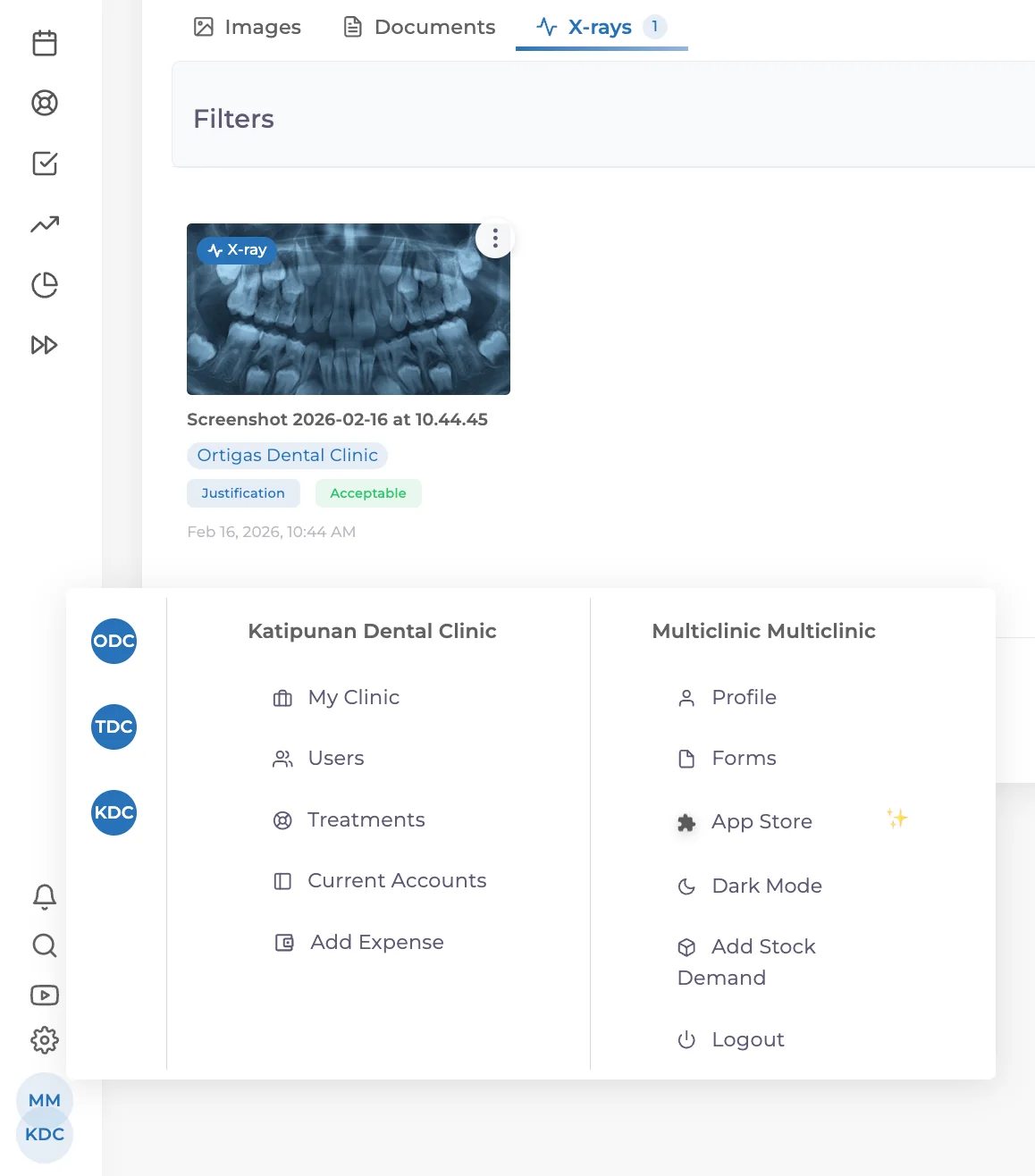
Media management now fully supports multi-clinic structures. Clinics operating under a multi-clinic system can view and edit patient images and media not only within their own branch but also across other clinics, within the limits of their permissions.
With this development, media records are no longer isolated within individual clinics. Instead, they provide a centralized and consistent patient media experience across multi-clinic structures. Users can manage X-rays, images, and documents created in different clinics from a single patient-based media area.
What does this bring?
Patient tracking and inter-clinic coordination are strengthened in multi-clinic environments. X-rays or images taken in different branches remain accessible without the need for re-uploading. This saves time for clinical teams and enables more comprehensive and accurate management of patient history.
🎉 Multi-Select Filters in Treatment Plans
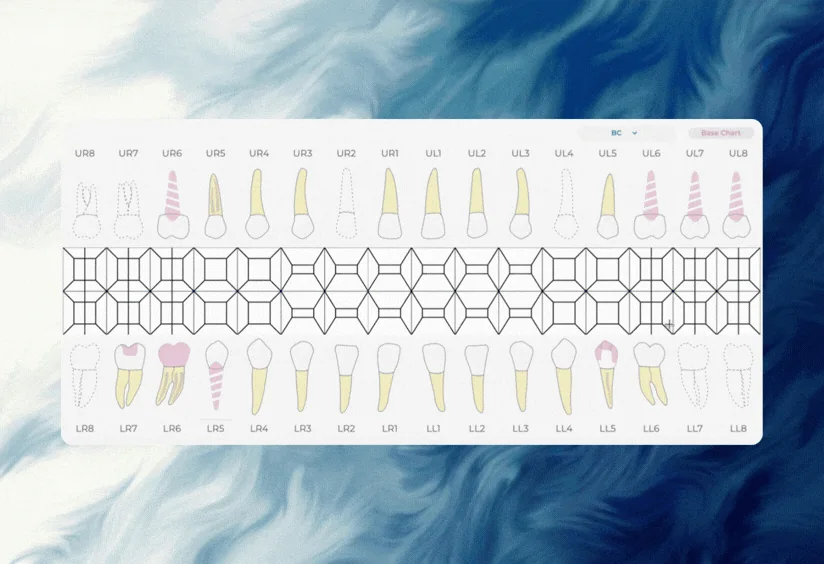
The All / Base Charts / Planned filters on the patient treatment plans screen now support multi-selection.
What does this bring?
Treatments can be filtered more flexibly. Clinical teams can review different treatment types simultaneously and manage the planning process more efficiently.
🎉 Display of Total Amounts in Payment Plans
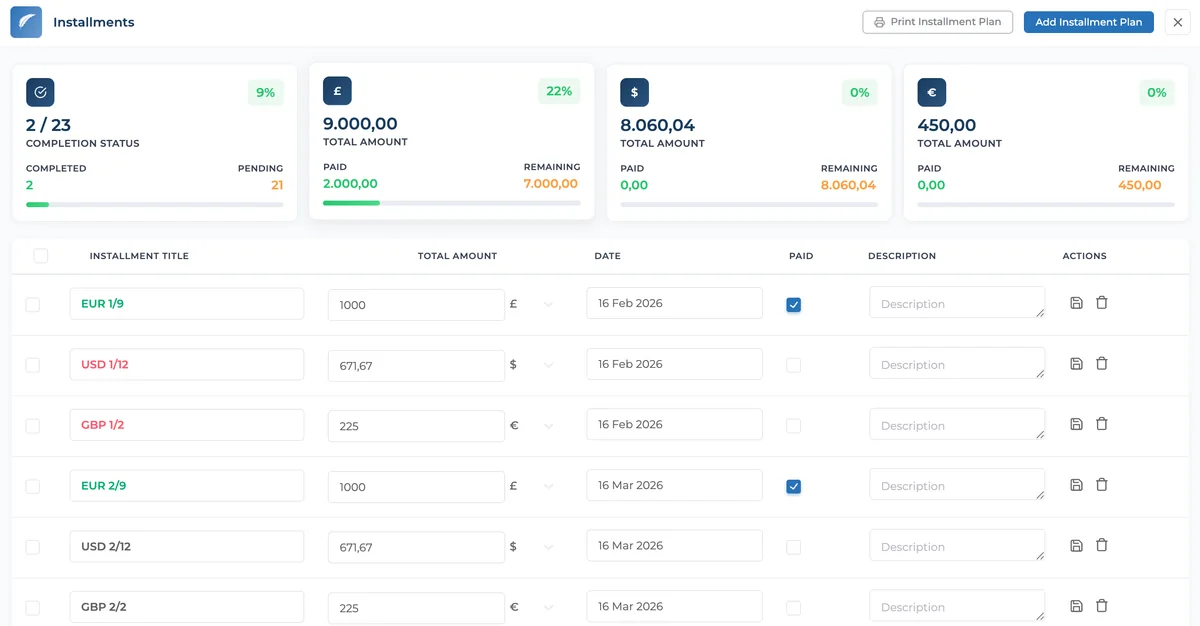
Total amounts for payment plans are now displayed more clearly and accessibly across the system. Clinical teams can view the total amount of a payment plan both from the patient profile and from the installment payments screen.
With this development, not only individual installments but also the total amount, paid amount, and remaining balance of the entire payment plan are presented together. This makes the overall status of the payment process understandable at a glance.
What does this bring?
This improvement increases transparency in financial processes and eliminates uncertainties related to payment plans for both clinics and patients. Clear visibility of total payments reduces misunderstandings, simplifies payment tracking, and strengthens financial communication.
✨ Improvements
✨ Title Field Added to Patient Edit Screen
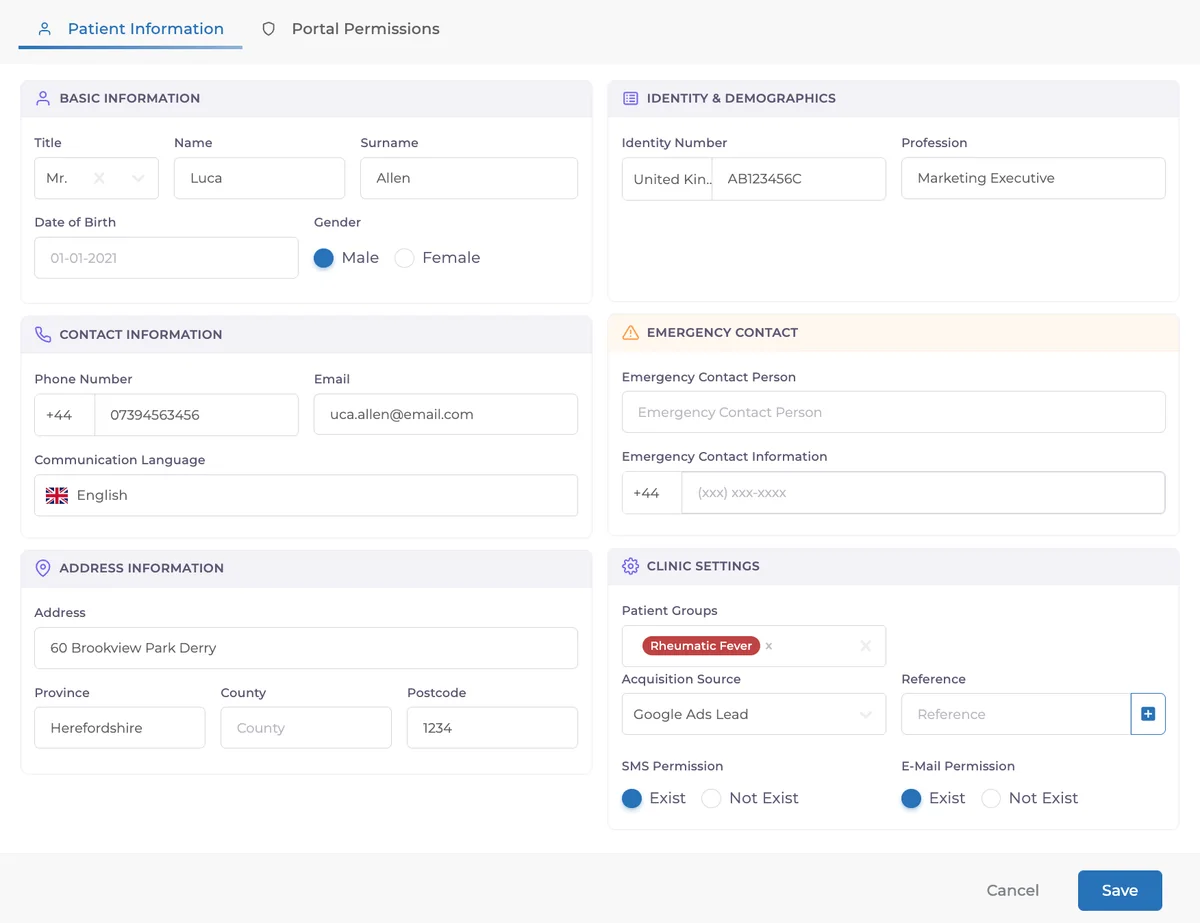
We have introduced a new Title field to the Patient Edit screen. Clinics can now select standard titles such as Mr., Ms., Mrs., Dr., and more when creating or editing a patient profile. In addition, a custom title option allows manual entry of any preferred title, providing full flexibility for different regions, professional roles, and patient preferences.
The new field has been designed to integrate seamlessly with the updated patient edit layout, ensuring a clean and intuitive data entry experience. This addition helps clinics maintain more complete and professionally structured patient records.
✨ Notification Infrastructure and Design Renewal
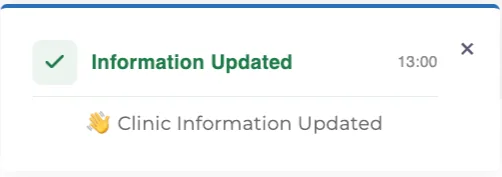
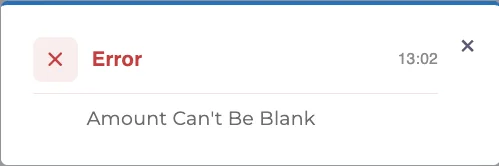
Notifications across the application have been refreshed with a clearer, simpler, and more modern appearance. We refined the design language to ensure messages are more easily understood, more readable on screen, and less distracting during use.
Our goal was to deliver a smoother and more enjoyable notification experience in daily workflows.
✨ Emoji Support in Appointment Cards
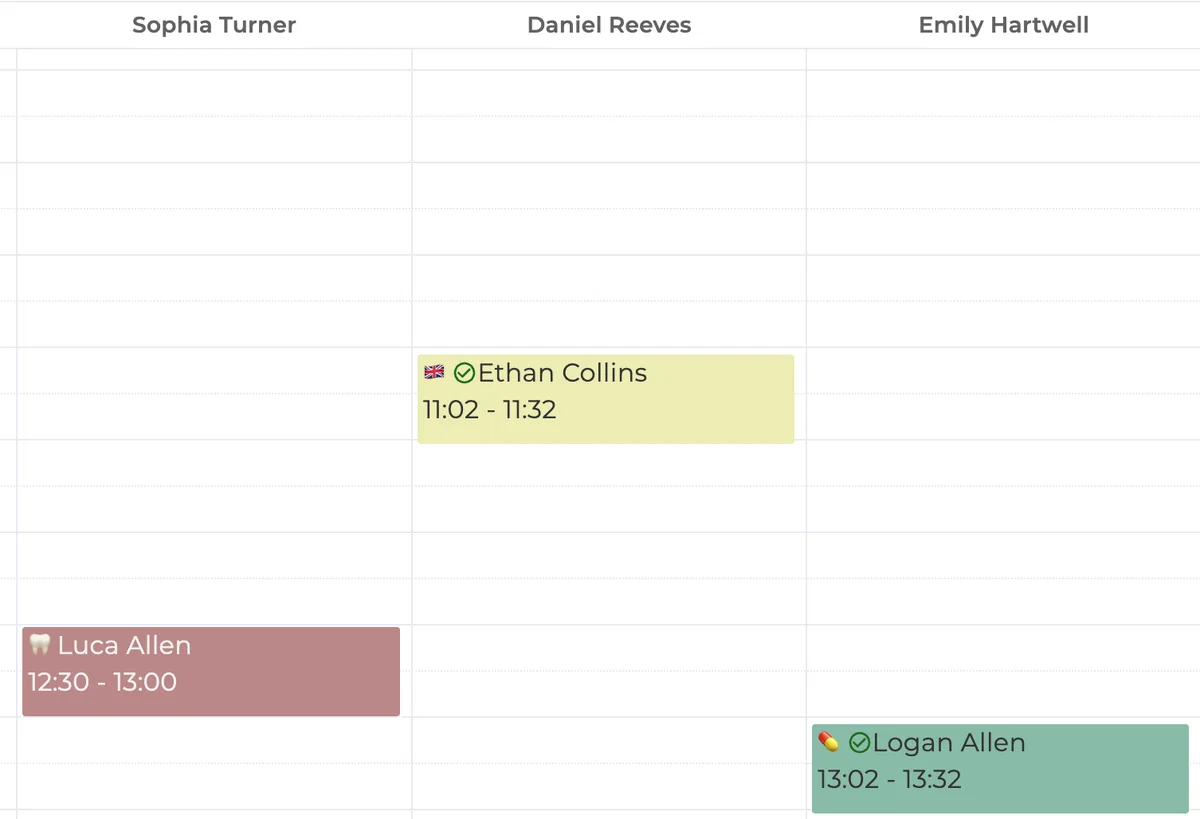
With the addition of emoji support in appointment cards, appointments on the calendar can now be visually distinguished more easily. This allows users to identify differences between appointments at a glance, especially during busy schedules.
Emoji usage visually highlights appointment types or special cases, making the calendar experience more readable and fluid.
✨ AI Voice Notes Enhanced
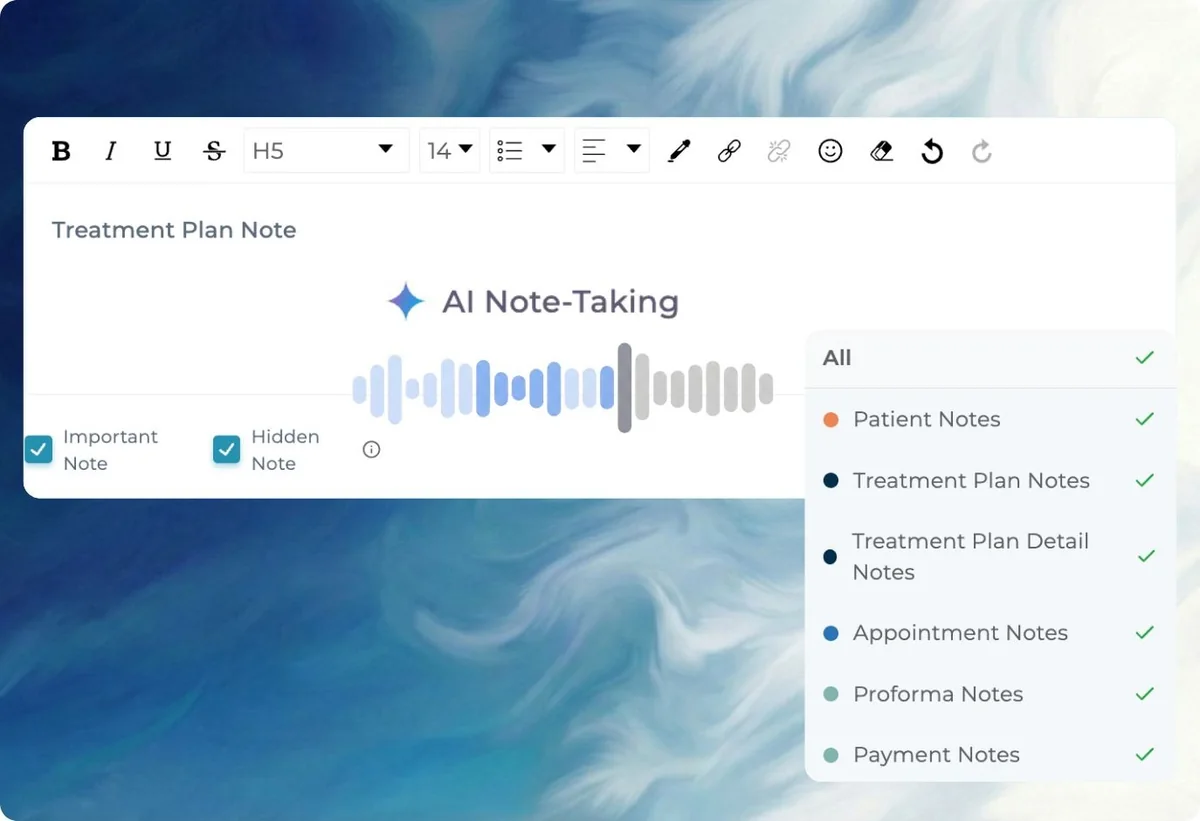
The AI Voice Notes feature has been improved to deliver more accurate and more natural transcriptions. Speech-to-text accuracy has been increased, and clinical terminology recognition has been refined.
With this update, generated notes are more structured, clearer, and closer to being ready for clinical use.
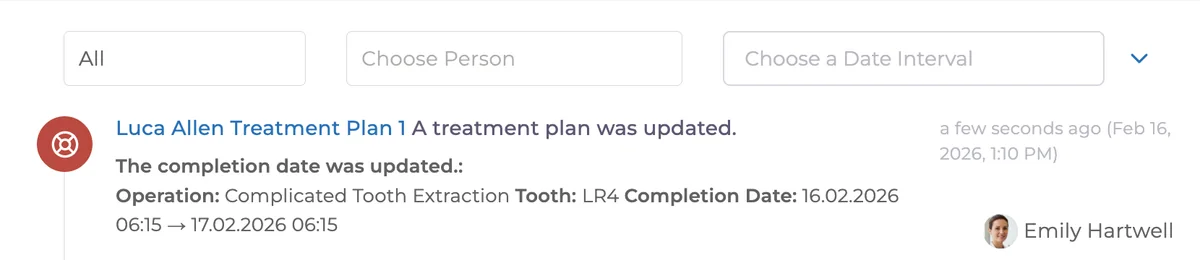
✨ Logging Treatment Completion Date Changes in the Activity Feed
When the completion date of a treatment item is changed, the update is now automatically recorded both in the patient’s Activity Feed and in the general Activity Feed.
This ensures that changes are not only reflected as a final state but are also traceable retrospectively, including who made the change, when it was made, and what was modified.
Within the Activity Feed, users can clearly see the treatment plan name, the related tooth, the procedure type, the previous and updated completion dates, and the user who performed the change.
✨ Stock Requests Export
Stock requests can now be exported directly from the system. Clinical teams can filter stock requests by date, requester, and status, and download them as a single file.
This allows stock requests to be actively used in reporting, archiving, and operational tracking processes, rather than being limited to on-screen records.

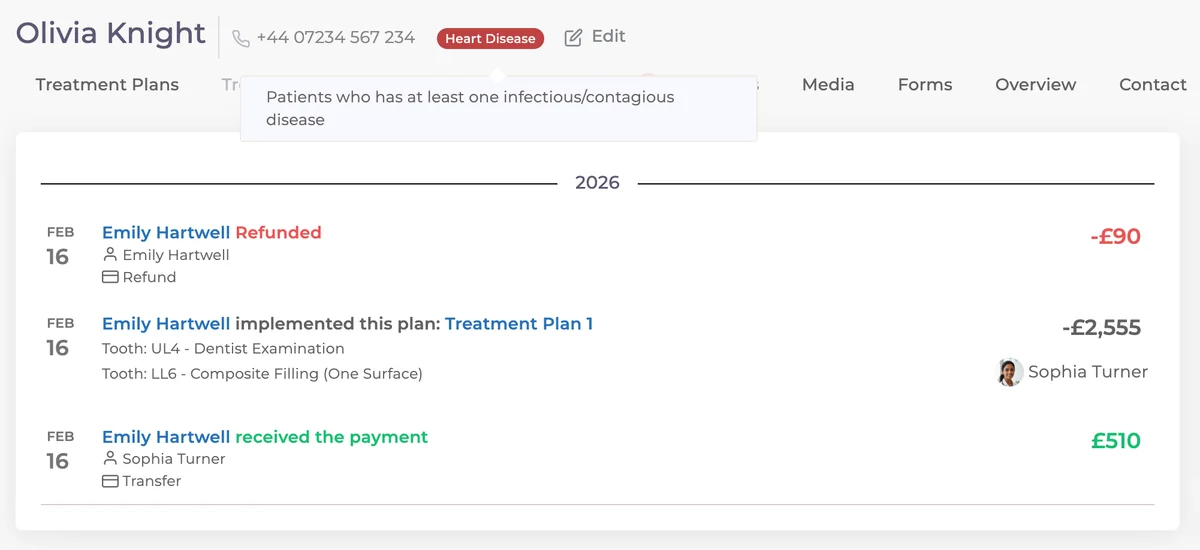
✨ Separate Color for Refund Transactions
Refund transactions on the payment screen are now visually distinguished from other payments and collections. With a dedicated color for refunds, it is possible to immediately identify refund operations within the financial flow.
✨ Patient Group Report Enhancements
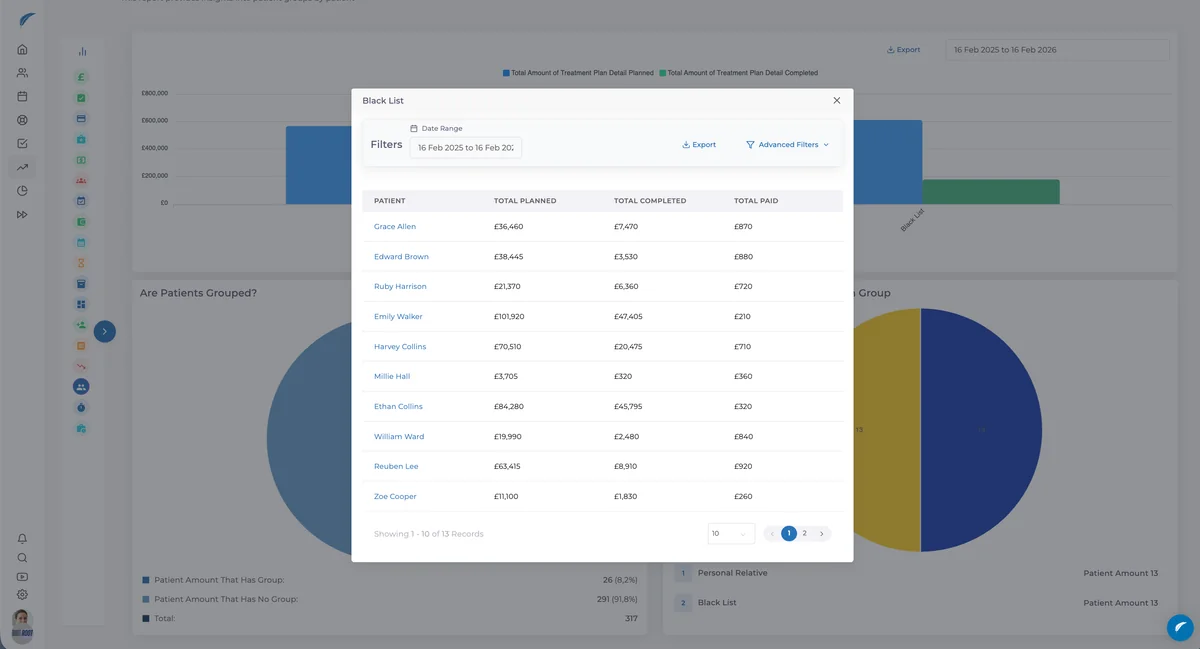
The “Total Planned and Completed” chart in the Patient Group Report has been updated to display patient details when hovering over data points. Through this report, clinics can track the volume of treatments and payments performed with contracted institutions and sales teams, and partially monitor commission systems based on this data.
✨ Smoother Navigation in Patient Tabs
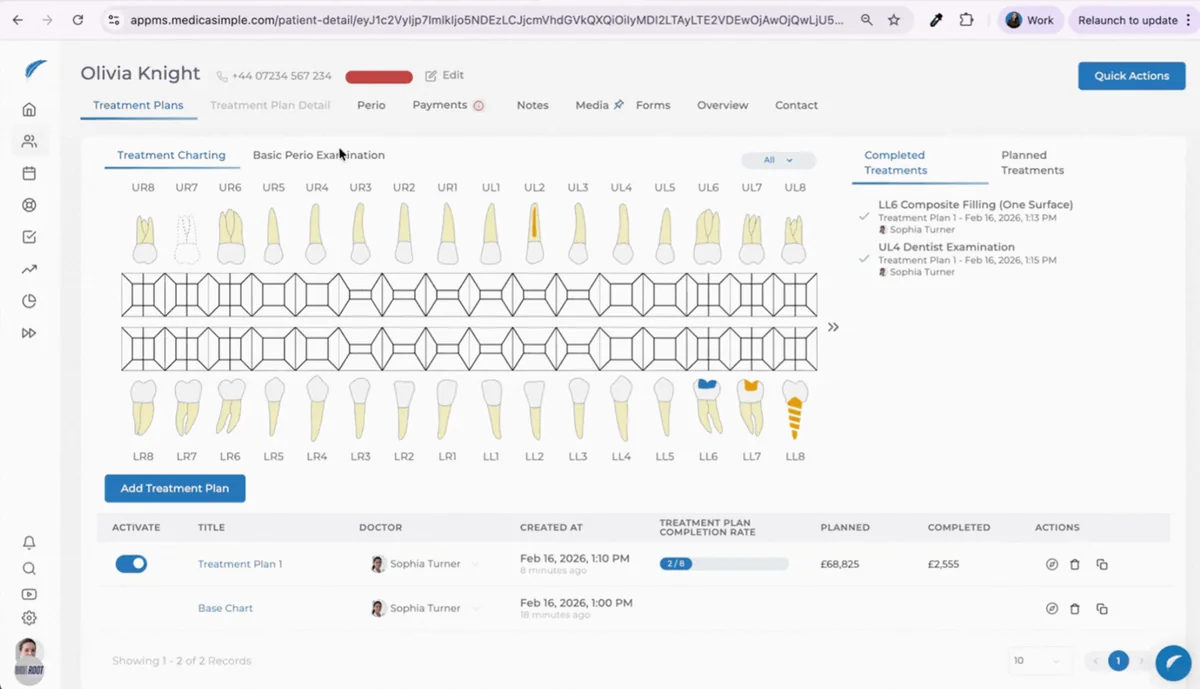
Patient screen tabs now adapt to your navigation behavior. You can move between tabs without losing context, ensuring a more fluid and natural experience.
With this update:
The active tab is remembered when switching between tabs
Using the browser back button returns you to the previously viewed tab
When opening a new patient, a previously pinned tab opens automatically
If no tab has been pinned, the screen starts with Treatment Plans
Minor issues related to pin animation have been resolved
✨ Reporting Improvements
Updates to reporting screens ensure that clinics can track daily and periodic data more clearly and meaningfully.
Within this scope:
A reference field has been added to the Daily Monitoring Report
The exchange rate applied to transactions is now displayed in the End-of-Day Report
Exchange rate information has been added to the Completed Treatments Report to strengthen financial interpretation
🛠️ Fixes
🛠️ Fixed an issue where upper and lower jaws were facing different directions in visual treatments.
🛠️ Patient group assignment permission has been tied to patient edit permission.
Users with only patient creation permission:
Can assign a group while creating a patient
Cannot change the group from the patient edit screen
🛠️ The 255-character limit in the information link field within treatments (used for post-treatment automation) has been removed. Longer links can now be added.
🛠️ Additional improvements were made across the system to enhance overall performance and stability.
Have feedback on this update?
Tell us what would make this product change more useful for your clinic. We route feedback to the product team and use it to shape upcoming improvements.
Related product updates
More product updates
September 2026
September 2026 Product Updates
September 2026 brings automatic online booking approvals, updated estimates, AI clinical note uploads, cash flow reporting, and new webhooks.
→August 2026
August 2026 Product Updates
August brings AI-assisted treatment translations, expanded data imports, patient profile photos, and practical improvements for everyday clinic work.
→July '26
July 2026 Product Updates
July brings a live patient-flow calendar, fully customizable PDF invoices, and powerful improvements for day-to-day clinic operations.
→