Family Linking

Link the family. Keep every record its own.

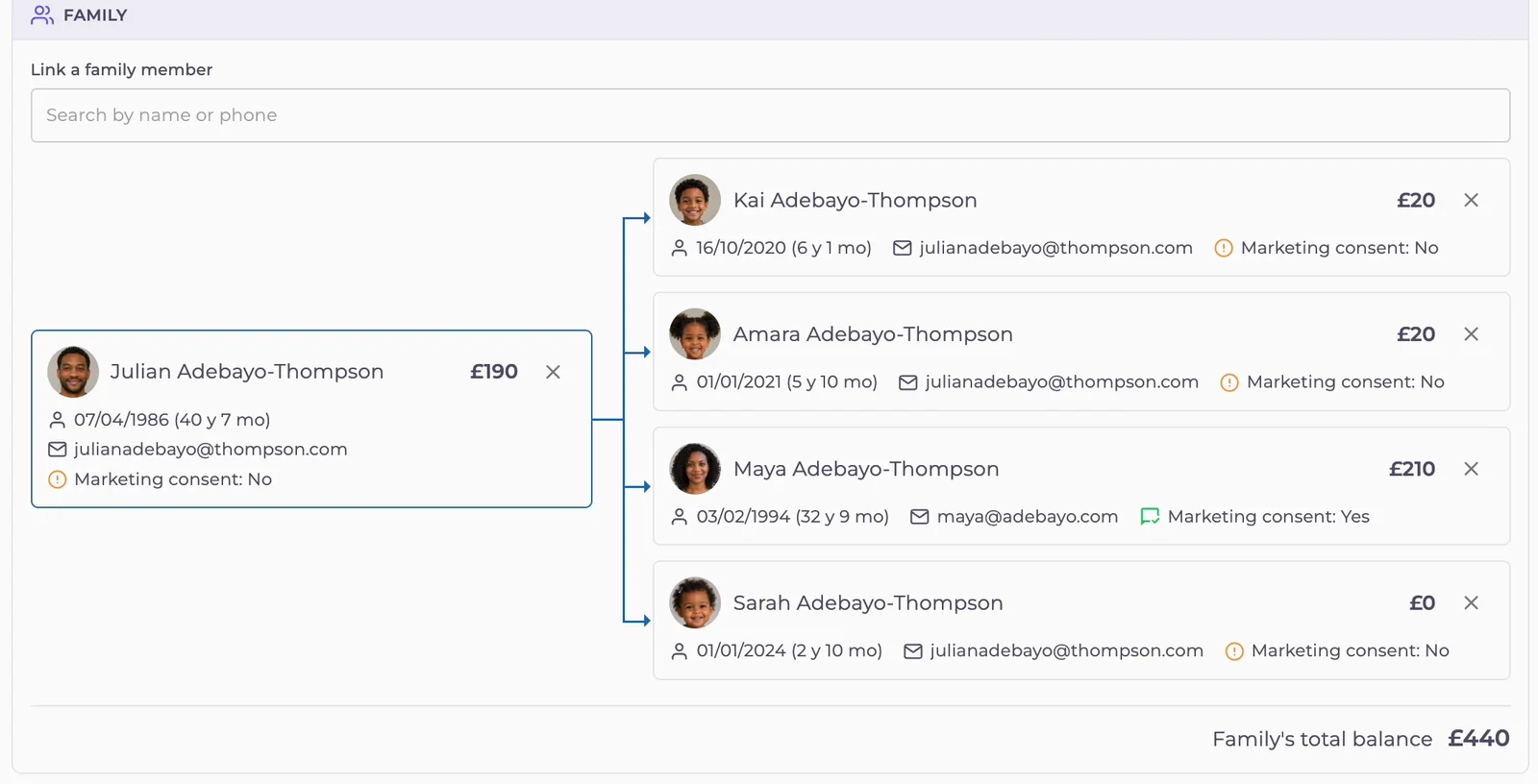
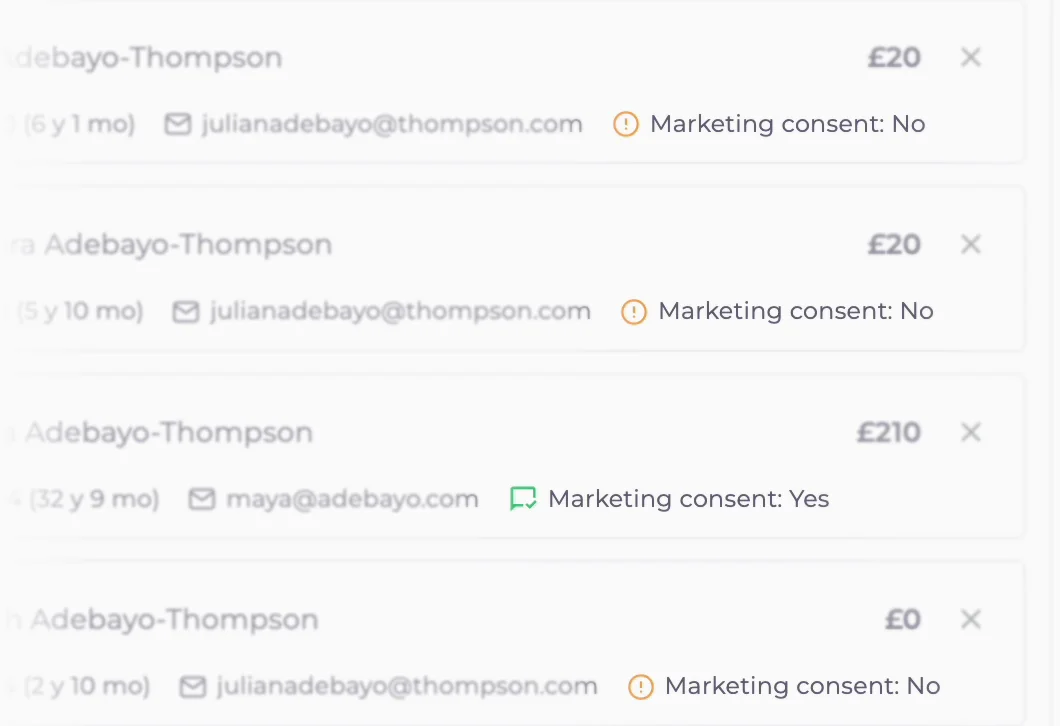
Link parents, children and partners from any patient's record. Reception sees each person's balance, contact details and marketing consent in one place, with the family's total at the bottom.
Medicasimple Family tab showing a parent, partner and three children with individual balances and the family's total balance

The practice management platform behind 1,800+ healthcare clinics worldwide

From dental to physio, dietetics to aesthetics. One platform, every specialty. Built for clinics that want less admin and more time with patients.

Link in seconds
Search by name, date of birth, postcode or NHS number from the patient's own record, then add them. There's no separate household file to keep.
One total, every balance
Each card shows that person's balance. The family total sits at the bottom, ready when a parent asks what they owe.
See whose details you are using
Email and phone sit on every card. A parent's email on three children's records is obvious before you call or send.
Individual consent
Each card displays that specific person's marketing preferences. A parent's "Yes" does not automatically apply to their children.
The Reality

One parent at the desk. Three records open on screen.

A parent wants to settle up for themselves and two children. Reception opens each record in turn, adds up the balances and hopes nothing was missed.
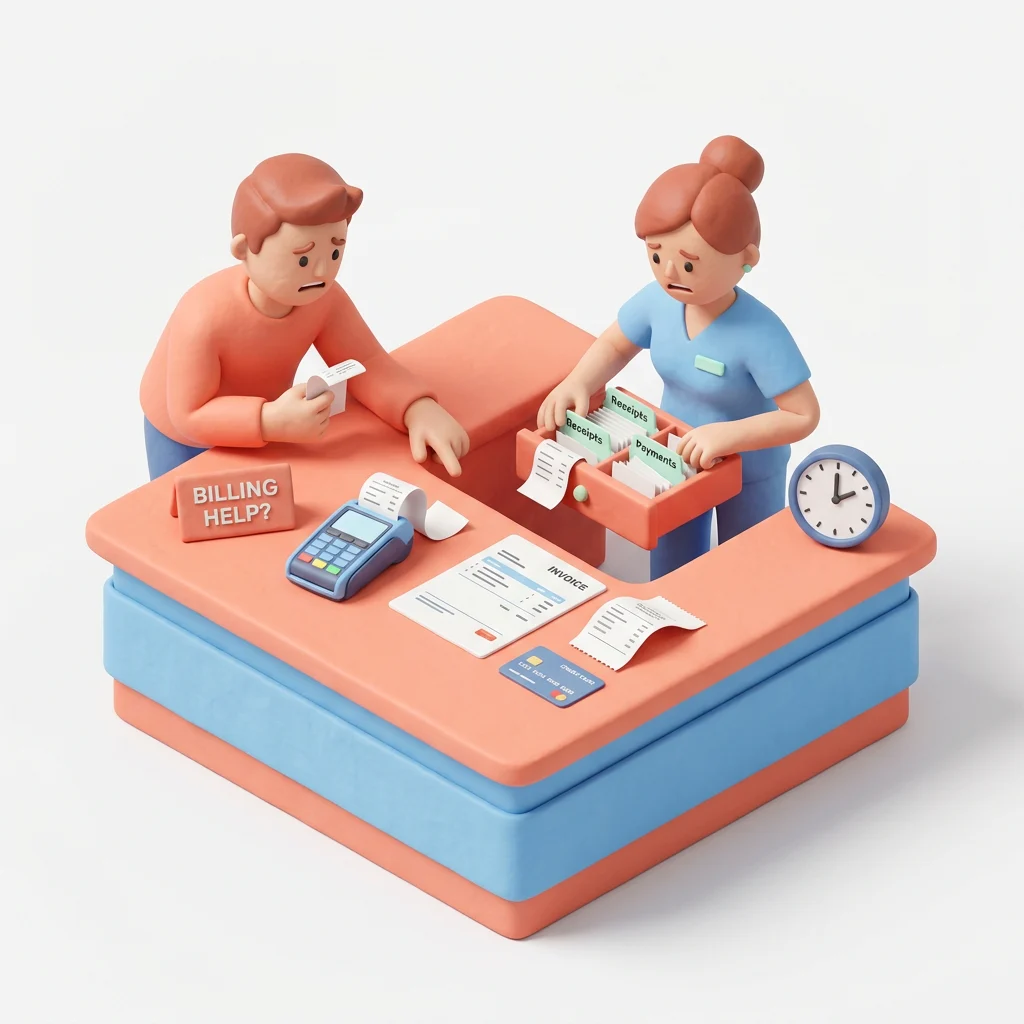
Clay reception scene showing a patient waiting while staff searches payment receipts
Adding up at the desk
The parent asks what the family owes. Reception writes three balances on a notepad and adds them by hand while the queue grows.
The morning reminder marathon
The same mobile on every child
Children's records often carry a parent's phone and email. If you can't see that, one parent gets three separate calls about the same visit.
Receptionist trying to piece together patient details from notes, phone and computer.
Consent that is guessed
One family member said yes to marketing emails. That doesn't mean the others did. When you can't see each answer, someone ends up guessing.
01Link

Link family members from any record

Open the patient's Family tab and search by name, phone, date of birth, postcode or NHS number. Results show each patient's age, so picking the right child takes a glance. If a household changes, remove someone from their card in seconds.

02Balances

Every balance, and the family total

Each card shows that person's own balance, and the family's total sits underneath. "What do we owe?" takes one look. Individual accounts stay separate.

Close-up of the Medicasimple Family tab showing each member's balance and the family's total balance
03Contact details

Shared emails and phone numbers, side by side

When children's records use a parent's email, you see it on their cards before you send a reminder or a newsletter.

Close-up of children's patient cards in Medicasimple that use the same parent email address
04Consent

Marketing consent on every card

Each card shows Marketing consent: Yes or No for that person. Check the whole family before a campaign without opening each record.

Close-up of Marketing consent Yes and No labels on family members' cards in Medicasimple
Get started

See a family view in a live demo

Link a demo family, check the total balance and see each person's consent in one walkthrough.

Frequently asked questions

Linking family members

Quick answers about linking family members, balances, contact details and marketing consent.

How do I link family members?

Open a patient's record, go to Family and search by name, phone, date of birth, postcode or NHS number. Select the person to link them.

What if two patients have the same name?

Search by date of birth or NHS number. Results show each patient's age, so you can pick the right person.

Where do I see a patient's family?

On the patient's profile, the Family link (for example "Family: 5 patients") opens the Family section.

How do I remove someone from a family?

Use the remove button on their card and confirm. Their own record stays as it is.

Frequently asked questions

Records & balances

Does linking merge records?

No. Each person keeps their own clinical record, treatment plans, balance and consent. The family view shows them side by side.

What happens when one person is left in a family?

The family is removed automatically. The patient's record is not affected.

Does the family total replace individual balances?

No. Each card shows its own balance, and the total adds them up at the bottom.

Who can see balances in the family view?

Only staff whose role includes viewing payment records.

Get started

Give reception the whole family in one view

Link households, see every balance and the family total, and check each person's consent before you send.