


April'25
View the product updates and changes for April 2025.
🚀 Updates
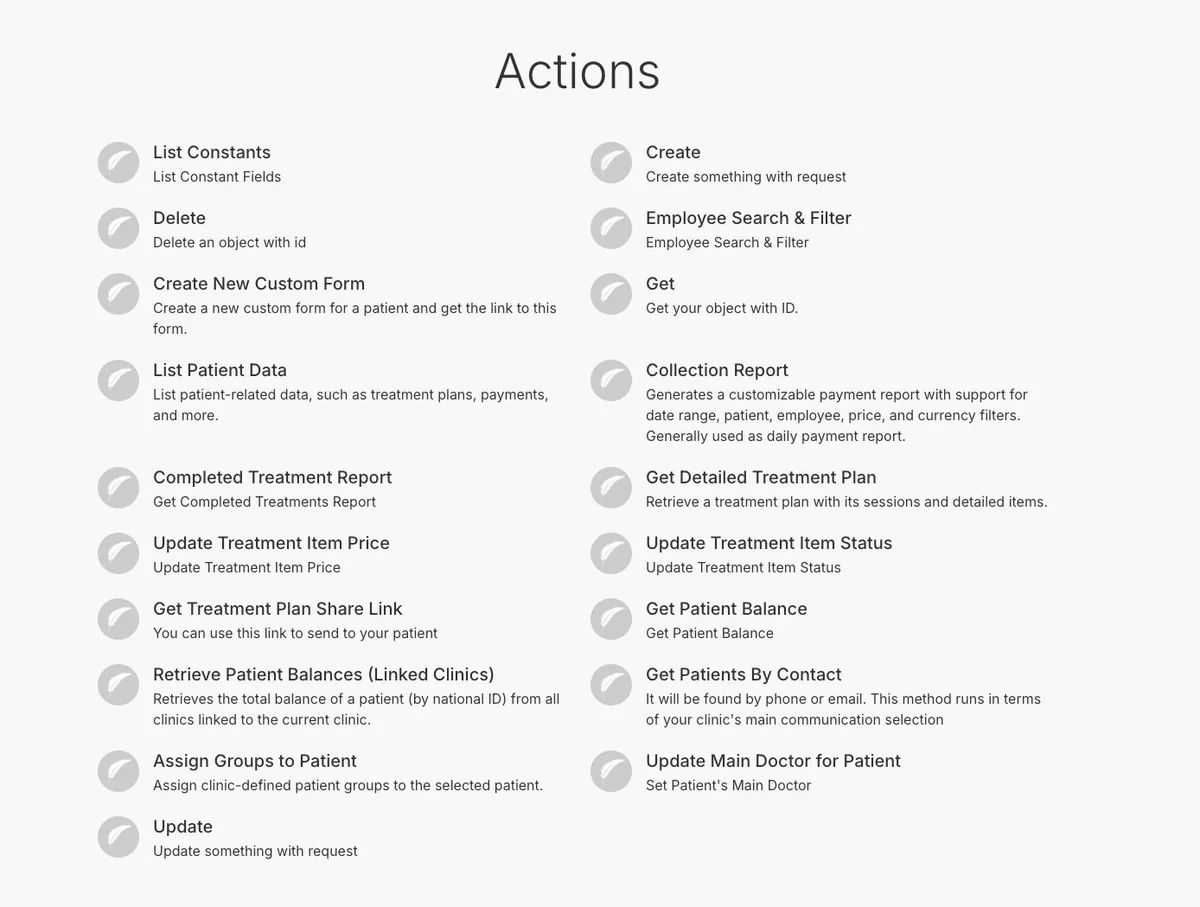
🎉 New Feature: Make Integration is Live! 🤖
Medicasimple is now even more powerful with Make integration!
You can easily automate clinic processes from a single platform, enable clinic integrations that were previously impossible, and redesign your workflows with technology.
What’s possible with Make?
Automatic data flow between clinic systems
Time savings in business processes
End-to-end automation that minimizes errors
Flexible scenarios tailored to your own workflows
🎉 New Feature: Online Appointment Tracking (Trackable Events) 🔍
User interactions on online appointment pages can now be tracked by external systems.
This allows ad agencies and analytics tools to measure campaign performance and user behavior more accurately. Contact us to set this up for your processes.
🎉 New Feature: Note Template Option in Invoices 📝
When creating invoices, you can now choose from pre-defined note templates.
This saves time by avoiding repetitive manual text entry and makes it easier to meet documentation requirements (especially for health tourism clinics).

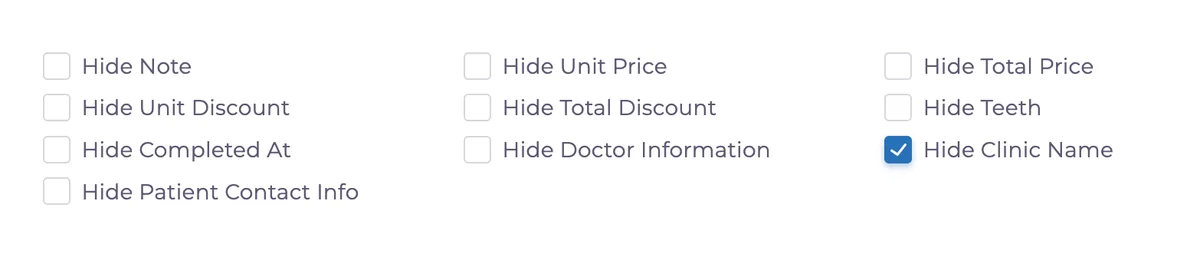
🎉 New Feature: Hide Clinic Name in Proformas 🧾
You can now hide the clinic name on proforma templates.
This allows you to adjust the printed document more flexibly depending on your needs.
🎉 New Feature: Bulgarian Language Support 🇧🇬
Bulgarian can now be selected for treatment names, treatment descriptions, and online appointment screens; making the experience more accessible for Bulgarian patients.
🎉 New Feature: Export for Invoice Transactions 📑
You can now export invoice transaction data directly from the invoice screen.
🎉 New Feature: Account Type Filter in Expense Transactions 📂
An Account Type filter has been added to the expense transactions screen.
This allows you to group and find expenses more efficiently.
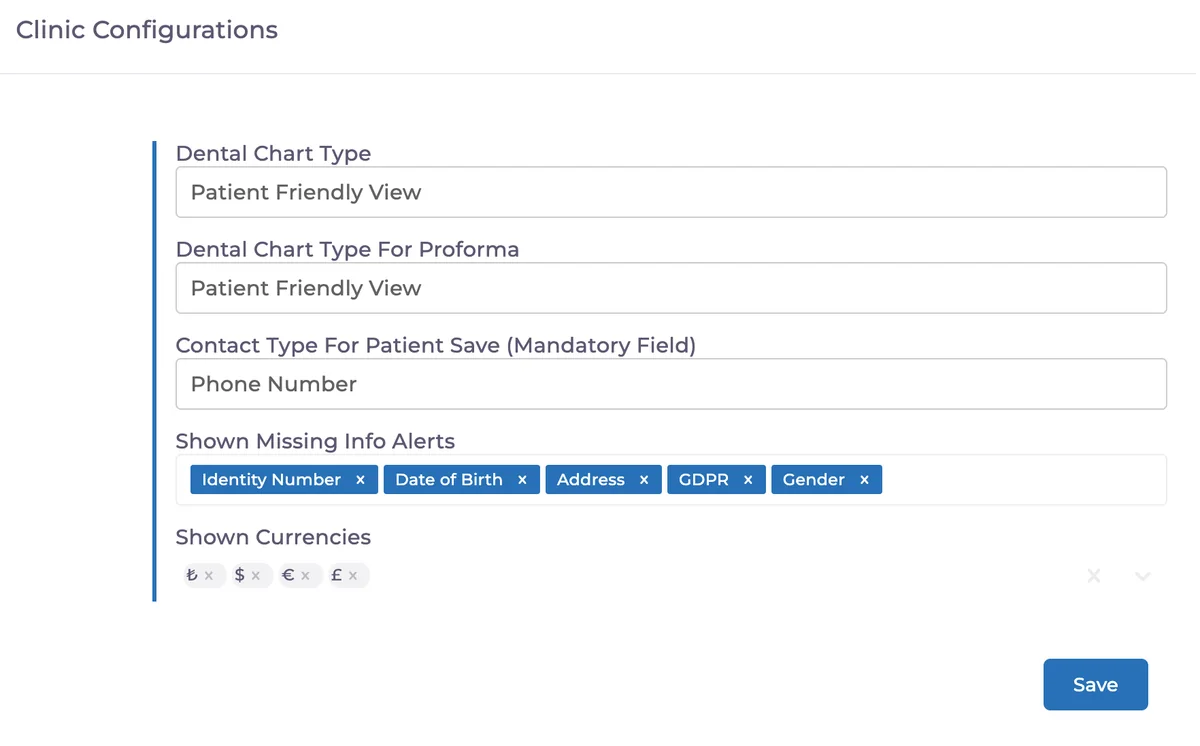
🎉 New Feature: Select Missing Information Warning Fields ⚠️
In clinic configurations, you can now choose which missing fields trigger a warning on the patient screen.
This makes the alerts fully customizable to your clinic’s needs.
🎉 New Feature: Assigned Person Filter in Tasks & Recalls 🧑💼
The tasks and recalls page now includes a filter by assigned staff, making team coordination easier.
🎉 New Feature: Show Discounts When Exchange Rate is Changed 💸
On the discount screen, applied discounts are now displayed clearly even if the treatment’s currency differs.
The same details appear in the print view, making discount tracking easier (especially in multi-currency cases).
🔧 Fix
🛠 Duplicate Barcode Products in Mobile
When adding a product with an existing barcode in the mobile stock screen, the system now shows a warning.
Have feedback on this update?
Tell us what would make this product change more useful for your clinic. We route feedback to the product team and use it to shape upcoming improvements.
Related product updates
More product updates
September 2026
September 2026 Product Updates
September 2026 brings automatic online booking approvals, updated estimates, AI clinical note uploads, cash flow reporting, and new webhooks.
→August 2026
August 2026 Product Updates
August brings AI-assisted treatment translations, expanded data imports, patient profile photos, and practical improvements for everyday clinic work.
→July '26
July 2026 Product Updates
July brings a live patient-flow calendar, fully customizable PDF invoices, and powerful improvements for day-to-day clinic operations.
→