


October 2026 Product Updates
October 2026 brings organisation agreements, a new Payments and Invoices tab, draft invoices and forms and invoices in multi-clinic sharing.
In October, we released organisation agreements for clinics that work with insurers and companies, a new Payments and Invoices tab that brings patient payments and invoices together, and invoice-based balance tracking. We also made many improvements across message templates, treatment planning, lab tracking and the mobile app.
🚀 New Features
🎉 Organisation Agreements
You can now set up pricing agreements with insurers, companies and other institutions in Medicasimple, and apply the agreed prices to a treatment plan in one step.
In Settings > Organisation Agreements, each agreement has a default discount rate and validity dates. The Rules button lets you set a separate discount or a fixed price for specific treatments or categories. A treatment’s price comes from its treatment rule first, then its category rule, then the agreement’s default discount; if none applies, the list price is used.
To add a patient to an agreement, open Edit in the patient profile, choose the agreement in the Organisation Agreements section and enter the policy number and validity dates.
In the treatment plan, choosing the agreement in the Discount and Estimate window applies the agreed prices to the selected treatments and shows the discount straight away. After Apply Discount, the prices appear on the estimate under the agreement’s name. Expired agreements and memberships show a warning.
🎉 New Payments and Invoices Tab
The Payments tab in the patient profile is now Payments and Invoices. Records load card by card, and the balance stays the same as more records load.
Filters for All, Payments, Refunds, Treatments, Not Invoiced and Invoiced sit at the top of the tab with their record counts, and a search field takes you straight to the record you need.
Invoices now live on the same screen. The Invoices button at the top right opens a list of invoices that can be filtered by Draft, Issued and Cancelled, and new invoices can be issued from there. The Invoices button is only shown to users with invoice management permission.
🎉 Invoice-Based Balance and Draft Invoices
Patient balances can now be calculated from issued invoices. Clinics using this mode can create draft invoices, then issue or delete them.
The Clinic Configurations page has also been redesigned. Settings are grouped into collapsible boxes and saved together with a single Save button. When the balance mode is set to Issued invoices, the Balance box shows Add completed treatments to the day’s draft invoice and When should draft invoices be issued?
🎉 Forms and Invoices in Multi-Clinic Sharing
Forms and Invoices access has been added to multi-clinic sharing. Depending on the access granted, forms for the other clinic’s patients can be viewed, created and edited, and their invoices can be viewed. Without access, these records stay hidden.
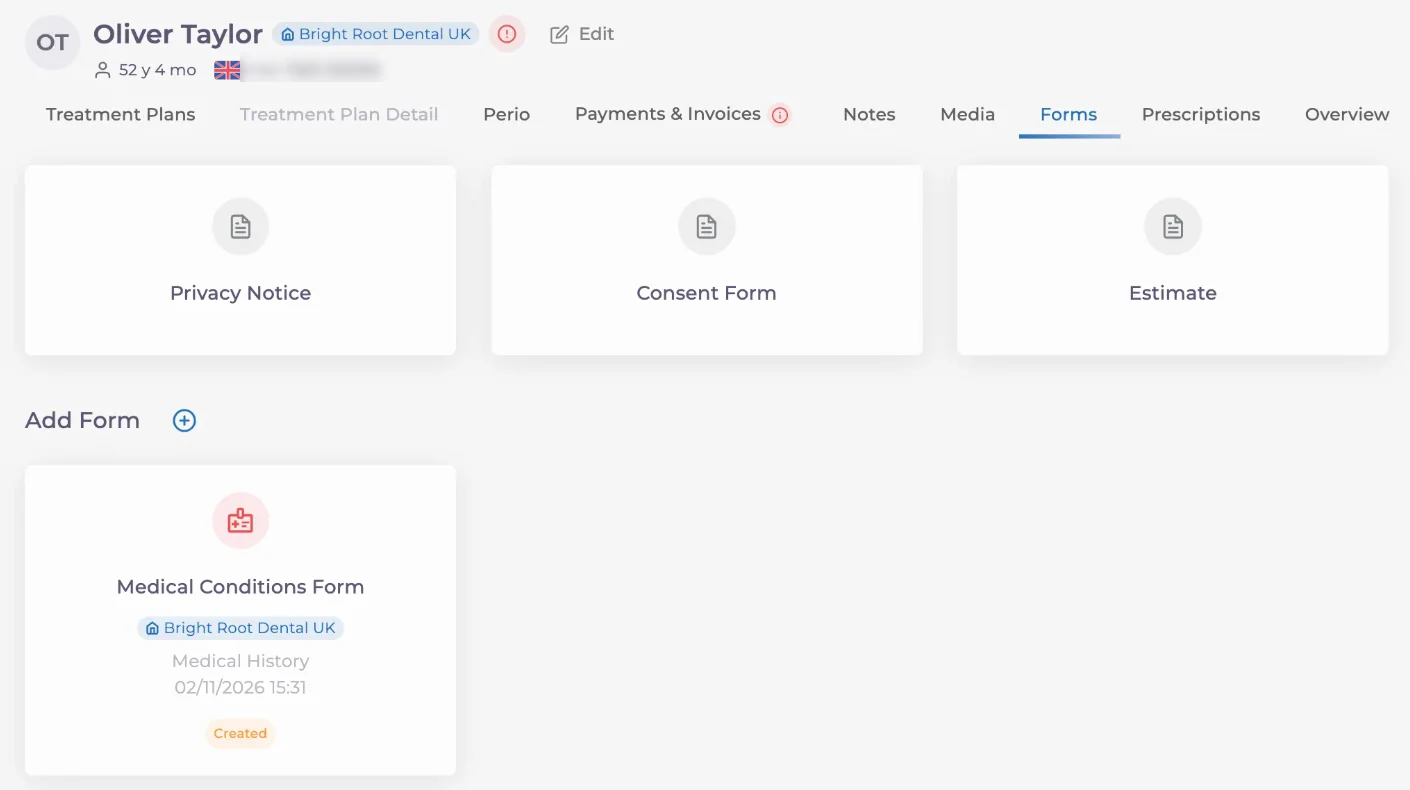
In the patient’s Forms tab, each form card is labelled with the clinic it belongs to.
🎉 Clinic Privacy Policy Link
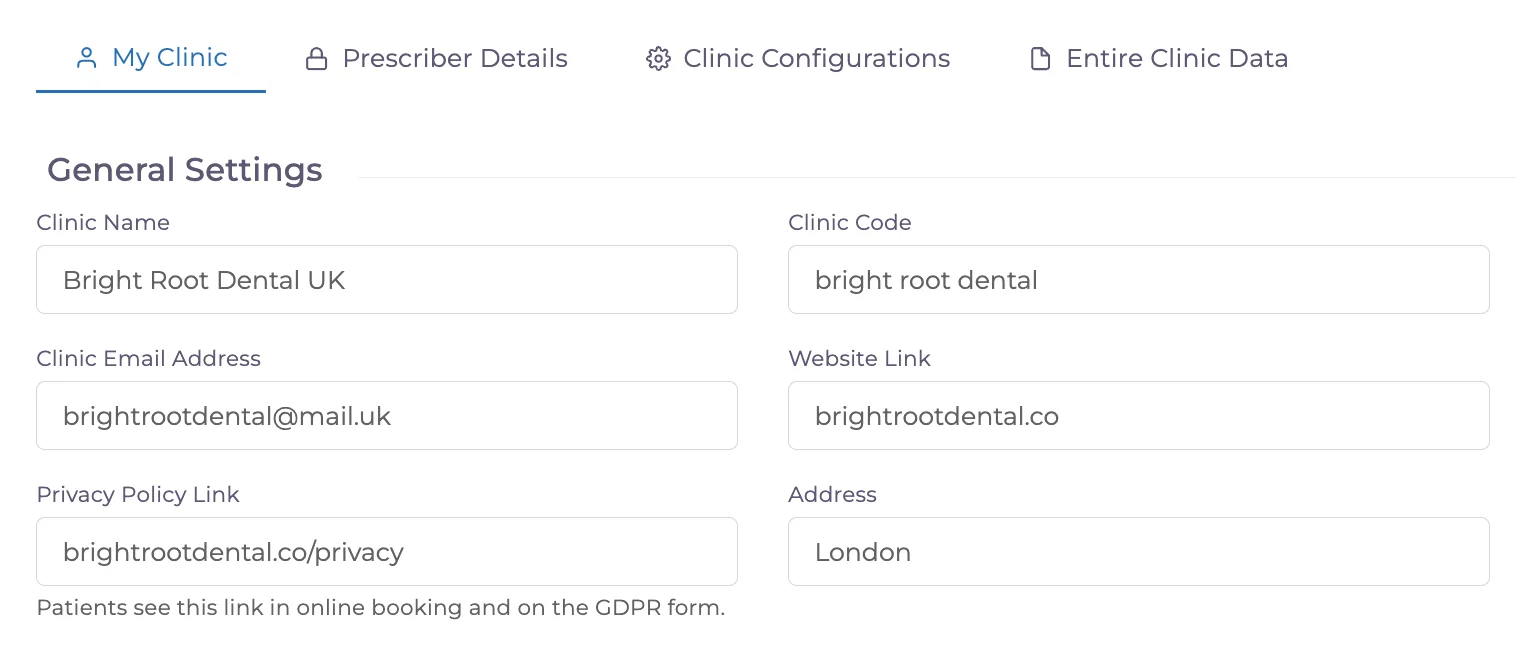
A Privacy Policy Link field has been added to Settings > My Clinic > General Settings. Clinics can enter the address of their own privacy policy page here, and patients see this link in online booking and on the GDPR form.
During online booking, the Privacy Notice link in the consent checkbox opens the clinic’s own privacy policy when a link has been entered, and the standard GDPR text as before when it has not. The GDPR consent page sent by SMS or opened on a tablet also shows a Read our full privacy policy link. The link works even if the address is entered without “https://”.
🎉 Patient Portal Login Methods
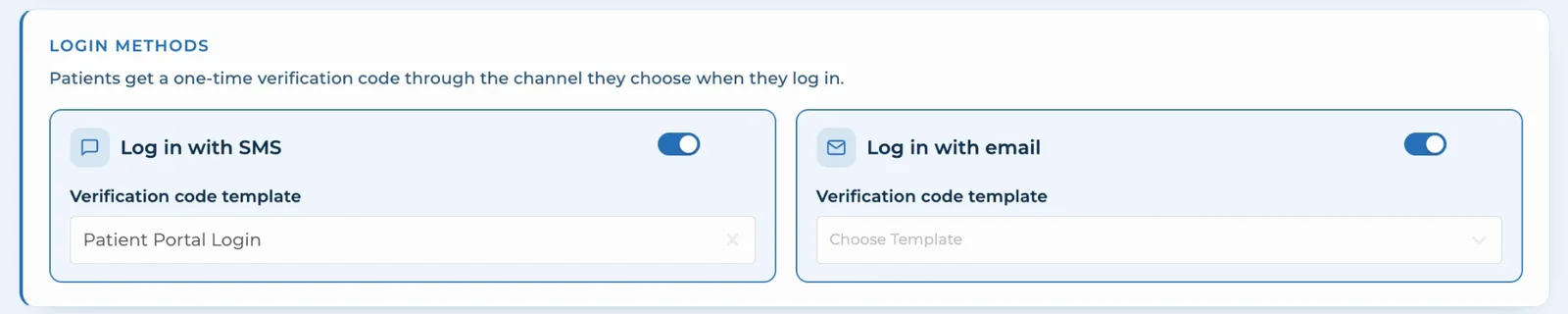
A Login Methods section has been added to the Patient Portal settings. Log in with SMS and Log in with email can be switched on separately, and patients get a one-time verification code through the channel they choose when they log in.
Each method has its own verification code template. If the clinic has no SMS or email integration for a method, a warning is shown when the setting is saved.
✨ Improvements
✨ Redesigned Instalment Plans
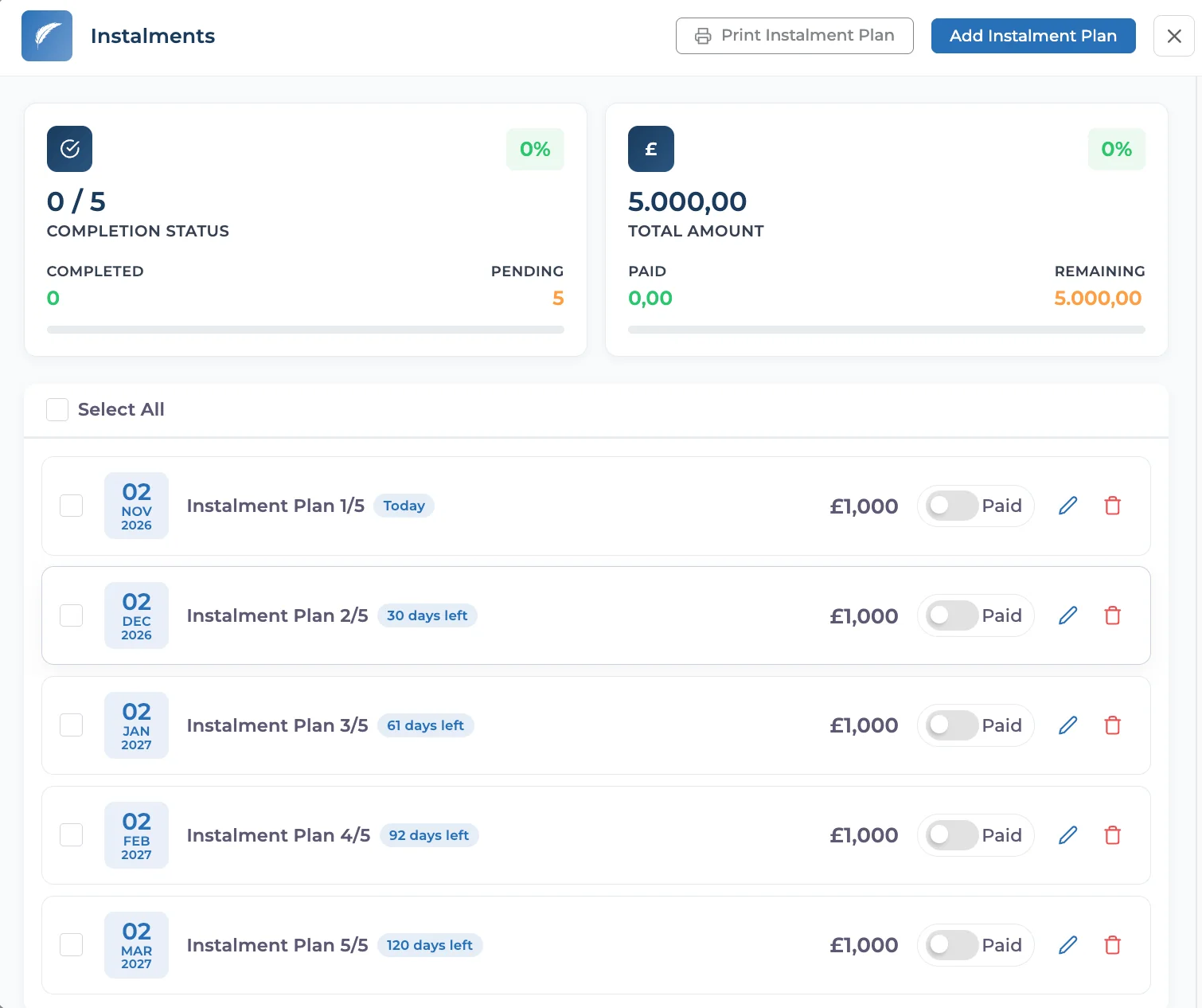
The Instalments screen has been redesigned. Cards at the top show how many instalments are completed, the total amount, and the paid and remaining amounts, each with a progress bar.
Each instalment has its own row with its due date and a label such as Today or 30 days left. Instalments can be marked with the Paid switch in one click, edited or deleted, and the plan can be printed with Print Instalment Plan.
✨ Kanban View in the Calendar
A new icon at the top of the calendar switches between the classic calendar and the Patient Flow Kanban view in one click. There is no need to open the calendar settings: you can move from the day’s appointment plan to the clinic’s live patient flow in seconds.
In the Kanban view, patients appear as cards in the Appointments, In the Waiting Room, In Treatment and Completed columns, and no-shows and cancelled appointments are grouped in a separate section. Drag a card to another column to update the patient’s status.
Changes on the board now appear instantly, without refreshing the page. When the front desk moves a patient to the waiting room, colleagues with the board open see it straight away, so on busy days the whole team works from the same up-to-date picture.
✨ Balance and Appointment Type in Message Templates
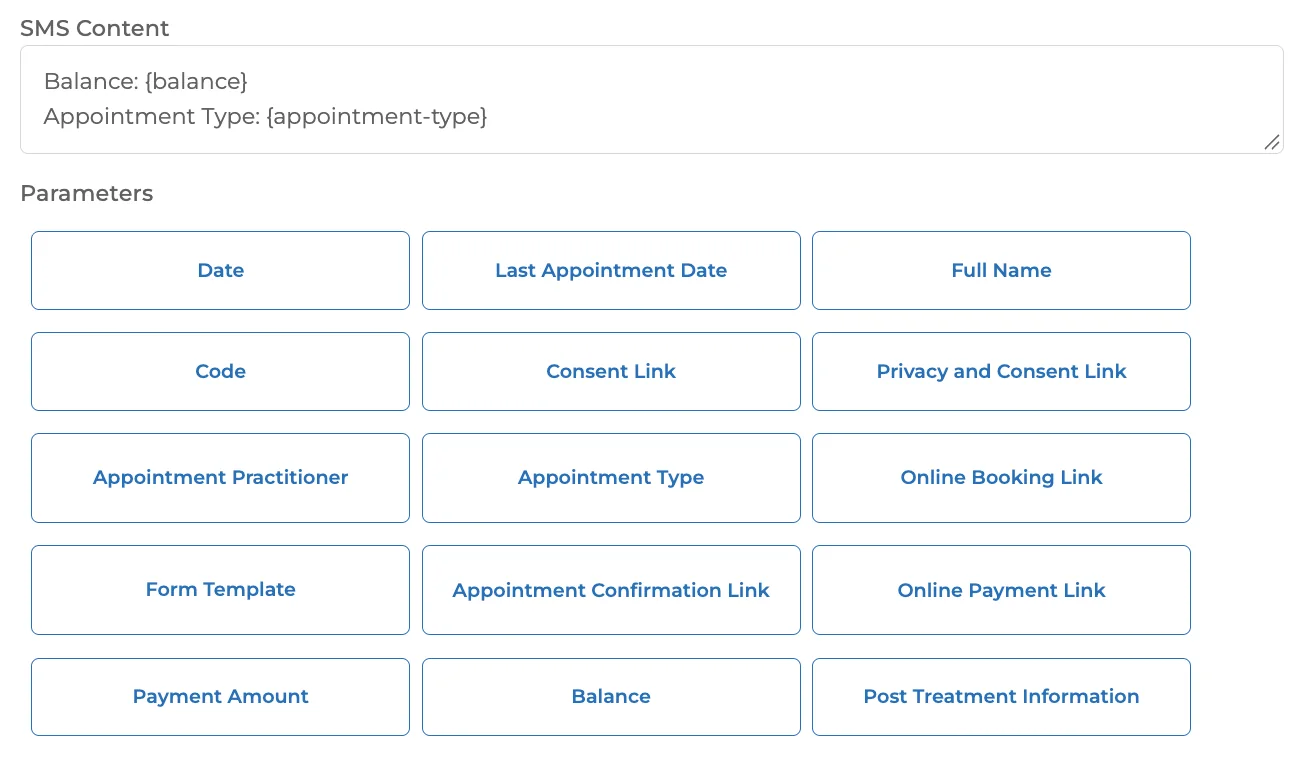
SMS and email templates can now use a Balance parameter. Appointment templates also have a new Appointment Type parameter, so a patient with two different appointment types on the same day sees the right type in each message.
Click Balance or Appointment Type in the Parameters list to add {balance} or {appointment-type} to the message.
✨ PDF Invoice Improvements
A clinician registration number field has been added to PDF invoice templates. Add it to your template while editing and place it wherever you need it; every PDF invoice issued with that template then shows the clinician’s registration number automatically, so you no longer need to type it in by hand.
Invoice addresses now also have a second address line.
✨ New Display Options for Estimates
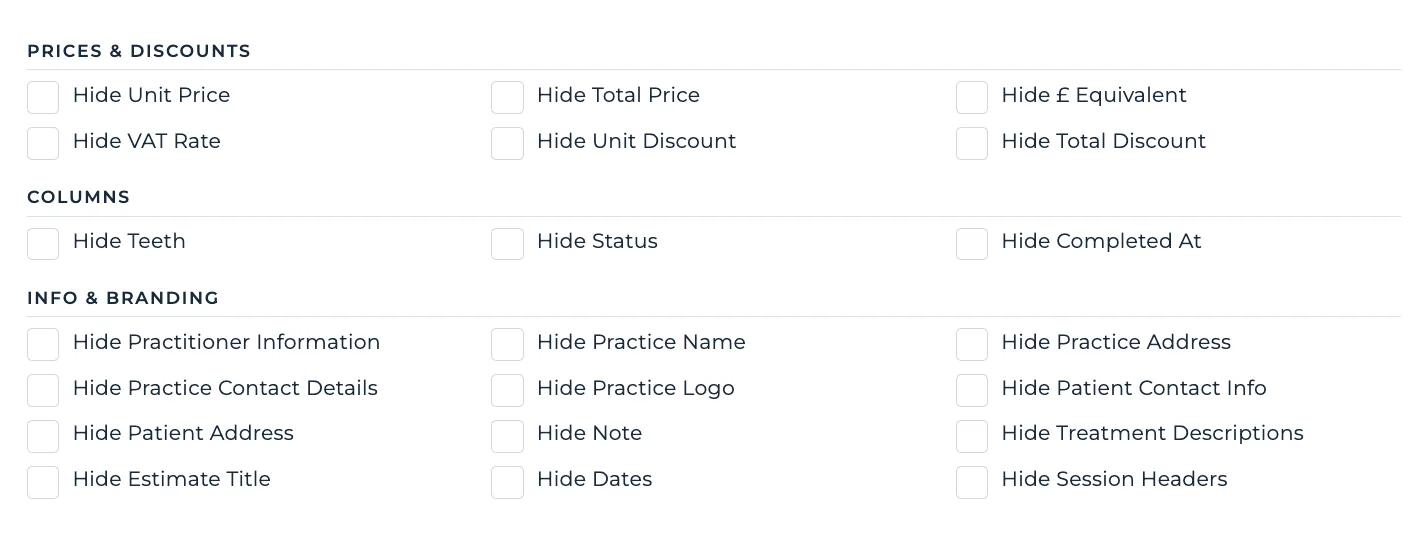
Hide Estimate Title, Hide Dates and Hide Session Headers have been added to the Info & Branding section of the estimate display options, so you can keep the estimate you share with a patient as simple as you need.
✨ Redesigned Prescription Details
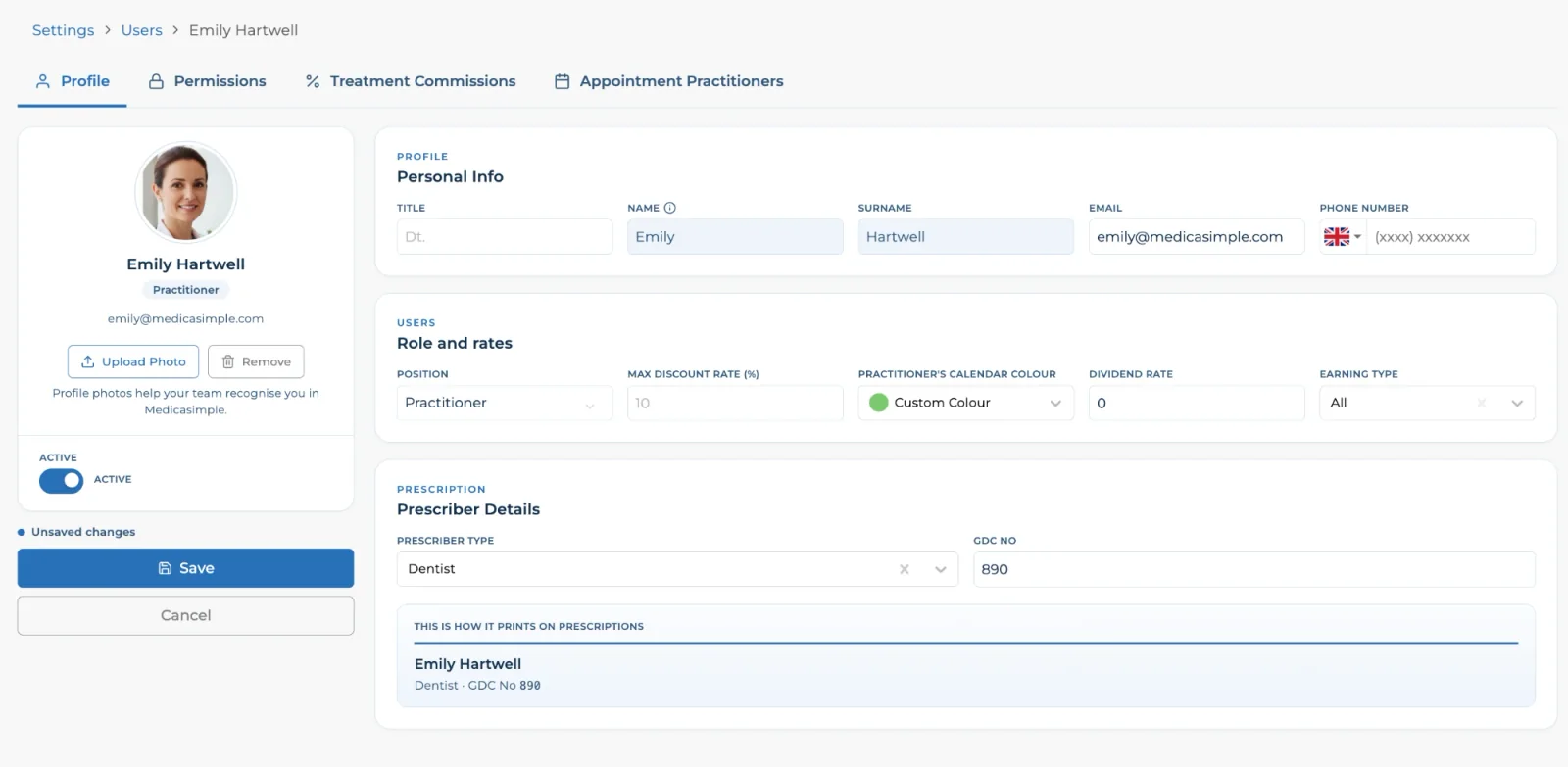
Clinicians’ prescription details can be entered from Settings > Users by selecting a user, or from the user’s own profile. The profile screen has a new, modern design.
The Prescriber Details section holds the prescriber type and GDC number, and the This is how it prints on prescriptions preview below shows how they will appear before you save.
✨ Last Selected Teeth in Treatment Plans
A Last Selected Teeth option has been added to tooth selection in treatment plans. After adding a treatment, you can select the same teeth again with one click. The option sits at the far right of the buttons above the teeth and in the right-click menu. It resets when you leave the patient and is not available in the surface view.
✨ First Available Day in Online Booking
When there are no free slots in the coming days, the online booking page now opens the first day with an available slot automatically, so patients do not have to click through empty days.
✨ Communication Language in Patient Segments
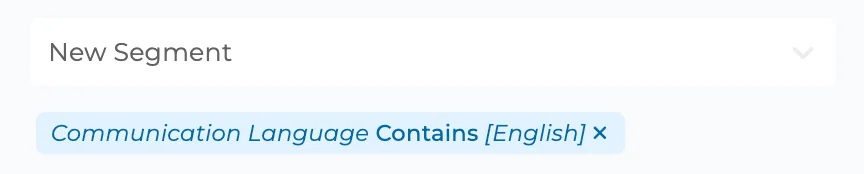
Patient segments can now filter by the patient’s communication language, for example to group all patients who communicate in English.
✨ Editable Patient Number
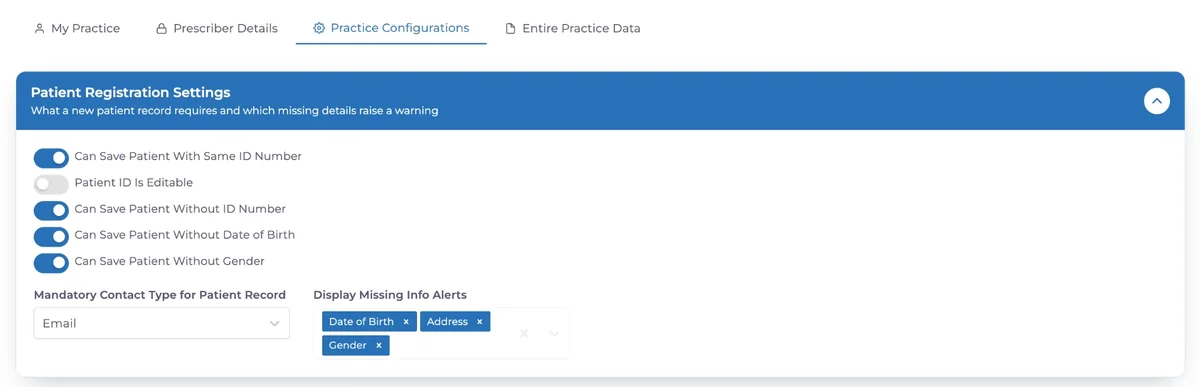
Patient ID Is Editable has been added to Patient Registration Settings under Settings > My Practice > Practice Configurations. When it is switched on, the patient number (for example #69321) can be changed. This helps clinics that want to keep the numbers from their previous system or follow their own numbering.
✨ Character Counter on ID Number and Passport Fields
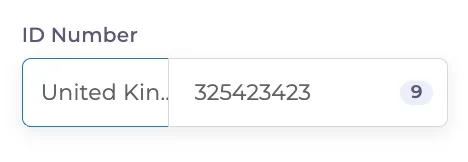
A character counter has been added to the ID Number and Passport fields, so you can check the length of a number while you type it.
✨ Address Search in Forms
The address field in custom forms now follows the clinic’s country and the app’s address structure. While filling in a form, patients type at least 3 characters into Address Search and pick their address; town, county, postcode and address line fill in automatically.
✨ Lab Work
The lab window now opens when adding a treatment to tooth surfaces, so lab work can be entered with the treatment.
✨ Patient ID in the Calendar Excel Export
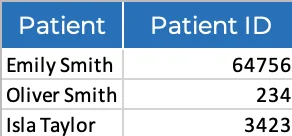
The appointment Excel export from the calendar now has a Patient ID column next to the patient name.
✨ X Markers in BPE and BEWE
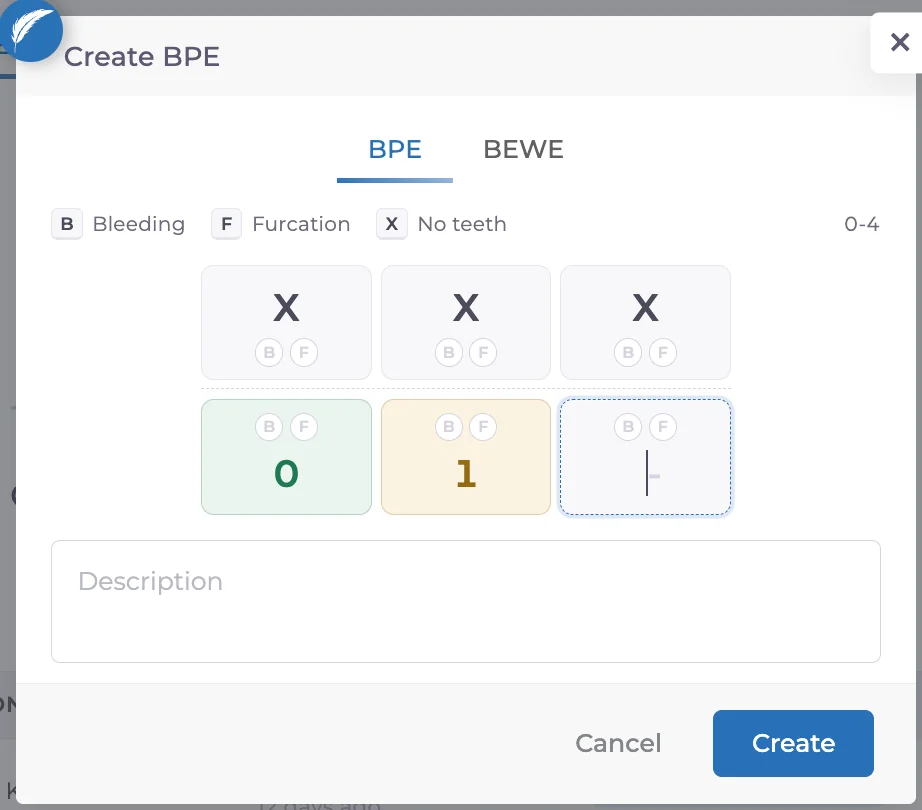
In BPE and BEWE records, each area takes a score from 0 to 4 or an “X”. Use “X” for areas that cannot be assessed or that you want to leave blank.
✨ Acquisition Sources in the API
A new API endpoint lists the clinic’s patient acquisition sources.
📱 Mobile Developments
🎉 British English on Mobile
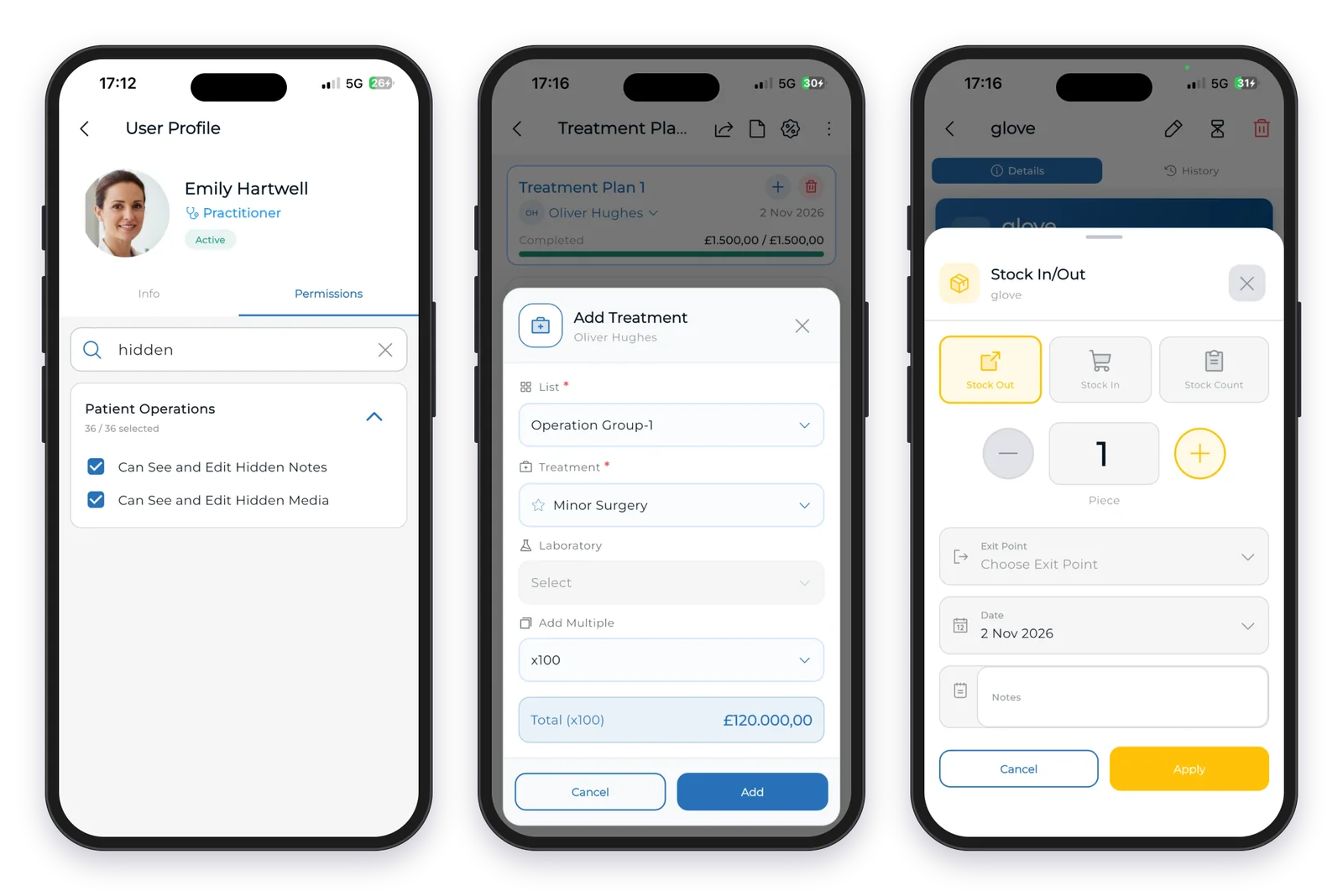
English (UK) can now be selected in Settings > Language on mobile. As on the web, it uses UK wording such as practice, practitioner and instalment, and the choice is kept after signing in again.
🎉 Permission Search on Mobile
Search has been added to the Permissions tab in user profiles on mobile.
✨ Exit Point for Stock Issued from Treatment Plans
Issuing stock to a patient from a treatment plan on mobile now asks for the exit point. It is required when the clinic has exit points defined, and the selected point appears in the stock history.
✨ Add Up to 100 at Once in Non-Dental Clinics
In non-dental clinics, Add multiple now adds a treatment to a session up to 100 times.
Have feedback on this update?
Tell us what would make this product change more useful for your clinic. We route feedback to the product team and use it to shape upcoming improvements.
Related product updates
More product updates
September 2026
September 2026 Product Updates
September 2026 brings automatic online booking approvals, updated estimates, cash flow reporting, and new webhooks.
→August 2026
August 2026 Product Updates
August brings AI-assisted treatment translations, expanded data imports, patient profile photos, and practical improvements for everyday clinic work.
→July '26
July 2026 Product Updates
July brings a live patient-flow calendar, fully customizable PDF invoices, and powerful improvements for day-to-day clinic operations.
→