


August'25
View the product updates and changes for August 2025.
🚀 New Features
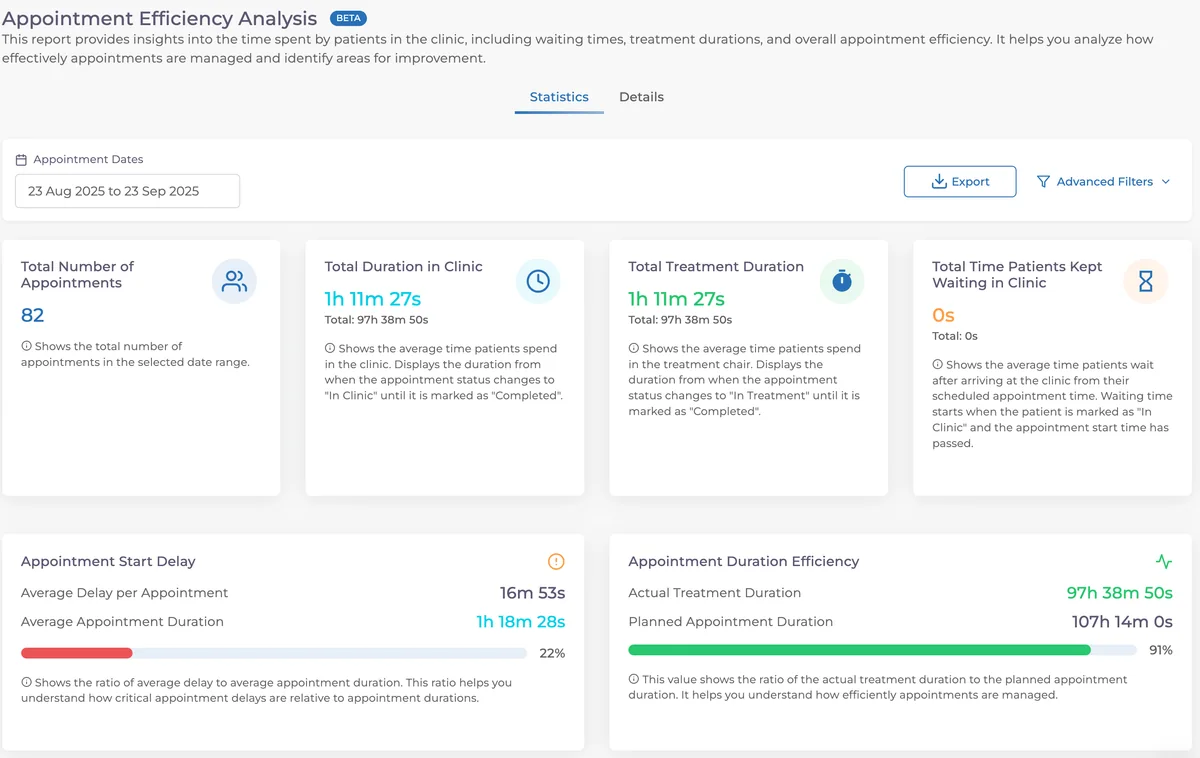
🎉 Appointment Efficiency Analysis Report ⏳
Report how much time patients spend in the clinic before and after appointments. Analyze waiting times to improve patient experience and optimize operational workflows.
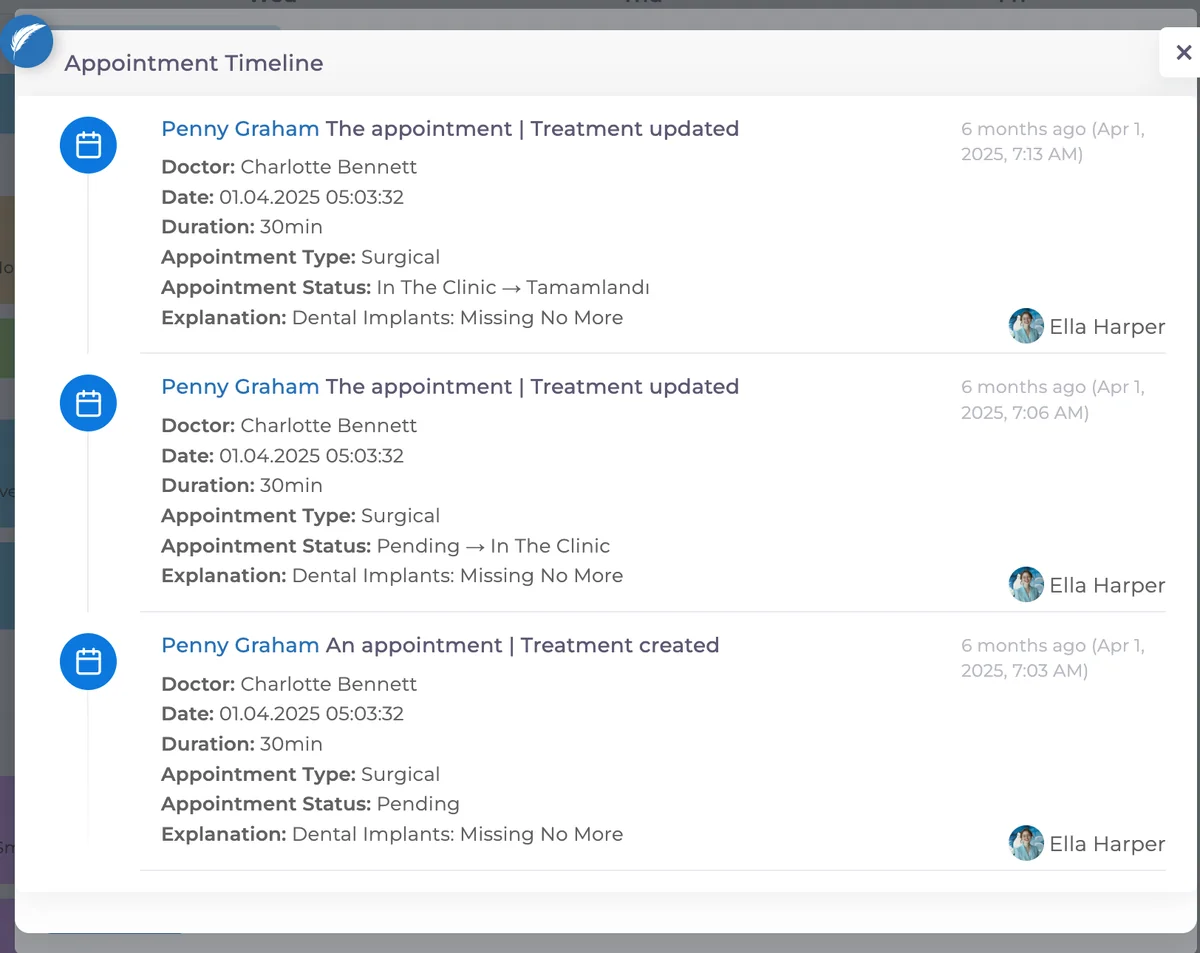
🎉 Appointment Activity Feed 📅
Appointments now have a detailed activity feed. Access it from the three-dot menu in the top-right of the appointment screen. View the full appointment history and track every change step by step.
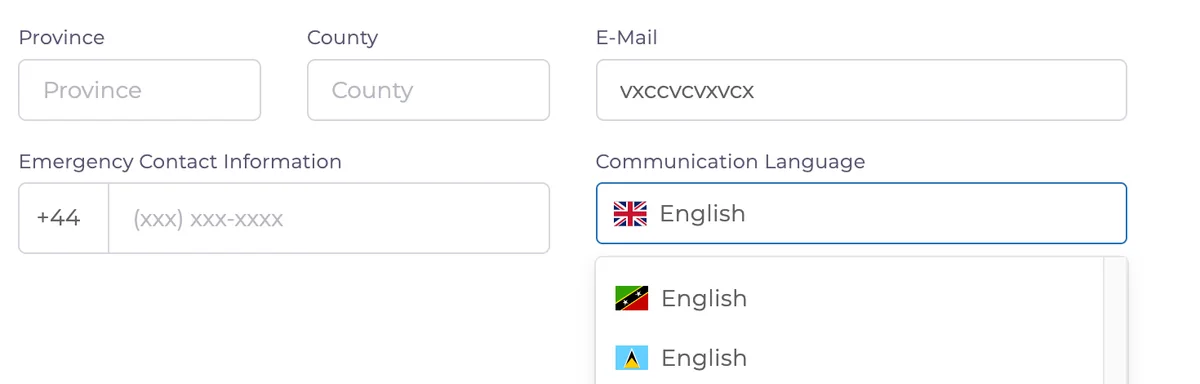
🎉 Patient Communication Language 🌐
A communication language field has been added to the patient profile. The selected language is used as the default for SMS/email templates and patient communications, and will also be applied automatically in appointment and document outputs when needed.
🎉 Bulk / Single Price Updates in Laboratory Records 🧪
You can now update lab prices either in bulk or individually.
Bulk update → select multiple lab records.
Single update → click directly on the price field.
💡 Remember to verify completed transactions by checking the related account movements.
✨ Improvements
✨ End-of-Day Report – Portfolio & Category in Expense Export 📤
Exported expense details now include Portfolio and Category fields for easier filtering and control.
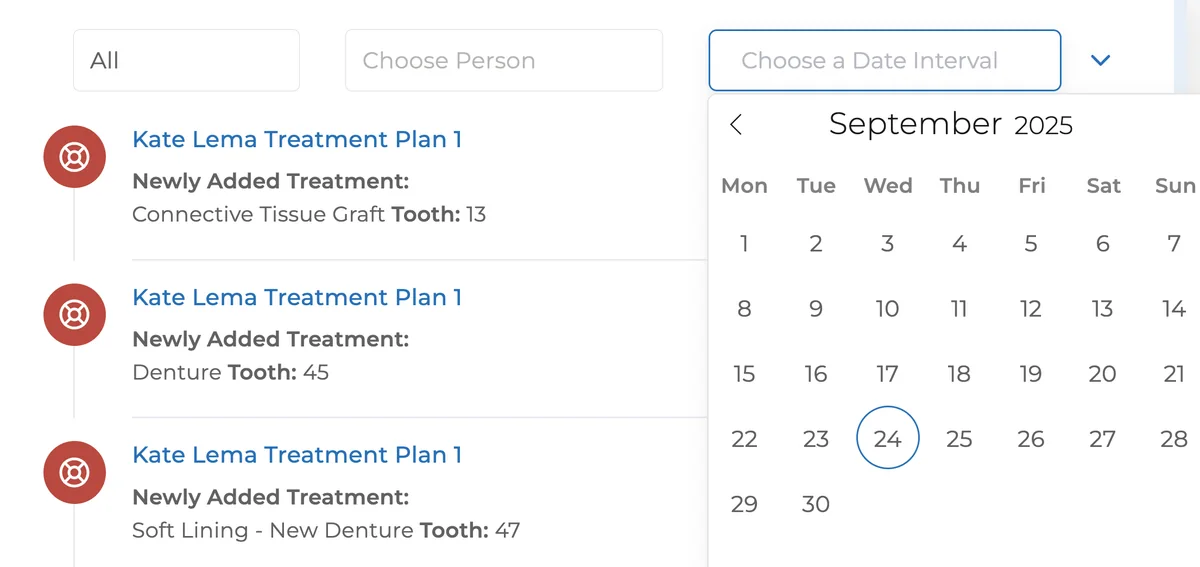
✨ Activity Feed Date Filters 🗓️
Added Created Date and Updated Date filters to Patient Profile → Overview → Activity Feed. Click column headers to sort; click again to toggle ascending/descending order.
✨ SMS Settings Info ℹ️
When your SMS balance reaches 0, an info message now appears in settings, guiding you to renew your SMS packages.
✨ Unfinished Patient Report – Sorting Options ↕️
Column-based sorting added; switch between ascending/descending for fields like Date and Plan Name.
🛠️ Fixes
🛠️ Doctor–Staff Matching – New User Types 👥
Fixed an issue where new user types weren’t visible. All user types can now be correctly listed and matched.
🛠️ Expense Entry – Passive Users
Fixed an issue where passive users appeared in expense entry dropdowns. Only active users are now listed.
Have feedback on this update?
Tell us what would make this product change more useful for your clinic. We route feedback to the product team and use it to shape upcoming improvements.
Related product updates
More product updates
September 2026
September 2026 Product Updates
September 2026 brings automatic online booking approvals, updated estimates, AI clinical note uploads, cash flow reporting, and new webhooks.
→August 2026
August 2026 Product Updates
August brings AI-assisted treatment translations, expanded data imports, patient profile photos, and practical improvements for everyday clinic work.
→July '26
July 2026 Product Updates
July brings a live patient-flow calendar, fully customizable PDF invoices, and powerful improvements for day-to-day clinic operations.
→