


December'24
View the product updates and changes for December 2024.
🎉 New Feature: Proforma Signing and Listing 📄
Patients can now digitally sign proformas, and signed proformas can be easily listed. This feature helps you organize your processes better and track signed documents more quickly.
📺 For a detailed video: Link

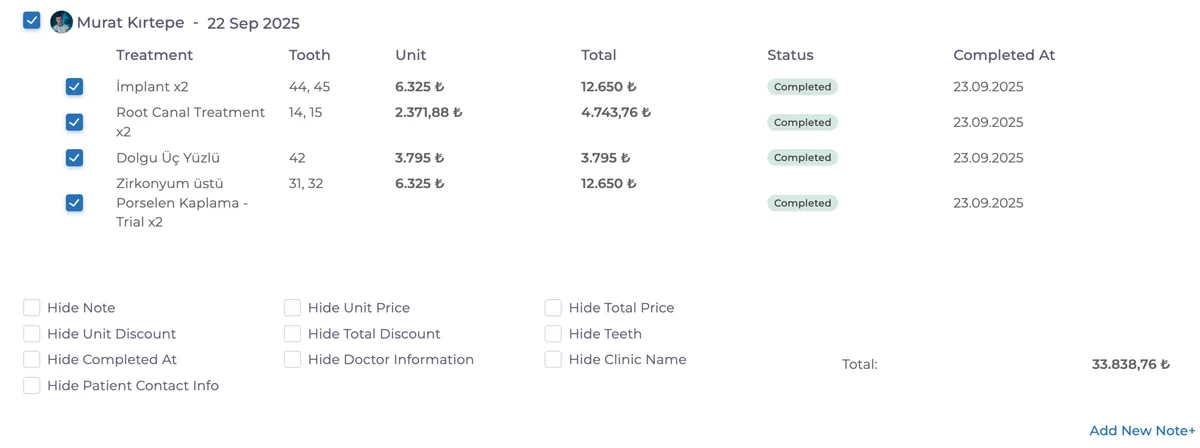
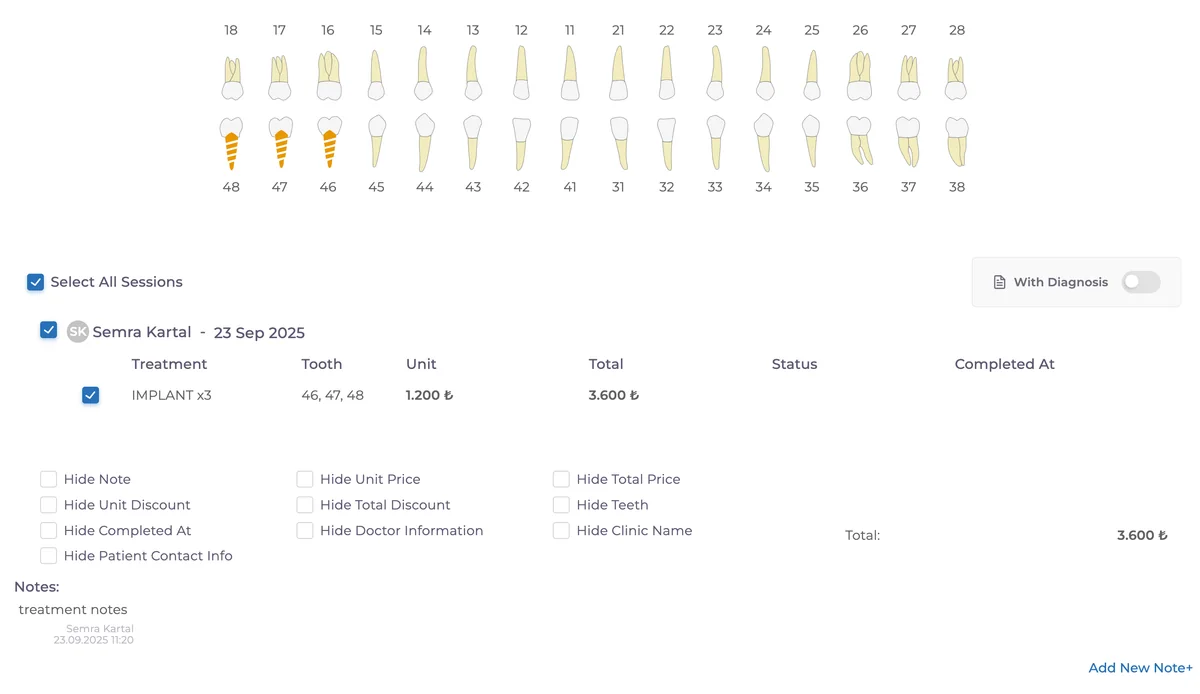
🎉 New Feature: Proforma Session Breakdown 🦷
On the Proforma page, treatments can now be grouped by session. With this enhancement, you can present treatment plans to patients with detailed breakdowns by doctor and date.
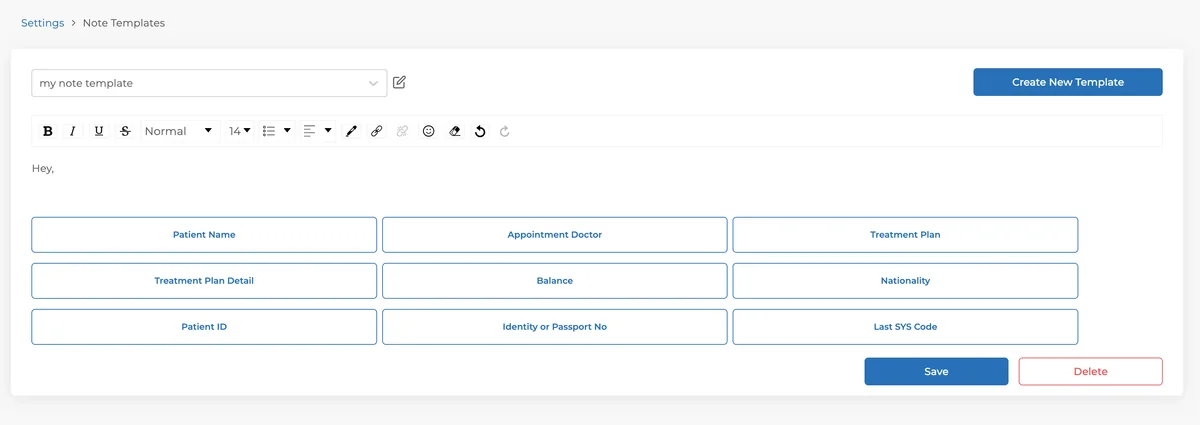
🎉 New Feature: Note Templates 📝
Save frequently used text as templates and use them instantly! You can create templates under Settings and quickly select them from the note entry screen to save time.
🎉 New Feature: NES Invoice Enhancements 🚀
Invoice descriptions are now also added to issued invoices.
If the same treatment is applied multiple times, it is shown in a single line with the quantity.
Tooth numbers are displayed in parentheses in the "Goods-Services" field.
A SUT Code button has been added! If a treatment has a SUT code, it will automatically be inserted into the invoice description in parentheses. Essential for clinics engaged in health tourism.
These updates make your invoicing process more organized and practical! 🚀
🎉 New Feature: Clinic Configuration Additions 🛠️
You can now set which communication channel (phone or email) is mandatory during patient registration.
The Quick Save button will automatically be disabled if required fields are missing or incorrect, ensuring complete and accurate records.
👉 You can configure these rules under Settings → My Clinic → Clinic Configurations.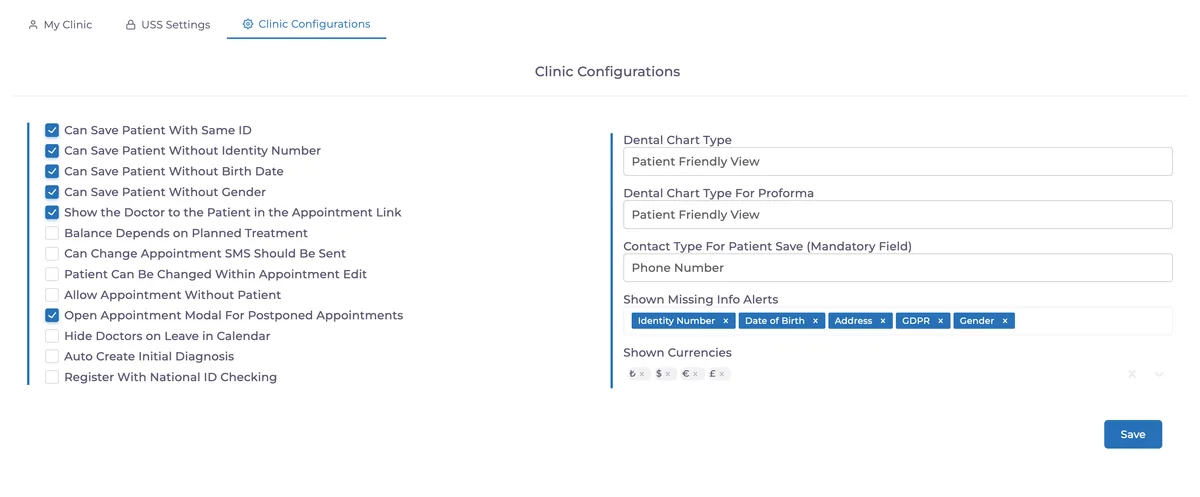
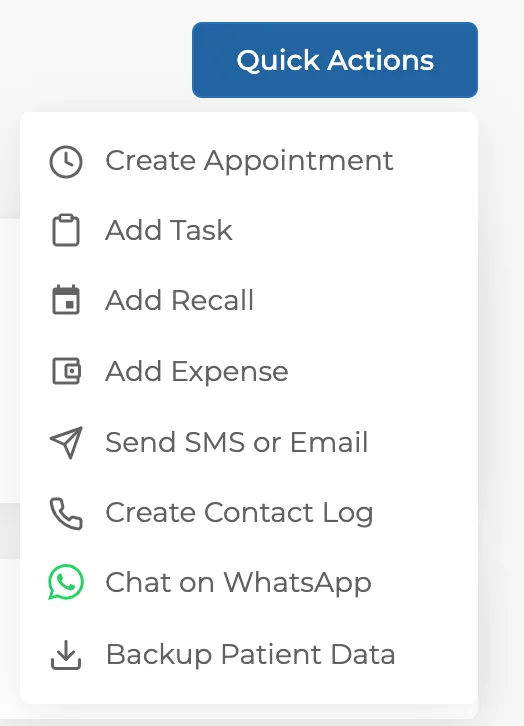
🎉 New Feature: Quick Actions for Email & SMS 📧📱
Email and SMS options have been added to the quick action menu to make patient communication faster and easier.
🎉 New Feature: Laboratory Process Completion Date 🧾
Completion dates in lab processes are now more visible and also reflected in the Finance screen. Historical data will be processed based on creation date.
🎉 New Feature: Add Detailed Explanations to Treatments
Treatments can now include detailed notes. These explanations will appear in the proforma, helping you clearly communicate treatment details to patients.
🎉 New Feature: New User Roles 👥
Two new roles have been added: Coordinator and Accounting. These roles provide more flexible permissions and allow smoother team workflows.
🛠 Fixes & Improvements
💳 Patient Payments Page
Online payments are now displayed more clearly.
If not yet completed → “Online payment created”
Once completed → “Payment received” ✅
You can activate online payments via a setup link, allowing you to offer patients up to 12-month installments across all credit cards.
📈 Day-End Report & Patient Laboratory Page – Size Option
A page size option has been added so you can resize reports for easier analysis.
Have feedback on this update?
Tell us what would make this product change more useful for your clinic. We route feedback to the product team and use it to shape upcoming improvements.
Related product updates
More product updates
September 2026
September 2026 Product Updates
September 2026 brings automatic online booking approvals, updated estimates, AI clinical note uploads, cash flow reporting, and new webhooks.
→August 2026
August 2026 Product Updates
August brings AI-assisted treatment translations, expanded data imports, patient profile photos, and practical improvements for everyday clinic work.
→July '26
July 2026 Product Updates
July brings a live patient-flow calendar, fully customizable PDF invoices, and powerful improvements for day-to-day clinic operations.
→