


January'25
View the product updates and changes for January 2025.
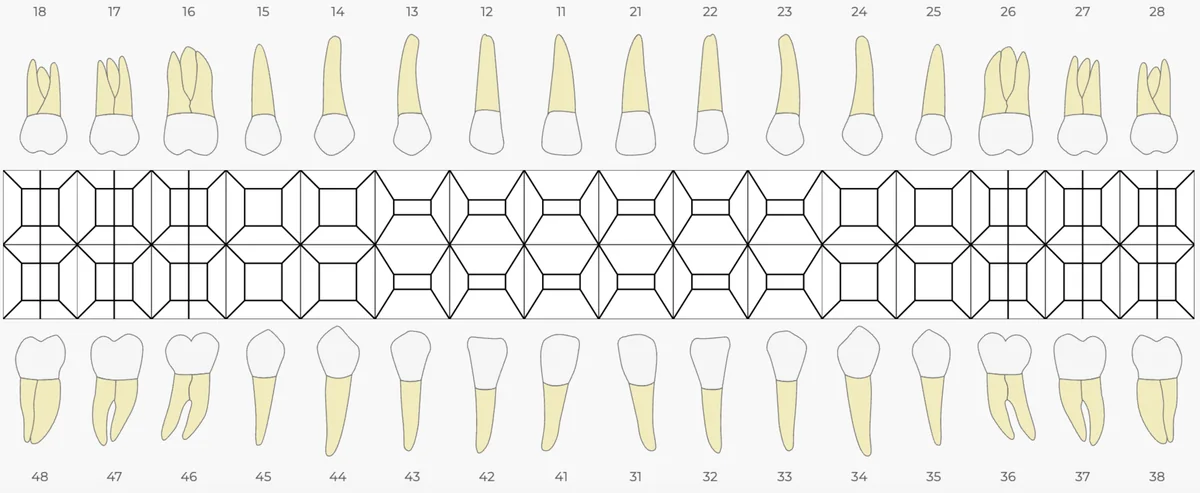
🎉 New Feature: Combined Tooth Root & Surface Chart 🦷
Major improvements have been made to the chart structure to allow combining tooth roots and surfaces. You can now add multiple procedures to the same surface and merge different surfaces by holding down the CTRL key.
👉 This feature is only valid for surface treatments and makes organizing complex treatment plans much easier. You can enable it under Settings → My Clinic → Clinic Configurations.
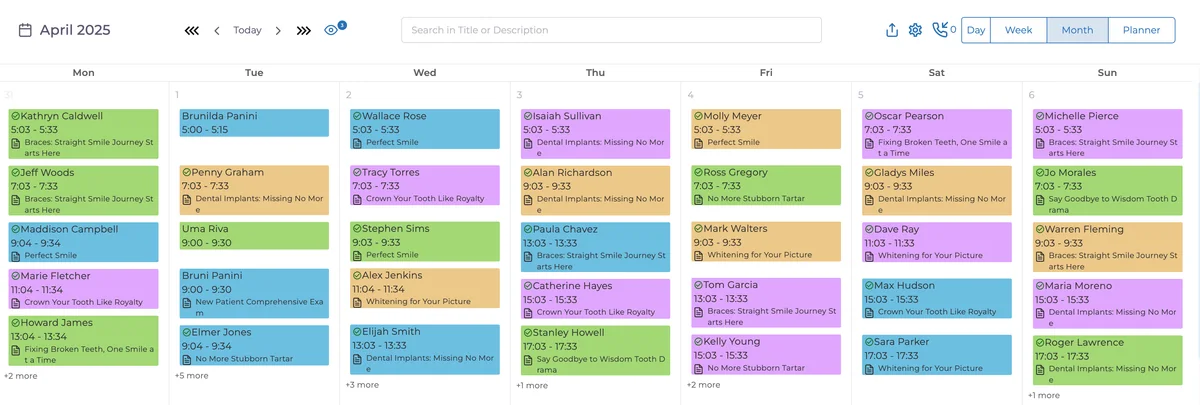
🎉 New Feature: Calendar Colors by Appointment Status 📅
Appointments on the calendar will now appear in different colors based on their status! This makes it easier to distinguish appointment states at a glance and manage your planning more effectively. Adjust this in the Calendar Settings page.
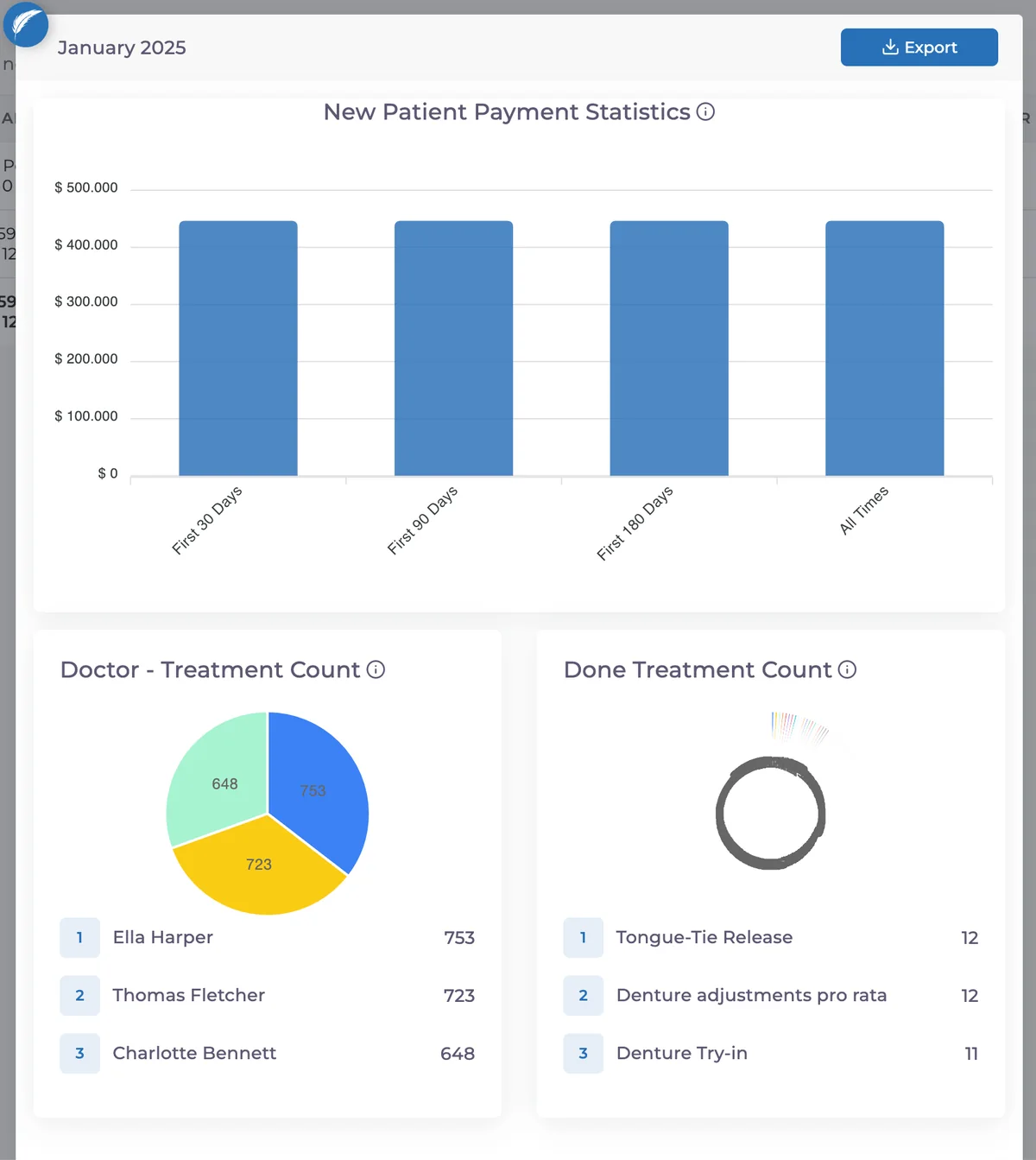
🎉 New Feature: New Patient Reports 📊
You can now view monthly and yearly new patient counts and revenues in detail. This report helps you analyze patient growth trends and track financial performance more effectively.
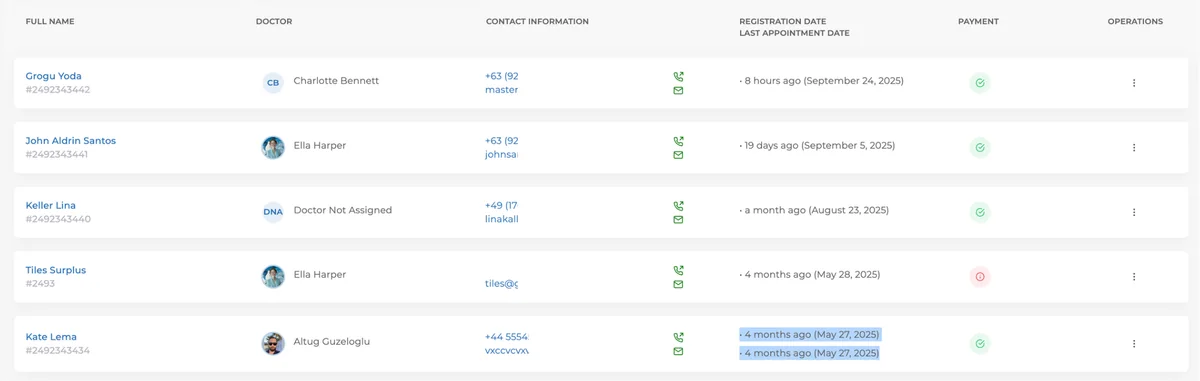
🎉 New Feature: Last Appointment Date in Patients Page 📅
The patient’s last appointment date is now displayed right under their registration date, making it easier to track past visits.
🎉 New Feature: Add Call Record to Installment Payments Page 📞
A call record button has been activated on the installment payments page, allowing you to track and manage payment records more efficiently.
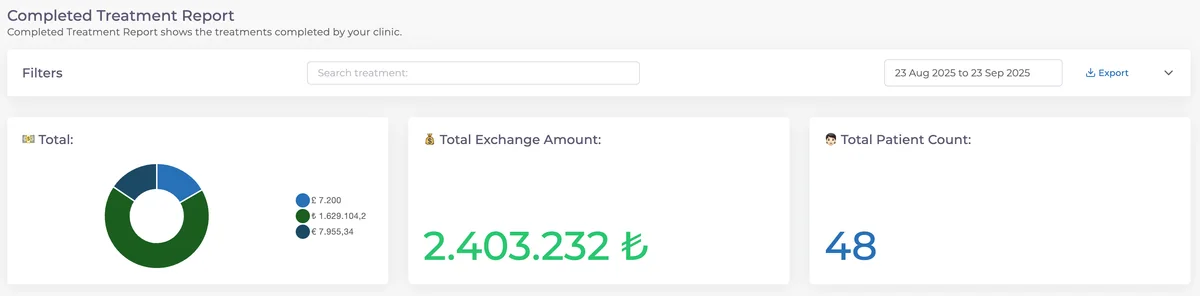
🎉 New Feature: Completed Treatment Report Enhancements 📋
The completed treatment report now includes patient count and some UI improvements, making reports clearer and easier to use.
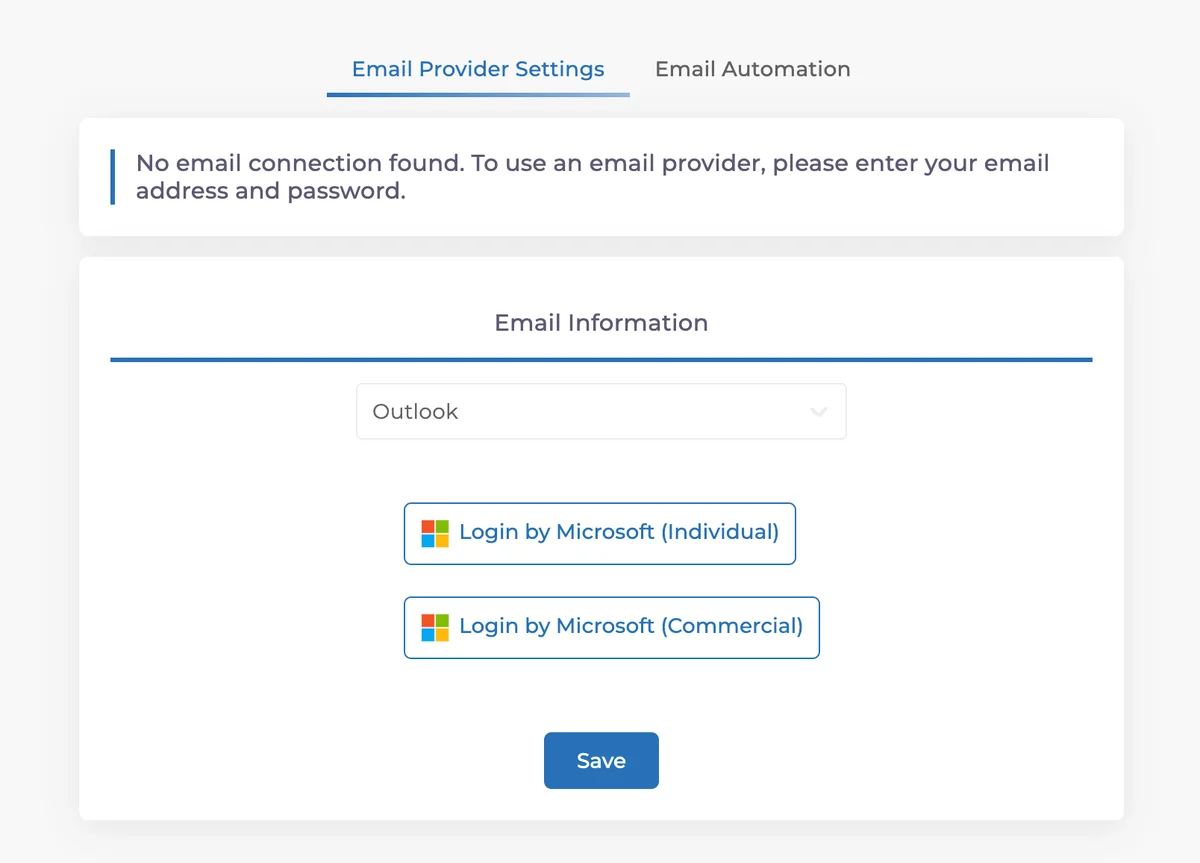
🎉 New Feature: Microsoft Login for Email Automation 📧
You can now send patient emails more easily with Microsoft Login integration for email automation. This allows you to securely and quickly send emails directly through your account.
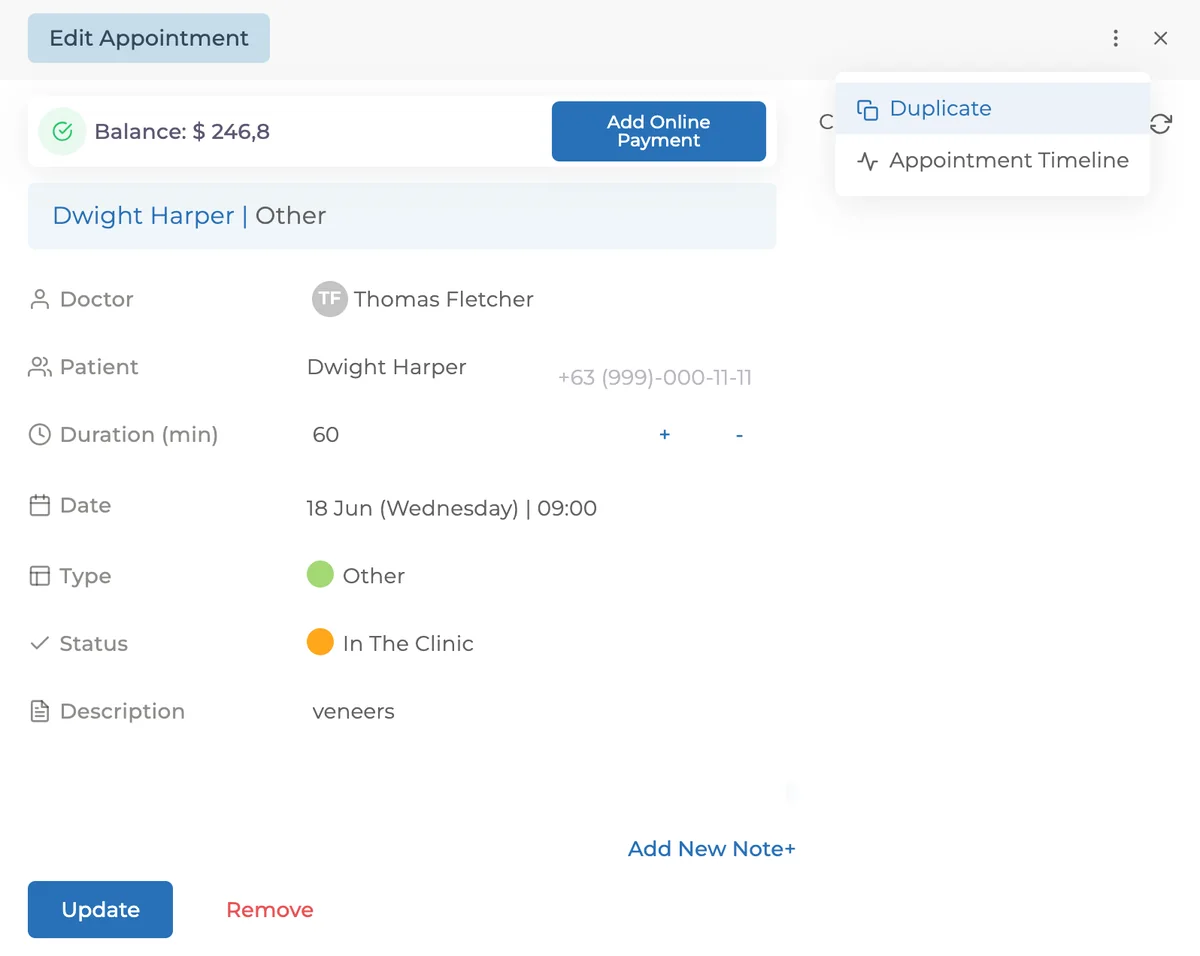
🎉 New Feature: Appointment Copying 📅
You can now copy appointments easily!
From the homepage, click an appointment → open the three-dot menu (next to the close icon) → select Copy Appointment.
Perfect for cases where a patient postpones or cancels a visit.
🛠 Fixes & Improvements
📊 Currency Sorting Update
Currency ordering has been improved. The main currency now appears at the top, followed by others sorted by usage frequency for faster, more organized transactions.
🏥 Mobile Improvement: Appointment Creation
Fixed the issue of duplicate appointments caused by slow internet speeds.
🔍 Stock Search Fixes
Search in stock management has been improved for more accurate results (e.g., searching “red” now works better).
👩⚕️👨⚕️ User Addition Warning Text Update
The doctor addition warning text now shows how many doctors you’ve paid for and your current doctor count when under two doctors, providing clearer info when adding users.
Have feedback on this update?
Tell us what would make this product change more useful for your clinic. We route feedback to the product team and use it to shape upcoming improvements.
Related product updates
More product updates
September 2026
September 2026 Product Updates
September 2026 brings automatic online booking approvals, updated estimates, AI clinical note uploads, cash flow reporting, and new webhooks.
→August 2026
August 2026 Product Updates
August brings AI-assisted treatment translations, expanded data imports, patient profile photos, and practical improvements for everyday clinic work.
→July '26
July 2026 Product Updates
July brings a live patient-flow calendar, fully customizable PDF invoices, and powerful improvements for day-to-day clinic operations.
→