


July 2026 Product Updates
July brings a live patient-flow calendar, fully customizable PDF invoices, and powerful improvements for day-to-day clinic operations.
In July, we released two major additions that take day-to-day clinic operations forward: an alternative calendar that turns the patient journey inside the clinic into a live workflow board, and PDF invoice templates that every clinic can design from the ground up around its own brand. We also added improvements across Patient Portal, forms, reports, exports, and mobile to give teams more control and help them work more efficiently.
🚀 New Features
🎉 Alternative Calendar View
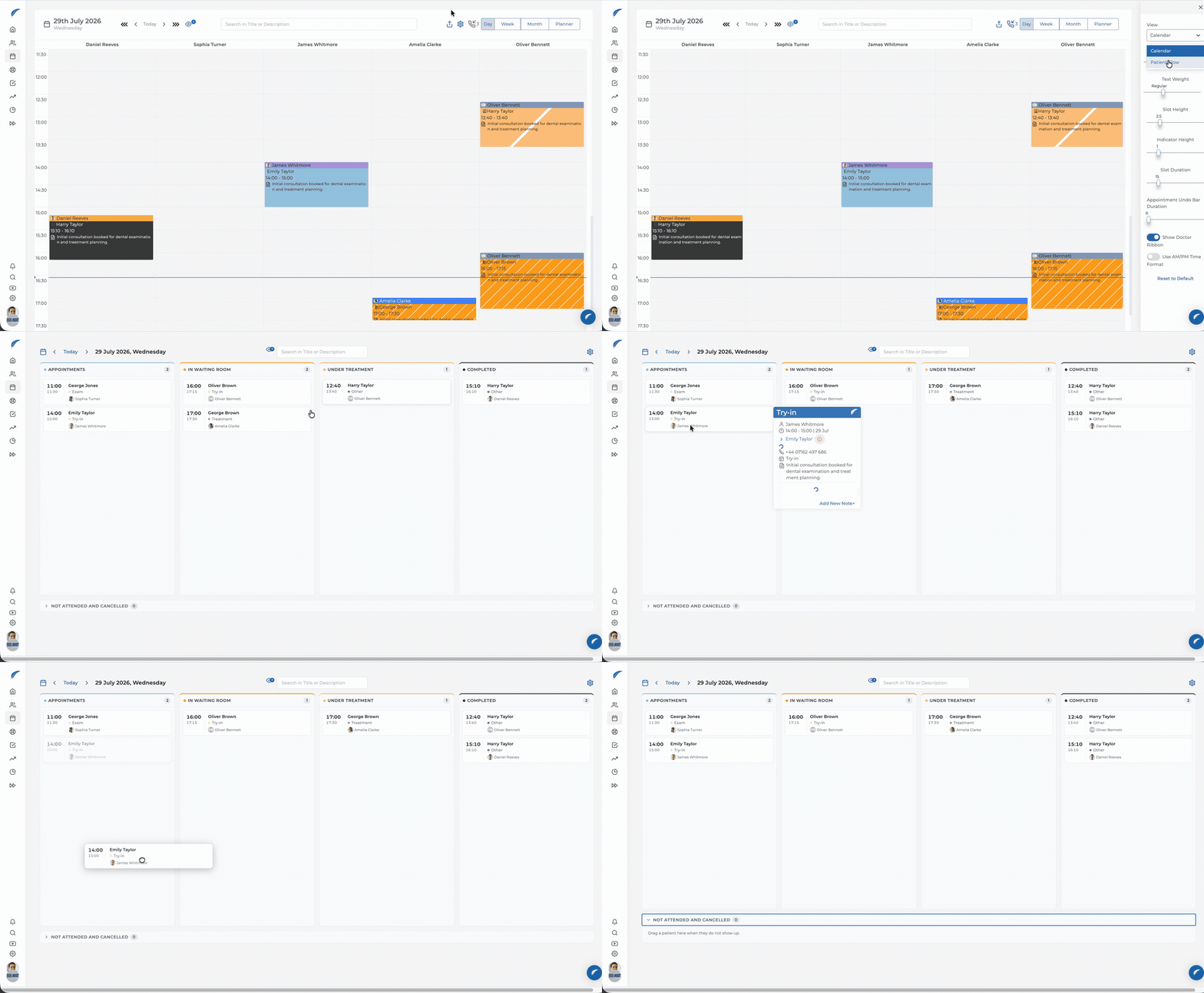
The calendar is no longer limited to showing appointments by time; it can now serve as a live operational board for the clinic’s current patient flow. After switching to Patient Flow under Calendar Settings, teams can follow Appointments, In the Waiting Room, In Treatment, and Completed stages together on one screen.
Patient cards can be dragged and dropped between stages. Front-desk and clinical teams can immediately see who has arrived, who is waiting, who is currently receiving treatment, and which appointments have been completed—all from the same view. Because the workflow stages and the information shown on each card can be configured around the clinic’s working style, the view makes coordination significantly easier on busy days.
🎉 Fully Customizable PDF Invoice Templates
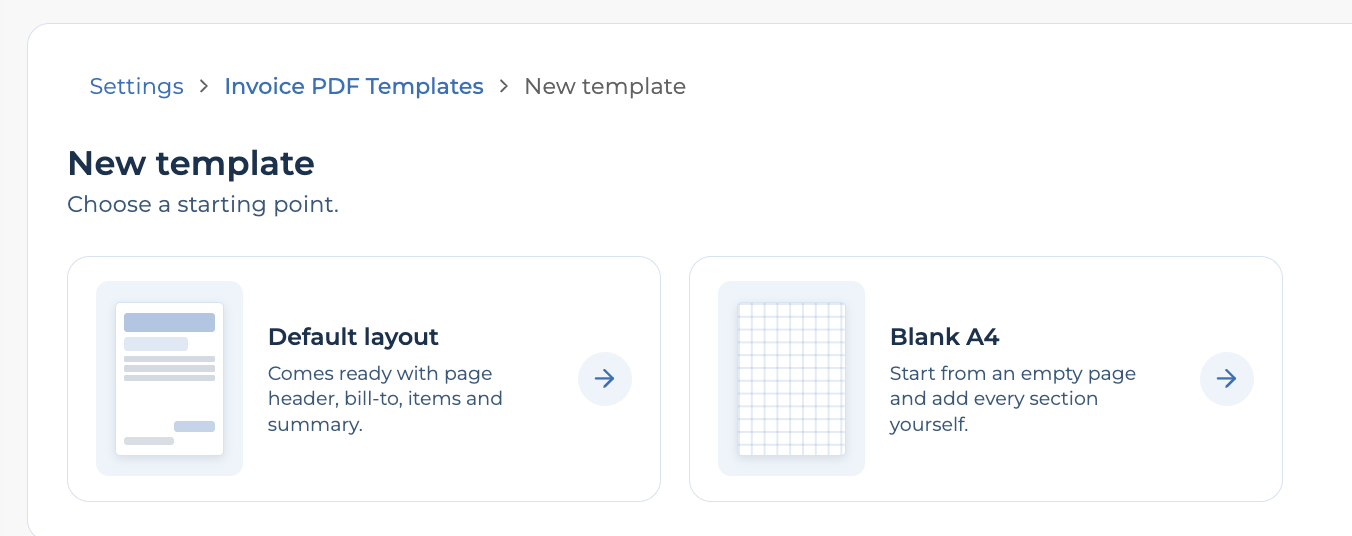
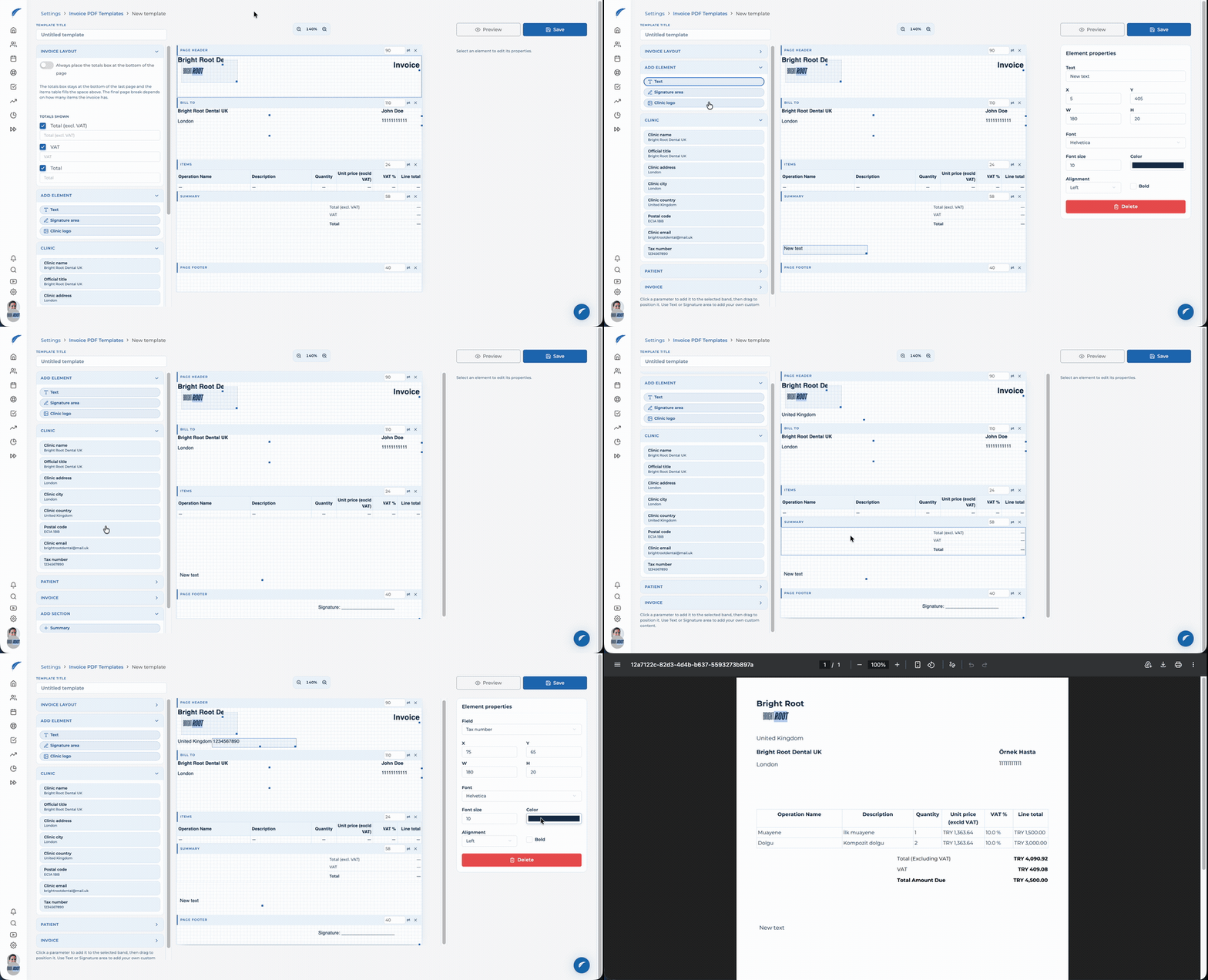
This is more than a standard invoice setting that only changes a logo or color. Clinics can start from a ready-made layout or open a blank A4 page and design the complete PDF invoice around their own requirements. Text, logo, clinic, patient, and invoice fields can be moved and resized, while typography, colors, spacing, borders, and the invoice table can be configured in detail.
A template can be aligned precisely with an existing letterhead—including its logo, contact details, and reserved spaces—or used to create a completely original digital invoice. Saved templates can be reused, and the right template can be selected whenever a PDF invoice is issued for a patient, keeping every document consistent with the clinic’s identity.
🎉 Clinic Logo on Consent and Privacy Forms
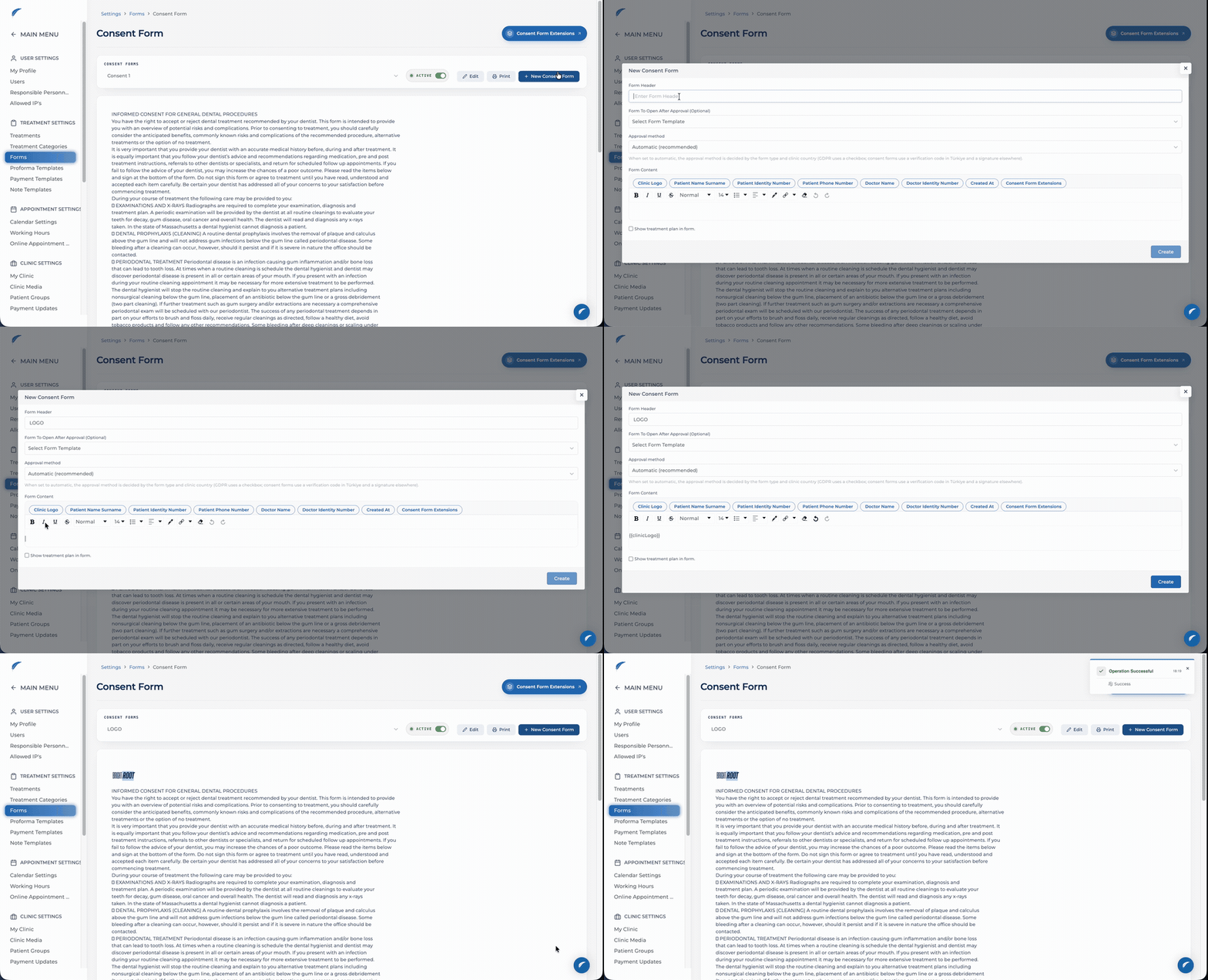
A clinic-logo field has been added to the consent and privacy form editor. The logo can be placed at the preferred position inside the form, allowing clinics to prepare digital and printed documents with their own visual identity.
The clinic is now clearly identified on every consent and privacy document shown to a patient. Teams no longer need to add logos manually to different forms, and patients receive a more consistent and professional document experience.
🎉 Stripe Billing Portal for Subscription Management
A secure Stripe Billing Portal has been added to the subscription process. Clinics can manage their subscription, payment method, billing details, and invoice history from one place.

✨ Improvements
✨ Status Filter in the Incomplete Treatment Report
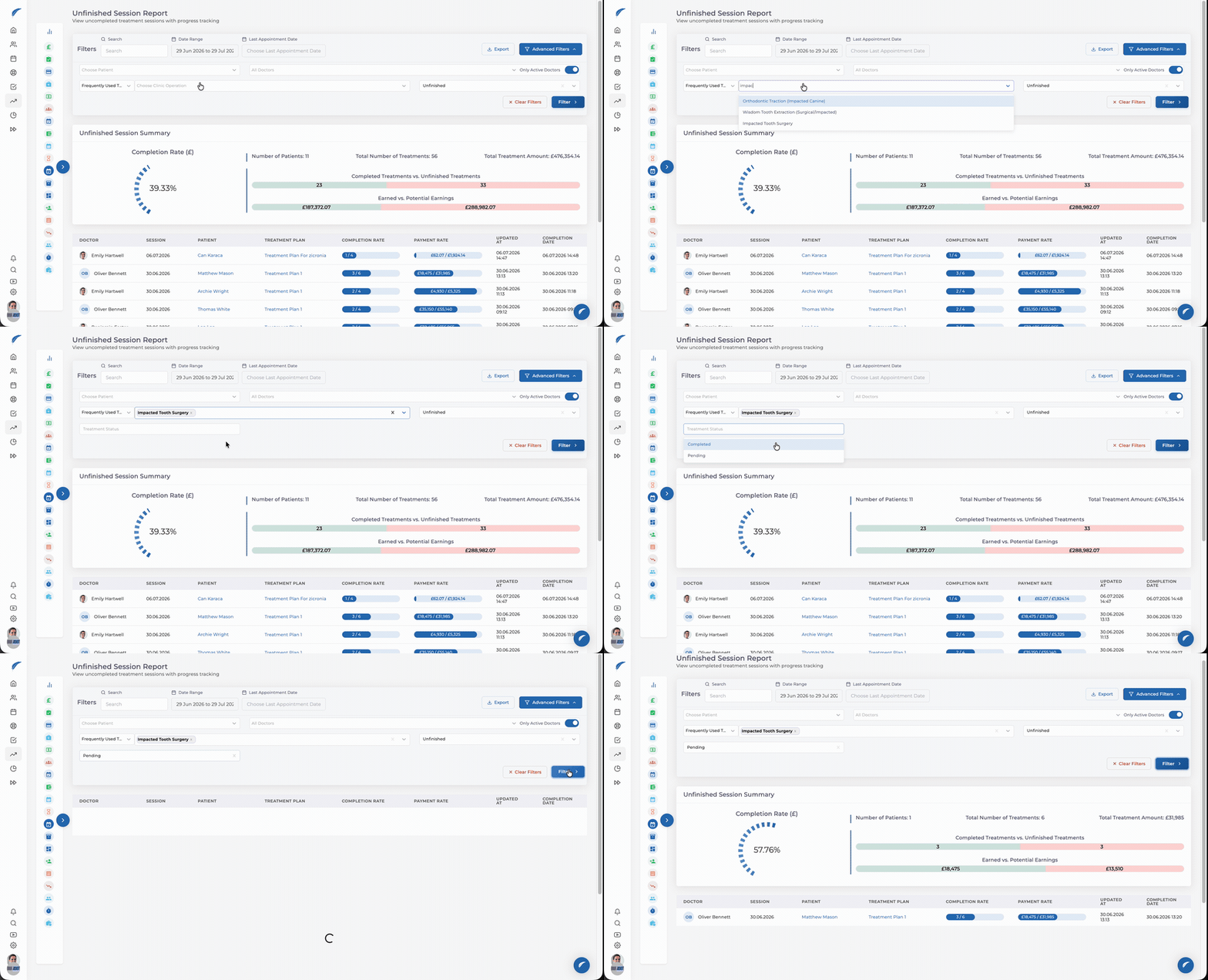
After a treatment is selected in the Incomplete Treatment Report, a new filter displays the available statuses for that treatment. Teams can narrow the report by status and focus only on the patient and treatment records that require their attention.
Applying the filter updates the report’s charts, totals, and patient list. Completed, pending, or differently staged treatments can be separated from one another, making follow-up and planning more accurate.
✨ Country in Patient Addresses
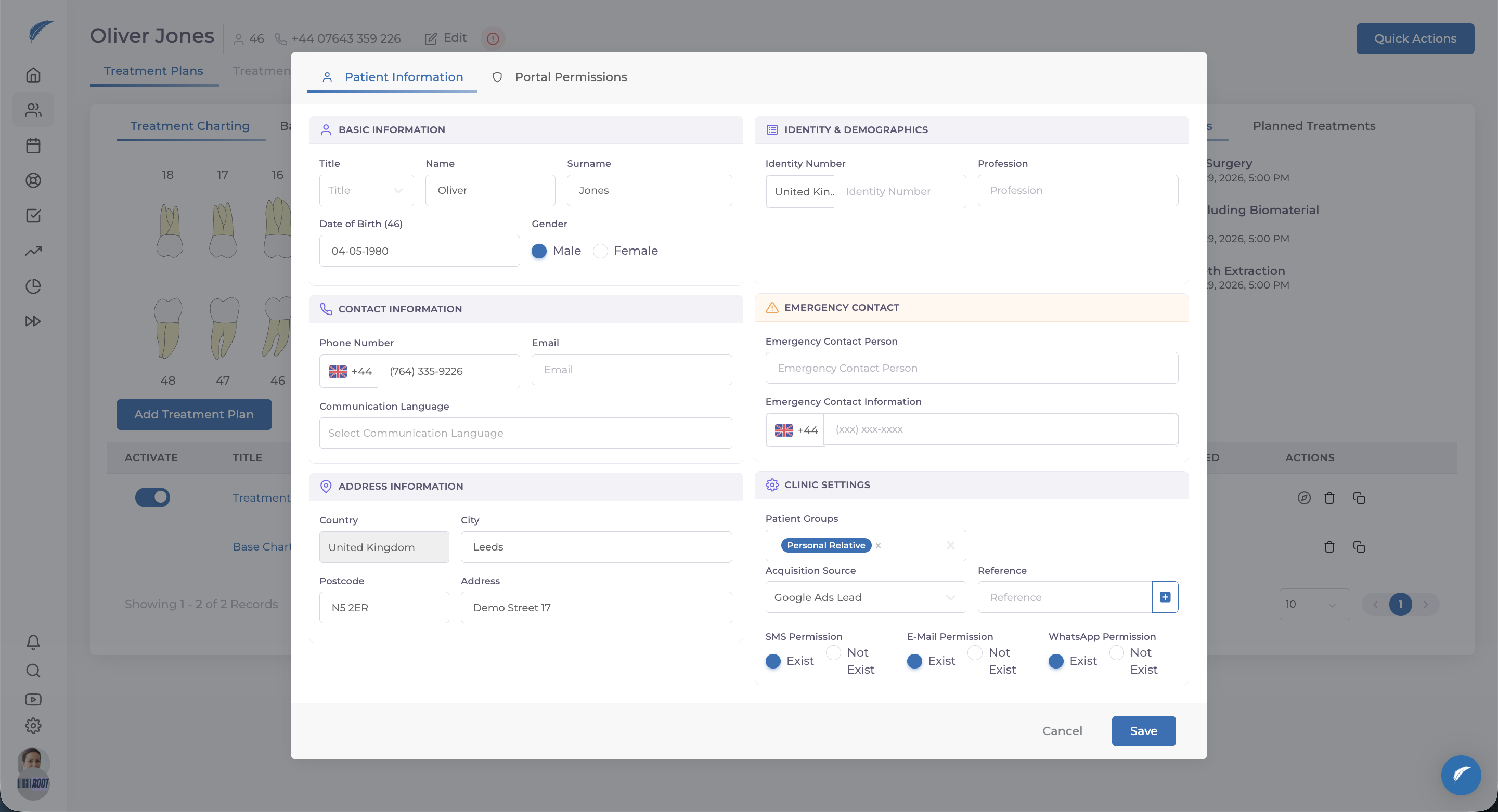
Patient addresses now include a dedicated Country field. Instead of being buried in free-form address text, country information can be stored consistently alongside the city, postcode, and street address.
This is especially useful for clinics working with international patients: overseas addresses can be recorded more completely, and the correct country is visible at a glance whenever patient details are reviewed.
✨ Patient Portal Settings
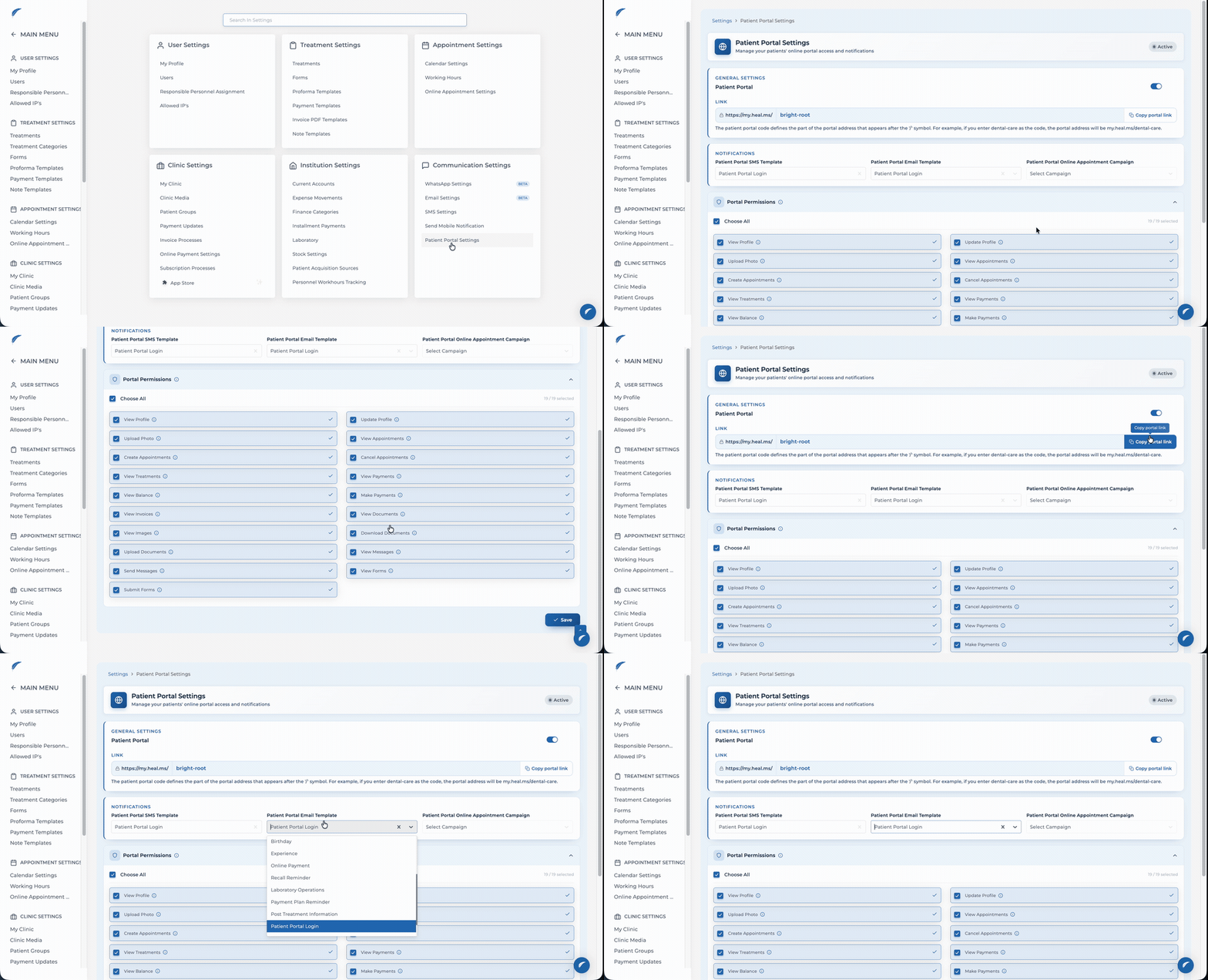
All controls needed to manage Patient Portal are now brought together under the central Settings area. Teams can enable the portal, copy the clinic link, select SMS and email notification templates, and configure the online-booking option from the same screen.
Detailed view and action permissions can be managed for portal areas including profile information, photos, appointments, treatments, payments, invoices, documents, messages, and forms. Each clinic can now shape the self-service experience around its own service model and decide from one place exactly what patients can see and do.
✨ Reporting and Export Improvements
The Debtor Patient Report has been standardized, and a related API endpoint now provides system-to-system access to its data. Debt tracking can therefore rely on a more consistent data structure and connect with other operational workflows when needed.
The balance column now appears at the end of the day-end export, while the Settings → Treatments export includes a VAT column. Finance and accounting teams can review the amount and tax information they need in a more predictable layout.
✨ Improvements to Private Notes
Private notes are now easier to manage and keep separate from the regular note flow. Teams can keep sensitive internal notes out of the default view and reveal them only when needed.

✨ Multi-Clinic Workflow Improvements
Improvements have been released to help multi-clinic teams run day-to-day operations across clinics more smoothly and consistently.
📱 Mobile Improvements
We added new capabilities that make everyday use of the Medicasimple mobile app faster and more practical. This month’s user-facing mobile addition is available below.
🎉 Share the Mobile App
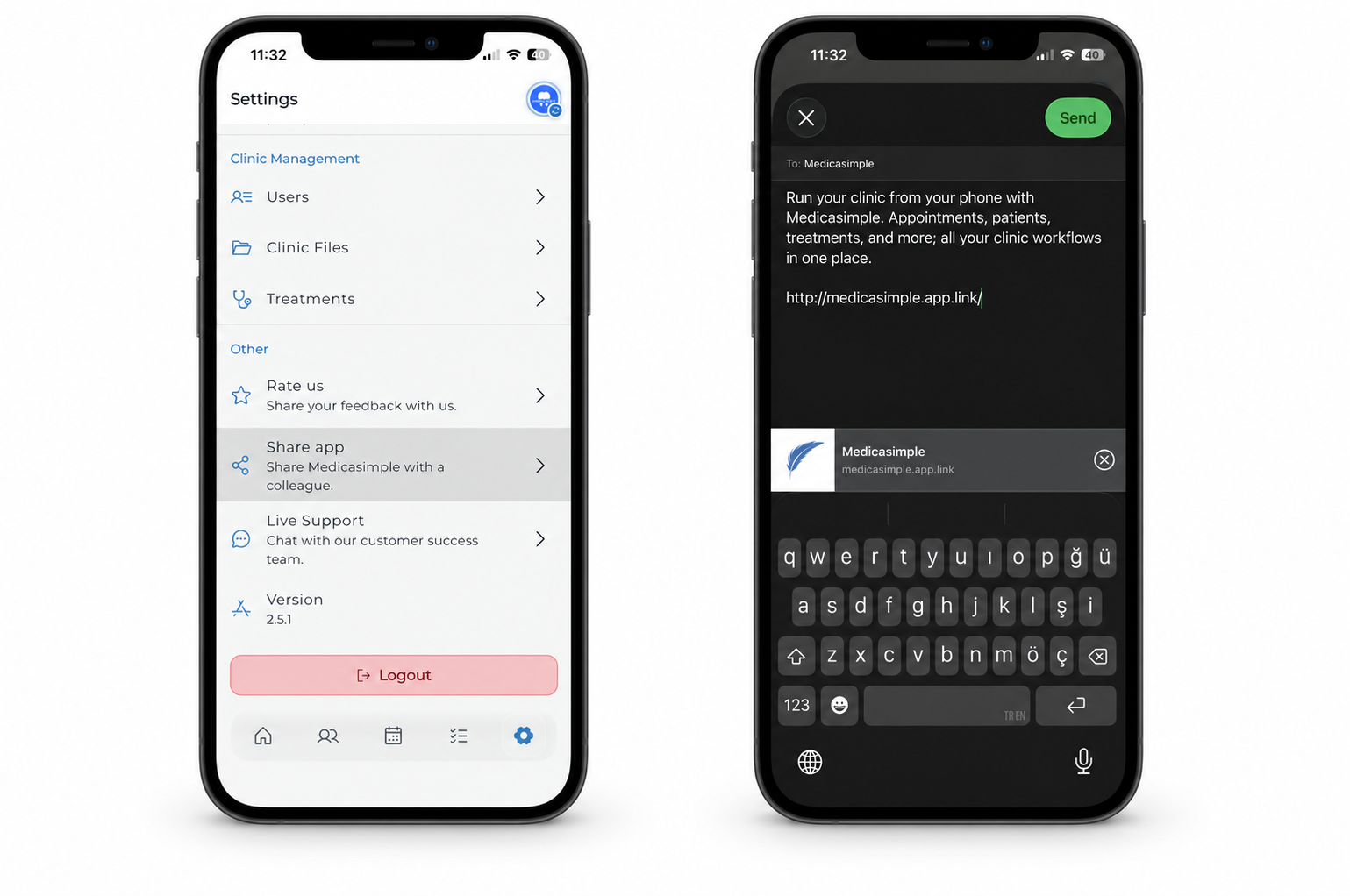
A new option under Settings lets users share Medicasimple directly from the mobile app. The app link can be sent to team members or anyone they would like to introduce to Medicasimple through the native sharing options on iOS and Android.
Sharing now takes only a few steps, without searching an app store or finding the correct download link separately.
Have feedback on this update?
Tell us what would make this product change more useful for your clinic. We route feedback to the product team and use it to shape upcoming improvements.
Related product updates
More product updates
September 2026
September 2026 Product Updates
September 2026 brings automatic online booking approvals, updated estimates, cash flow reporting, and new webhooks.
→August 2026
August 2026 Product Updates
August brings AI-assisted treatment translations, expanded data imports, patient profile photos, and practical improvements for everyday clinic work.
→June '26
June 2026 Product Updates
June brings faster patient recognition, more flexible consent and treatment workflows, and clearer operational reporting across web and mobile.
→