


May'25
View the product updates and changes for May 2025.
🚀 Updates
🎉 New Feature: ICS Added to Appointment Emails 📩
Appointment emails now include a .ics file. With one click, patients can add their appointments directly to Google, Apple, or Outlook calendars.

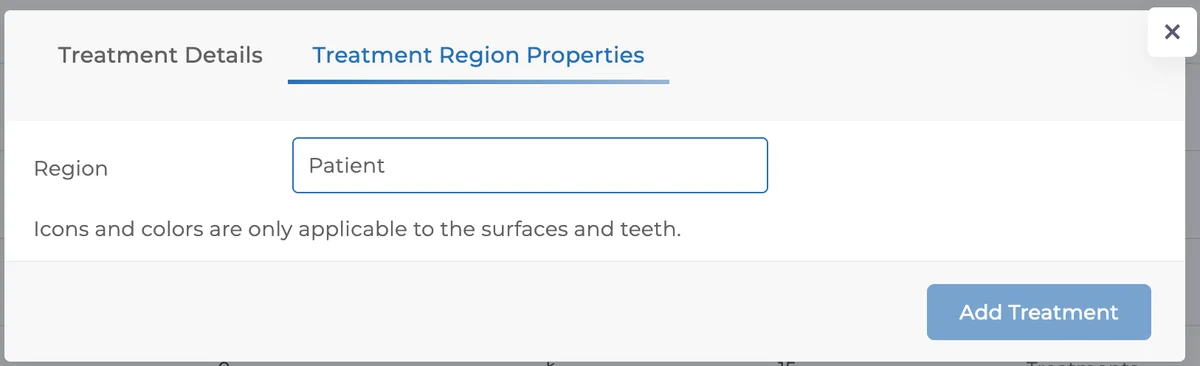
🎉 New Feature: Add Treatments Without Tooth Selection 🦷
You can now add certain treatments directly to the patient without assigning them to a tooth.
Go to Settings → Treatments and set the tooth surface as Patient. Then, select the treatment in the plan to proceed.
👉 Perfect for adding CT scans, X-rays, or non-dental procedures. Clinics working with both dental and non-dental treatments can now manage everything in one account.
🎉 New Feature: Appointment History Columns in Daily Tracking Report 📅
Two new columns have been added:
The number of past appointments the patient had
The percentage of attended appointments
This makes it easier to analyze patient loyalty and attendance habits.
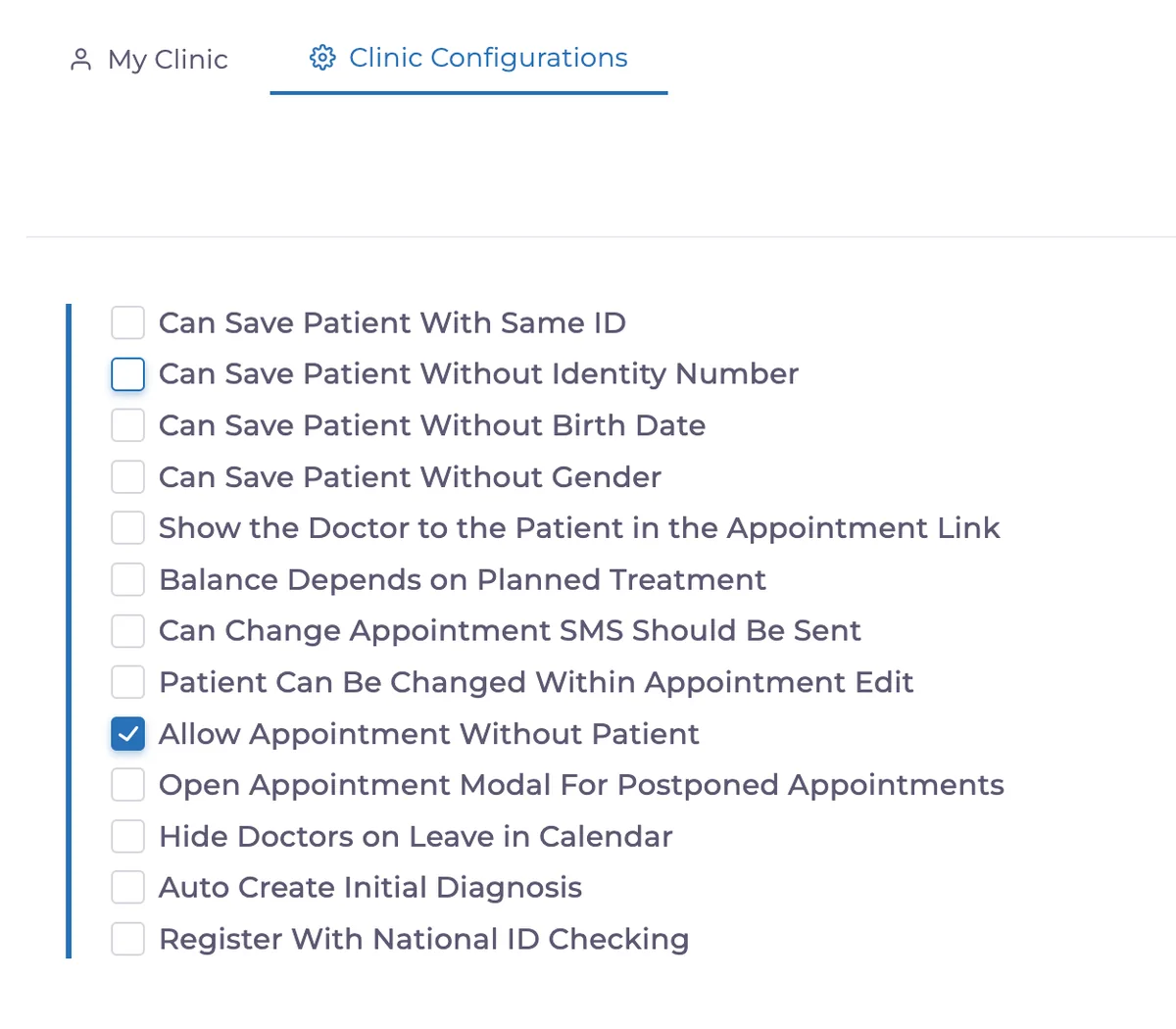
🎉 New Feature: Disable Patient-Free Appointments (Clinic Configurations)
In Clinic Configurations, you can now disable “patient-free appointments.”
This ensures every appointment is linked to a patient, preventing scheduling confusion.
🎉 New Feature: Automatic Doctor Assignment 👨🏻⚕️👩🏻⚕️
If a patient does not have a primary doctor assigned, the system will now automatically link them to the relevant doctor whenever a treatment plan is created.

🎉 New Feature: Recently Selected Patients in Calendar 🗓️
When creating new appointments, the patients you most recently selected will appear.
Each newly selected patient is added to this list, making it faster to find frequent patients.
🎉 New Feature: Bulk Download All Patient Media 📥
You can now download all media files for a patient at once.
The option is available at the bottom left of the patient’s media page.
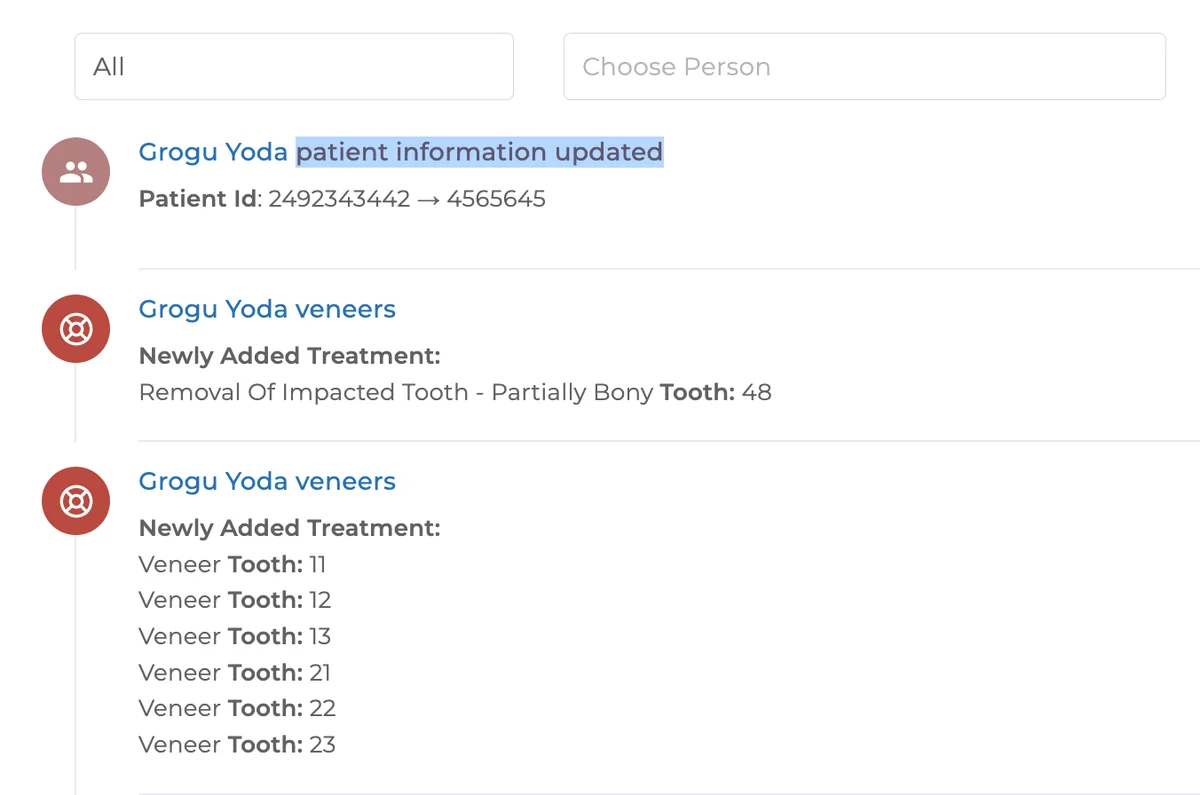
🎉 New Feature: Patient ID Changes in Activity Feed 🔄
When a patient’s ID is changed, this action is now logged in the activity feed for traceability.
🎉 New Feature: Institution Selection in Invoice Tracking 🏢
When issuing an invoice, you can now select an institution.
This information appears on the invoice screen and is also filterable.
👉 While this won’t apply to past invoices, it will greatly improve institution-based invoice tracking moving forward.
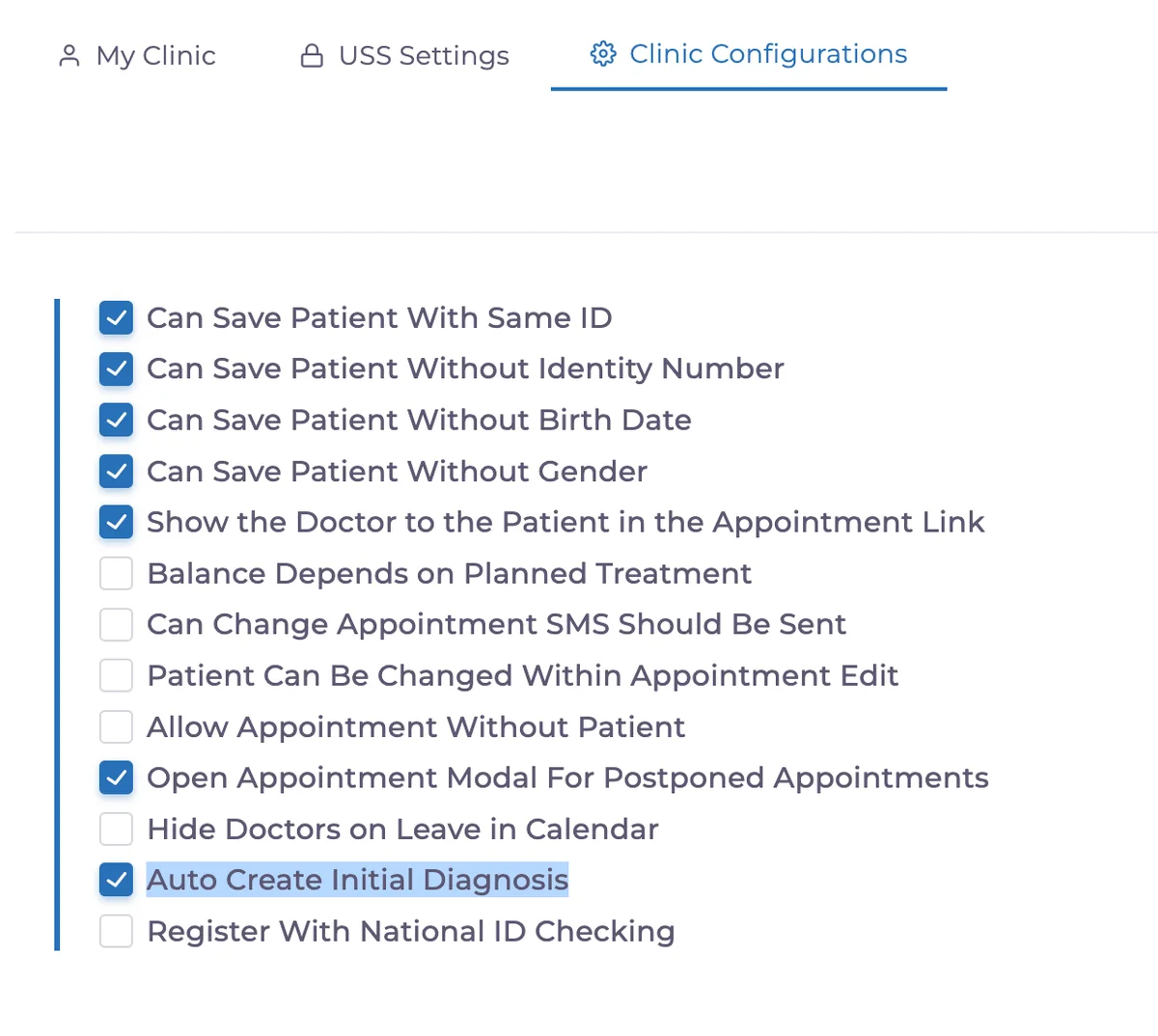
🎉 New Feature: Auto-Diagnosis Setting ⚙️
A “auto-create initial diagnosis” option has been added to clinic configurations.
When disabled, the system will no longer automatically create a diagnosis for every new patient record.
🎉 New Feature: Export Option in New Patient Report 📤
The New Patient Report now includes an export option.
You can download detailed data for any selected date range with a single click.
🔧 Fixes
🛠 Fix: Language Switching in Print Payment Screen
Fixed an issue where the language didn’t change in the payment print screen. Output now displays correctly in the selected language.
🛠 Fix: List Price Editing Permissions Updated
Now, to edit list prices, both “apply discount” and “edit treatment plan” permissions must be granted.
Have feedback on this update?
Tell us what would make this product change more useful for your clinic. We route feedback to the product team and use it to shape upcoming improvements.
Related product updates
More product updates
September 2026
September 2026 Product Updates
September 2026 brings automatic online booking approvals, updated estimates, AI clinical note uploads, cash flow reporting, and new webhooks.
→August 2026
August 2026 Product Updates
August brings AI-assisted treatment translations, expanded data imports, patient profile photos, and practical improvements for everyday clinic work.
→July '26
July 2026 Product Updates
July brings a live patient-flow calendar, fully customizable PDF invoices, and powerful improvements for day-to-day clinic operations.
→