


October'25
View the product updates and changes for October 2025.
We’ve gathered the most important product developments and performance improvements we made in October 2025; here are all the details!
🚀 New Features
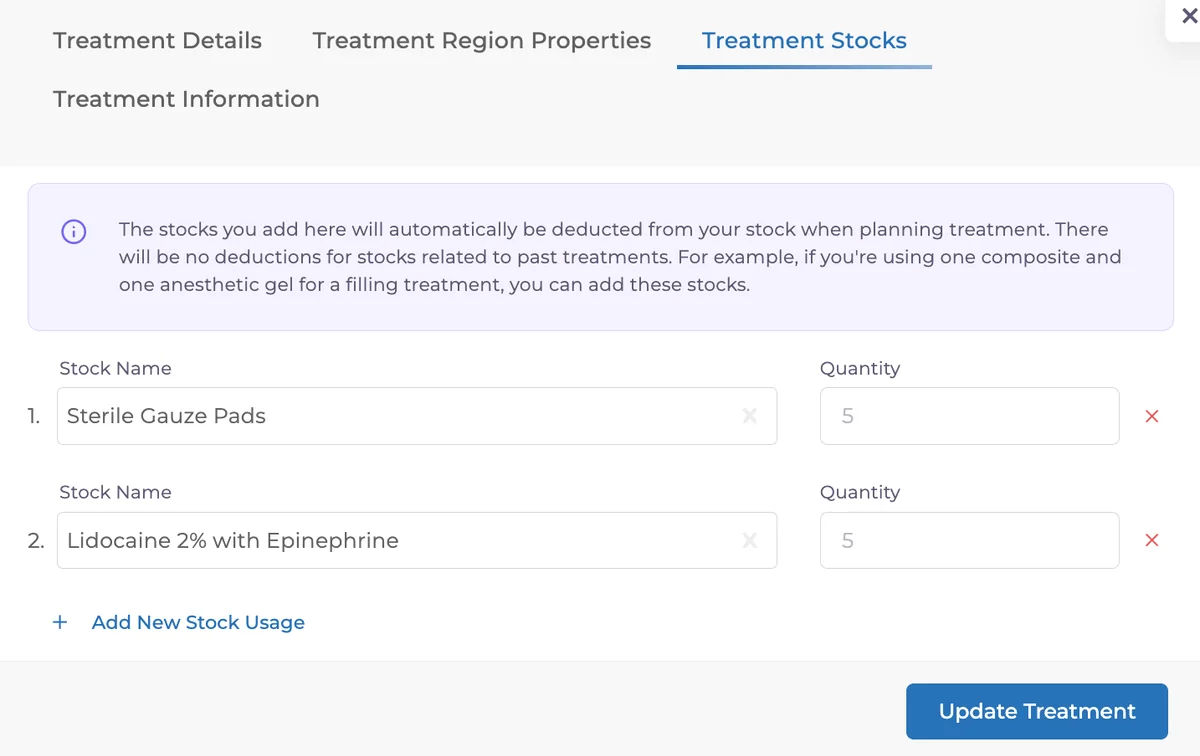
🎉 Stock – Treatment Matching
You can now directly link your stock items to specific treatments!
By matching stock items within both the Treatment Plan and Patient Overview screens, clinics can manage treatment and inventory processes from a single interface.
No more manual tracking of which material was used in which treatment, the system automatically keeps everything up to date.
🎉 Time Rule in Appointment Automations
You can now set appointment reminders to “do not send if X minutes before the appointment.” This prevents unnecessary reminders for last-minute appointments.
For example, if you create an appointment at 14:10 for 14:30 and don’t want the patient to receive a reminder, simply set the time rule to 30 minutes. The system will automatically skip sending that reminder.
With this new parameter available for SMS, Email, and WhatsApp automations, you can better control timing and make patient communication more professional.

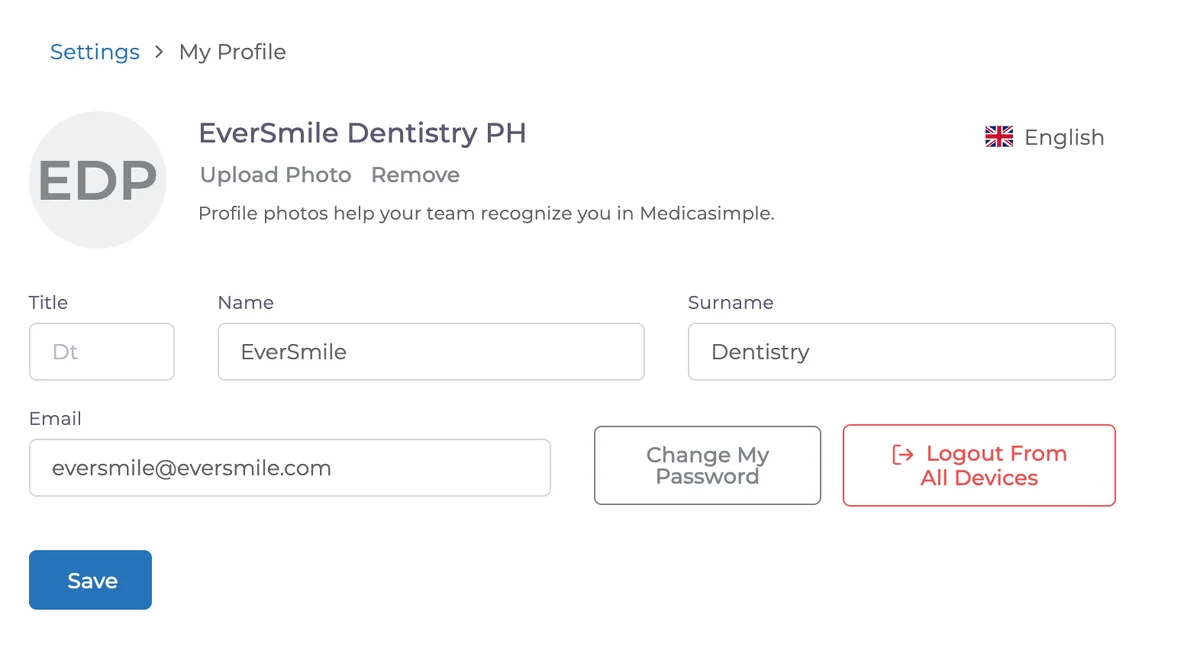
🎉 Log Out of All Devices
You can now log out of all devices with a single click, an ideal control point for data security!
If you’ve logged in from multiple browsers or clinic devices, you can end all sessions instantly and keep your data safe.
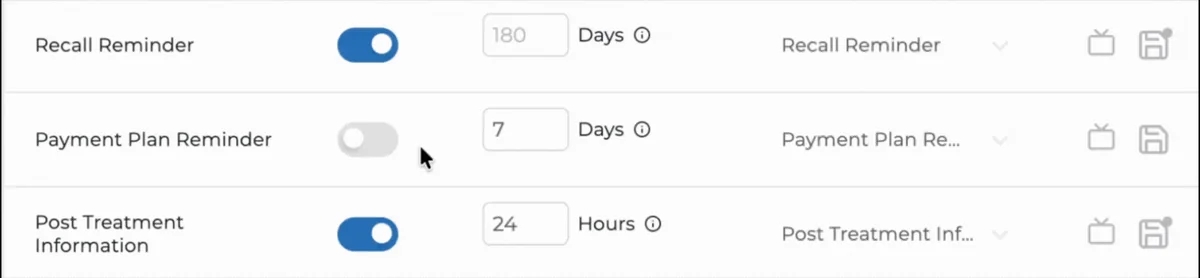
🎉 Payment Plan Reminder Automation
Automatic reminders for installment-based payments are now active!
The system automatically notifies patients before due dates via SMS, Email, or WhatsApp; no more manual follow-up.
For example, if a patient’s installment is due on November 10 and you set “7 days before,” the reminder will be sent on November 3.
This feature ensures timely payments and a healthier cash flow: fewer late payments, smoother collection management. The system sends the reminders, you just handle the payments.
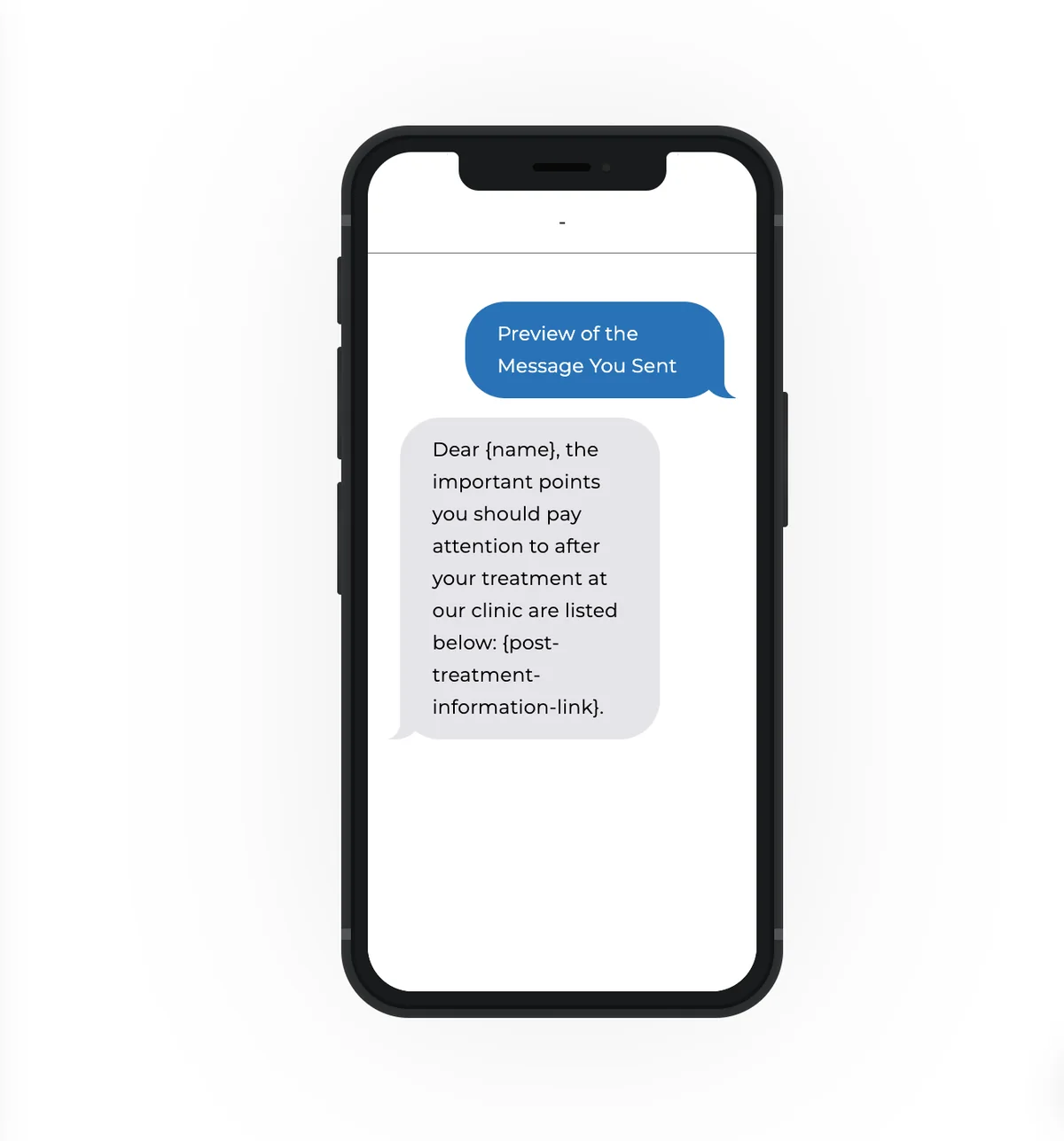
🎉 Post-Treatment Notification SMS
When a treatment is completed, an automatic SMS containing your defined information link is sent to the patient.
From that link, patients can view their new treatment plan or access the detailed page. This makes post-treatment communication fully automated.
Patients can instantly see care instructions on their phones, improving both the recovery process and patient satisfaction.
Each link is treatment-specific, so every patient receives precise guidance for their own case.
✨ Improvements
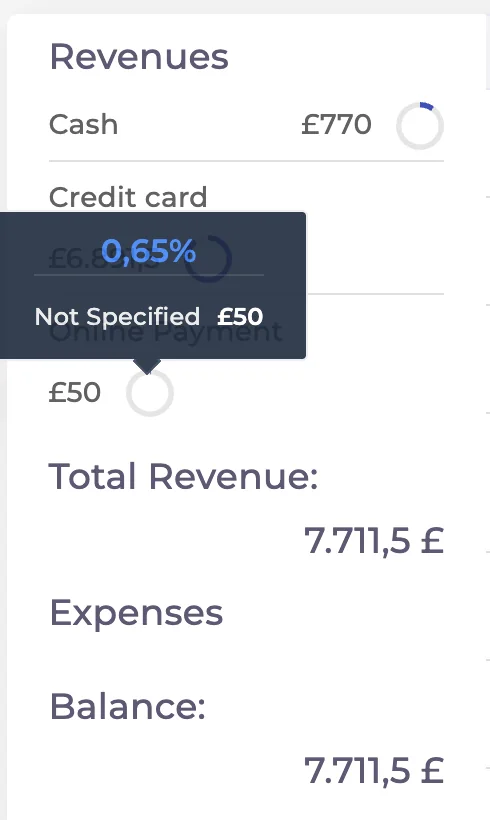
✨ End-of-Day Report
Explanations for income in currencies other than the clinic’s default currency have been revised and optimized. This essential daily report is now clearer and easier to analyze.
✨ Communication Logs Export
You can now export all your SMS, Email, and WhatsApp communication history.
Download them in Excel format for internal analysis, performance tracking, or audits.
Easily see when and how each patient was contacted, all in one file.

✨ Base Chart Automation
The doctor from the patient’s first treatment plan is now automatically assigned to newly created base charts.
This eliminates the need to manually select a doctor each time.
To enable automatic base chart creation when a new patient is added, simply activate the relevant setting in Clinic Configurations.

✨ Performance Boost
The reporting infrastructure has been significantly optimized.
Production, completed treatment, and account reports now load 3–4 times faster.
Access clinic reports instantly and work more efficiently with smoother data flows.
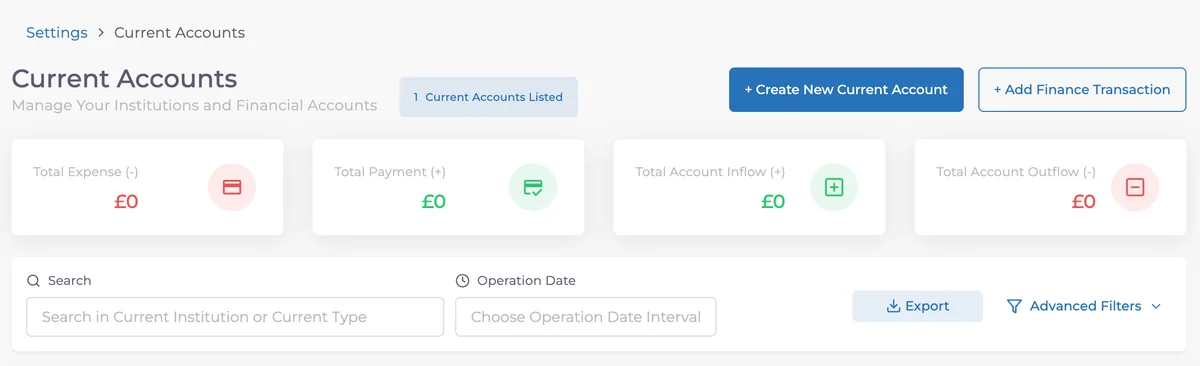
✨ Account Exports
You can now export all account data, including total income, expenses, payments, and account movements as Excel.
Use these exports for quick financial analysis, team reporting, or external systems.
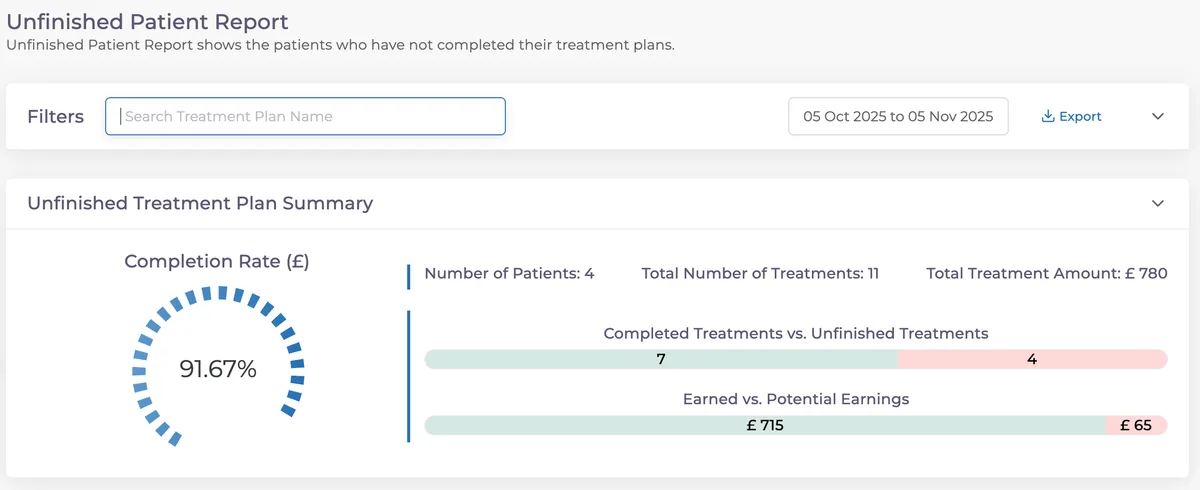
✨ Incomplete Treatment Report
You can now search by treatment plan name, making it easier to filter and review ongoing tratment plans.
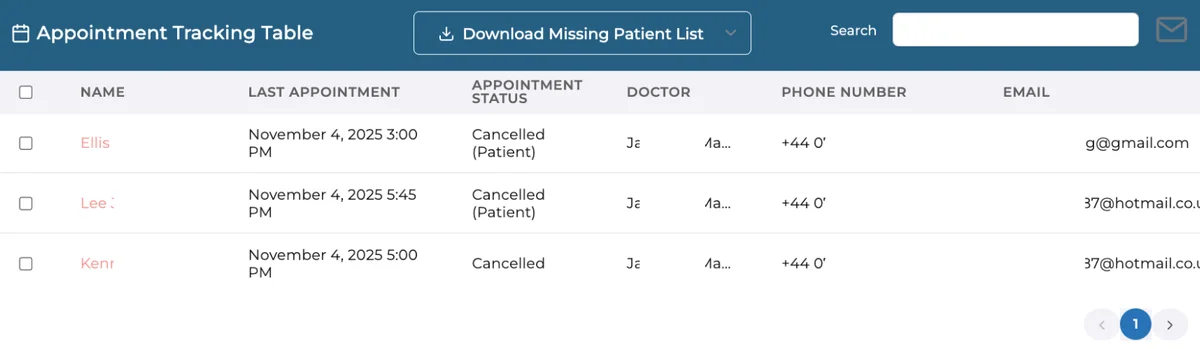
✨ Missing Patient Report
Phone numbers and email addresses are now included in this report and its exports.
This makes it much easier to reconnect with missing patients, plan recall calls or re-engagement campaigns directly from the exported list.
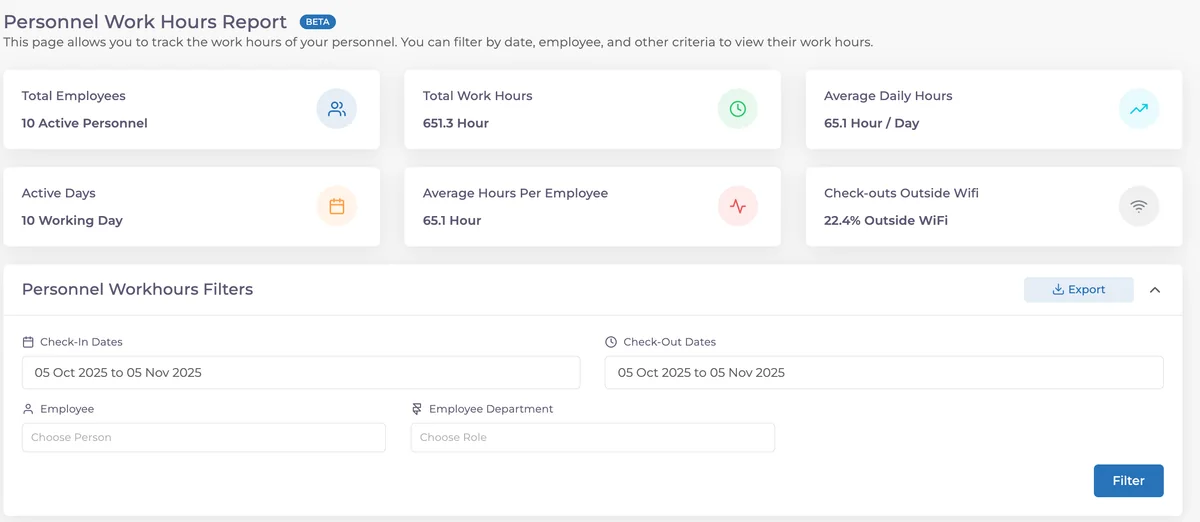
✨ Staff Working Hours
Staff working hours can now be exported from both the Settings and Reports sections.
Each record includes login / logout times, total working hours, device info, and IP address.
Easily monitor attendance, accelerate audit processes, and archive historical data safely.
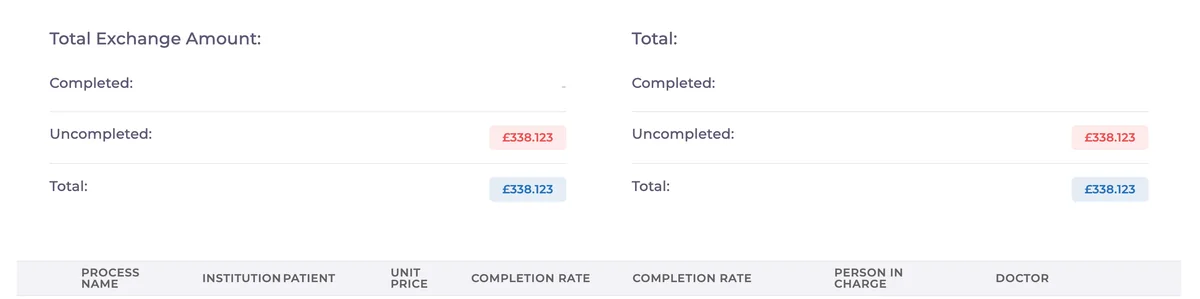
✨ Laboratory
Doctor information is now displayed in laboratory records, helping you quickly identify which doctor is responsible for each case, especially in multi-doctor treatment plans.
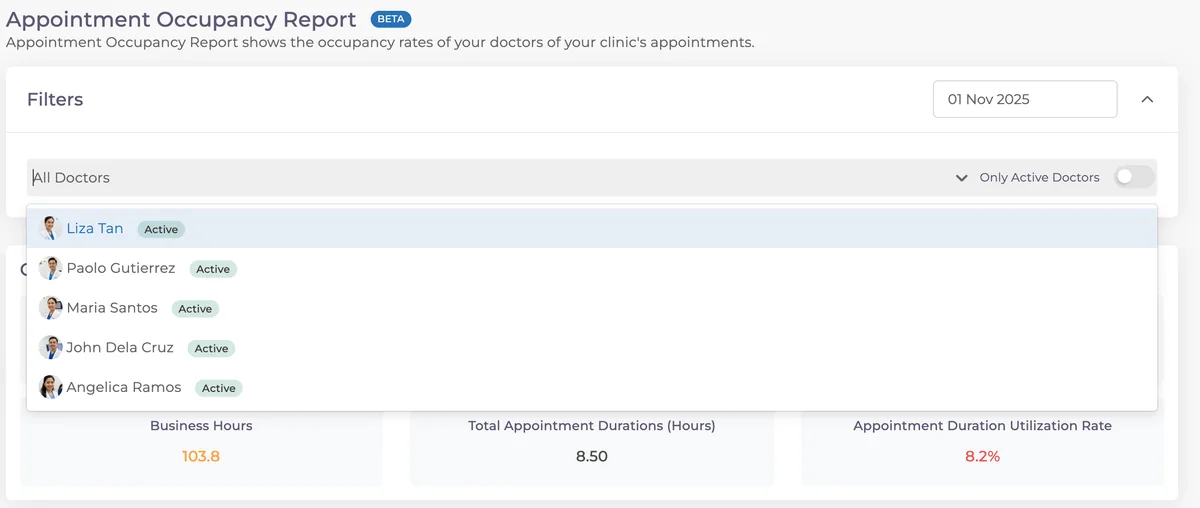
✨ Appointment Occupancy Report
A Doctor Filter has been added!
You can now view appointment occupancy rates both overall and per doctor, ensuring more balanced scheduling and clinic planning.
Final Note
With this update, Medicasimple delivers:
– Stronger performance
– More intuitive data flows
– Smarter control mechanisms
Every line of code was written with the same goal in mind:
Less effort, more efficiency.
We’ll keep making your clinic management faster and smarter. ⚡️
Have feedback on this update?
Tell us what would make this product change more useful for your clinic. We route feedback to the product team and use it to shape upcoming improvements.
Related product updates
More product updates
September 2026
September 2026 Product Updates
September 2026 brings automatic online booking approvals, updated estimates, AI clinical note uploads, cash flow reporting, and new webhooks.
→August 2026
August 2026 Product Updates
August brings AI-assisted treatment translations, expanded data imports, patient profile photos, and practical improvements for everyday clinic work.
→July '26
July 2026 Product Updates
July brings a live patient-flow calendar, fully customizable PDF invoices, and powerful improvements for day-to-day clinic operations.
→