


September'25
View the product updates and changes for September 2025.
We’ve rounded up the most important product improvements and performance enhancements we’ve made throughout September, all for you!
This month, we’ve added several powerful new features and practical refinements to Medicasimple.
Our goal is to make the screens clinic managers, dentists, and teams use every day smoother, more intuitive, and more reliable.
🎉 New Features
🎉 Filter Treatment Plans by Type
In the patient detail screen, you can now view multiple active treatment plans simultaneously and cross-filter them by different categories to find the exact plan structure you need.
Locate any treatment plan in seconds and keep your treatment process more organized than ever.
You can now access both active and past plans instantly and manage all treatment processes from a single screen.
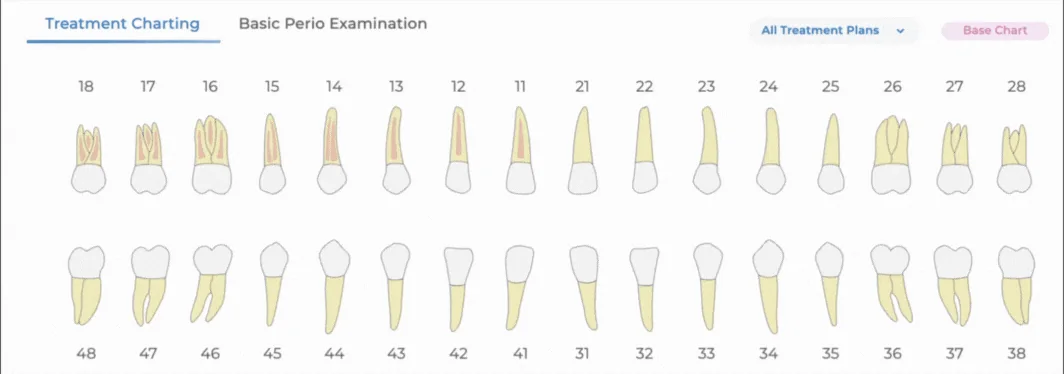
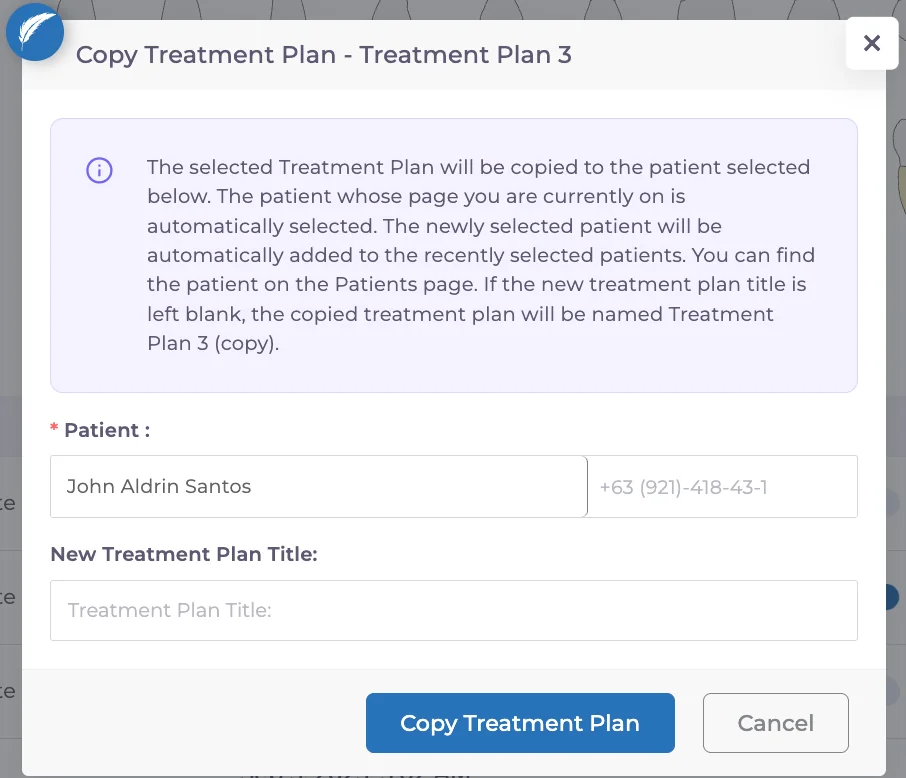
🎉 Save Time by Copying Treatment Plans
You can now duplicate a patient’s treatment plan with a single click — either from the detail screen or the general list.
You can also give each copied plan a unique name, allowing you to recreate similar treatment plans in seconds instead of minutes.
Save time and eliminate repetitive steps in your planning process.

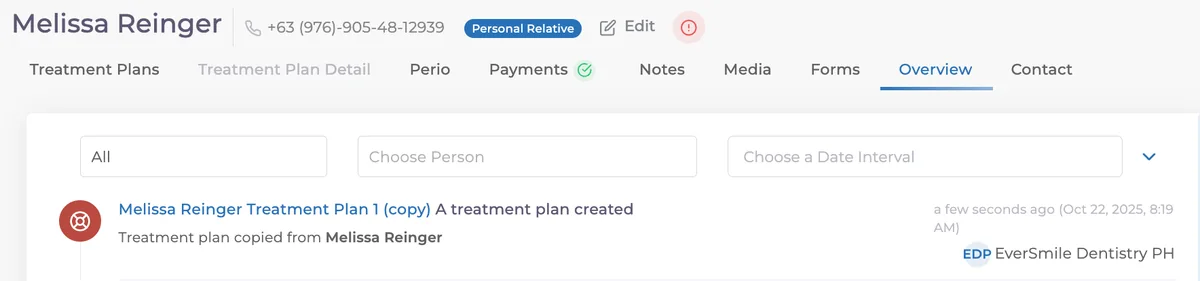
Patient Information in Copied Plans
When a treatment plan is copied, the patient to whom the plan belongs is now automatically displayed on the “Overview” screen.
This ensures every action is recorded and easier to track.
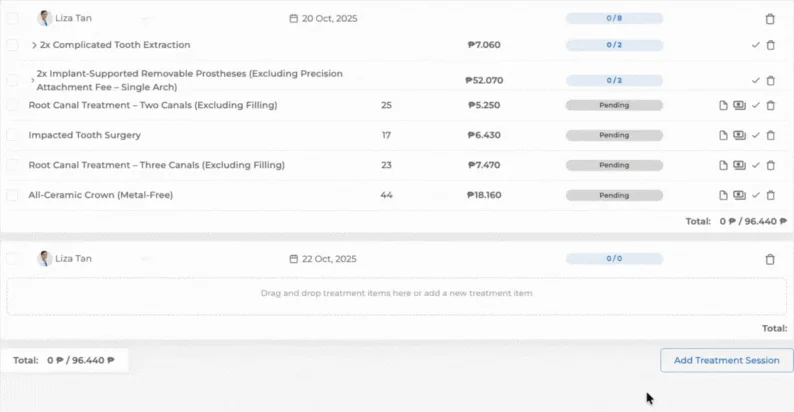
🎉 Drag and Drop Treatments Between Sessions
Move treatments or treatment groups between sessions simply by dragging and dropping them.
Stay in your flow without getting lost in long lists; you’ll instantly feel the difference in speed.
🎉 Enhanced New Patient Acceptance Report
The New Patient Acceptance Report on the Overview screen now includes improved filters and a redesigned pagination structure.
If you want to review whether a patient started treatment after their initial consultation, you can do so right from this report.
You can compare different time periods, customize the report to your needs, and gain key insights about new patients.
Analyze which periods brought in more patients and how your clinic’s activity levels evolved with precision.
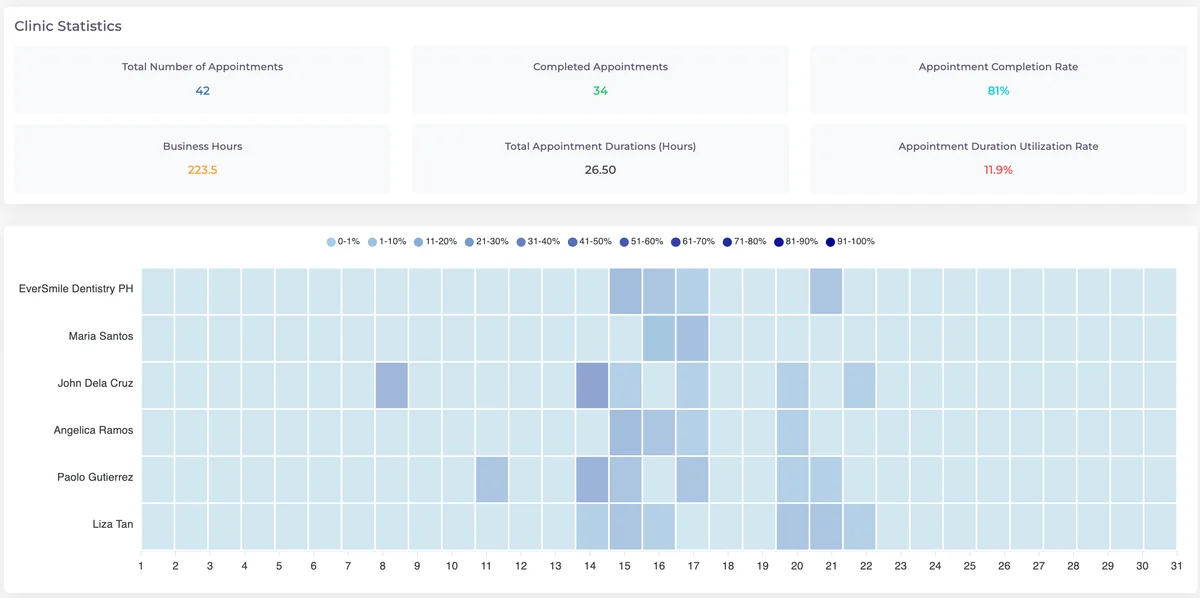
🎉 Appointment Occupancy Statistics by Clinic
The Appointment Occupancy Report now includes clinic-based statistics, enabling real-time capacity management at your fingertips.
You can closely monitor your clinic’s performance and optimize capacity planning based on accurate, real data.
✨ Improvements
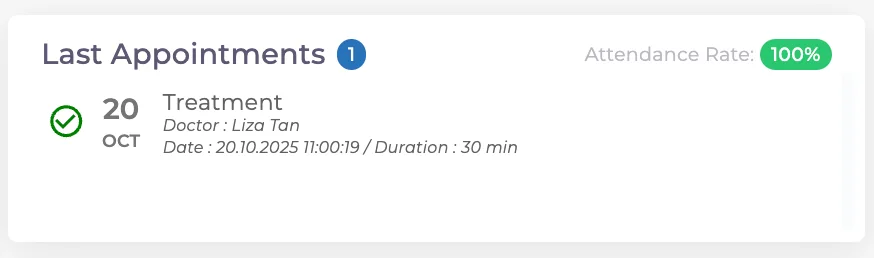
✨ Appointment Attendance Rate Now Visible
You can now view each patient’s appointment attendance rate on their profile.
See at a glance which patients attend regularly and who tends to miss their appointments.
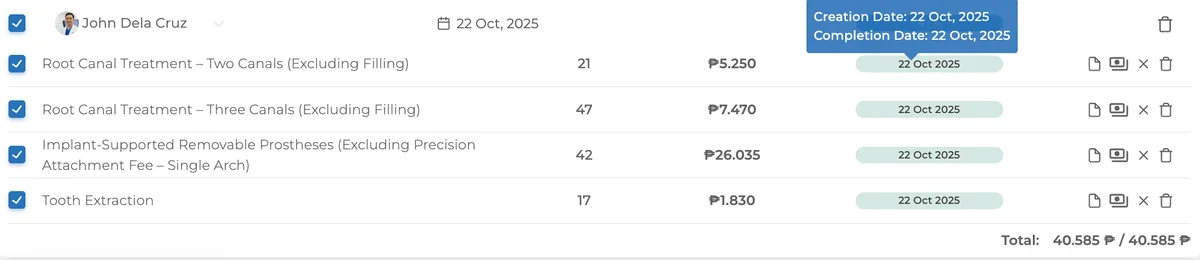
✨ Dates Displayed in Treatment Plans
For completed treatments, the completion date is clearly shown; for planned ones, the creation date is visible.
The treatment timeline is now transparent at a glance.
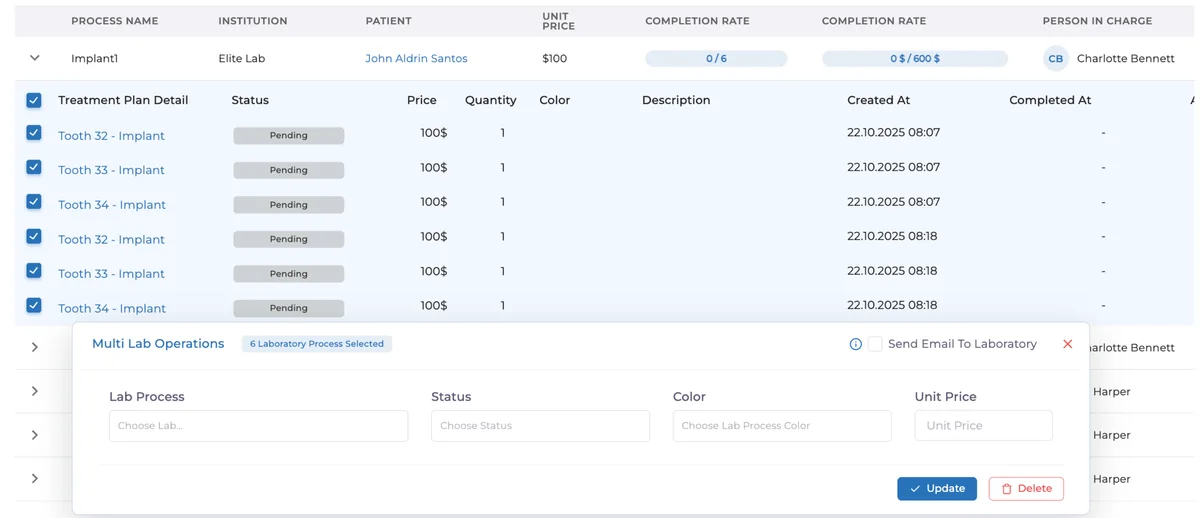
✨ Bulk Updates in Laboratory Processes
You can now update multiple items at once in the Laboratory module.
This saves time during busy workflows and reduces operational errors.
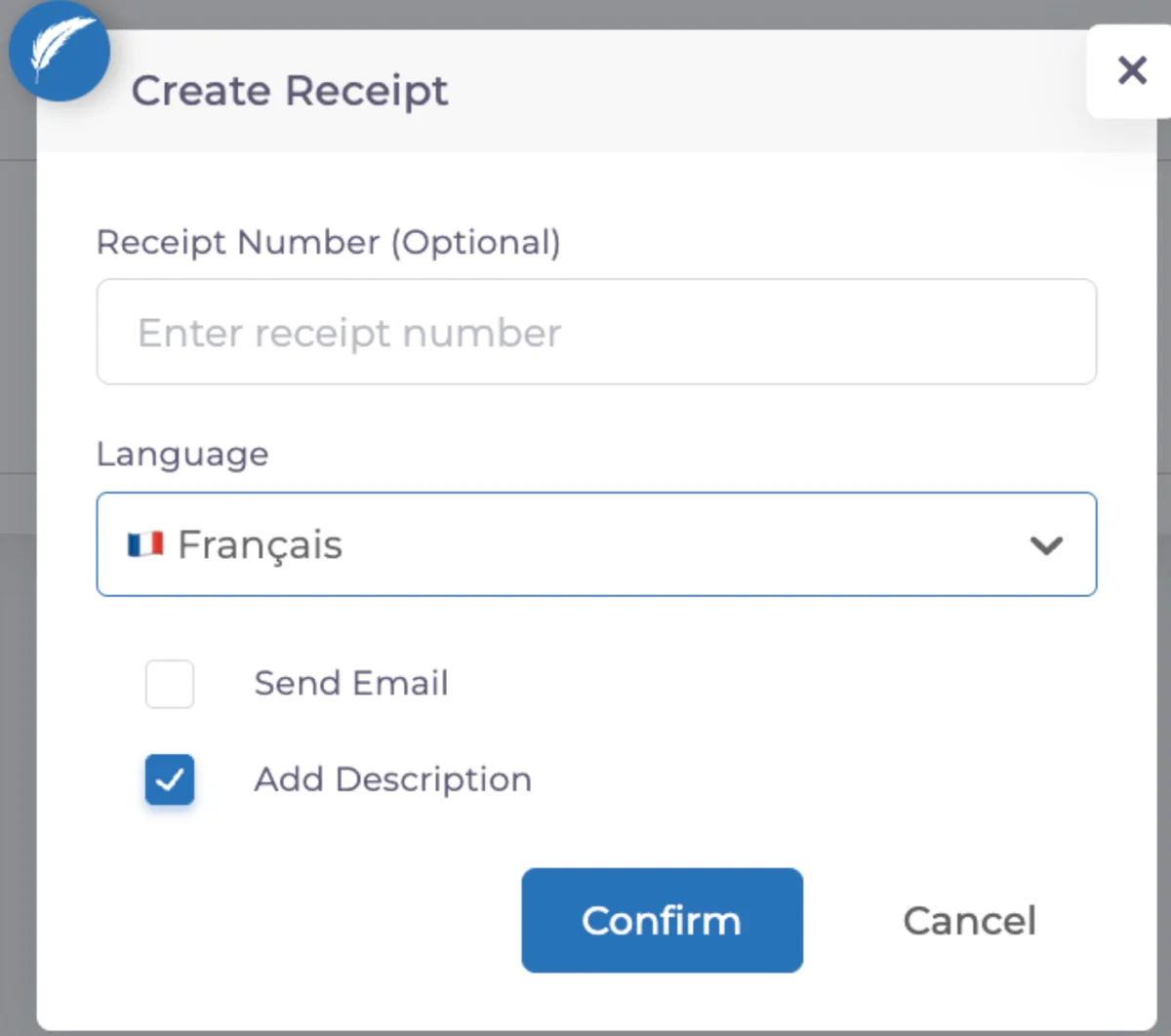
✨ French Support and Visual Refinements in Receipts
French language support has been added to receipts, and minor display issues have been fixed to offer a smoother user experience.
You can also choose to show or hide the description field as needed.
Documents now look more professional for international clinics.
✨ Daily Monitoring Report
Exported daily monitoring reports now include the name of the person who wrote each note, improving transparency and team communication.
✨ Last Appointment Information in Treatment Plan Exports
Exported treatment plans now include the patient’s most recent appointment date within each treatment item — making treatment analysis even more comprehensive.
✨ Currency Handling in Invoices
Invoices issued in foreign currencies will now always use the previous day’s exchange rate as the baseline, ensuring consistent and accurate reporting.
🛠️ Fixes
🛠️ Tooth Numbers in Perio Chart
Tooth numbers are now displayed more clearly within Perio Chart boxes, making it easier to read charts and analyze patient status.
🛠️ Authorization Updates in Appointment Reports
The Appointment Occupancy and Efficiency Analysis reports are now tied to the “Can View Efficiency Reports” permission.
This strengthens data security and access control.
🛠️ Authorization for Work Time Tracking Report
The Work Time Tracking Report now functions under the “Staff Time Tracking” permission, ensuring controlled access.
💙 Final Note
With this update, Medicasimple delivers:
– More intuitive treatment planning
– Clearer and more powerful reporting
– Stronger data management
Focus solely on your patients; we’ll handle the clinic management.
With every small improvement, we’re creating big conveniences.
At Medicasimple, we remain committed to simplifying clinic management and helping you save more time, every single month.
Have feedback on this update?
Tell us what would make this product change more useful for your clinic. We route feedback to the product team and use it to shape upcoming improvements.
Related product updates
More product updates
September 2026
September 2026 Product Updates
September 2026 brings automatic online booking approvals, updated estimates, AI clinical note uploads, cash flow reporting, and new webhooks.
→August 2026
August 2026 Product Updates
August brings AI-assisted treatment translations, expanded data imports, patient profile photos, and practical improvements for everyday clinic work.
→July '26
July 2026 Product Updates
July brings a live patient-flow calendar, fully customizable PDF invoices, and powerful improvements for day-to-day clinic operations.
→