


Add Refund
It may sometimes be necessary to enter a refund to reconcile payment amounts. Refunds can be processed if a patient decides to cancel their treatment or if an excess…
Updated
It may sometimes be necessary to enter a refund to reconcile payment amounts. Refunds can be processed if a patient decides to cancel their treatment or if an excess payment was made in the past.
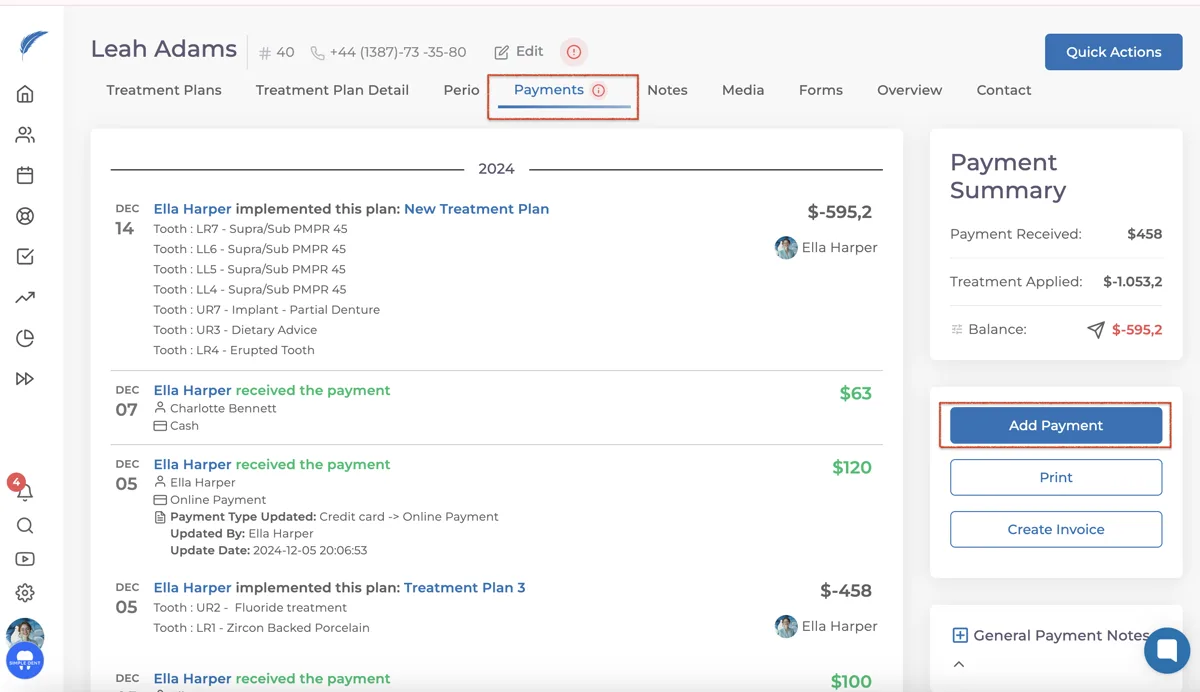
To issue a refund, you need to click the "Add Payment" button in the patient's profile. In the window that opens, select "Refund" at the bottom of the Payment Types.
Then, after entering the doctor, refund amount, and description related to the refund, complete the process by clicking the "Add" button.

When the process is complete, it will appear as shown below in the Payments section of the patient's wall.

Keep going