


Printing Payment History
The ability to view a patient's payment history is a feature that can be useful for improving patient relationships and assisting them when needed.
Updated
The ability to view a patient's payment history is a feature that can be useful for improving patient relationships and assisting them when needed. To access the payment history, first navigate to the patient's profile, and then go to the payments section.
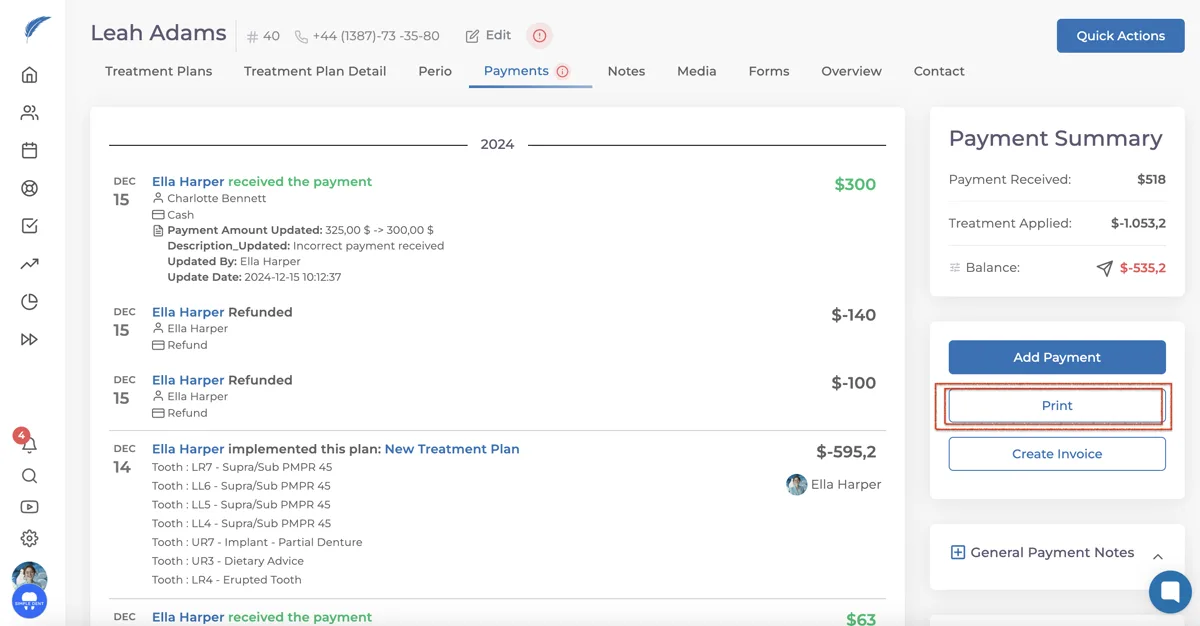
On the right side of the screen, you can print all the transactions the patient has made in the past using the "Print" button.
Note: If amounts or transactions are not fully visible on the screen, margins should be adjusted in the advanced settings of the print screen. Ensure that the option for displaying all content is selected.
Keep going