From dental to physio, dietetics to aesthetics. One platform, every specialty. Built for clinics that want less admin and more time with patients.
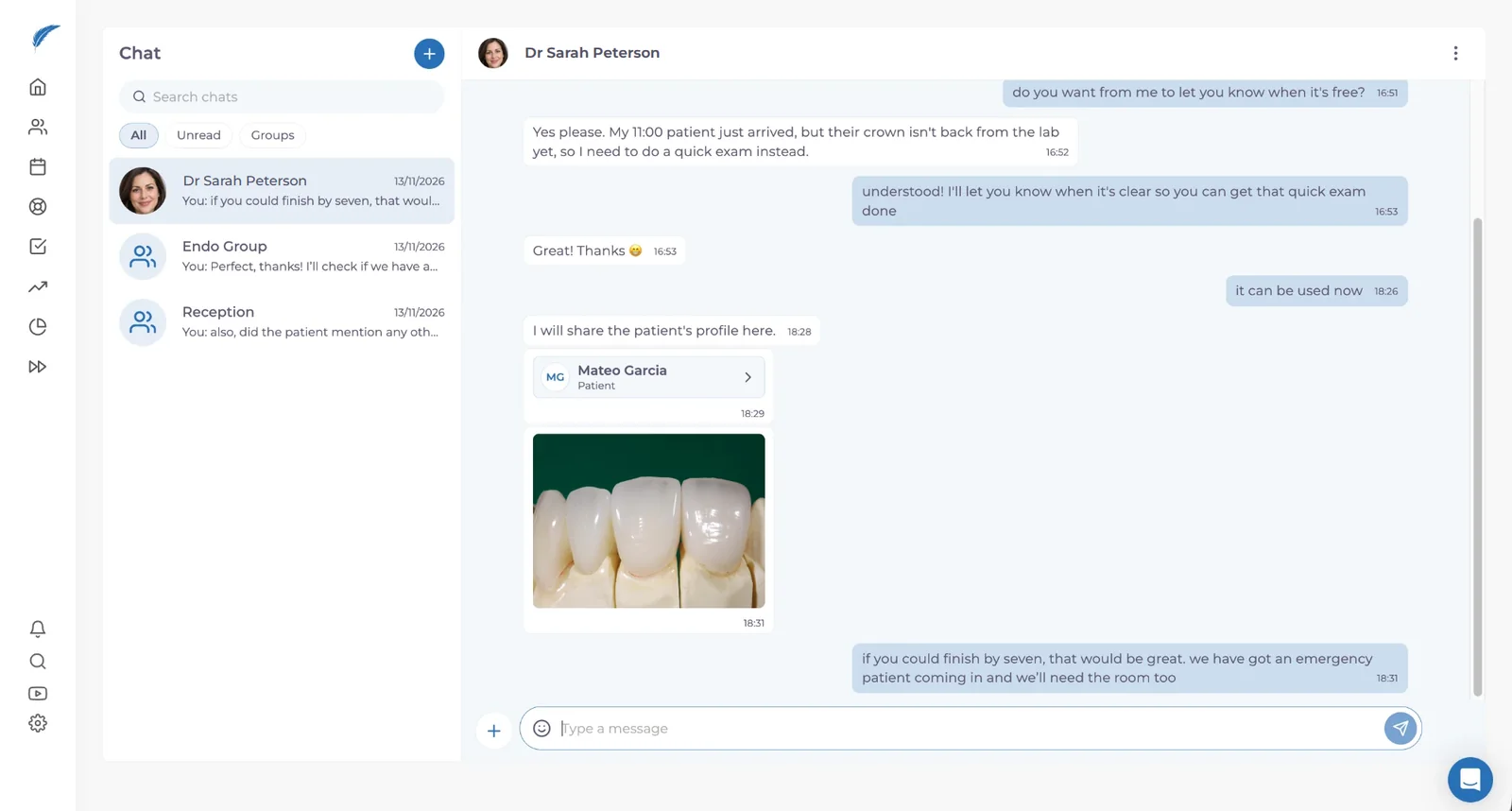
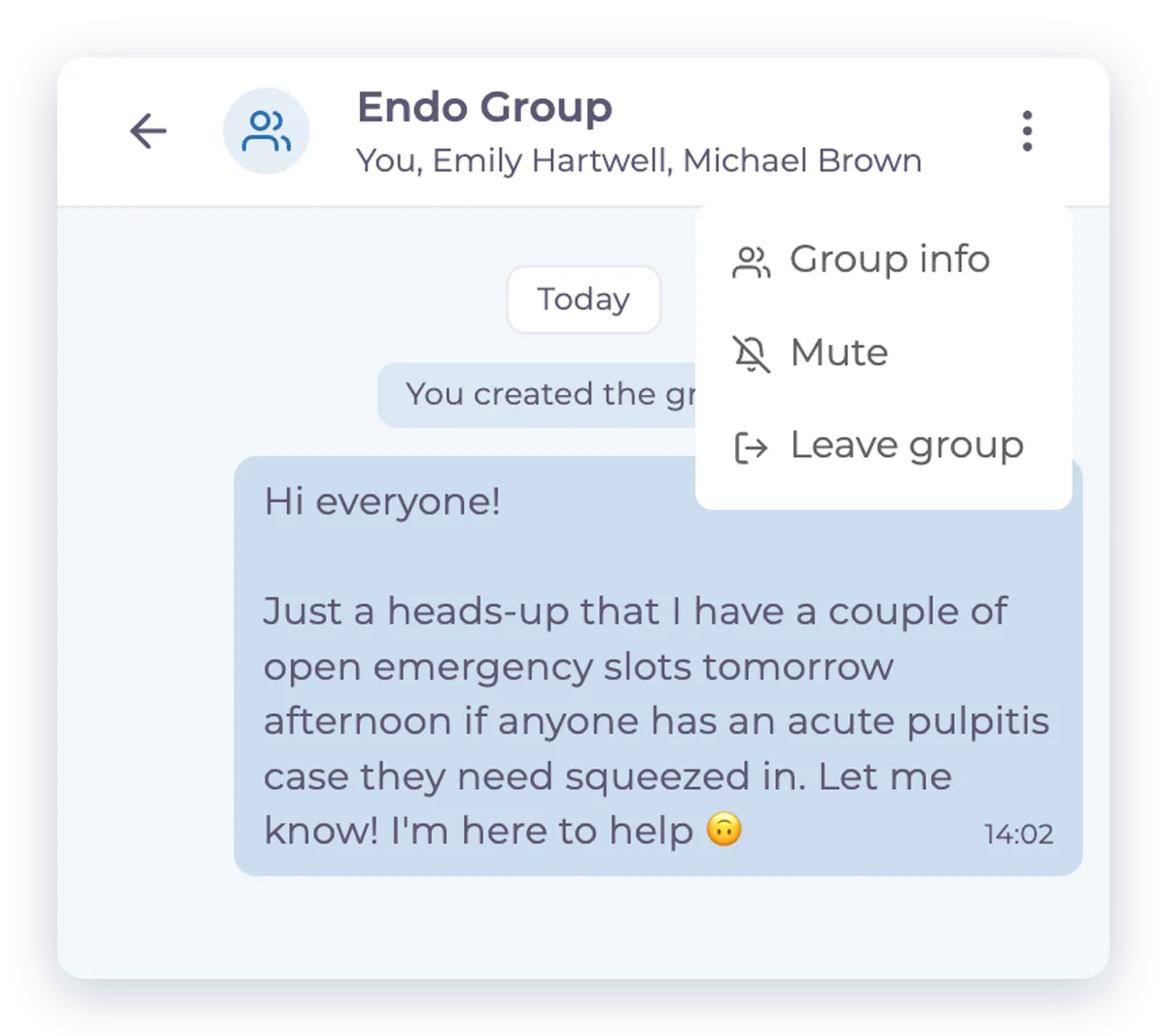
Message a colleague directly, or create a group for the people who work together, such as Reception or the endo team. Search your chats or filter by All, Unread or Groups, and edit or delete your own messages. The group menu opens Group info and lets you mute a busy group or leave it.
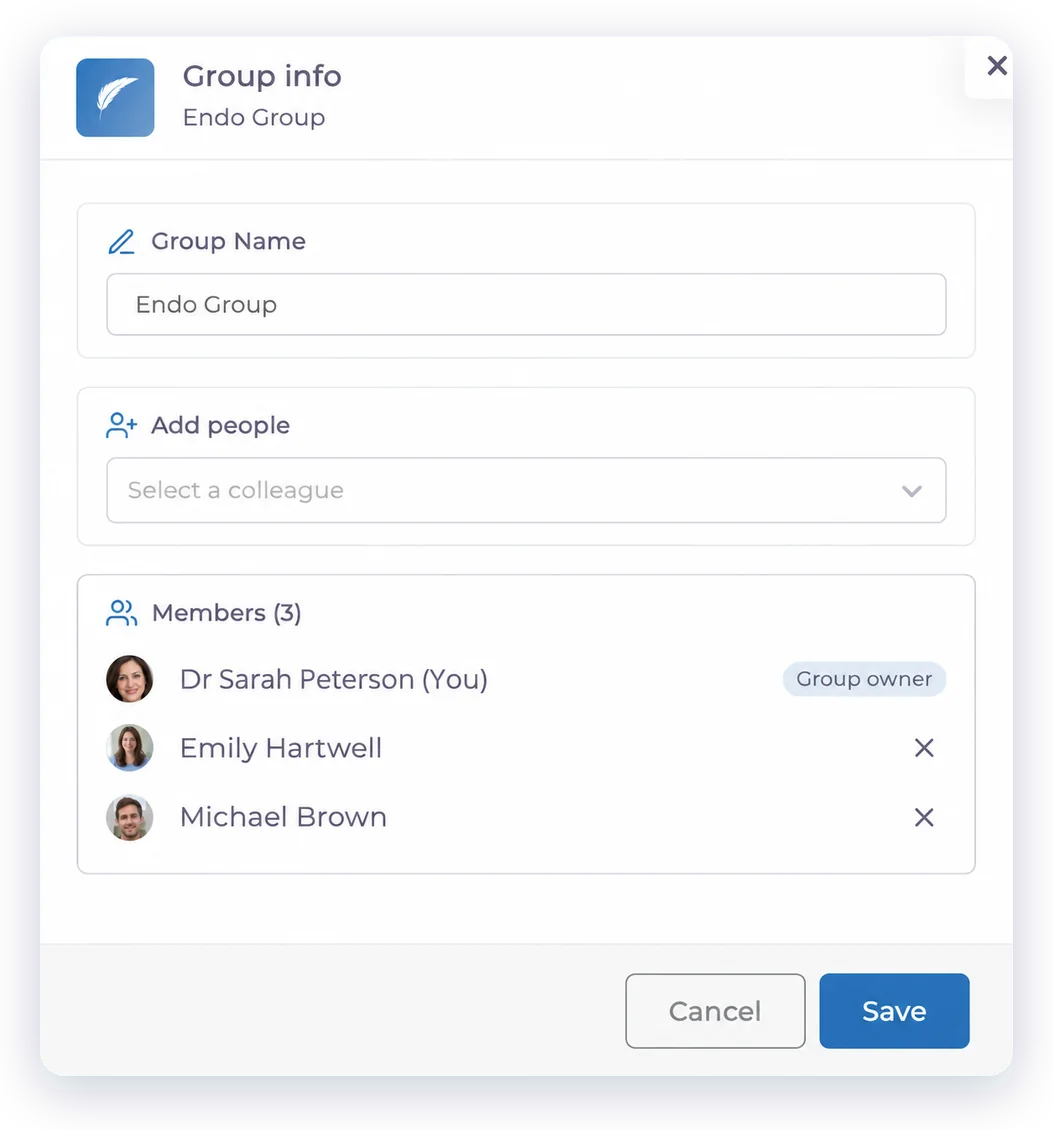
Group info shows the group's name and its members, with the group owner marked. Add colleagues from the same window, remove members who no longer need the conversation and save.
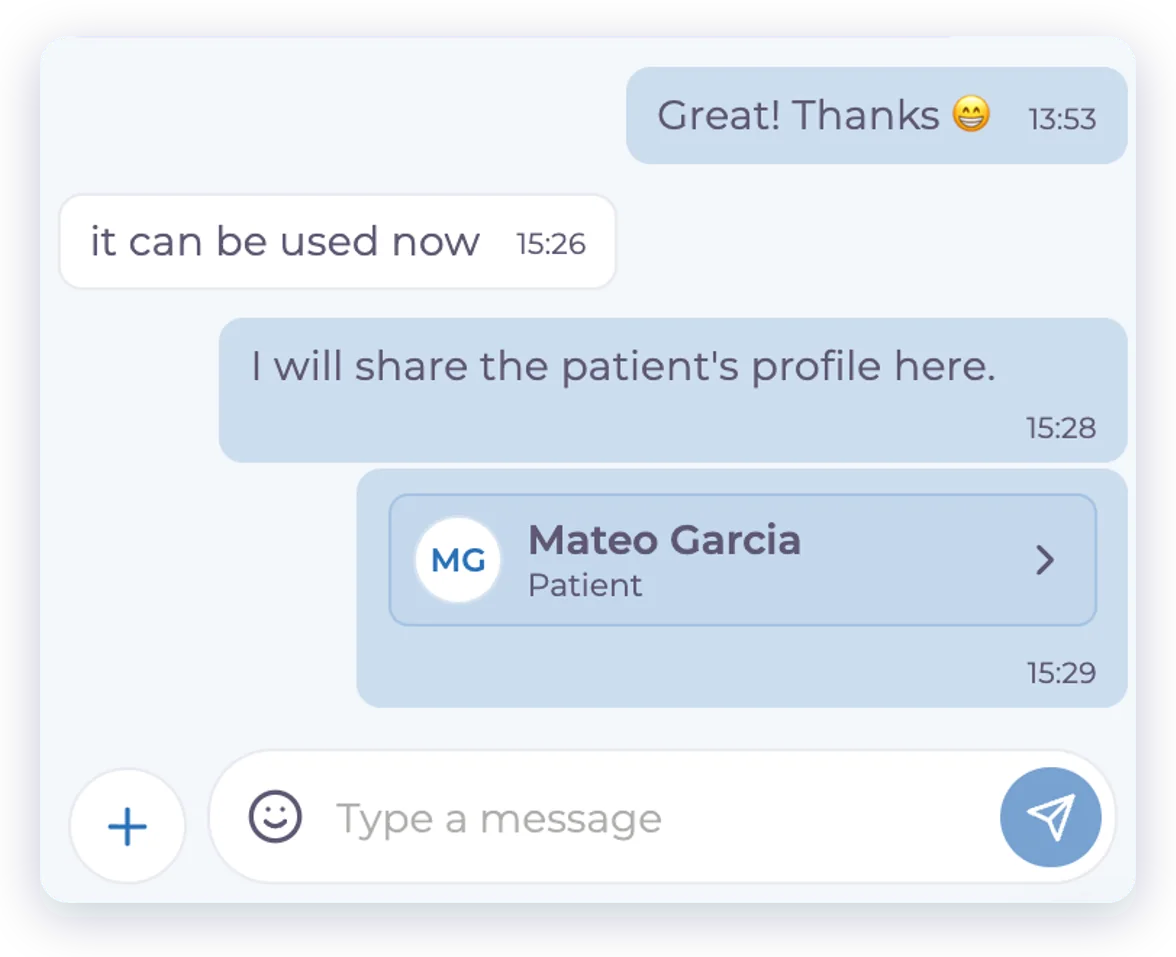
See who can use Team ChatShare a patient's profile in the conversation and it appears as a patient card in the chat, so there is no doubt which patient you mean. Keep messages professional and share only what your colleague needs to know.
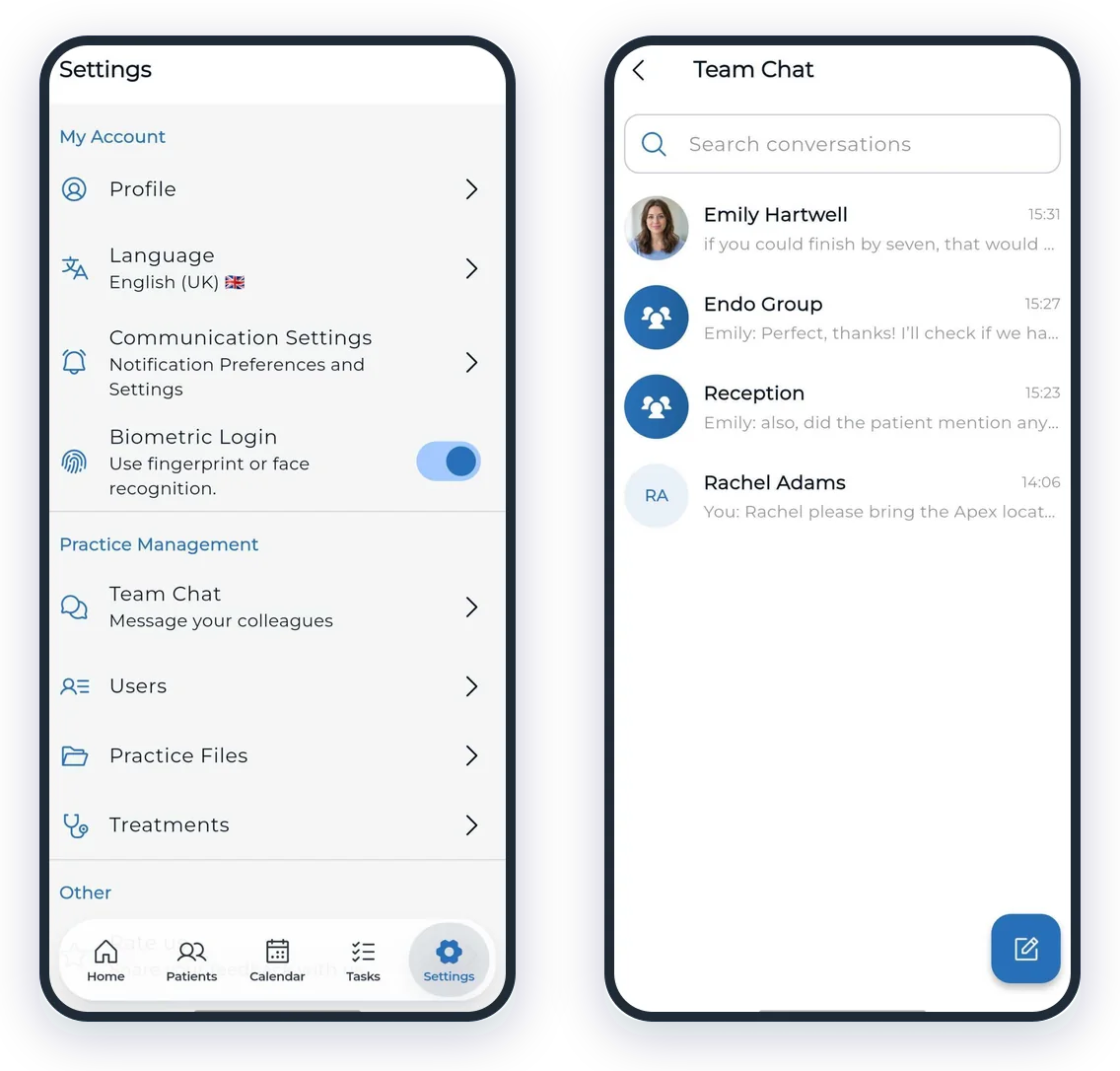
Team Chat is in the Medicasimple app for iPhone and Android. Open Settings, then Team Chat under Practice Management, and your conversations are there. New messages arrive as notifications on your phone.
In a demo we open Chat, start a group, share a patient's profile and pick up the same conversation in the phone app.
Direct messages and team groups
Unread counts and filters
Patient profiles and photos in the chat
Notifications on iPhone and Android
Frequently asked questions
Quick answers about Team Chat, groups, patient profiles and the phone app.
On a computer, select the speech-bubble Chat button. In the phone app, open Settings, then Team Chat under Practice Management.
A red badge on the Chat button shows how many messages are unread, and each conversation shows its own count. In the phone app, new messages arrive as notifications.
Yes. You can edit or delete your own messages.
Frequently asked questions
Yes. Create a group for any team, such as Reception, and add the colleagues who need it. Group info lets you change the name and the members later.
Yes. Open the group's three-dot menu and choose Mute or Leave group.
Yes. Share the patient's profile and it appears as a patient card in the conversation, and you can send photos in the chat too. Share only what your colleague needs to know and follow your practice's privacy policy.
Frequently asked questions
Two user permissions decide it. Can See Team Chat lets a user read conversations. Can Send Team Chat Messages lets them write, start direct chats and groups, and edit or delete their own messages.
Yes. It is in the Medicasimple app for iPhone and Android, under Settings and then Team Chat. New messages arrive as notifications.
Update the Medicasimple app from the App Store or Google Play. If Team Chat is still missing, contact our support team and they will switch it on for your practice.
Book a demo to see Team Chat on the desktop and in the phone app, with groups and a shared patient profile.