


Settings and user managementClinic profile and preferences1 min read
Profile Settings
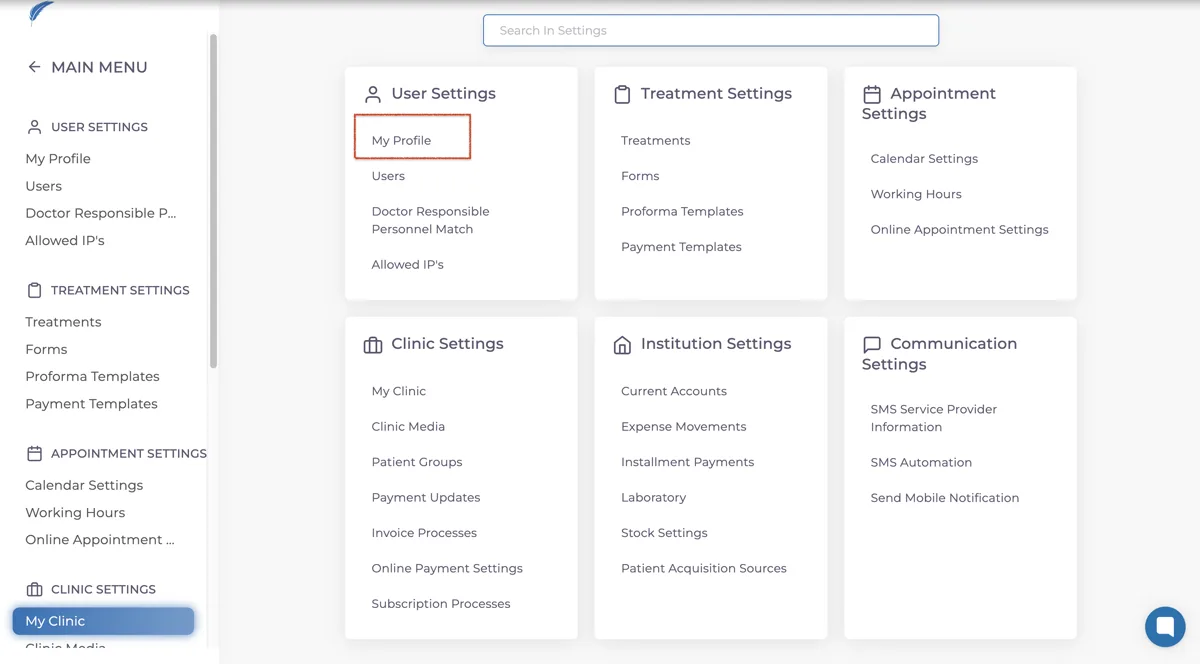
To change your profile settings, first go to the "My Profile" section under the "User Settings" tab in the Settings menu.
Updated
To change your profile settings, first go to the "My Profile" section under the "User Settings" tab in the Settings menu.
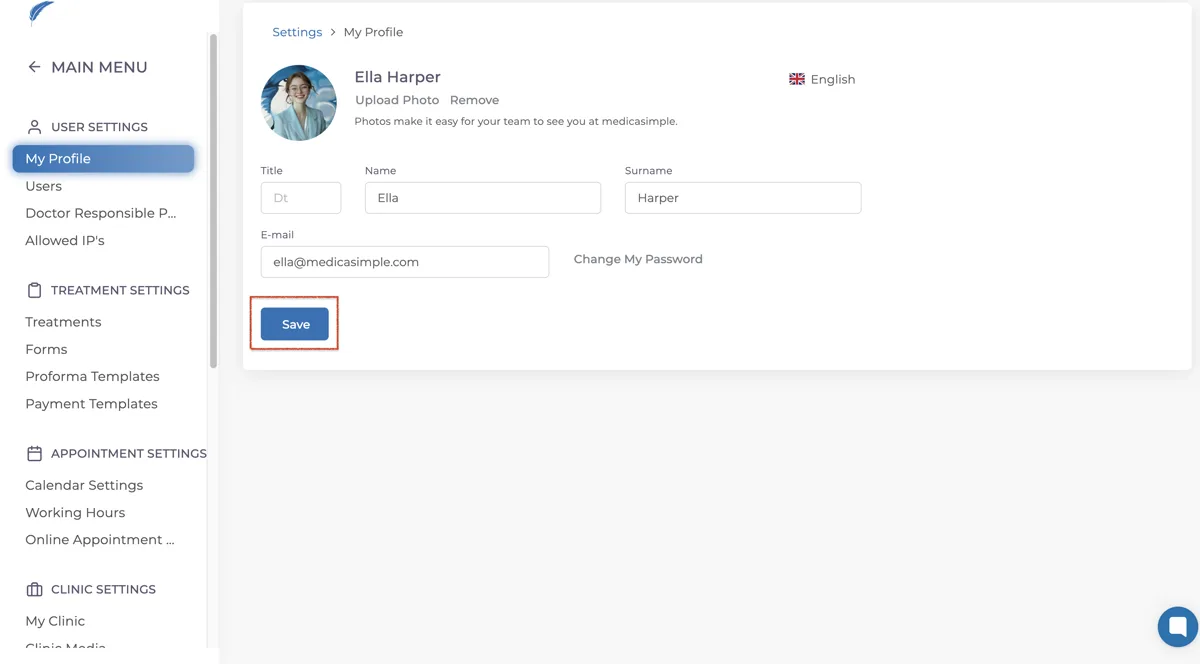
On the "My Profile" page, you can update your:
Title
First Name
Last Name
To update your profile picture, click the "Upload Photo" button below your username to add a profile picture. If you want to remove the profile picture, simply click the "Remove" button below your username.
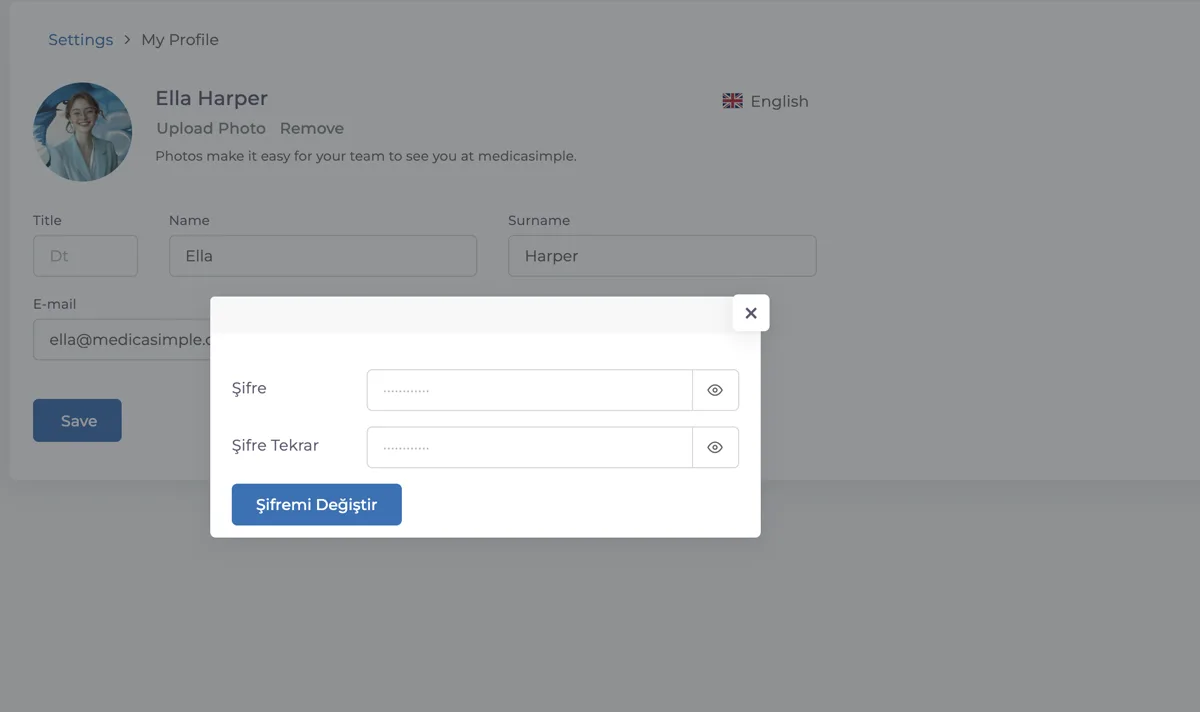
To update your password, click the "Change My Password" button and use the page that opens to update your password.
Keep going