


Completed Tasks
To list completed tasks across the clinic, use the "Completed Tasks" tab in the tasks screen.
Updated
To list completed tasks across the clinic, use the "Completed Tasks" tab in the tasks screen. In this view, completed tasks are listed sequentially. The layout is divided into columns including task name, assigned person, due date, relevant patient, and relevant department.
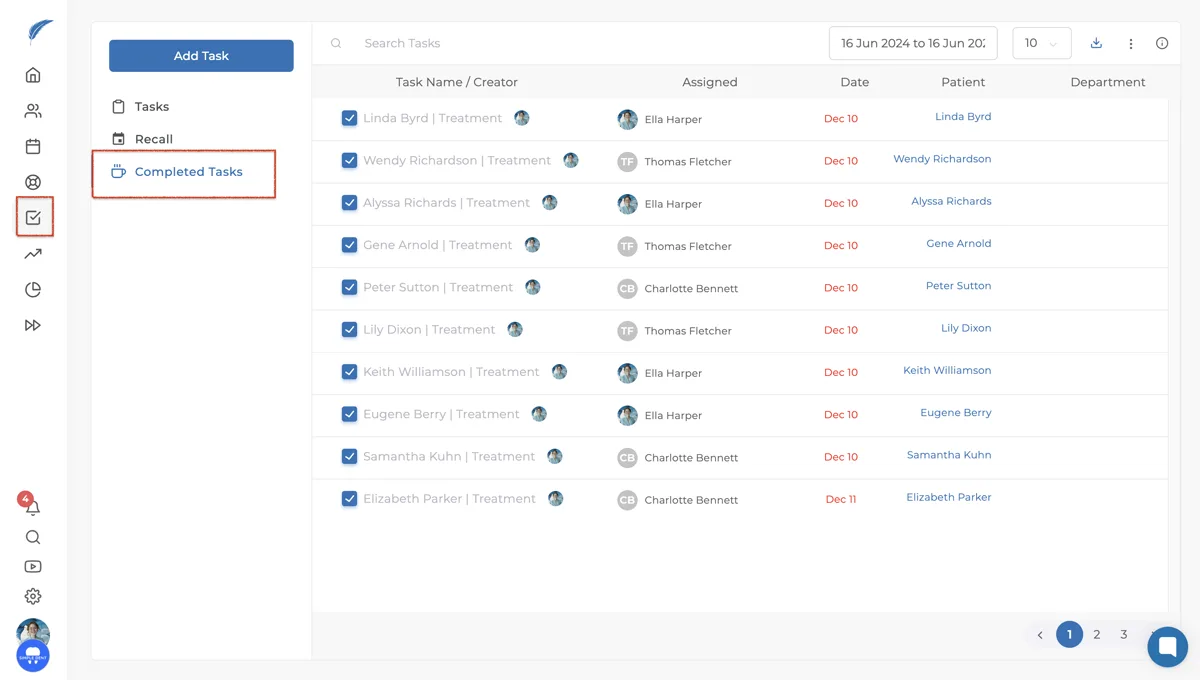
Tasks can sometimes be accidentally marked as completed. In this case, you need to find the task among the completed tasks and click on the checkmark icon in the checkbox on the left side. After clicking, the task will be moved from the completed tasks section to the tasks section. Here, it will be listed among the other tasks waiting to be completed.
If you are unable to find the results regarding completed tasks, you can contact our team via the chat button in the bottom right corner of the screen and provide more details about your issue.
Keep going