




November 2026 Product Updates
November 2026 brings in-clinic team chat, family linking, a photo and X-ray gallery in treatment plans, and a rebuilt patient search.
In November, we released in-clinic team chat so your team can message each other inside Medicasimple, family linking for patients at the same clinic, and a photo and X-ray gallery in treatment plans. We also gave the calendar a richer planner view, rebuilt patient search, and made many improvements to payments, notes and reports.
🚀 New Features
🎉 In-Clinic Team Chat
Your team can now message each other inside Medicasimple. Start a one-to-one conversation or a group, and chat from a computer or from the Android and iPhone apps.
On a computer, chat opens from just left of the live support button. On a phone, you’ll find it in the app’s Settings. If you can’t see it on your phone, update the Medicasimple app from the App Store or Google Play.
If team chat isn’t switched on for your clinic yet, our support team can turn it on for you.
To see how team chat works on a computer and on a phone, explore Team Chat →
🎉 Family Linking
You can now link patients at the same clinic as a family. A patient can belong to one family and can be removed from it at any time.
The patient edit window has a new Family tab. Search for a patient at the same clinic and select them to link this patient to their family. Family members are listed with their age and balance, and the family’s total balance appears at the bottom.
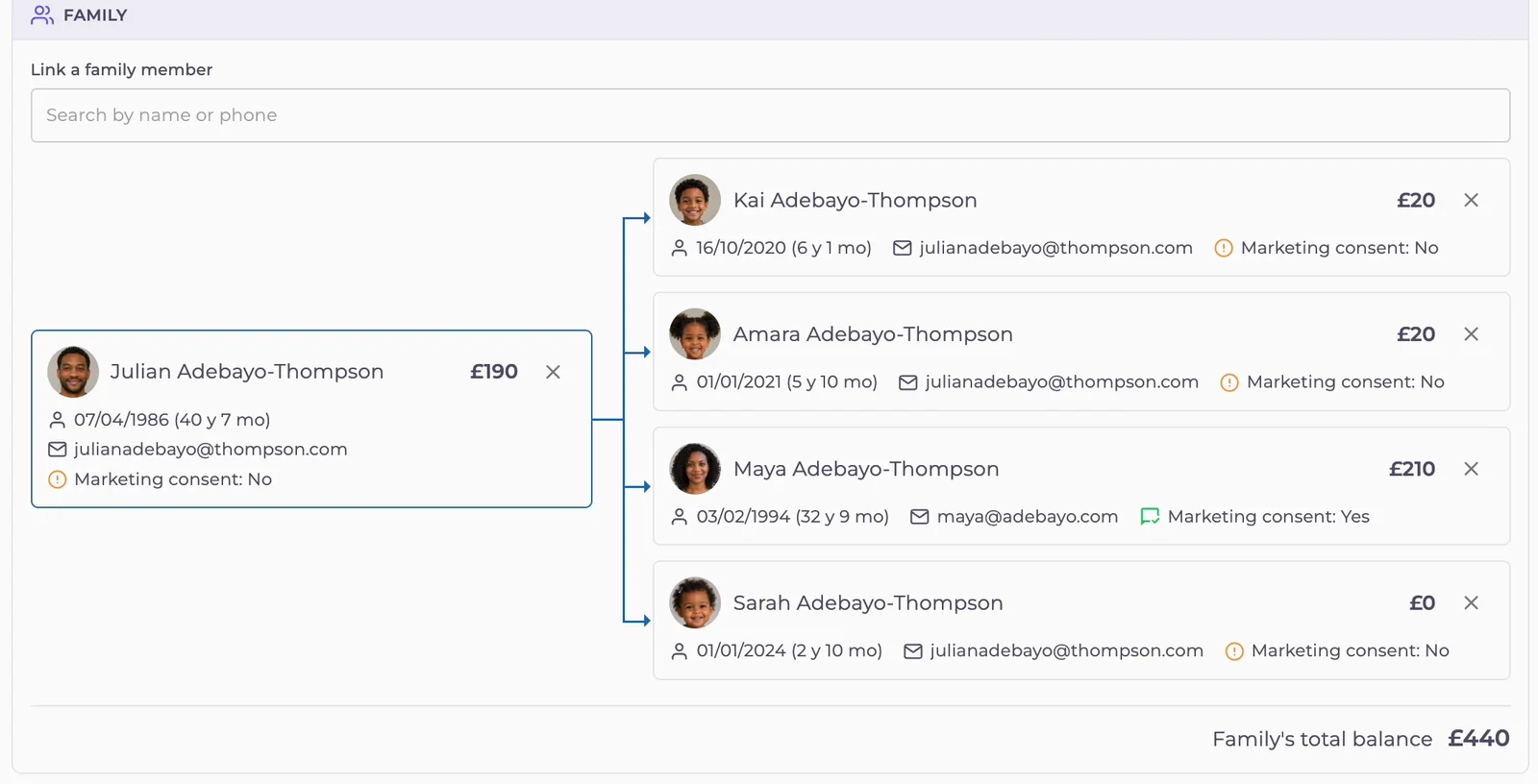
When a patient belongs to a family, their header shows the number of family members (for example Family: 3 patients). You can also link a patient from Quick actions. Linking and removing family members appears in the activity feed.
To see how reception uses the family view day to day, explore Family Linking →
🎉 Photo and X-ray Gallery in Treatment Plans
A gallery icon now sits at the top right of the dental chart in the treatment plan. Click it to open the patient’s photos and X-rays just below the chart, so you can look at images without leaving the treatment plan.
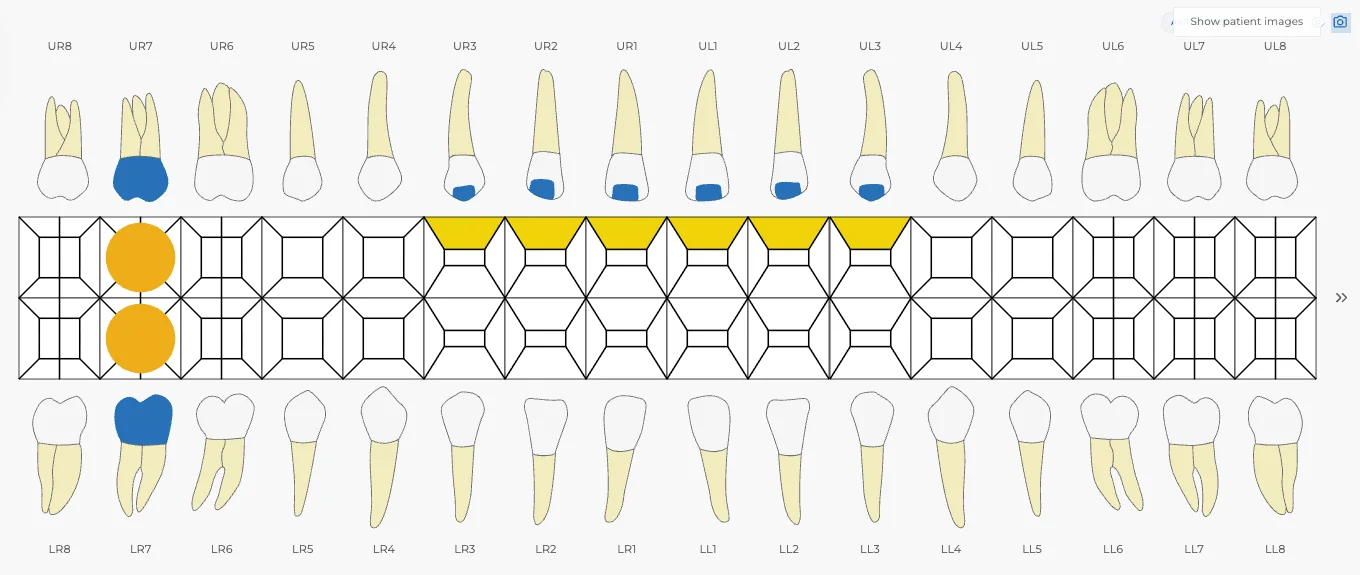
The selected image is shown large at the top, with the other images in a scrolling strip of thumbnails below. DICOM X-rays can be viewed in the same panel. The panel doesn’t cover the teeth; it pushes the sessions down. Images only load once the panel is opened.
🎉 Calendar Planner View
Appointment rows in the calendar’s planner view now show the appointment type, clinician, status, phone number and notes. Rows are coloured with the calendar colours, so appointments are easy to tell apart at a glance.
The month’s appointments now load in parts instead of all at once. The rest of the month loads with More at the bottom of the list, so the page stays light in busy clinics. Pressing Today in the planner lists only today’s appointments.
🎉 New Patient Search
We rebuilt patient search from the ground up and added new ways to find patients.
You can now search by date of birth, postcode (for example BR1 3NQ, br13nq or BR1) and NHS number. Names typed with a small spelling mistake or without accented characters still find the right patient, and patients with two first names or a double-barrelled surname now show up in results.
🎉 Calendar Print Options
In the calendar’s print options (Ctrl/Cmd+P), you can choose each field to include in the printout. Cancelled appointments and clinicians with no appointments that day can be left out, and your choices are remembered for the next printout.
✨ Improvements
✨ Redesigned Payment and Payment Plan Windows
The payment window has a new look. When you edit a payment and change only the portfolio or the refund type, the Update button now becomes available, and the description is no longer cleared.
The Add Payment Plan window in patient payments now matches the payment window. Each field sits on one labelled line, with the total amount next to its currency. If saving fails, a message explains why, and the currency is no longer cleared after saving.
Payment plan printouts now include the patient’s ID or passport number.
✨ Open the Referring Patient in a New Tab
On the patient edit screen, a button next to the selected referring patient opens that patient’s details in a new tab.
✨ More Details on Appointment Board Cards
Cards on the appointment board (kanban view) now show the appointment type, clinician, phone number with area code and the appointment’s emoji, just like appointment boxes in the calendar. Hover over the status icon to see the status name.
✨ Read Long Notes Without Opening Them
You can now read long patient notes without opening them. Each note is shown as long as the remaining space on screen allows. For example, if you show only treatment plan notes, notes with many lines are much easier to read than before.
Copying a note without opening it and pasting it into a new note no longer adds extra blank lines.
✨ Preview PDF, Word and Excel Files in Media
In a patient’s media and in Clinic Media, clicking a PDF, Word (.docx) or Excel file now opens it in a window instead of downloading it. You can still download the file from that window.
✨ Treatment List on the Patient-Friendly Chart
On the patient-friendly dental chart, hovering over a tooth lists its treatments, and this now also works on the Treatments main page and in the child teeth view of the treatment plan. Each treatment shows whether it is completed, planned or a diagnosis.
✨ Clinic Currency Amounts in the End of Day Report
In the end of day report’s payment list, payments taken in a currency other than the clinic currency now also show the amount in the clinic currency, as they do in the mobile app.
✨ New Columns in Excel Exports
The invoice list Excel export has a new column with each invoice’s amount in the clinic currency, using the exchange rate on the day the invoice was issued.
The Completed Treatments report and treatment plan Excel exports now include the patient’s External System ID next to the patient number, which makes it easier to match patients with their records in other systems.
✨ Patient Name in Task Notifications
When a task is created, the notification sent to the assigned person now includes the name of the patient the task is about. Tasks can only be created for patients the clinic can see.
✨ Redirect to the Online Payment Page
Patients who open an online payment link no longer briefly see a card form they don’t need to fill in before the secure payment page opens. Instead, they see a loading indicator and the message You are being redirected to a secure payment page...
✨ Stock Movements by Patient in the API
The Medicasimple API can now list stock movements by patient. When you query a patient’s stock movements with your API key, only that patient’s records are returned.
📱 Mobile Developments
🎉 Team Chat on Mobile
Team chat also works in the mobile app. On mobile you can:
- Have one-to-one and group conversations and create groups. Only group admins can add or remove members.
- Send one or several photos and documents, with a message if you like, and download photos you receive.
- Share links that open when tapped.
- Edit and delete messages you’ve sent.
- Share a patient in a conversation. Sharing is also available from the patient profile.
When you’re not in the chat, new messages arrive as notifications and a badge appears on the app icon. You won’t get notifications while you’re in the chat.
Have feedback on this update?
Tell us what would make this product change more useful for your clinic. We route feedback to the product team and use it to shape upcoming improvements.
Related product updates
More product updates
October 2026
October 2026 Product Updates
October 2026 brings organisation agreements, a Kanban view in the calendar, a new Payments and Invoices tab and draft invoices.
→September 2026
September 2026 Product Updates
September 2026 brings automatic online booking approvals, updated estimates, cash flow reporting, and new webhooks.
→August 2026
August 2026 Product Updates
August brings AI-assisted treatment translations, expanded data imports, patient profile photos, and practical improvements for everyday clinic work.
→