


Opening a New Patient Record While Creating a Treatment Plan
If the patient is not registered in the system, doctors or relevant assistants can create a new patient record before setting up a treatment plan.
Updated
If the patient is not registered in the system, doctors or relevant assistants can create a new patient record before setting up a treatment plan. To open a new patient record, click on the "Add Treatment Plan" button in the "Treatment Plans" screen.
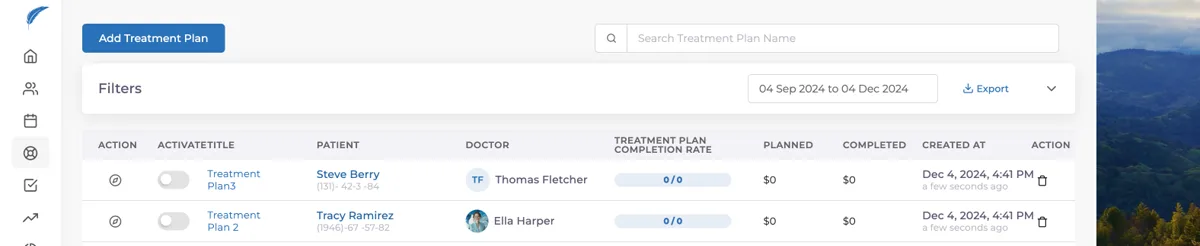
After selecting the doctor and entering the patient's name, if the patient is not registered in the system, a "New Add +" button will appear. Click this button to initiate the registration process, and a registration screen will open as shown below, with the first and last name fields already filled in.
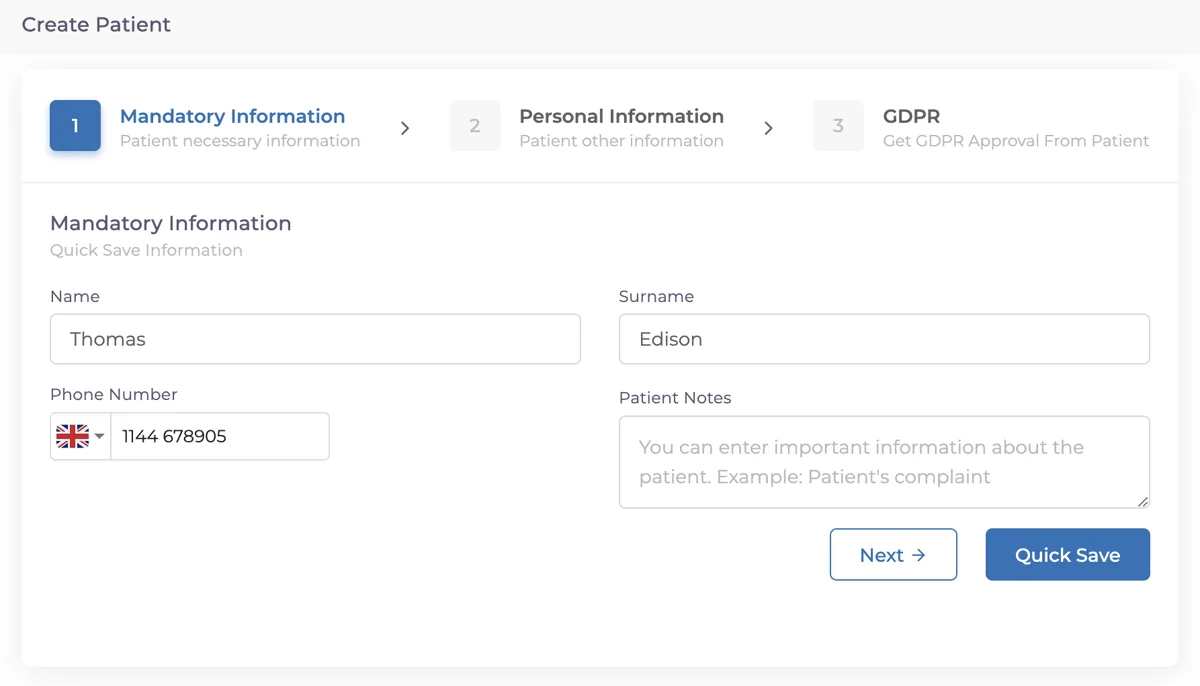
After entering the phone number, the registration process is completed by clicking the "Quick Register" button, and the patient will be registered in the system.
If you want to save all the information, click on the "Next" button, and you will need to fill in the following details:
- National ID Number
- Date of Birth
- Address
- Gender
After obtaining patient consent under the Personal Data Protection Law , the registration process will be completed.
Keep going