


Treatment Divident and Doctor Entitlement Calculation Settings
In multi-doctor clinics, physicians may have commissions based on the treatments they perform.
Updated
To set special commission rates for physicians, you need to open Settings > Users page.

When you click on the name of a user with the doctor position, a window will open with a section for divident rate. From this section, you can enter the percentage rate you want and click the save button. This will calculate the percentage based on the rate you entered for all treatments marked as completed in the past in the reports section.
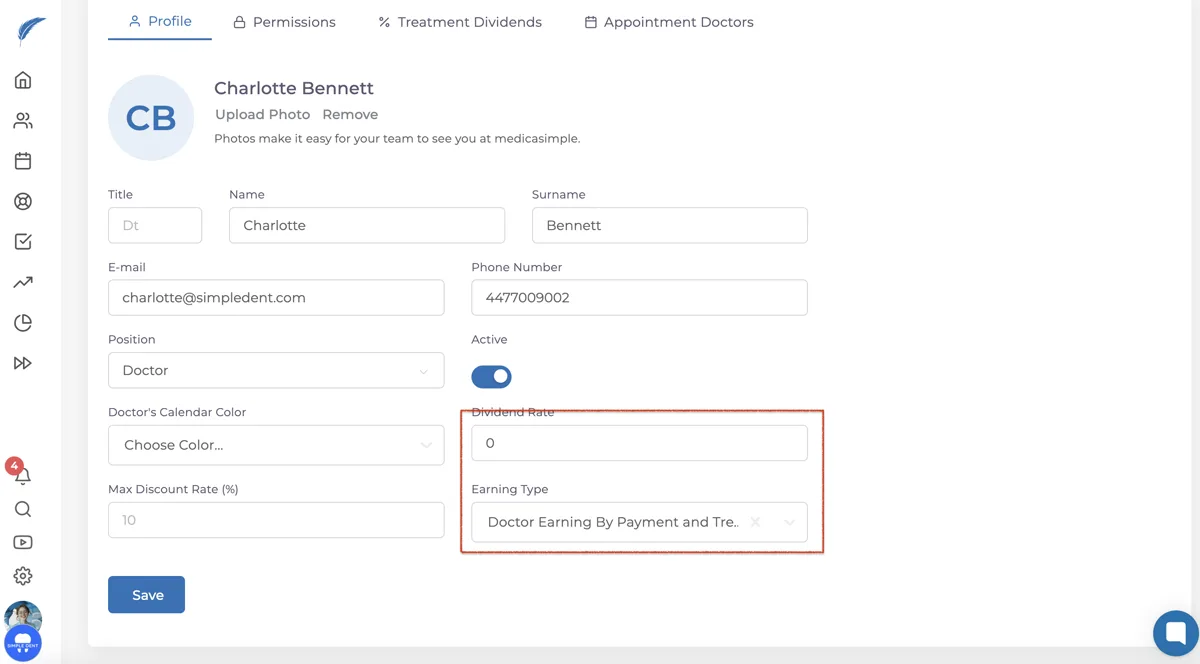
Doctors may also have dividend rates specific to certain treatments beyond the fixed dividend rate. You can set treatment-specific dividends from the user page.
Click on the section labeled "Treatment Dividends" on the user page to see a list of treatments. You can set dividends for treatments in two ways: by applying a percentage rate or a fixed dividends amount. Both methods cannot be used simultaneously.
In the row of the treatment you want to apply a dividend to, you'll find fields where you can specify the dividend rate or fixed amount. Set the dividend rate/amount as desired.
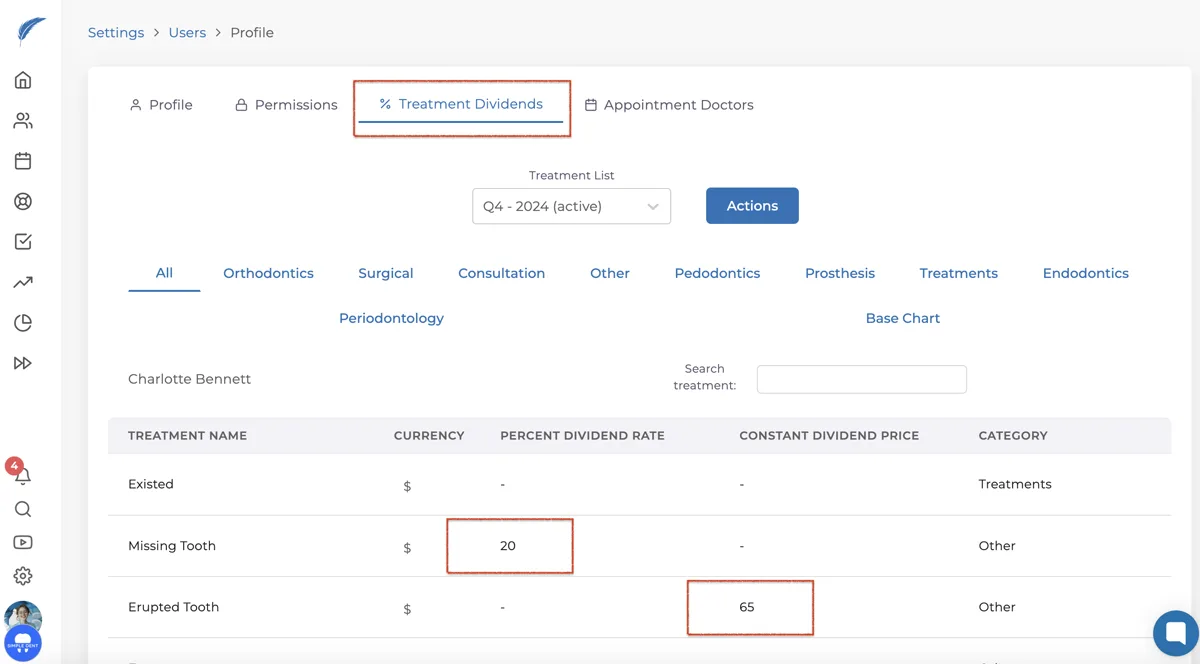
NOTE: The treatment dividend is applied retrospectively for individual treatments. It will be applicable for treatments done after the dividend settings are adjusted.