


Adding a Payment Note to a Treatment Plan
Add a note to a treatment plan proforma and choose whether the patient can see it when the document is printed.
Updated
Adding a Payment Note to a Treatment Plan
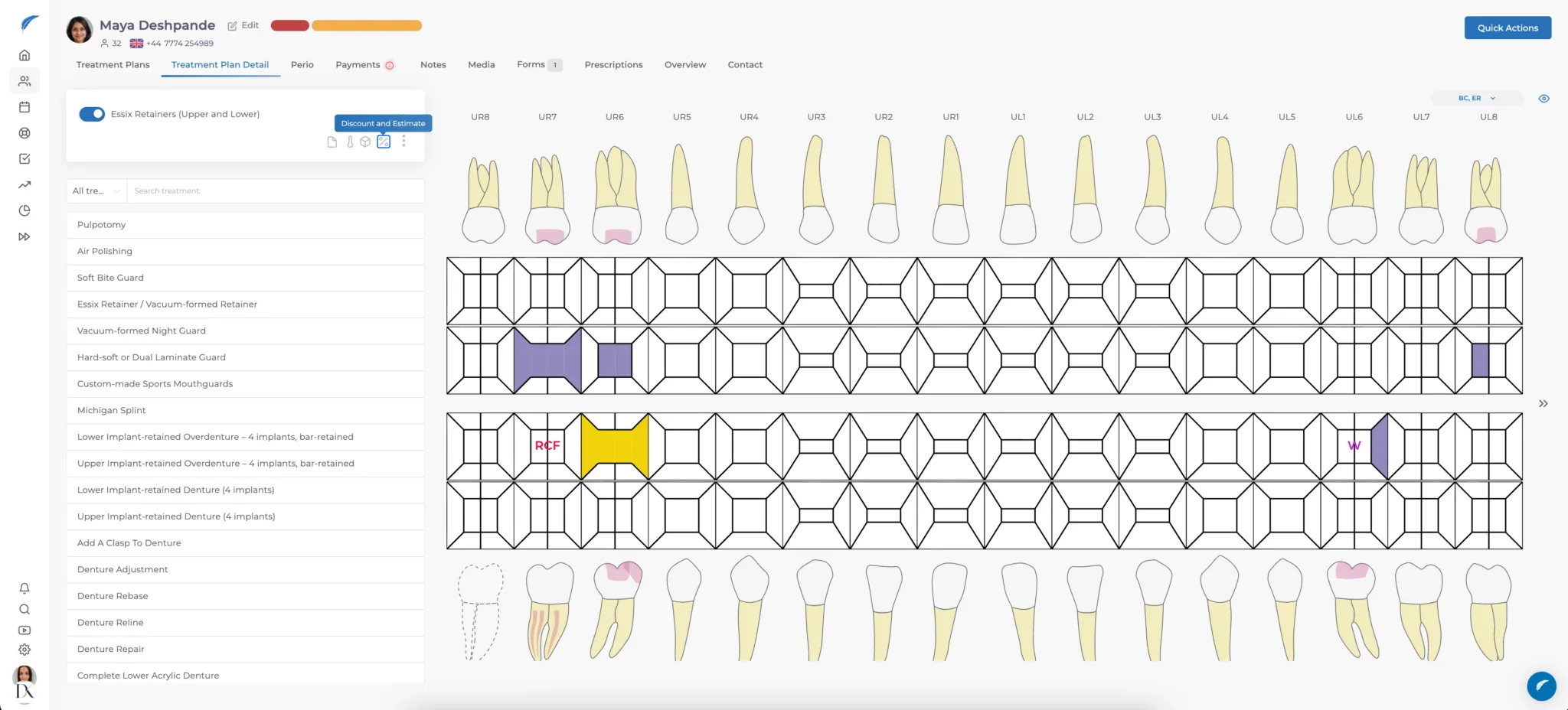
On the treatment-plan page, select the Discount and Estimate icon. The window shows treatments, teeth, duration, unit price and total price.
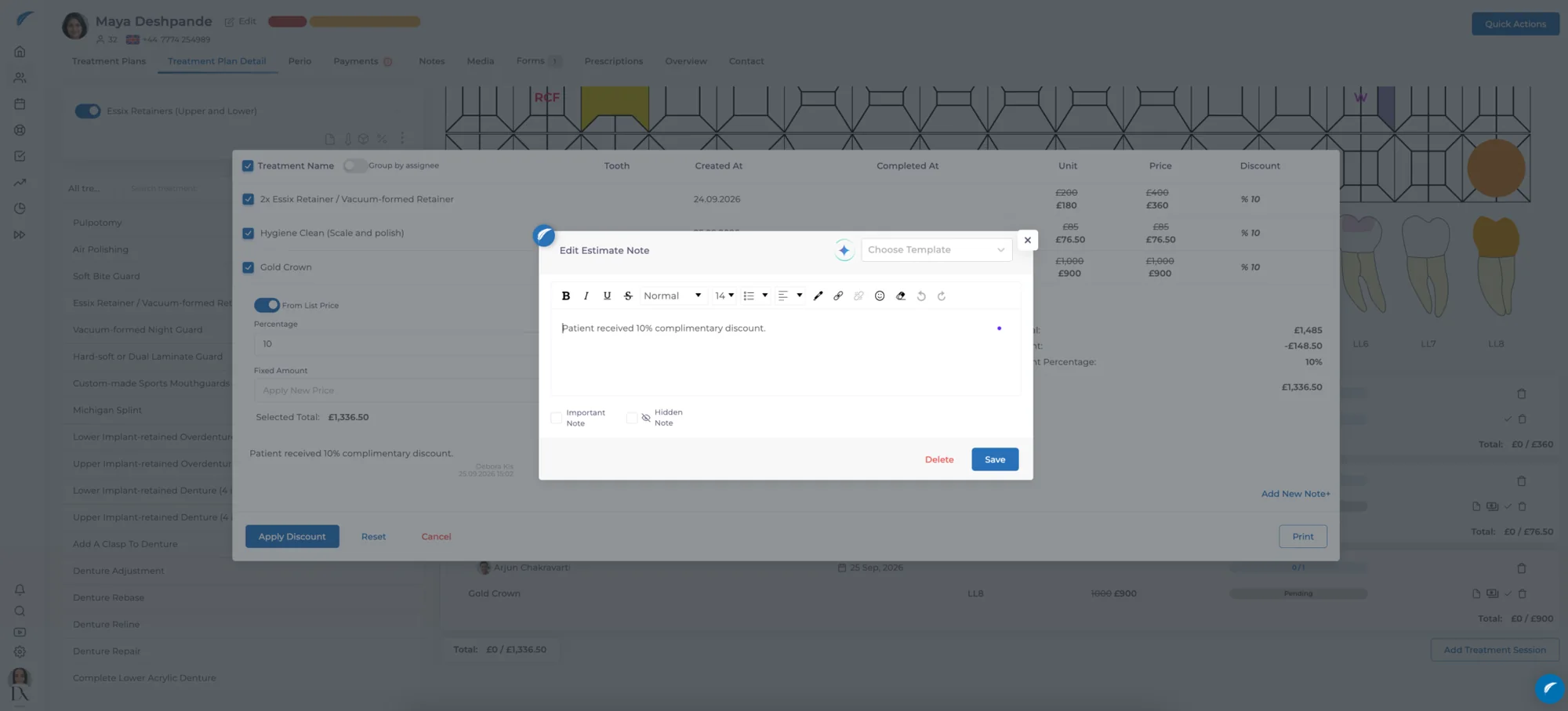
Add the note
Select Add new note and enter information about the plan or its payment arrangement. Keep patient-facing wording clear and avoid placing private team comments in a note that will be shared.


Choose whether to print it
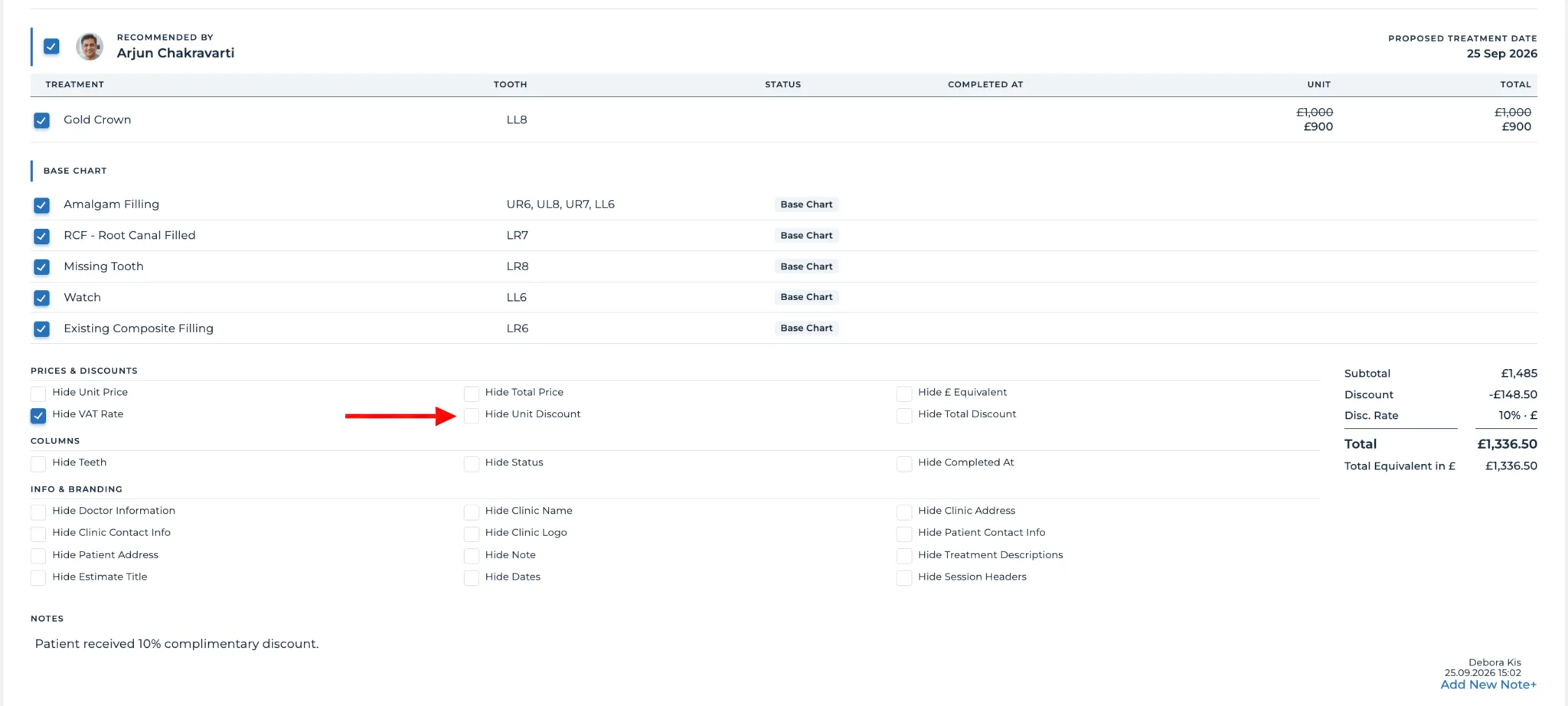
When you select Print, use the notes control to decide whether the note appears on the patient’s proforma. Leave it disabled for an internal note; enable it only when the patient should see the information.
Print and verify
Review treatment, price and note visibility, then select Print in the upper-right corner. Check the final document before sharing it with the patient.
Keep going