


Creating a New Treatment List
When you log in to the Medicasimple system, the default treatment list will be available by default.
Updated
When you log in to the Medicasimple system, the default treatment list will be available by default. You can use this list, modify it, or create your own list if you prefer.
To create your own treatment list:
1. Go to Settings - Treatments.
2. Click the "Actions" button and select “Add new treatment list” to create your own list.
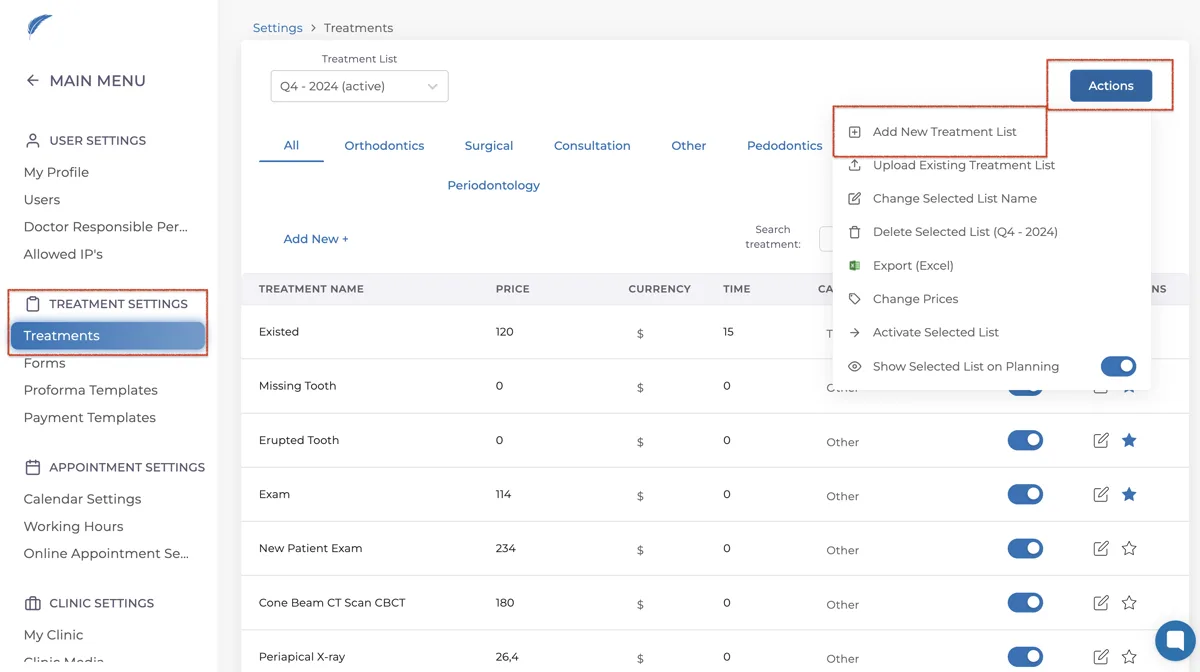
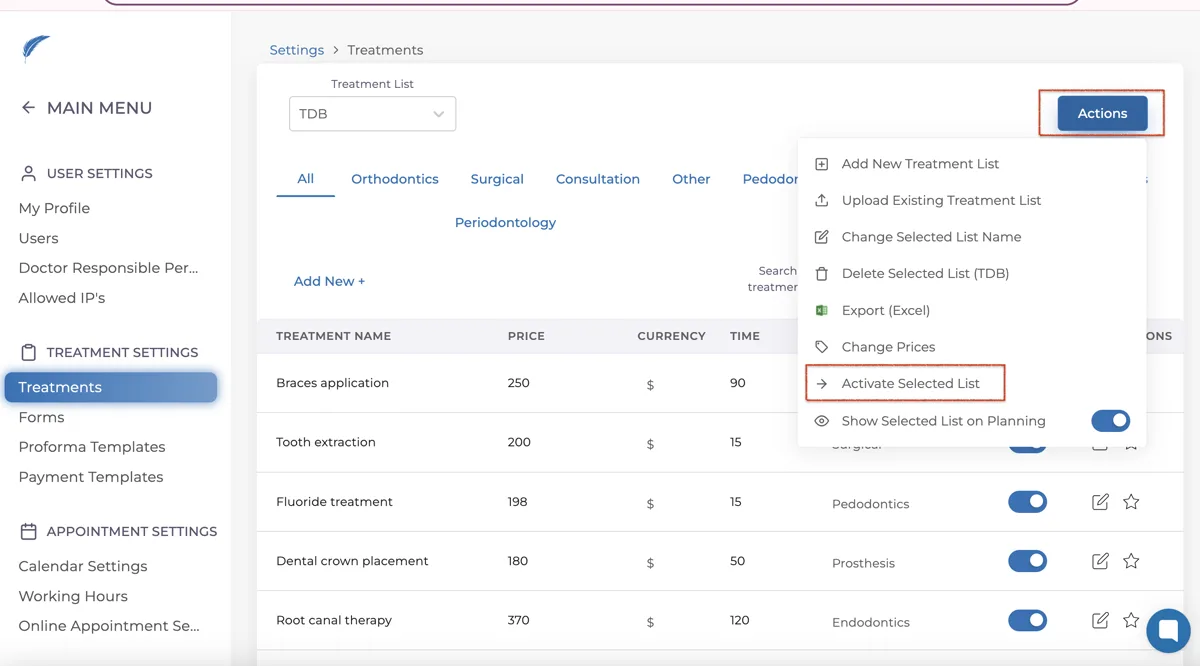
After creating your list, you need to select your own list from the "Treatment List" section. By selecting your list, you can quickly add the default list using the "Apply Default List" button if desired.
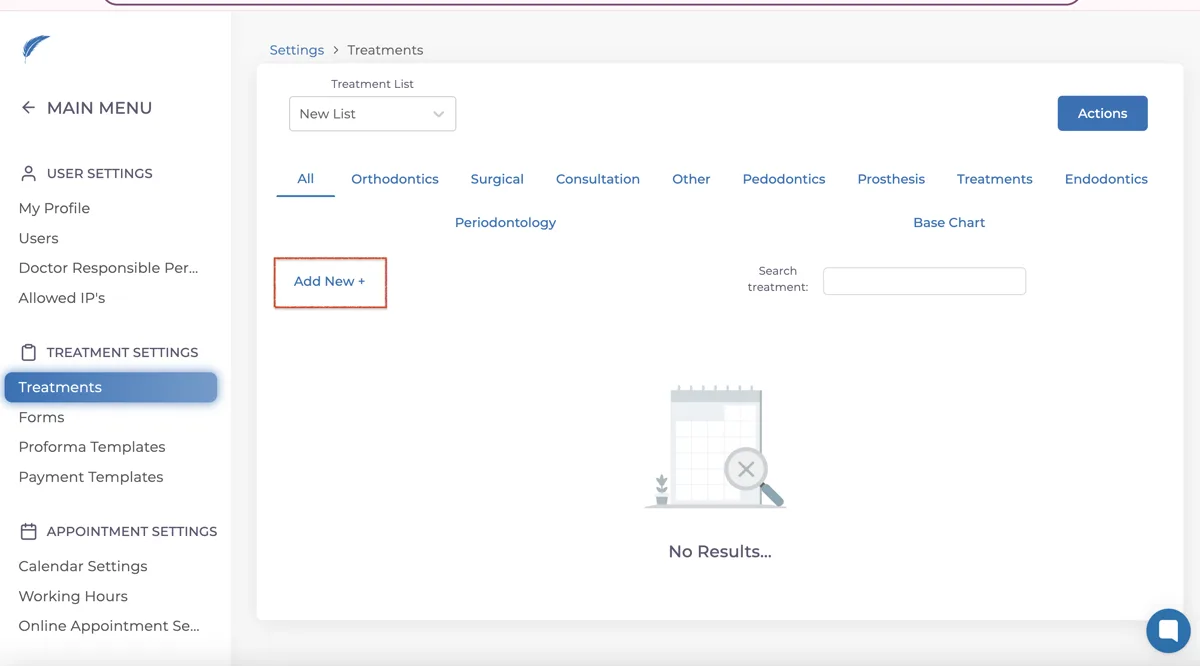
Alternatively, you can define your own treatments and write only the treatment names you will use
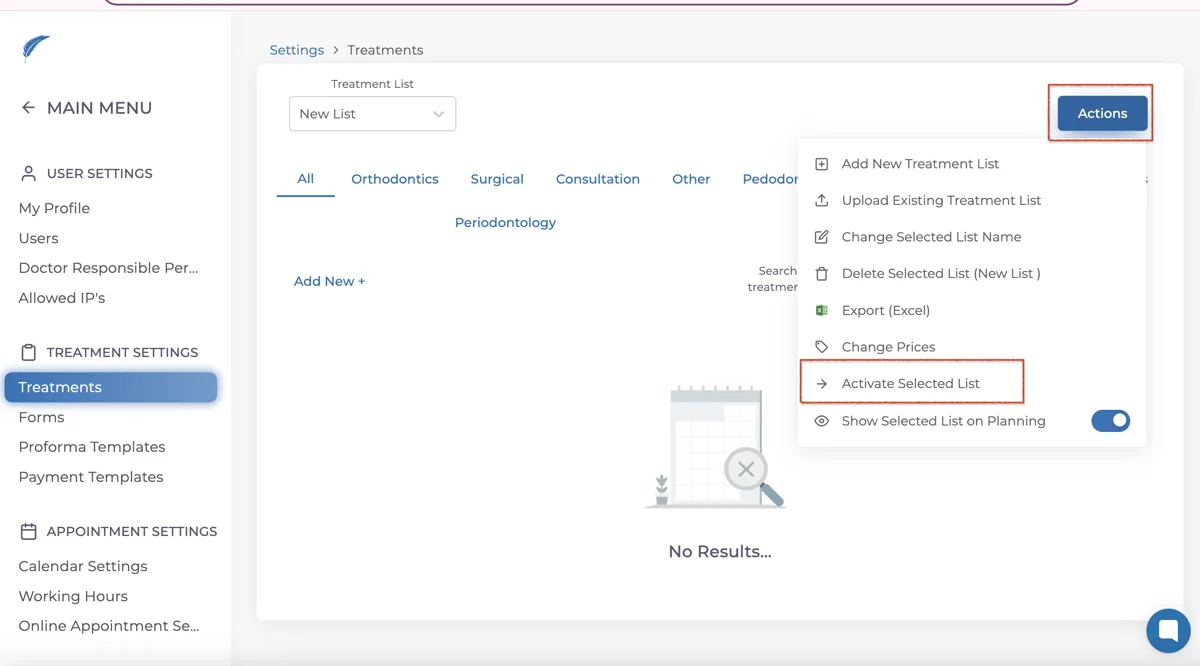
After creating your list, select your custom list from the list selection section and click the "Activate" button. This way, you will only see personalized treatments in the treatment plans you create.
Keep going