


Adding a New Treatment
How to add a new treatment and update the VAT rate, price, duration, and other details of an existing treatment.
Updated
With Medicasimple, you can manually add a new treatment and edit existing treatment details such as name, VAT rate, price, and treatment duration.
To add a new treatment or edit existing treatments, click Treatments in the main menu. Here you can view all existing treatments. If you want to remove a treatment from active use, click the Active button to make it inactive.
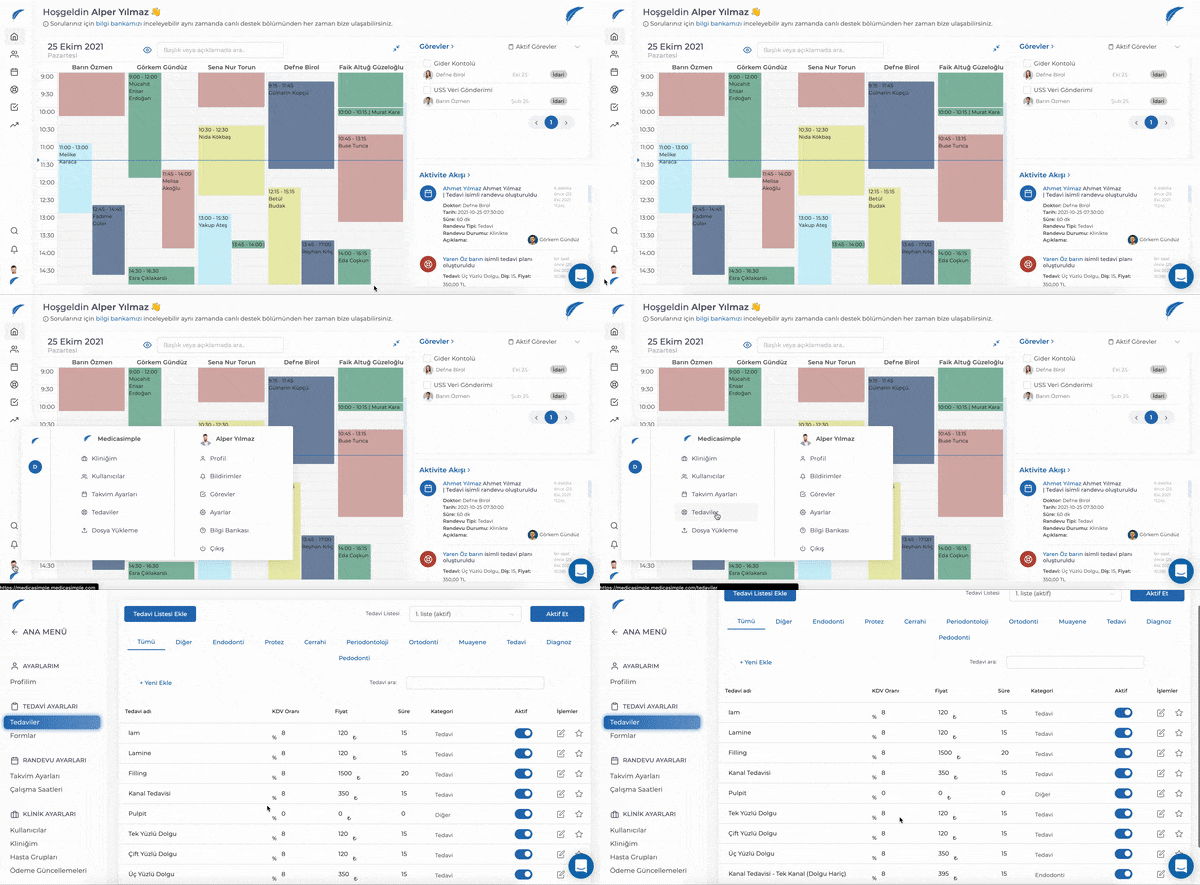
You can also click the star (⭐) button on the right side of a treatment to add it to your favorites. Treatments added to favorites appear at the top of the treatment planning screen.
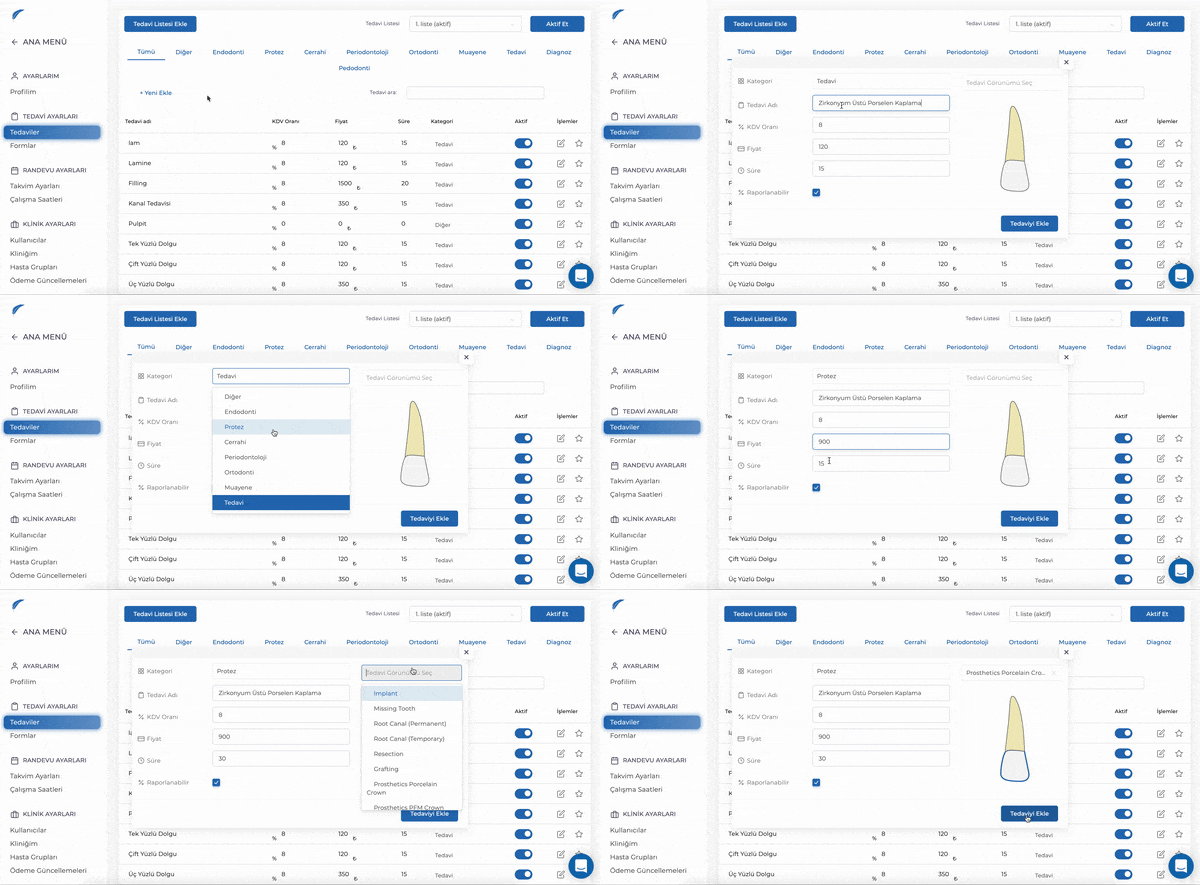
To add a new treatment, click the + Add New button. On the page that opens, enter the new treatment's category, treatment name, VAT rate, price, and duration. After selecting the appropriate Treatment View from the top right, click Add Treatment to save the new treatment successfully.
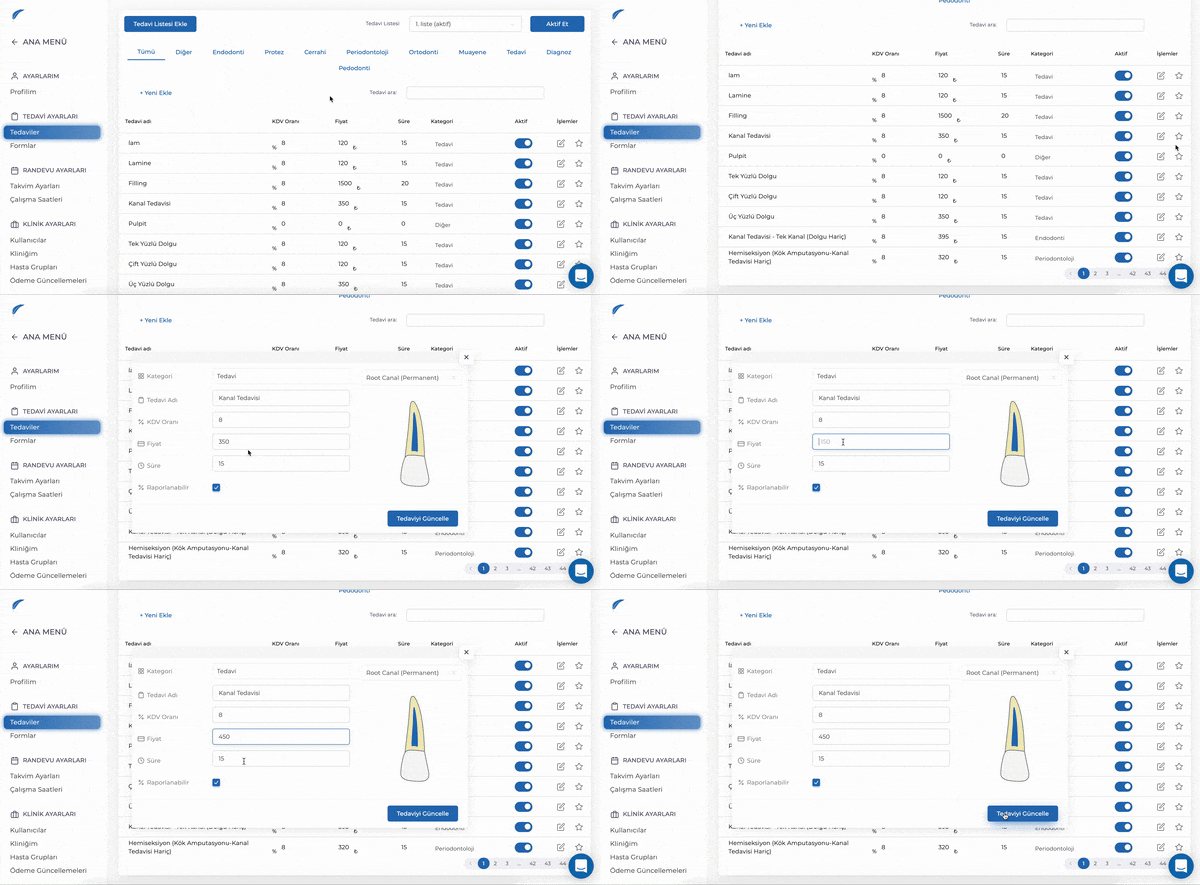
To edit an existing treatment, click the 📝 button on the far right of the treatment row. On the page that opens, you can update the treatment's category, treatment name, VAT rate, price, and duration.
Keep going