


Viewing Account Details from Discount and Estimate
Use the Discount and Estimate icon (%) in the treatment plan to open account details and review applied or planned treatments in one list.
Updated
Account details let you view all treatments applied to and planned for the patient in a single list; you can review which tooth each treatment was applied to, the treatment duration, unit and total prices. From the same area, you can apply a percentage (%) discount to selected treatments or define a New Price for each selected treatment.
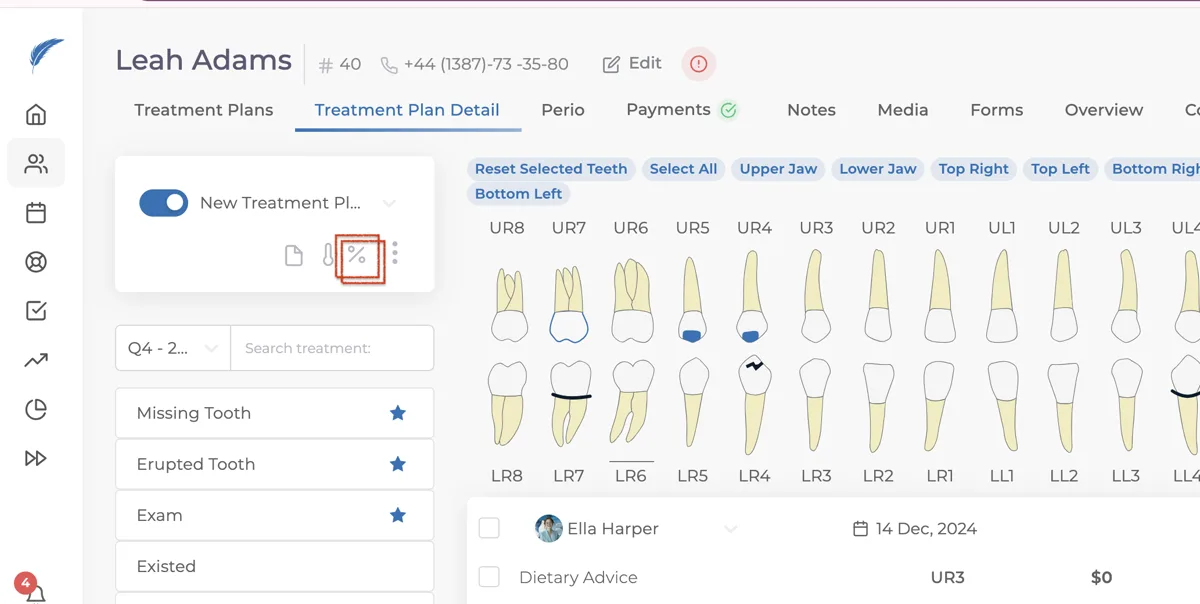
To view the account details, first open the patient's treatment plan. On the treatment plan page, click the Discount and Estimate icon (%) located to the right of the patient's name.
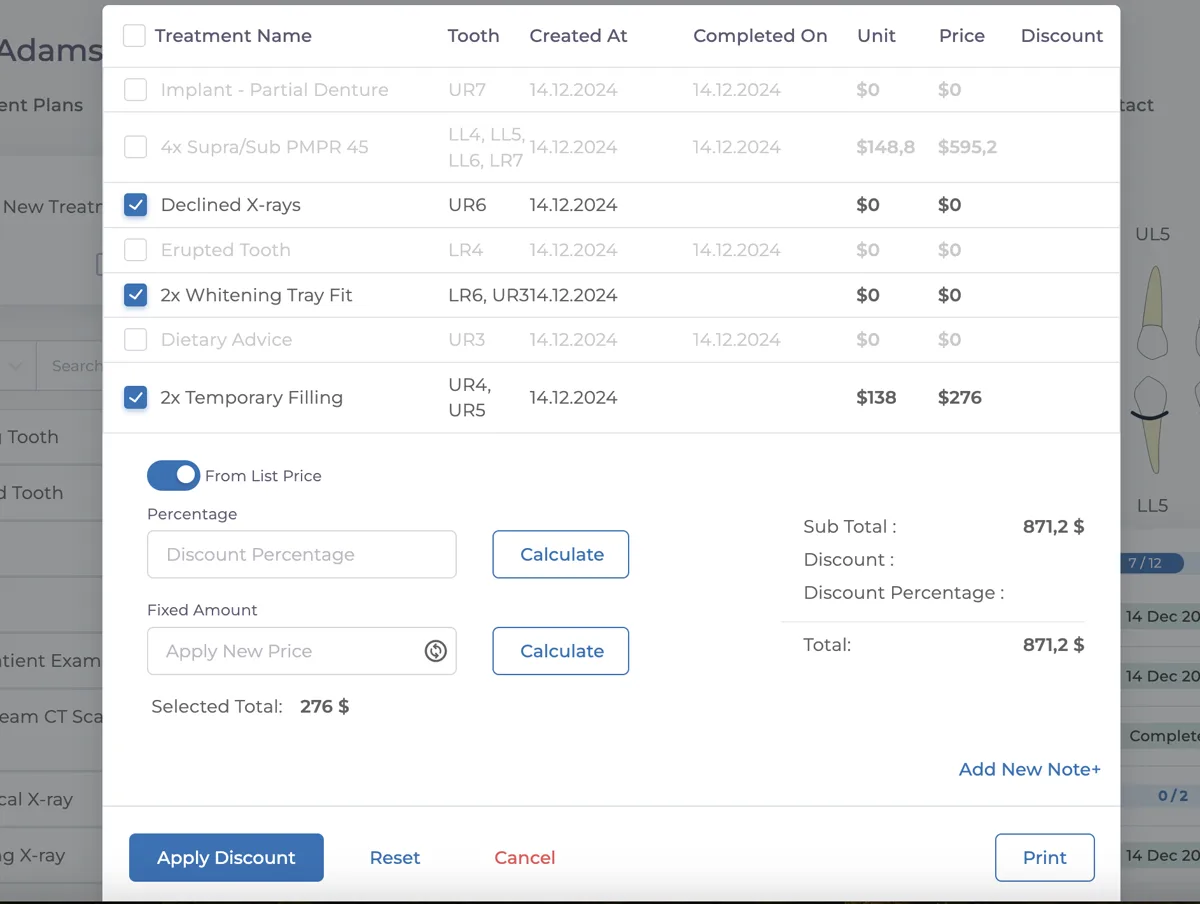
In the Discount and Estimate panel, you can find the treatments that have been applied to the patient and those planned for the future. Treatment names with a line through them show the treatments that have already been completed for the patient.
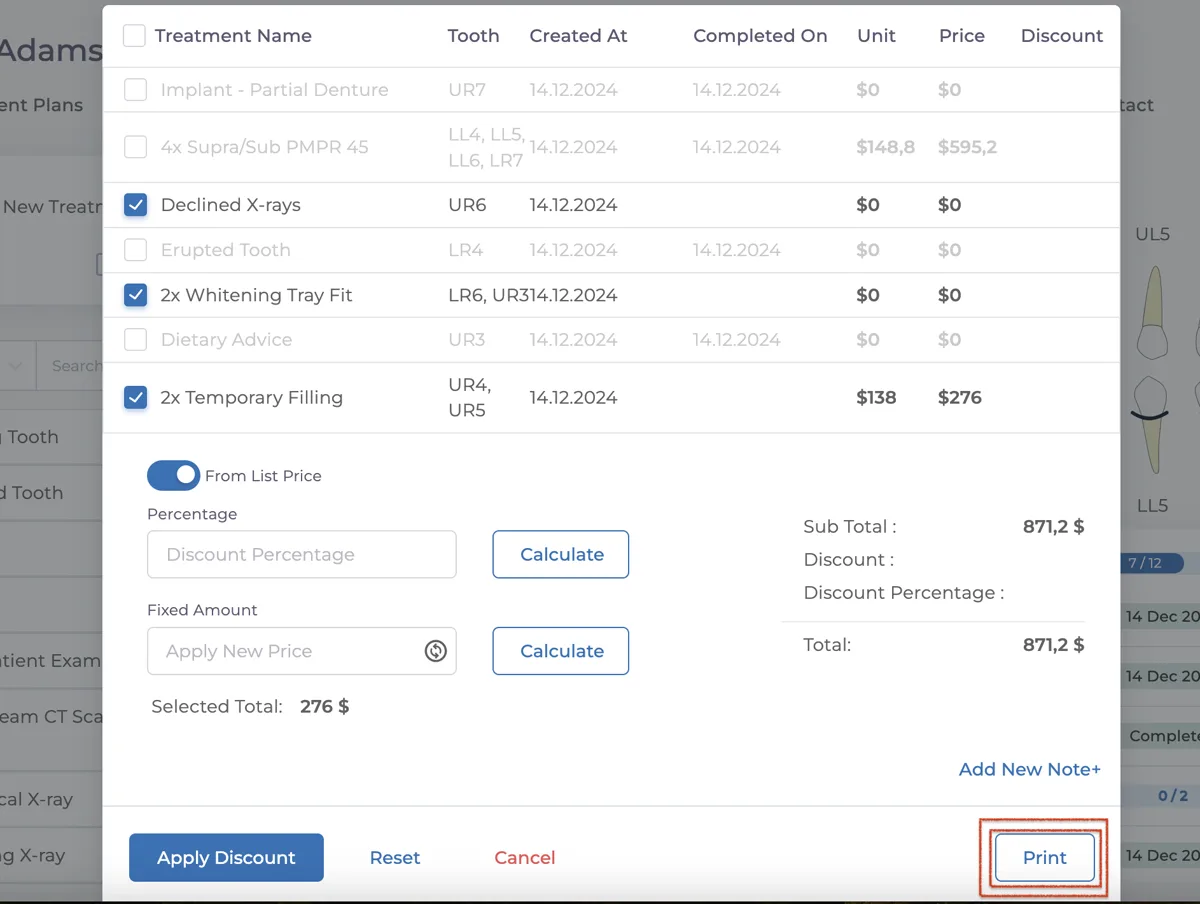
Additionally, you can print the treatment plans and account details by clicking the "Print" button located at the bottom right of the Discount and Estimate panel. You can then share these prints with your patients.
Keep going