


Selecting Treatment List
When creating a treatment plan, we can select procedures from the active treatment list.
Updated
When creating a treatment plan, we can select procedures from the active treatment list. But how can we switch between multiple lists if we want to use more than one list in a treatment plan?
The treatment list selections will always be displayed when creating a treatment plan. We can switch between lists without changing the active list settings by using a practical method.
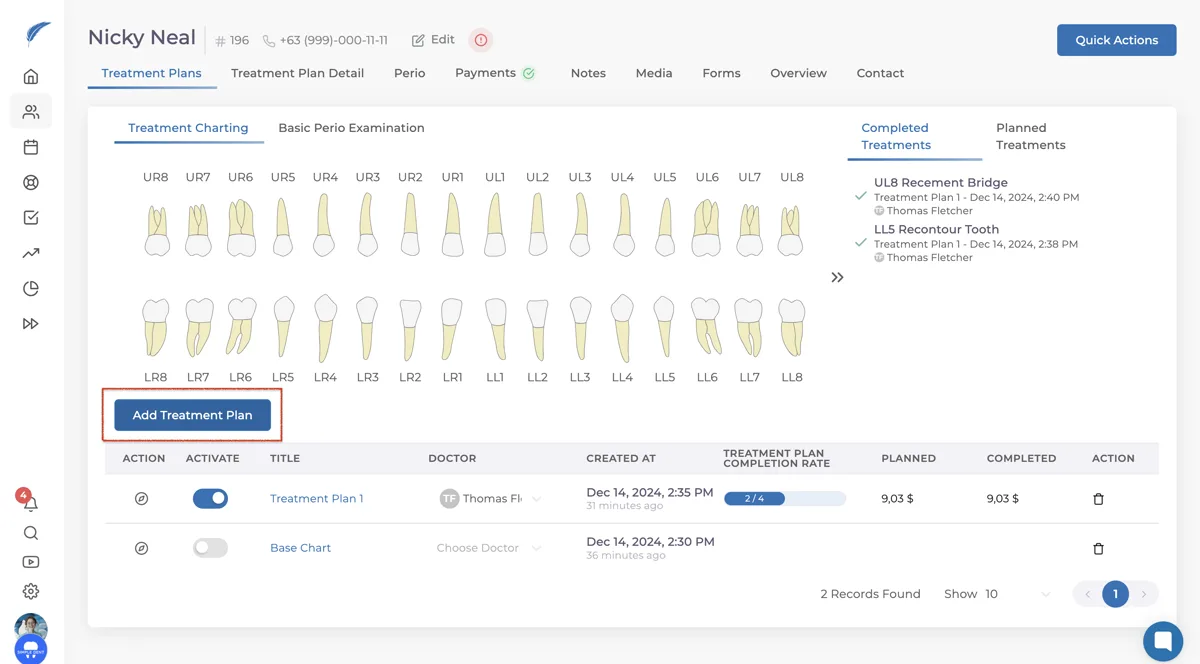
First, navigate to the patient's profile and go to the treatment planning page by clicking the "Add Treatment Plan" button.
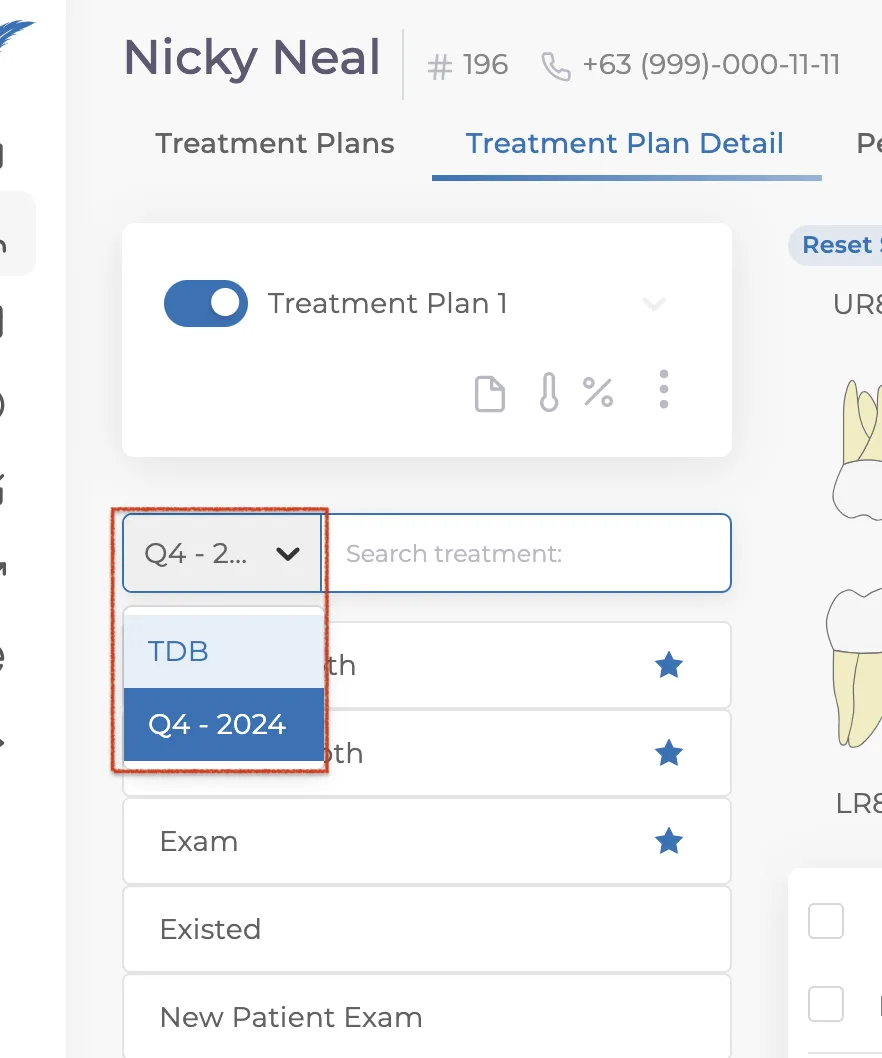
If you have created your own list, clicking on the name of your list will display other treatment lists as well. You can select the list you want to use and choose the desired treatments from it.
If your issue is not resolved, you can contact our team via the live chat button for detailed assistance.
Keep going