


Adjusting the Date of Completion in a Treatment Plan
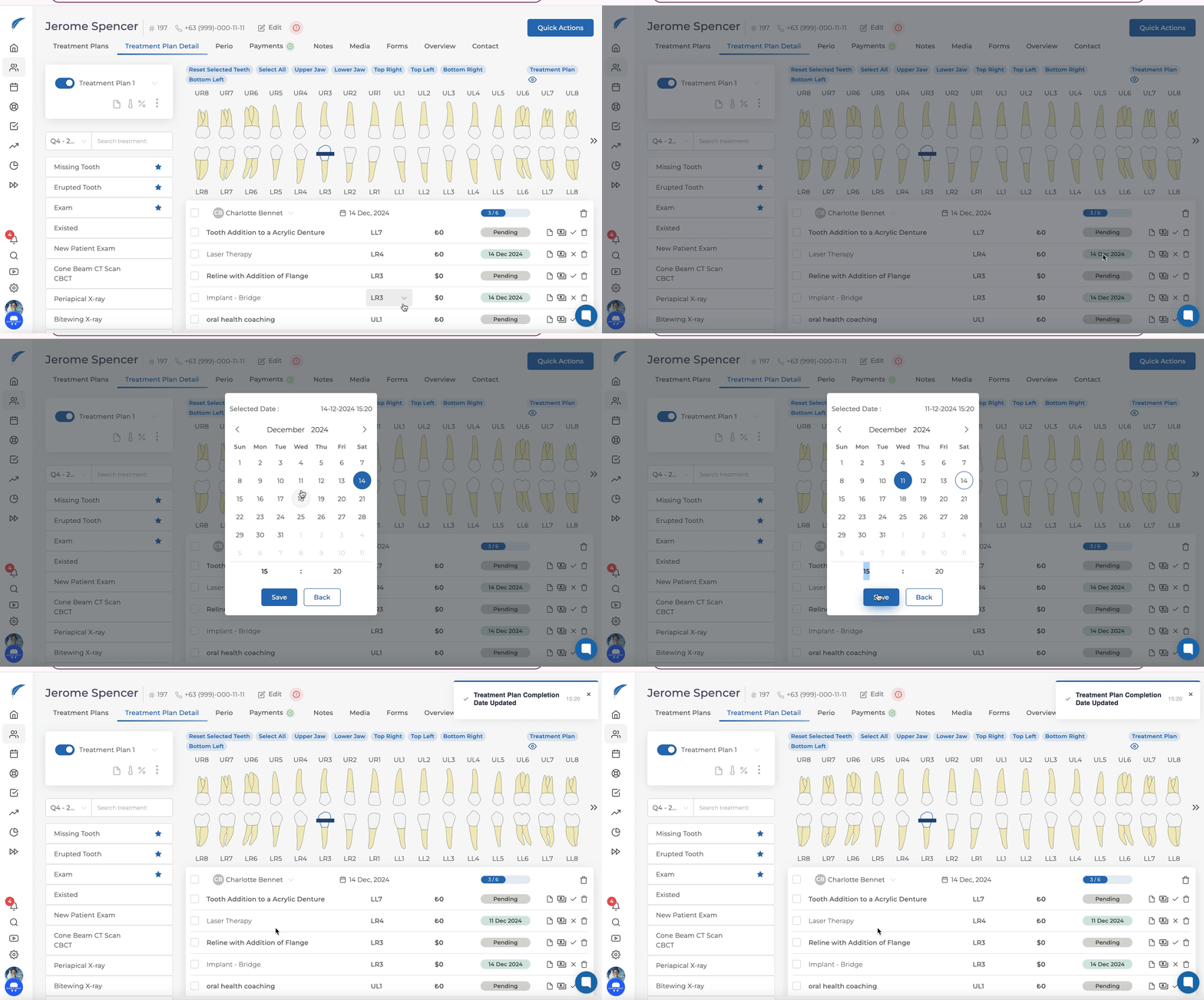
It is possible to change the dates of the treatment items marked as completed. First, navigate to the treatment plan and locate the treatment item you want to modify.
Updated
It is possible to change the dates of the treatment items marked as completed.
First, navigate to the treatment plan and locate the treatment item you want to modify.
Hover over the "Completed" label with your mouse to check the completion dates and ensure you are on the correct item.
Click on the "Completed" label, which will open a small calendar. Select the date you want to change to from this calendar and save it.
Finally, save the treatment plan by clicking the "Save" button.
Note: For group treatments, you cannot click on "Completed." Changes can only be made to each individual treatment item.
For assistance with this topic, you can contact us by clicking on our live support button.
Keep going