

Appointment Reminders

Calendar Management Without Daily Scheduling Chaos

A busy diary should not depend on manual guesswork. Keep your front desk calm with clear availability, faster slot decisions, and cleaner status flow.
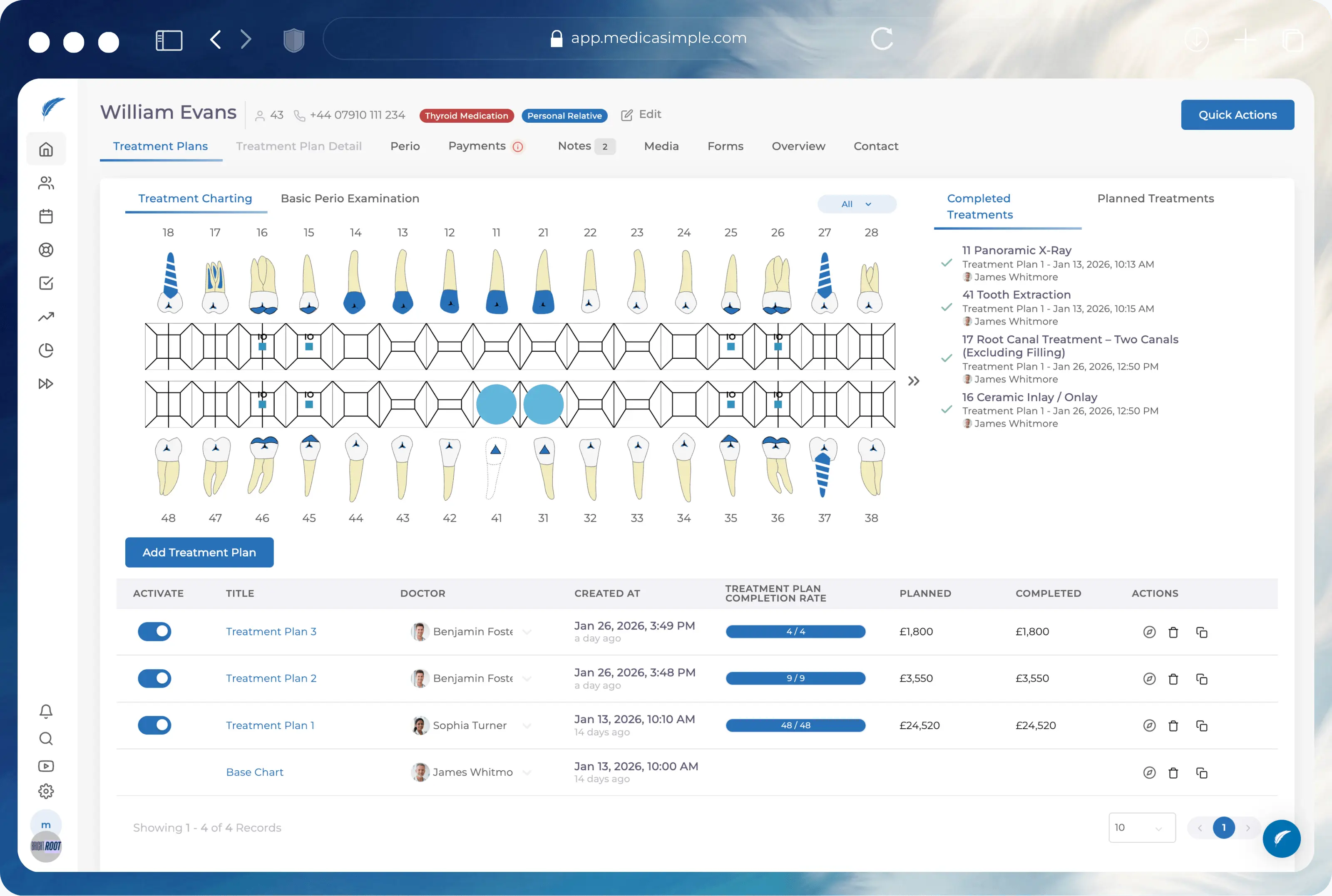
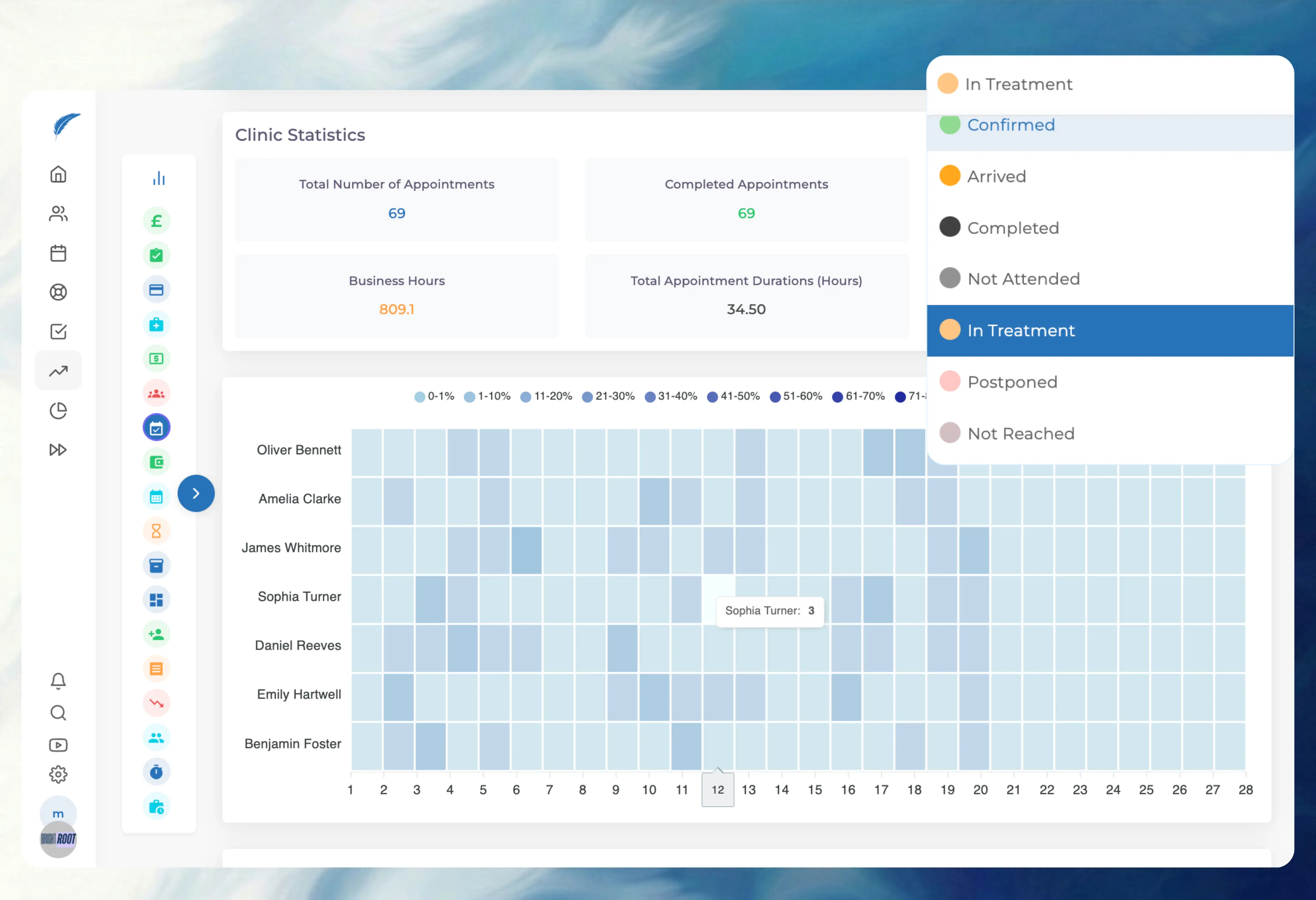
ental calendar management dashboard showing multi-clinician schedule and live appointment status updates
Identify free appointment slots in dental calendar
Spot Gaps Fast
See free slots in seconds during busy desk hours.
Prevent dental appointment scheduling conflicts
Avoid Slot Clashes
Apply clear rules to reduce avoidable booking conflicts.
Real time appointment status tracking in clinic diary
Track Status Live
Know who is waiting, seated, or completed at a glance.
Reschedule dental appointments without workflow disruption
Reschedule Cleanly
Move appointments quickly without losing workflow context.
Slots
Clinician availability rules with working hours, breaks, and blocked times
Rule-Based Slot Control
Set clinician hours, breaks, and booking rules once so reception teams stop relying on memory and manual checks. The calendar guides safer slot selection during busy desk hours and reduces avoidable booking mistakes.
Status
Live appointment status flow from booked to arrived to completed
Live Status Visibility
Appointment status updates are visible in real time, so front desk and clinicians stay aligned without repeated calls. Teams can see who is waiting, seated, or completed and move the day forward with less confusion.
Views
Multi-clinician calendar view with provider filters for faster slot decisions
Multi-Clinician View Control
Switch between single-provider and team views quickly to spot open capacity and pressure points. This helps front desk teams make faster slot decisions and reduce clash risk during peak periods.
Changes
Recurring appointment setup with interval and total visit controls
Recurring And Reschedule Flow
Plan repeat visits with clear intervals, then move appointments safely when plans change. The workflow keeps context attached while helping teams recover from cancellations without diary chaos.

The practice management platform behind 1,300+ healthcare clinics

From dental to physio, dietetics to aesthetics. One platform, every specialty. Built for clinics that want less admin and more time with patients.
Maxident logo
Dentapoint logo
Natürel Diş Logo
Antlara logo
Maxident logo
Dentapoint logo
Natürel Diş logo
Natürel Diş logo
Dentakay logo
Aliadent logo
Skala Dental logo
Dentakay logo
Aliadent logo
Skala Dental logo
Alpi Diş logo
Alpi Diş logo
Dentapoint logo
Dr Ferdi Allaf, Invisalign Diamond APEX Provider and Medicasimple customer

"As an orthodontist and clinic owner my main focus is patient care, and Medicasimple allows me to do just that. It handles all the administrative tasks, freeing me up to focus on my patients. Our practice has thrived since we started using it"

Dr Ferdi Allaf
Invisalign Diamond APEX Provider
CenterDent Testimonial logo
Learn more
Dr Menekse Tekin                                | Dr Menekse Tekin, owner of Naturel Dent dental clinic and Medicasimple customer

"Medicasimple has revolutionised how we manage our dental practice. Its automated reminders and easy scheduling system have reduced no-shows and improved our patient flow. I would highly recommend it to any dental practice."

Dr Menekse Tekin

Owner, Naturel Dent

Natürel Diş Testimonial logo
Learn more
Case Studies

How Others Automated Their Practices

Explore real-world healthcare practices that have used Medicasimple to enhance patient experiences and achieve full automation.
Dr Menekse Tekin clinic operations case study - Medicasimple
8 min read

How Dr. Tekin Optimized Clinic Operations and Financial Management with Medicasimple

Dr. Menekşe Tekin, a dentist with 25 years of experience, oversees a large staff that works 365 days a year.
Read post
Qualident clinic financial management case study - Medicasimple
8 min read

Advanced Clinic Operations and Attracting Investment with Medicasimple

Haitham Jandali implemented Medicasimple at Qualident to overcoming communication and noise problems and financial tracking challenges.
Read post
KLC Clinic operational improvements case study - Medicasimple
8 min read

KLC Clinic: Achieving Significant Operational Improvements and Enhanced Patient Satisfaction

Prof. Dr. Erdem Kılıç's KLC Clinic ensures quality care, overcoming administrative challenges with Medicasimple's support.
Read post
Ortoport clinic operations case study - Medicasimple
8 min read

Transforming Clinic Operations: Ortoport's Journey with Medicasimple

Dr. Dt. Osman Öktem Aktürk leads Ortoport, facing challenges in patient data management, appointment scheduling, and remote clinic monitoring.
Read post
8 min read

Medicasimple’s Impact on Convenience and Efficiency at Ser Dental Clinic

Ser Dental Clinic, facing complex financial demands, sought a solution to improve operations, reduce admin tasks, and enhance patient care.
Read post

Ready to silence the phone and fill the chair?

Start your morning with a confirmed diary, not a call list.
FAQ

Frequently asked questions

Quick answers about calendar management, scheduling workflows, and front-desk coordination in Medicasimple.
Can we control availability by clinician?

Yes, you can set specific working hours, break times, and appointment rules for each clinician. This ensures the front desk only sees valid slots that match the provider’s actual schedule. It prevents booking errors and keeps everyone running on time.

Can we reduce avoidable booking conflicts?

Yes, the calendar applies rule-based checks before you confirm a slot. If a booking overlaps with a break or another appointment, the system alerts you immediately. This stops double-booking mistakes during busy phone periods.

Can we manage recurring appointments in the calendar?

Yes, you can configure appointments to repeat at set intervals, such as every 4 weeks. You can also define the total number of visits in the series. This helps you plan long-term treatment schedules without manually booking each date.

Can we find open slots quickly during calls?

Yes, you can filter the calendar to show only available slots for specific treatments or providers. This makes it much faster to answer "When is the next available appointment?" while a patient is on the phone. You do not need to scroll through weeks of empty space.

Can we handle last-minute booking changes?

Yes, dragging and dropping an appointment automatically checks for conflicts in the new slot. All the appointment details and patient notes move with it, so nothing gets lost. This allows the front desk to react instantly when a patient calls to reschedule.

Can we keep blocked times protected?

Yes, you can mark specific blocks as non-bookable for meetings, admin time, or holidays. These blocked periods are respected by the booking flow, so no one accidentally squeezes a patient into reserved time. It keeps the team’s non-clinical time secure.

Does status update in real time?

Yes, when you mark a patient as "Arrived" or "Seated," the status updates instantly on every screen in the clinic. The clinician knows the patient is ready without you needing to call or walk to the surgery. It cuts down on unnecessary internal communication.

Can front desk and clinicians stay aligned on patient flow?

Yes, the shared calendar view means everyone sees the same patient journey. Reception can see when a treatment is running over, and clinicians can see if their next patient has arrived. This visibility helps the whole team coordinate the handoff smoothly.

Can we filter by provider without losing the team view?

Yes, you can toggle between a full practice view and a specific clinician’s diary in one click. This lets you focus on one provider’s day when booking, then switch back to see the whole team’s status. It is useful for managing multi-chair practices.

Can we keep appointment notes attached after rescheduling?

Yes, any notes you add to the appointment stay linked even if you change the date or time. This ensures critical context, like "needs pre-medication" or "nervous patient," is not lost during a move. The history travels with the booking.

Can we work with multi-clinician schedules in one place?

Yes, the day view supports side-by-side columns for multiple clinicians. You can manage the entire practice’s capacity from a single screen. This is essential for the front desk to balance the load across the team.

Can we adjust scheduling flow during busy hours?

Yes, the interface is designed for high-speed interaction, allowing quick status changes and fast slot selection. You can confirm appointments or mark arrivals with minimal clicks. It helps the reception team stay calm when the phone lines are busy.

Does status discipline affect reporting quality?

Yes, reports rely on accurate status updates like "Did Not Attend" or "Completed." If appointments are left as "Scheduled" instead of updated, your utilisation and revenue reports will be incorrect. Consistent status use ensures your data matches reality.

Can we track cancellation and attendance trends more clearly?

Yes, by using the correct status for cancellations and short-notice changes, you build a clear history for each patient. This data helps identify reliability issues or frequent cancellations over time. It supports better decisions on booking deposits or reminders.

Can we review appointment change history?

Yes, the system logs key actions, so you can see who moved an appointment or changed a status. This audit trail helps resolve confusion if a booking is disputed or missing. It adds accountability to the scheduling process.

Can recurring workflows improve planning reliability?

Yes, setting up recurring patterns reduces the risk of human error in long treatment plans. It ensures the intervals between visits are consistent with clinical requirements. This leads to better adherence to treatment timelines.

Can we export practical calendar views for review?

Yes, you can export day lists or week views for team huddles or manual backup. These exports provide a printed reference for the day’s expected flow. It is often used for morning meetings or if the internet goes down.


Can mobile teams review scheduling actions?

Yes, authorised staff can view the live schedule and appointment details from mobile devices. This allows practice managers or owners to check the day’s performance remotely. It keeps leadership connected to the clinic’s pulse without being at the desk.

Nazli, Customer Success Manager at MedicasimpleMurat, Customer Success Manager at MedicasimpleDeniz, Customer Success Manager at Medicasimple
Still have questions? We're here.
Chat with us

Related Features

Put your clinic in your pocket

Get instant access to Medicasimple, explore the mobile app, and see how it feels to run your practice from your phone. No long term contracts, no hidden catches.

Backed by Innovative Clinics and Healthcare Teams Everywhere

Dentica International logo
Holident logo
Cosmedica Aesthetics logo